
Aulumu G09
Aulumu G09 Magnetic Ring Grip Instruction Manual
Model: G09
Introduction
The Aulumu G09 Magnetic Ring Grip is a versatile accessory designed to enhance your mobile experience. Crafted from durable aluminum alloy, it features a patented dual-axis system for omnidirectional rotation, strong Halbach array magnets for secure attachment, and a modular ring system for various uses. This manual provides detailed instructions for setup, operation, and maintenance to ensure optimal performance.
What's in the Box
- G09 Magnetic Phone Stand x 1
- Additional metal plates for non-MagSafe devices (black and white)
- Positioner for metal ring installation
- Interchangeable silicone grip rings (black and glow-in-the-dark white)
Features
- Revolutionary Dual-Axis Design: Experience infinite viewing angles with a patented dual-axis system. Tilt, rotate, and pivot your device in any direction for hands-free streaming, video calls, or vertical scrolling. The ultra-smooth 360° ball joint allows for cinematic positioning.
- Military-Grade Magnet Power: Features Halbach array magnets (20N force) for secure attachment to MagSafe-compatible devices and metal surfaces.
- Featherlight Yet Unbreakable: Crafted from aerospace-grade aluminum (1.13oz without ring) with an anodized finish for scratch resistance. The 25,000-cycle hinge ensures durability.
- Modular Ring System: Easily swap between the included glow-in-the-dark ring or a minimalist magnetic back. The silicone grip can also function as a selfie handle or hook. Bundled metal plates provide MagSafe-like compatibility for Android/Samsung devices.
- Versatile Use: Ultra-thin 0.12” profile for portability, with an anti-slip base for stability on various surfaces.
Setup and Installation
Attaching to MagSafe Compatible Devices
The Aulumu G09 Magnetic Ring Grip attaches directly to MagSafe-compatible iPhones (iPhone 12 and newer) or MagSafe-compatible cases. Simply align the magnetic ring with the MagSafe area on your device or case. The strong magnets will securely snap it into place.

Image: The Aulumu G09 Magnetic Ring Grip securely attached to the back of an iPhone, demonstrating its magnetic connection and dual-axis design.
Video: Aulumu G09 Magnetic Ring Grip demonstration, showing attachment to a MagSafe-compatible iPhone and basic usage.
Attaching to Non-MagSafe Devices (Android/Older iPhones)
For devices without built-in MagSafe compatibility, use the provided metal rings and positioner:
- Clean the back of your phone or non-MagSafe case thoroughly.
- Use the included positioner to accurately place the adhesive metal ring on the back of your device. Ensure it is centered for optimal magnetic connection.
- Peel off the protective film from the adhesive side of the metal ring and firmly press it onto your device.
- Allow the adhesive to cure for a few hours before attaching the G09 Magnetic Ring Grip.

Image: The Aulumu G09 Magnetic Ring Grip and a separate metal ring, indicating its use for non-MagSafe devices.

Image: Detailed instructions on how to use the positioner and metal ring for non-MagSafe phone attachment.
Operating Instructions
Using the Dual-Axis Rotation
The G09 features a dual-axis design allowing for 360° rotation and adjustable tilting. Gently pivot the ring to achieve your desired viewing angle. The robust hinge is designed for smooth, precise adjustments and can withstand over 25,000 cycles.

Image: The G09 grip showcasing its 360° rotation for finding the perfect viewing angle.
Video: Aulumu G09 Magnetic Ring Grip rotation operation guide, demonstrating how to adjust the viewing angle.

Image: The G09's fine-tuned damping system allows for stable positioning at any degree.
Kickstand Functionality
Extend the ring to use it as a kickstand for both portrait and landscape viewing. The stable design ensures your device remains upright on flat surfaces.

Image: The G09 grip functioning as a double-sided magnetic kickstand, supporting a phone on a laptop and a fridge.

Image: The large-diameter grip ring, made from ultra-lightweight aluminum alloy, provides a comfortable and secure hold.
Modular Ring System
The G09 comes with interchangeable silicone grip rings. To swap them, gently pry out the current ring and insert the new one. The glow-in-the-dark ring is ideal for low-light conditions.
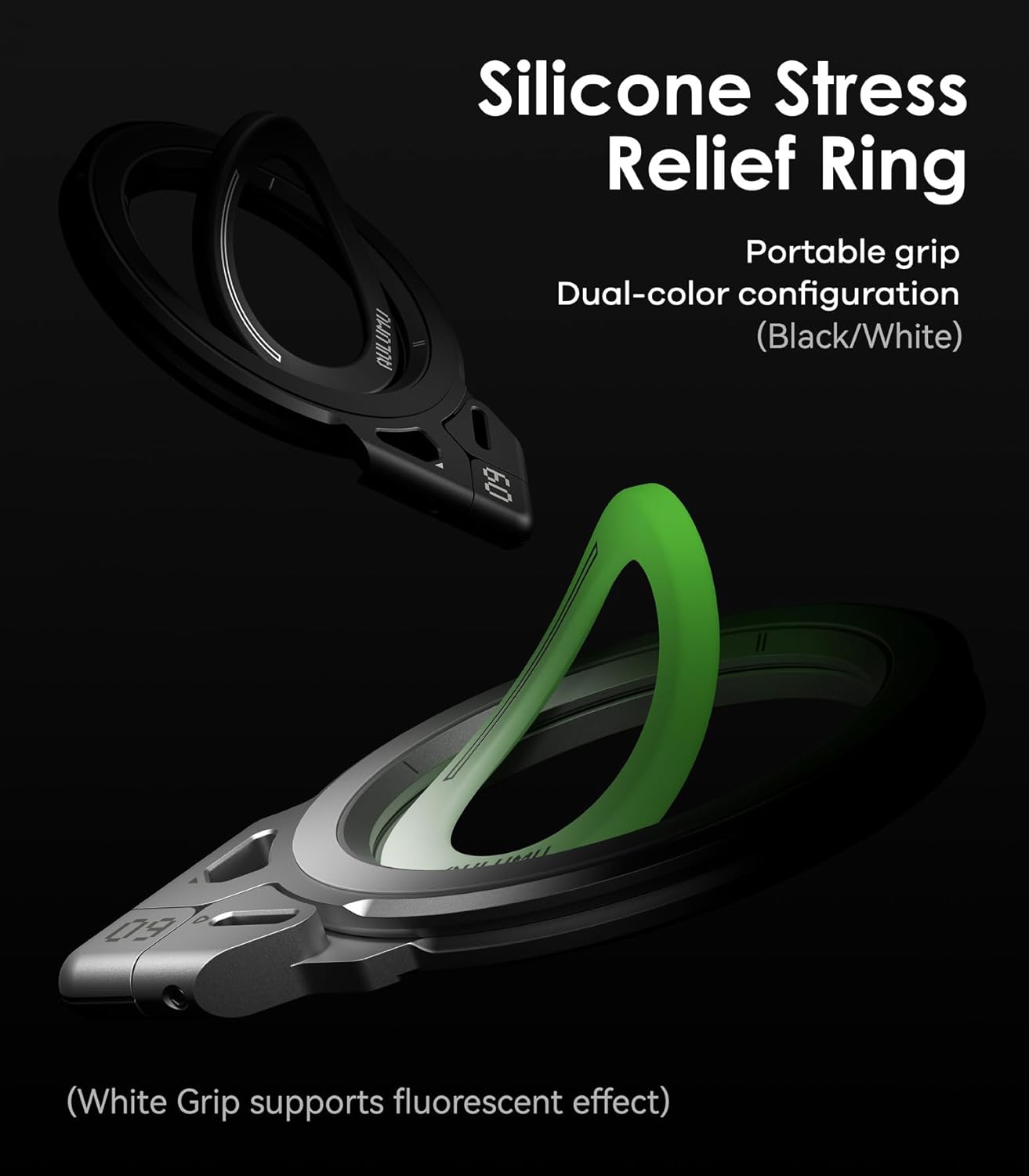
Image: The G09's modular design with interchangeable silicone stress relief rings, including a glow-in-the-dark option.

Image: The glow-in-the-dark silicone grip ring, visible in low light conditions.
Maintenance
To ensure the longevity and optimal performance of your Aulumu G09 Magnetic Ring Grip, follow these maintenance guidelines:
- Cleaning: Wipe the aluminum alloy and silicone surfaces with a soft, damp cloth. Avoid harsh chemicals or abrasive materials that could damage the finish.
- Storage: When not in use, store the grip in a clean, dry place away from extreme temperatures.
- Magnetic Surfaces: Ensure the magnetic surfaces on both the grip and your device are clean and free of debris to maintain a strong connection.
Troubleshooting
- Weak Magnetic Connection:
- Ensure your device or case is MagSafe compatible or has a properly installed metal ring.
- Check for any obstructions (e.g., thick cases, foreign objects) between the grip and your device.
- Clean the magnetic surfaces on both the grip and your device.
- Charging Issues:
- The G09 Magnetic Ring Grip is not designed to facilitate wireless charging through itself. If you need to wirelessly charge your device, remove the G09 grip first.
- Ring Stiffness/Looseness:
- The hinge is designed for durability and may feel stiff initially. It will loosen slightly with regular use.
- If the ring becomes excessively loose over time, it may indicate wear.
- Difficulty Opening/Closing Ring:
- Some users may find the ring tight against the back portion. Gently pry it open with a fingernail if needed.
Specifications
| Brand | Aulumu |
| Model | G09 |
| Material | Aluminum Alloy, Silicone, Magnets |
| Item Weight | 2.82 ounces |
| Package Dimensions | 4.37 x 4.09 x 0.91 inches |
| Special Features | Dual-Axis Design, Magnetic, Modular Ring System |
| Grip Type | Ring Grip |
| Compatibility | MagSafe-compatible devices (iPhone 12 and newer) or any device with included metal ring. |
Warranty and Support
Aulumu products are designed for durability and performance. For warranty information, technical support, or any inquiries regarding your G09 Magnetic Ring Grip, please refer to the official Aulumu website or contact customer service through your retailer.
Ask a question about this manual
Ask about setup, troubleshooting, compatibility, parts, safety, or missing instructions. Manuals+ will review the question and use this page’s manual context to help answer it.