
GOCKERA F16
GOCKERA F16 Ultra-thin Desk Fan Instruction Manual
Model: F16
Introduction
Thank you for choosing the GOCKERA F16 Ultra-thin Desk Fan. This portable and versatile fan is designed to provide personal cooling with advanced features for various environments. Please read this manual carefully to ensure proper use and maintenance of your device.
Main Components
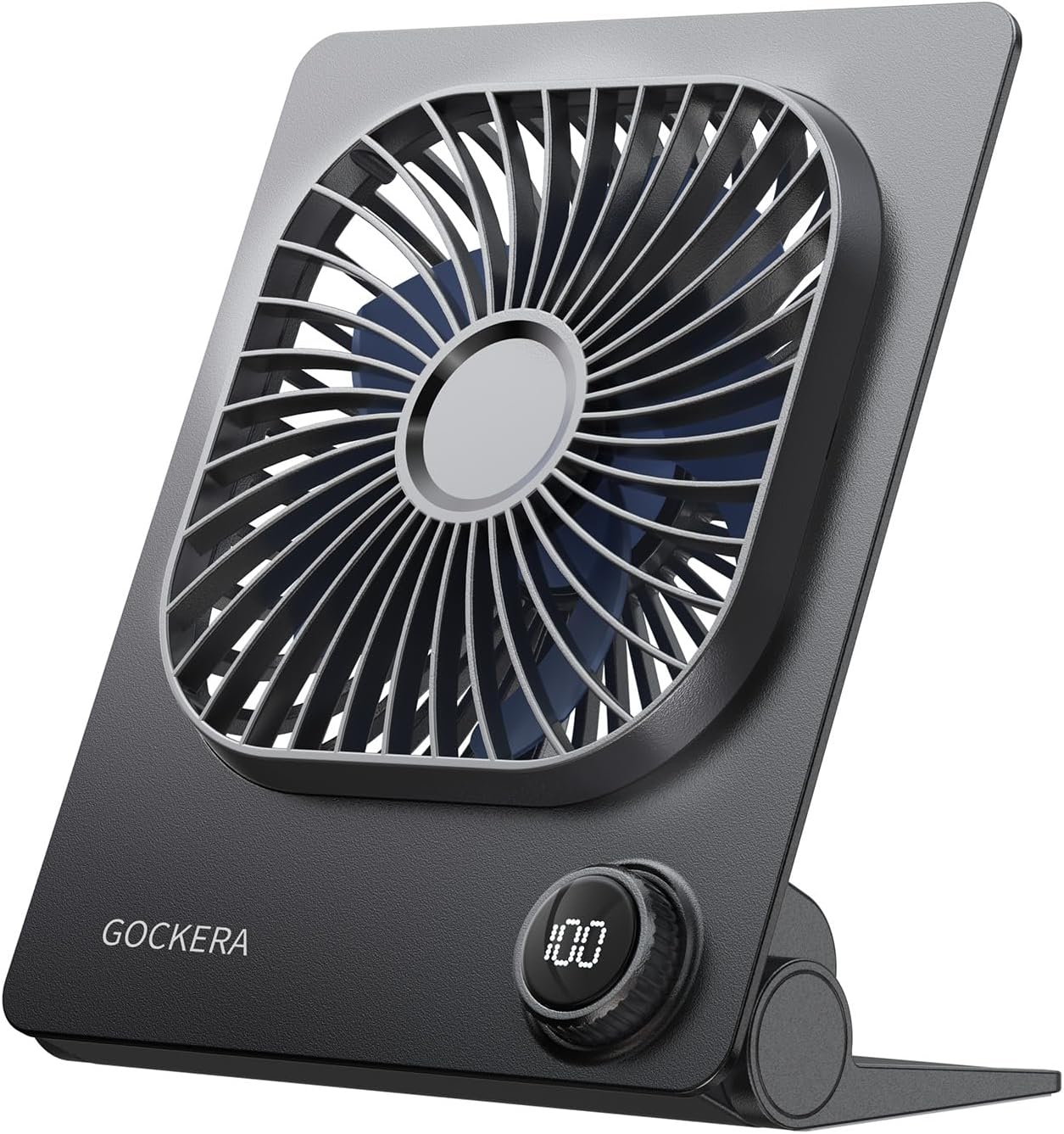
Familiarize yourself with the parts of your GOCKERA F16 Desk Fan:
- Front Shield: Protective cover for the fan blades.
- On/Off Button: Powers the fan on or off.
- Fan Blade: Generates airflow.
- LED Indicator/Digital Display: Shows speed level, battery percentage, and timer settings.
- Battery: Integrated 5000mAh rechargeable battery.
- Type-C Port: For charging the fan.
- Rack (Foldable Stand): Allows for adjustable positioning.
- Rear Shield: Back protective cover.
Setup
Charging the Fan
Before first use, fully charge the fan. Use the provided Type-C cable to connect the fan to a compatible USB power adapter (DC 5V/1A recommended).
- The LED digital display will show the charging progress.
- A full charge typically takes 2-3 hours.
- Ensure the fan is fully charged before extended use or travel.

Operating Instructions
Power On/Off
Press the On/Off button once to turn the fan on. Press and hold the button to turn the fan off.
Speed Adjustment
The fan features 100 adjustable speed levels. Rotate the control knob to increase or decrease the fan speed. The digital display will show the current speed level (1-100).

Timer Function
The fan includes a timer function allowing you to set operation for 1 to 8 hours. Consult the full user manual for specific instructions on setting the timer.
Adjusting Fan Angle
The fan's rack allows for 180° folding and adjustment. Flexibly position the fan to direct airflow as needed.

Digital Display
The smart LED digital display provides real-time information on the current fan speed and remaining battery power, ensuring you know when to recharge.
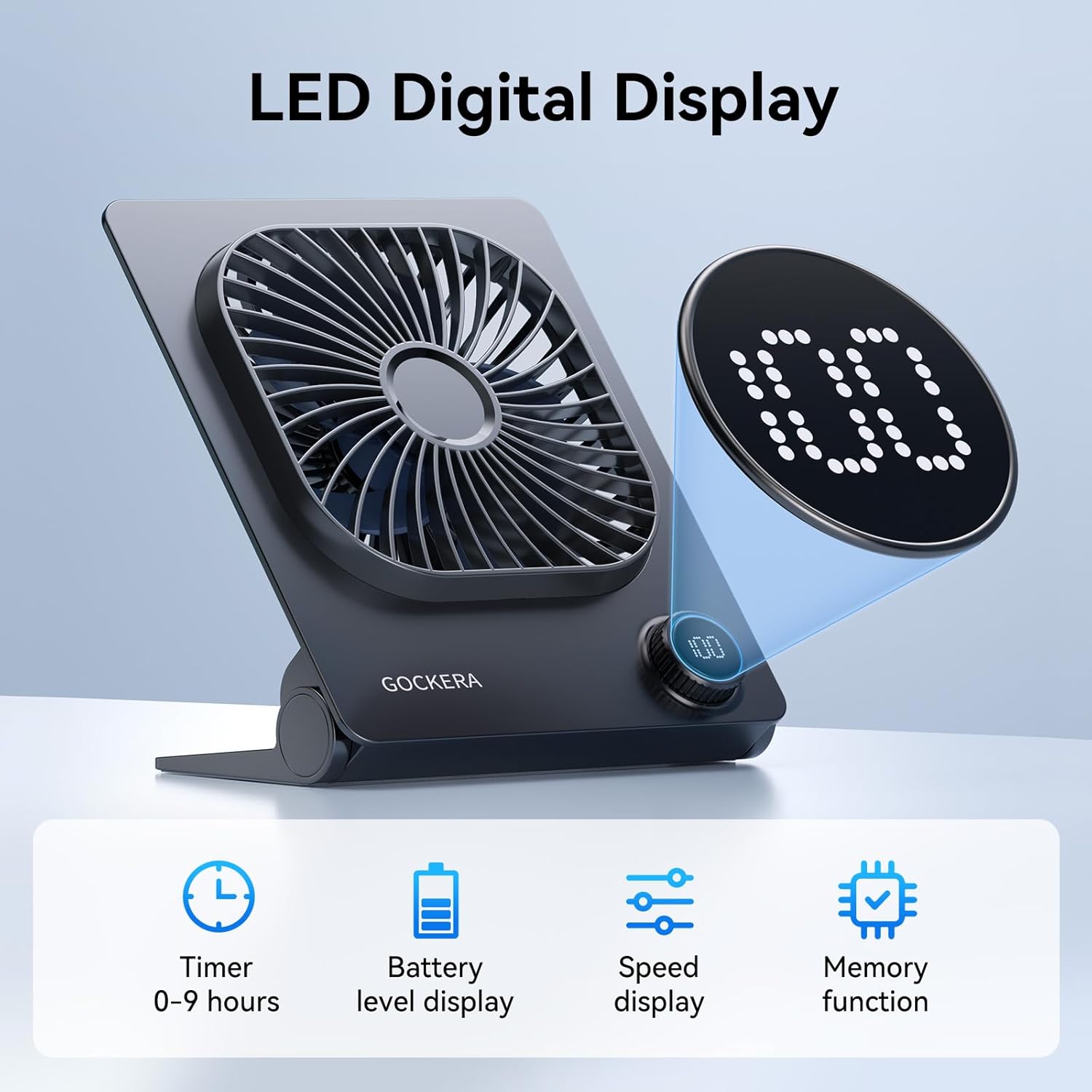
Official GOCKERA video demonstrating the portable desk fan's features and operation.
Features
- Powerful Wind & 100 Speeds: Equipped with an upgraded brushless motor, offering strong and customizable airflow.
- Long Battery Life: 5000mAh rechargeable battery provides 20-25 hours of operation on minimum speed and 3-5 hours on maximum speed.
- Ultra-thin & Portable: Compact dimensions (1.38"D x 5.51"W x 6.61"H) and lightweight (300g) for easy transport.
- Ultra Quiet Operation: Noise levels are below 40dB at maximum speed and below 7dB at minimum speed, ensuring minimal disturbance.
- Durable Design: Crafted from odorless, ultra-durable ABS material with a finger-proof grille for safety.
Maintenance
Cleaning
Always unplug the fan before cleaning. Use a soft, dry cloth to wipe the exterior. Do not use abrasive cleaners or immerse the fan in water.
Storage
When not in use for extended periods, store the fan in a cool, dry place away from direct sunlight and extreme temperatures.
Troubleshooting
| Problem | Possible Cause | Solution |
|---|---|---|
| Fan does not turn on | Low battery or not charged | Charge the fan fully using the provided Type-C cable. |
| Weak airflow | Fan speed set too low | Increase the fan speed using the control knob. |
| Unusual noise during operation | Obstruction in fan blades or damaged blades | Turn off and unplug the fan. Carefully check for any obstructions and remove them. If blades are damaged, contact support. |
Specifications
| Feature | Detail |
|---|---|
| Brand | GOCKERA |
| Model Name | F16 |
| Product Dimensions | 1.38"D x 5.51"W x 6.61"H |
| Item Weight | 5.1 ounces |
| Power Source | Battery Powered |
| Battery Capacity | 5000mAh Lithium Ion (included) |
| Voltage | 5 Volts |
| Wattage | 2 watts |
| Number of Speeds | 100 |
| Noise Level | <40dB (max), <7dB (min) |
| Special Features | Foldable, Smart Digital Display, Rechargeable, Timer (1-8 hours) |
| Included Components | Personal fan, Instructions, Type-C cable |
Warranty and Support
Warranty
This product comes with a 1-year warranty from the date of purchase. The warranty covers manufacturing defects under normal use. It does not cover damage caused by misuse, accidents, or unauthorized modifications.
Customer Support
For any questions, concerns, or warranty claims, please contact GOCKERA customer support through the retailer's platform or the official GOCKERA website. Please have your purchase details and model number ready for assistance.
Ask a question about this manual
Ask about setup, troubleshooting, compatibility, parts, safety, or missing instructions. Manuals+ will review the question and use this page’s manual context to help answer it.