Product Overview
The Eonon VWX6S is an advanced Android 13 car radio designed for select Volkswagen models, offering a comprehensive in-car entertainment and navigation solution. It features a powerful Qualcomm QCM6225 processor, 6GB RAM, 64GB ROM, and a 9-inch QLED HD display. Key functionalities include wireless and wired CarPlay/Android Auto, built-in 4G LTE, Wi-Fi 6, Bluetooth 5.1, and a sophisticated DSP for superior audio quality. This manual provides essential information for setup, operation, and maintenance of your device.
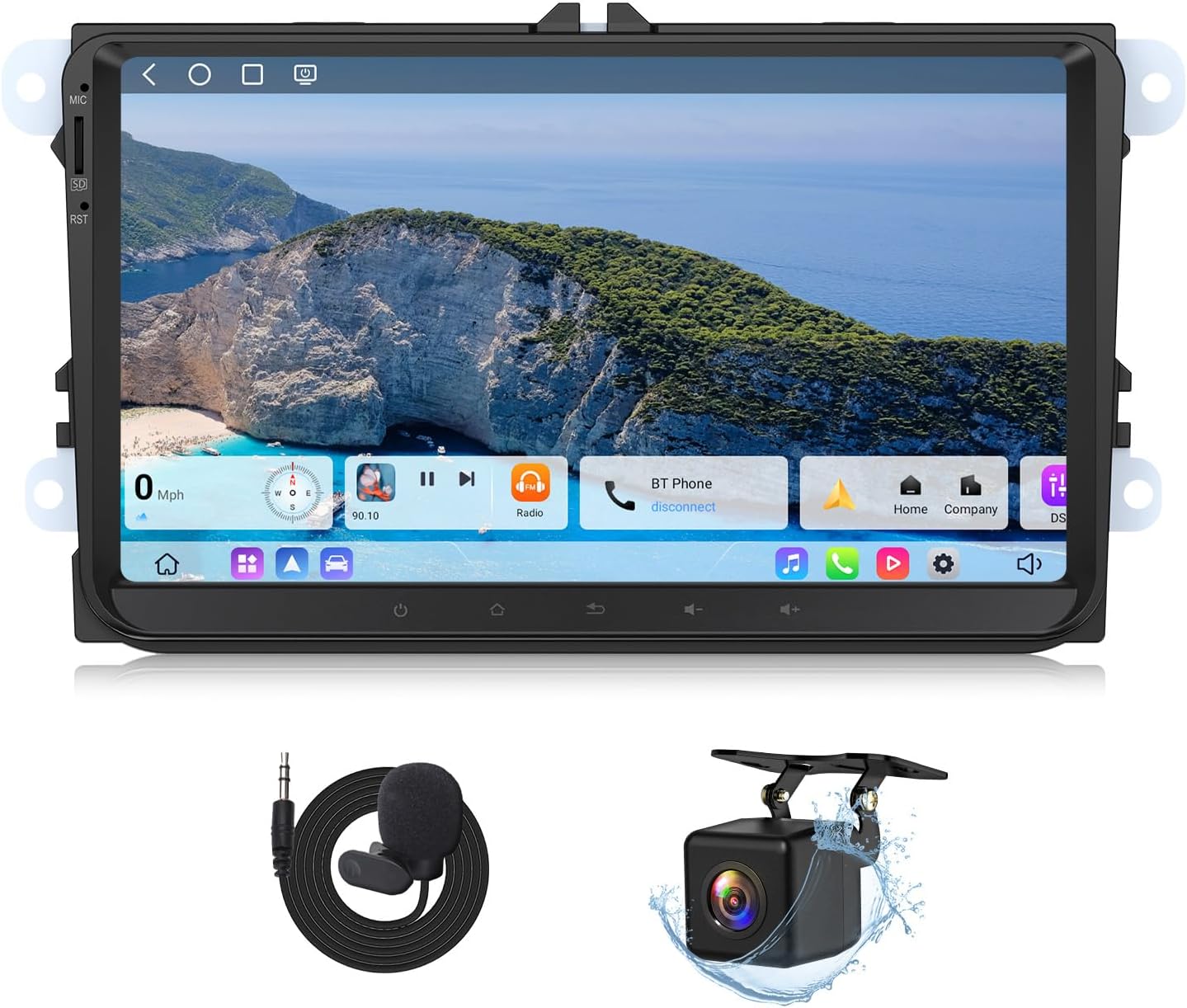
Image: The Eonon VWX6S head unit, showcasing its large display, along with an external microphone and a backup camera, which are included accessories.
Setup and Installation
Package Contents
Before beginning installation, verify that all components are present in the package:
- Eonon VWX6S Head Unit
- Power cord (x1)
- GPS Antenna (x1)
- 4G Antenna (x1)
- USB adapter cable (x2)
- Audio/video adapter cable (x2)
- Reverse video input cable (x1)
- 15A Fuse (x1)
- SIM card holder (x1)
- External Microphone (x1)
- CANBUS (x1)
- User Manual (x1)
- Double-sided adhesive sticker (x1)
- Radio antenna adapter (x1)
- A0125 Backup Camera (x1)

Image: A visual representation of all components included in the Eonon VWX6S package, such as cables, antennas, and the user manual.
Compatibility
The Eonon VWX6S is designed for specific Volkswagen, SEAT, and SKODA models. Please refer to the compatibility list below to ensure your vehicle is supported. An A501 decoder box (not included) may be required if your car has a factory backup camera that you wish to retain.
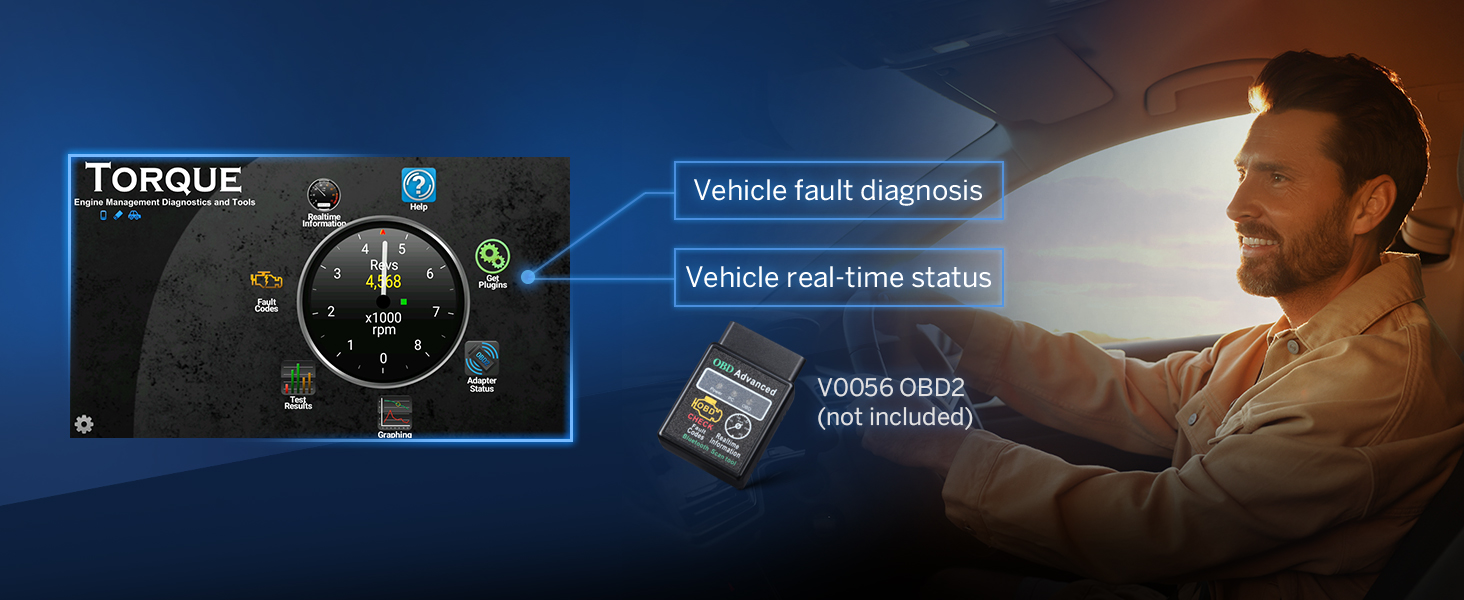
Image: A detailed chart listing compatible Volkswagen, SEAT, and SKODA vehicle models and years for the Eonon VWX6S.

Image: Visual guide indicating when an installation kit is needed and showing examples of factory stereos that are not directly compatible without a 2-DIN universal car stereo installation kit.
Installation Process
The Eonon VWX6S is designed for plug-and-play installation, allowing retention of many factory features such as steering wheel controls, Dynaudio & Fender audio systems, air conditioning information, radar sensors, and vehicle information. For detailed wiring, refer to the wiring diagram provided.

Image: A comprehensive wiring diagram illustrating all connection points and cables for the Eonon VWX6S car radio.

Image: Visuals demonstrating the retention of factory features like steering wheel controls, premium audio systems, OEM backup camera support, and parking sensor integration.

Image: Illustrations showing how the unit displays door reminders, AC information, and driving data from the vehicle's original systems.
Operating Instructions
System Performance
The VWX6S is powered by a Qualcomm QCM6225 Octa-core processor (Quad-core ARM Cortex-A73 at 2.4GHz + Quad-core ARM Cortex-A53 at 1.9GHz) built on Samsung's 6nm LPP process, ensuring high performance and energy efficiency. It includes an Adreno 610 GPU for smooth visuals and a RHOM 32107 DSP for advanced audio processing. With 6GB LPDDR4 RAM and 64GB ROM, the system offers ample space and responsiveness for various applications.

Image: An internal view of the Eonon X6S series PCB, highlighting the Qualcomm QCM6225 Octa-core processor, Adreno 610 GPU, ST TDA7708 Tuner, Wi-Fi 6, and Bluetooth 5.1 module.

Image: A close-up of the Qualcomm Snapdragon 6225 6nm processor, emphasizing its 6GB RAM, 64GB ROM, and Adreno 610 GPU.

Image: A comparison chart showing the Antutu running scores for the VWX6S (QCM6225) versus VWA12S-6G (QCM6125), highlighting the performance difference in CPU and memory.
Connectivity
The VWX6S offers extensive connectivity options:
- CarPlay & Android Auto: Supports both wireless and wired connections, integrating your smartphone for navigation, music, calls, and messages.
- 4G Module: Built-in 4G module with SIM card support for direct internet access (SIM card not included).
- Wi-Fi 6: Ready for Wi-Fi 6 (up to 9.6Gbps) with WPA3 encryption for fast and secure internet. Also supports Wi-Fi 2.4/5 GHz.
- Bluetooth 5.1: Qualcomm WCN3988 ensures faster and more stable connections for devices.

Image: An in-car view demonstrating the wireless CarPlay and Android Auto functionality on the Eonon head unit, showing navigation and media playback.

Image: A visual showing the Apple CarPlay interface on the Eonon unit, emphasizing voice control with Siri for navigation and music.

Image: A visual showing the Android Auto interface on the Eonon unit, emphasizing voice control with Google Assistant for navigation and app access.

Image: Diagram illustrating the independent Bluetooth 5.1 module with an extra antenna for quick, stable connections and noise reduction.

Image: Visuals explaining the Wi-Fi 6 readiness, Wi-Fi 2.4/5 GHz support, and the built-in 4G module with SIM card slot (SIM card not included).
Audio Experience
The VWX6S is equipped with a RHOM 32107 DSP audio processing chip and a 48-band equalizer for precise sound customization. The ST TDA7851 amplifier delivers 4x48W surround sound output. Optical and coaxial audio outputs support professional-grade audio setups.

Image: Details on the ST TDA7851 4x48W amplifier, multi-channel audio outputs (RCA, Subwoofer, Optical, Coaxial), RHOM 32107 DSP with 48-band equalizer, and sound optimization features.

Image: A visual representation of the built-in Digital Signal Processing (DSP) interface, showing options for driving mode, assistant mode, rear mode, full mode, and sound field adjustments.

Image: A close-up view of the optical and coaxial HD audio output ports on the back of the Eonon unit, indicating high-quality audio connectivity.
Display and User Interface
The unit features a 9-inch QLED HD display with 1280x720 resolution, offering vibrant colors and a 178° viewing angle. It supports split-screen multitasking, allowing simultaneous use of two applications. The UI is customizable with 4 unique themes, and button light colors can be personalized.
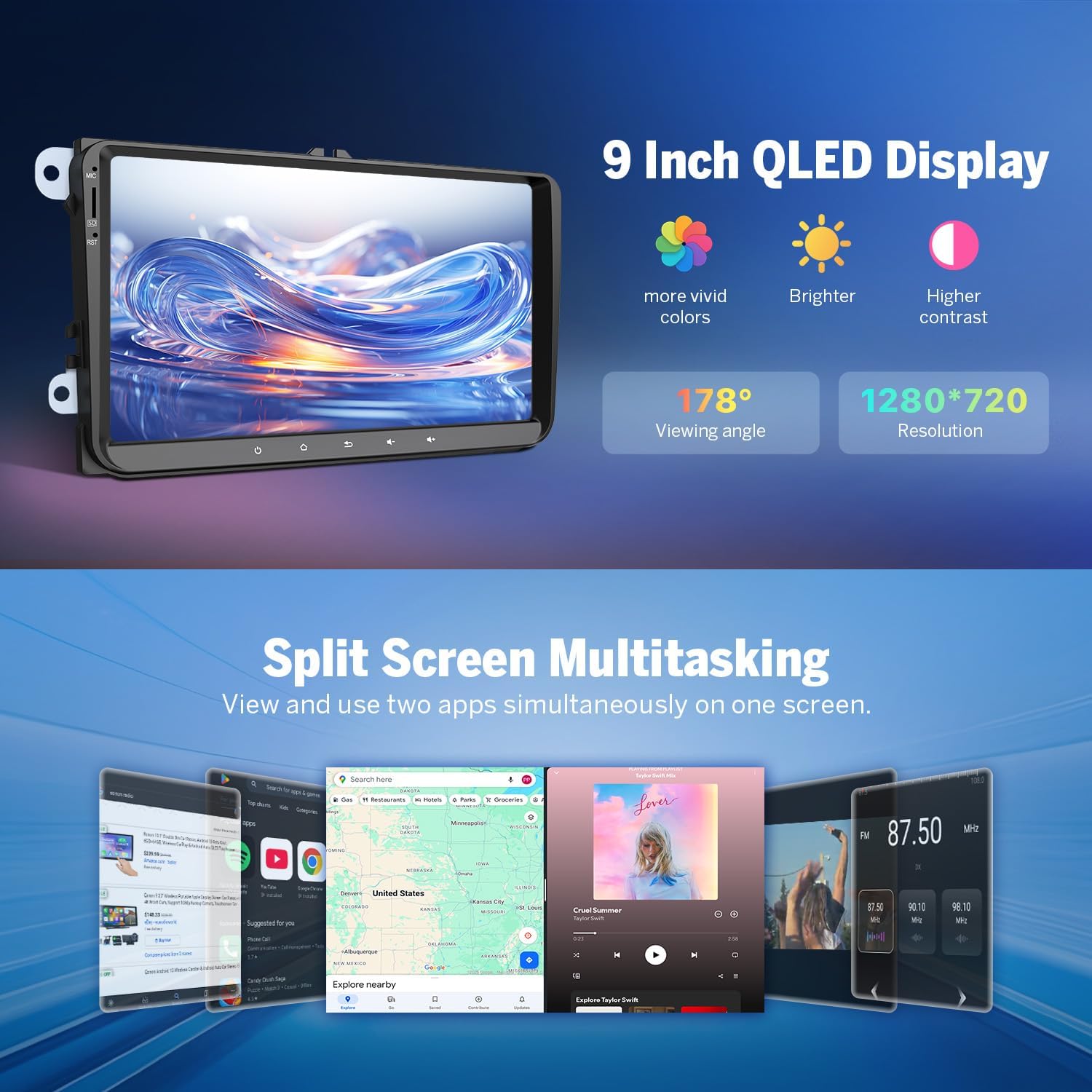
Image: A visual highlighting the key features of the 9-inch QLED display: more vivid colors, brighter output, higher contrast, 178° viewing angle, and 1280x720 resolution.

Image: A demonstration of the split-screen multitasking feature, showing multiple applications running simultaneously on the 9-inch display, such as navigation, music, and web browsing.

Image: A visual representation of the adaptive screen brightness adjustment feature, showing how the display automatically adjusts to ambient light conditions for optimal visibility.

Image: Examples of the four unique user interface themes available for customization on the Eonon car stereo.

Image: Options for personalizing the car stereo's appearance, including button color, boot logo, wallpaper, and draggable app icons.
Additional Features
- Rearview Camera: Includes a 1080P AHD rearview camera (A0125) for enhanced safety and convenience during reversing.
- Dashcam Support: Supports Eonon dashcam (A100, not included) for recording driving footage.
- OBD2 Scanner Support: Compatible with Bluetooth OBD2 scanners (V0056, not included) for vehicle fault diagnosis and real-time status monitoring.
- Fast Boot: 1-second fast boot time.
- Offline Maps: Supports online and offline map navigation.
- USB Ports: Three USB ports for connectivity.
- RDS: Radio Data System support.
- AM/FM Radio: Built-in AM/FM radio with ST TDA7708 radio module.

Image: Features related to the included A0125 backup camera, including reversing guidelines, 720P AHD resolution, 140° rear viewing angle, and IP68 waterproof rating.

Image: Information on optional accessories like the A100 Dash Cam (not included) with 120° viewing angle and video playback, and the V0056 OBD2 scanner (not included) for vehicle diagnostics.

Image: A summary of various features including 1-second fast boot, online/offline map support, 3 USB ports, RCA output, RDS, and AM/FM radio.
Maintenance
Firmware Updates
Keep your Eonon car stereo up-to-date through Over-The-Air (OTA) firmware updates. These updates help fix software issues and enhance security. Note that Android system upgrades are not supported via OTA.

Image: A graphic illustrating the Over-the-Air (OTA) firmware update process, emphasizing ease of updates for bug fixes and security enhancements.
Troubleshooting
If you encounter issues with your Eonon VWX6S, consider the following general troubleshooting steps:
- No Power: Check all power connections and fuses. Ensure the vehicle's ignition is on.
- No Sound: Verify speaker connections. Check audio settings, including volume levels and DSP configurations. Ensure the correct audio output is selected.
- Display Issues: If the screen is black or unresponsive, try restarting the unit. Check display settings for brightness and contrast.
- Connectivity Problems (Bluetooth/Wi-Fi/CarPlay/Android Auto): Ensure devices are discoverable and within range. Re-pair Bluetooth devices. Check Wi-Fi network settings. For CarPlay/Android Auto, ensure your phone's software is up-to-date and try both wired and wireless connections.
- GPS Signal Loss: Ensure the GPS antenna is properly installed and has a clear view of the sky.
- Slow Performance: Close unnecessary applications. Clear cache if available in system settings.
For persistent issues, refer to the detailed troubleshooting section in the full user manual or contact Eonon customer support.
Specifications
| Feature | Detail |
|---|---|
| Brand | Eonon |
| Model | VWX6S |
| Processor | Qualcomm QCM6225 Octa-core (Quad-core ARM Cortex-A73 2.4GHz + Quad-core ARM Cortex-A53 1.9GHz) |
| Process Node | 6nm LPP |
| RAM | 6GB LPDDR4 |
| ROM | 64GB |
| GPU | Adreno 610 |
| Operating System | Android 13 |
| Display Size | 9-inch |
| Display Type | QLED HD |
| Resolution | 1280x720 |
| Viewing Angle | 178° |
| CarPlay/Android Auto | Wireless & Wired |
| 4G Module | Built-in (SIM card not included) |
| Wi-Fi Standards | Wi-Fi 6 ready, Wi-Fi 2.4/5 GHz |
| Bluetooth Version | 5.1 (Qualcomm WCN3988) |
| DSP Chip | RHOM 32107 |
| Equalizer | 48-band |
| Amplifier | ST TDA7851 (4x48W surround sound output) |
| Radio Module | ST TDA7708 (AM/FM/RDS) |
| Audio Outputs | RCA, Subwoofer, Optical, Coaxial |
| USB Ports | 3 |
| Rearview Camera | Included (A0125, 1080P AHD) |
| Dimensions (Unit) | 220mm (8.66") x 130mm (5.12") x 210mm (8.27") |
| Parcel Dimensions | 28.02 x 18.01 x 17.02 cm |
| Weight | 2 kg |

Image: Technical drawing showing the front and rear dimensions of the Eonon VWX6S head unit in millimeters and inches.
Warranty and Support
Eonon products typically come with a manufacturer's warranty. Please refer to the warranty card included in your package or visit the official Eonon website for specific warranty terms and conditions. For technical support, troubleshooting assistance, or any inquiries regarding your Eonon VWX6S, please contact Eonon customer service directly through their official channels.
You can find more information and support on the Eonon Store on Amazon.


