
Introduction
Thank you for choosing the Electric Razor Pro. This advanced electric shaver is designed to provide a smooth, close, and comfortable shaving experience for men. With its innovative features and durable design, it is perfect for daily use at home or while traveling. Please read this manual carefully before using the product to ensure proper operation and maintenance.
Key Features
- 4D Rotary Shaving Technology: Experience a smooth, close shave with the innovative 4D rotary floating head that effortlessly follows facial contours.
- Integrated Pop-Up Trimmer: Convenient built-in trimmer for precise grooming of sideburns and mustaches.
- Wet & Dry Shaving: IPX7 waterproof design allows for comfortable dry shaving or refreshing wet shaving in the shower.
- Intelligent LCD Display: Shows battery status, usage time, and cleaning reminders.
- USB Fast Charging: Quick 1-hour charge provides approximately 60 minutes of shaving time, compatible with various USB power sources.
- Travel Lock: Prevents accidental activation during travel for safety and battery preservation.
Setup
Initial Charging
Before first use, fully charge the Electric Razor Pro. Connect the USB charging cable to the shaver and a compatible USB power source (e.g., wall adapter, computer, power bank). The LCD display will indicate charging status. A full charge takes approximately 60 minutes and provides about 60 minutes of shaving time.

Image: The Electric Razor Pro connected via USB for charging, illustrating its fast and convenient charging capabilities.
Travel Lock Activation/Deactivation
To activate the travel lock, press and hold the power button for 3 seconds. The lock icon will appear on the LCD display. To deactivate, press and hold the power button again for 3 seconds until the lock icon disappears.

Image: The intelligent LCD control panel, displaying battery status, usage time, and the travel lock indicator.
Operating Instructions
Basic Shaving
- Ensure the shaver is charged and unlocked.
- Press the power button to turn on the shaver.
- Gently press the shaving head against your skin and move it in small, circular motions. The 4D floating heads will adapt to your facial contours for an efficient shave.
- After shaving, press the power button to turn off the shaver.

Image: Demonstrating the 4D rotary shaving technology and the integrated pop-up trimmer for precise grooming.

Image: Illustration of the 3D floating blades, designed for comfortable and smooth shaving without missing areas.
Wet & Dry Shaving
The Electric Razor Pro is IPX7 waterproof, allowing for both wet and dry shaving. For a dry shave, use on clean, dry skin. For a wet shave, you can use shaving foam or gel for added comfort and a smoother glide. The shaver can be used safely in the shower.

Image: The shaver demonstrating its IPX7 waterproof design, suitable for both wet and dry shaving.
Using the Pop-Up Trimmer
To use the pop-up trimmer, slide the trimmer release button located on the back of the shaver upwards. The trimmer will extend. Use it to precisely trim sideburns, mustaches, or other facial hair. Push the trimmer back down when finished.
Maintenance
Cleaning the Shaver
Regular cleaning ensures optimal performance and hygiene. After each use, especially after wet shaving, rinse the shaving head under running water. For a more thorough cleaning, detach the shaving head and rinse both the head and the shaver body under water. Allow all parts to air dry completely before reassembling.
The LCD display may show a cleaning reminder icon when cleaning is recommended.
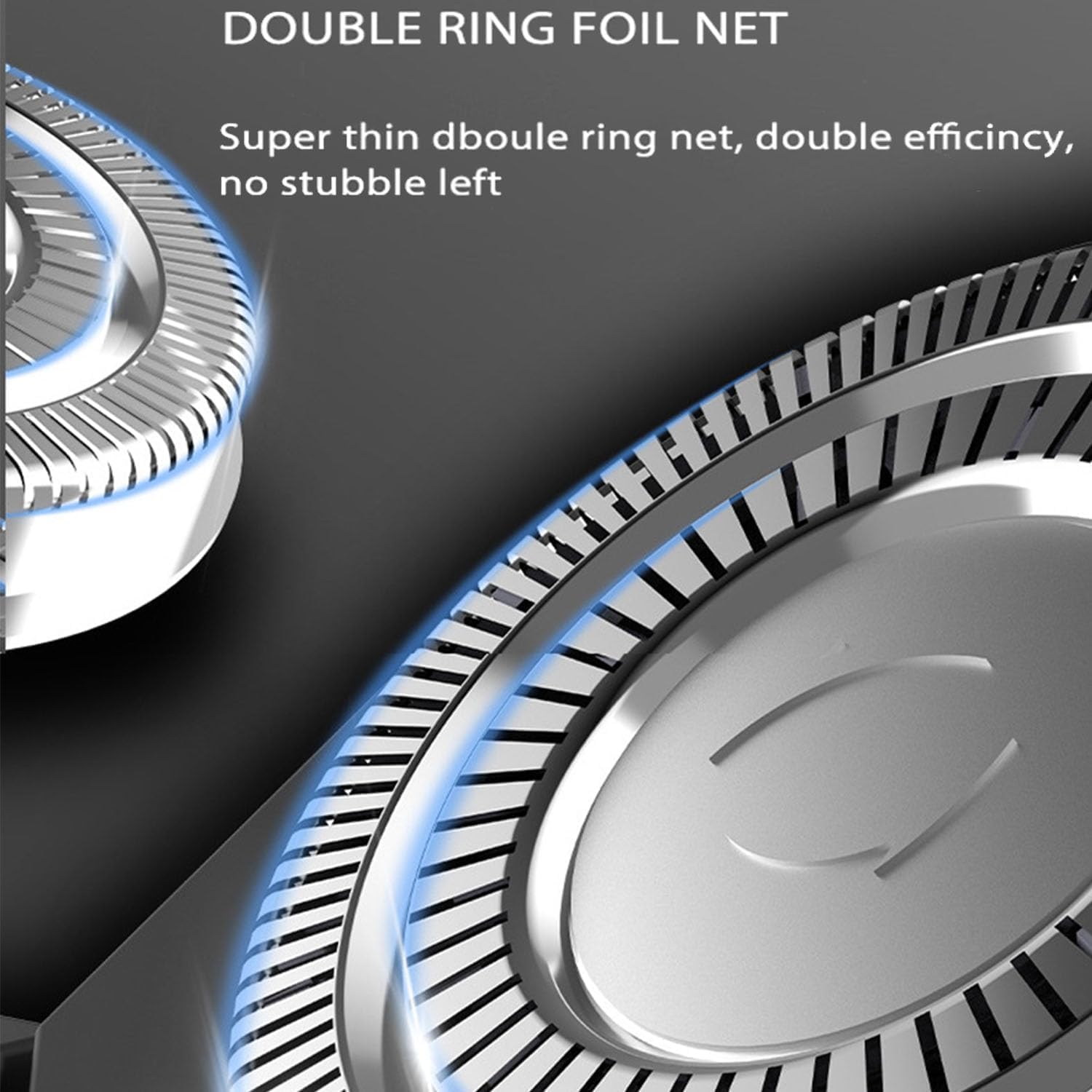
Image: Detail of the double ring foil net, designed for efficient and close shaving.
Blade and Net Care
The shaver features an imported blade and ultra-thin strong knife net for efficient shaving. To maintain performance, avoid dropping the shaver or applying excessive force to the shaving heads. Replace shaving heads when performance noticeably declines.

Image: Internal components of the shaver, highlighting the powerful motor and the imported blade with ultra-thin strong knife net.
Troubleshooting
If you encounter any issues with your Electric Razor Pro, please refer to the following common solutions:
- Shaver not turning on: Ensure the shaver is fully charged. Check if the travel lock is activated (press and hold power button for 3 seconds to deactivate).
- Reduced shaving performance: Clean the shaving heads thoroughly. Ensure the blades are free from hair and debris. If performance does not improve, the shaving heads may need replacement.
- Battery not charging: Ensure the USB cable is securely connected to both the shaver and the power source. Try a different USB port or power adapter.
- Irritation after shaving: Ensure your skin is clean before shaving. For wet shaving, use a good quality shaving foam or gel. Clean the shaver heads regularly.
For issues not covered here, please contact customer support.
Specifications
| Feature | Specification |
|---|---|
| Product Name | Electric Razor Pro |
| Rated Power | 5W |
| Rated Voltage | 5V |
| Charging Time | 60 minutes |
| Usage Time | Approx. 60 minutes (fully charged) |
| Waterproof Rating | IPX7 |
| Shaving Heads | 4D Floating Rotary Heads |
| Trimmer | Integrated Pop-up Trimmer |
| Display | LCD Display (Battery, Usage Time, Cleaning Reminder, Travel Lock) |
Warranty and Support
This product comes with a standard manufacturer's warranty. Please refer to the packaging or contact your retailer for specific warranty terms and conditions. For technical support, troubleshooting assistance, or inquiries about replacement parts, please contact the seller or manufacturer through the platform where the product was purchased.

Image: Manufacturer and EU representative contact details, typically found in product documentation.


