
1. Introduction
Thank you for choosing the iAXBi 10000mAh Wireless Magnetic Power Bank. This device is designed to provide convenient and efficient charging for your compatible electronic devices, offering both wireless magnetic charging and wired fast charging capabilities. Please read this manual thoroughly before use to ensure proper operation and to maximize the lifespan of your product.
2. Safety Information
- Do not expose the power bank to extreme temperatures, direct sunlight, or fire.
- Avoid dropping, hitting, or disassembling the device.
- Keep away from water, moisture, and corrosive materials.
- Do not use if the device is damaged or swollen.
- Keep out of reach of children.
- Ensure proper ventilation during charging and discharging.
- Use only certified charging cables and adapters.
3. Package Contents
- 1 x iAXBi 10000mAh Wireless Magnetic Power Bank (Blue)
- 1 x USB-C to USB-C + PD Charging Cable
- 1 x User Manual
4. Product Overview
The iAXBi 10000mAh Wireless Magnetic Power Bank is a compact and powerful charging solution. It features a slim design, magnetic attachment for compatible devices, and multiple charging options.

Figure 1: iAXBi 10000mAh Wireless Magnetic Power Bank attached to a smartphone.
4.1 Dimensions and Weight
- Product Dimensions: 4.25 x 2.6 x 0.47 inches
- Item Weight: 7.8 ounces
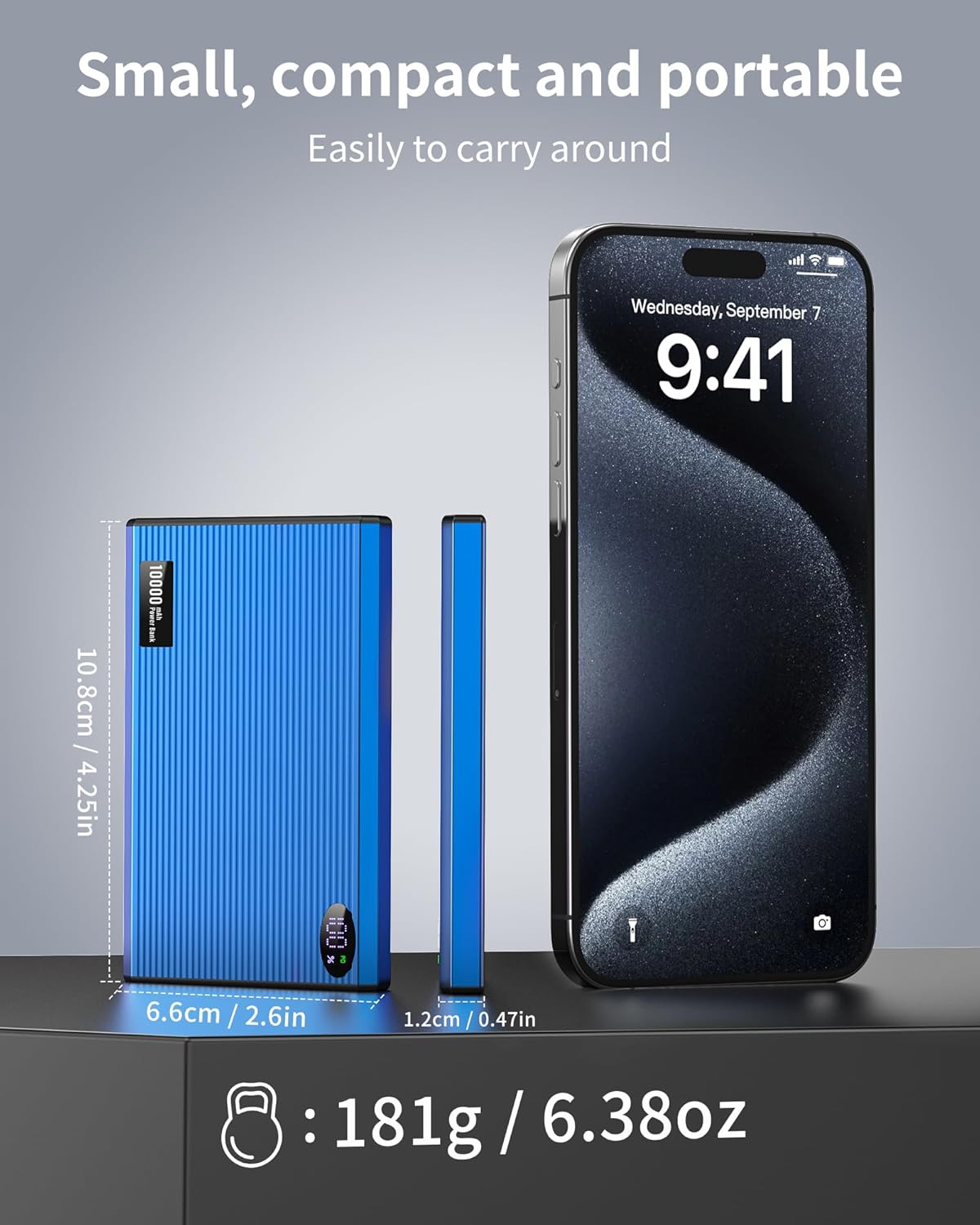
Figure 2: Physical dimensions and weight of the power bank.
4.2 Ports and Indicators
The power bank features a USB Type-C port for both input (charging the power bank) and output (charging devices). It also includes LED indicators to display the remaining battery level.
Video 1: Overview of the iAXBi 10000mAh Portable Charger Power Bank, demonstrating its features and slim design.
5. Setup
5.1 Initial Charging of the Power Bank
Before first use, fully charge your iAXBi Power Bank. Connect the provided USB-C to USB-C cable to the power bank's USB-C port and the other end to a compatible USB power adapter (not included). The LED indicators will illuminate to show the charging progress. Once all indicators are solid, the power bank is fully charged.
6. Operating Instructions
6.1 Charging Devices Wirelessly (MagSafe)
- Ensure your device is MagSafe compatible (e.g., iPhone 12 series and newer) or has a MagSafe compatible case.
- Align the power bank with the back of your device. The magnets will snap into place, securing the connection.
- The power bank will automatically begin wireless charging.
Note: For optimal magnetic charging, it is recommended to use a MagSafe compatible phone case or charge directly without a thick non-magnetic case.
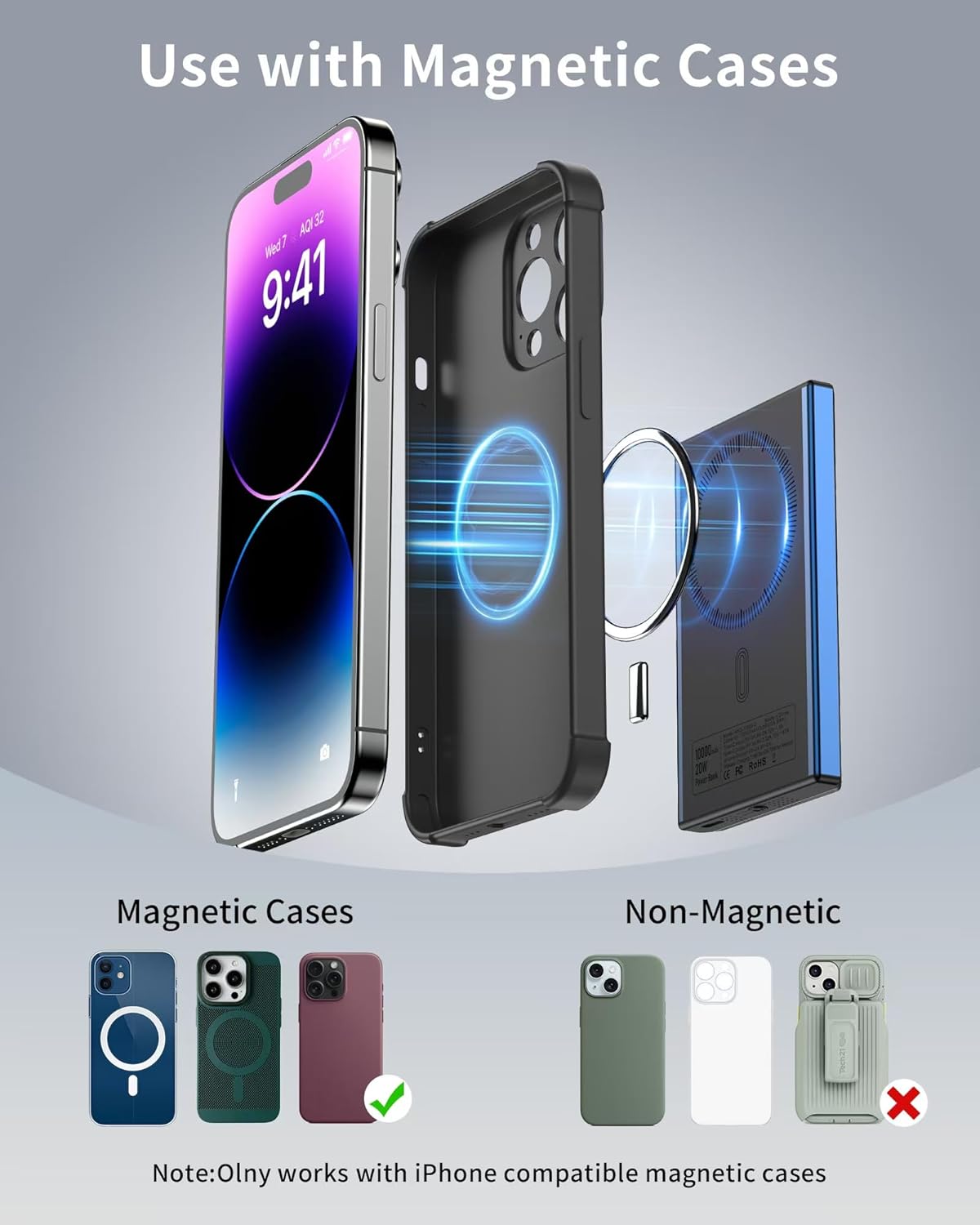
Figure 3: Magnetic attachment for wireless charging.
6.2 Charging Devices via Cable (Wired)
- Connect one end of the provided USB-C to USB-C cable to the power bank's USB-C port.
- Connect the other end of the cable to your device's charging port.
- The power bank will automatically begin wired fast charging (up to 20W PD).
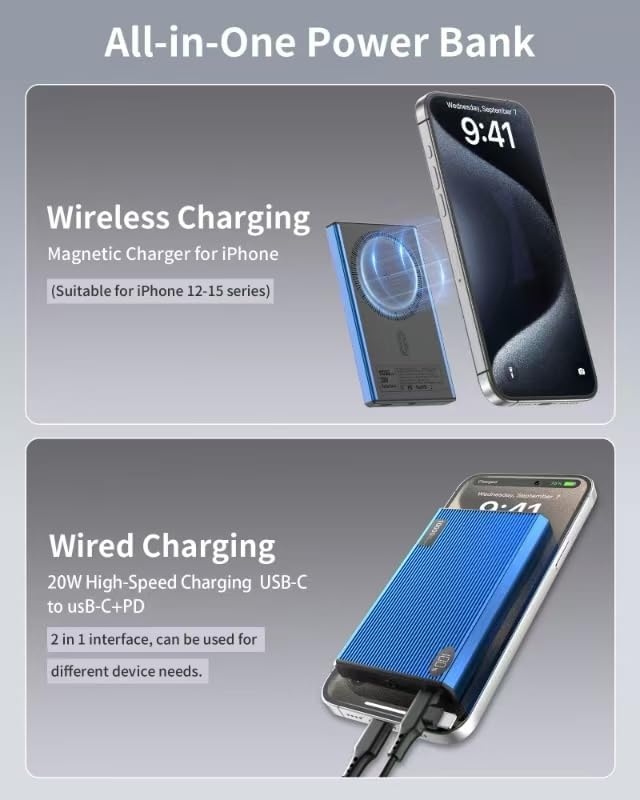
Figure 4: Both wireless and wired charging options.
6.3 Checking Battery Level
Press the power button on the side of the power bank. The LED indicators will light up to show the remaining battery capacity. Each light typically represents 25% of the battery charge.
7. Maintenance
- Clean the power bank with a soft, dry cloth. Do not use harsh chemicals or abrasive materials.
- Store the power bank in a cool, dry place away from direct sunlight.
- If not used for extended periods, charge the power bank at least once every three months to maintain battery health.
8. Troubleshooting
- Device not charging: Ensure the power bank is charged. Check cable connections for wired charging. For wireless charging, ensure proper alignment and MagSafe compatibility.
- Slow charging: Verify that your device and cable support fast charging. Ensure the power bank has sufficient charge.
- Overheating: It is normal for the power bank to warm up during use. If it becomes excessively hot, disconnect it immediately and allow it to cool down. Avoid charging in direct sunlight or confined spaces.
9. Specifications
| Feature | Detail |
|---|---|
| Battery Capacity | 10000 Milliamp Hours |
| Product Dimensions | 4.25 x 2.6 x 0.47 inches |
| Item Weight | 7.8 ounces |
| Connector Type | USB Type C |
| Wireless Charging Output | 15W Max (MagSafe compatible) |
| Wired Charging Output | 20W Max (USB-C PD) |
| Special Features | Fast Charging, Lightweight, Pocket Size, Slim |
| Battery Type | Lithium Polymer |
10. Warranty and Support
This product comes with a 12-month product warranty period. For any inquiries or issues, please contact our 24/7 after-sales customer service. We are committed to providing prompt assistance.