
1. Introduction
This user manual provides detailed instructions for the setup, operation, maintenance, and troubleshooting of your RIOWOIS Sound Bar DS6441 PRO. Please read this manual thoroughly before using the product to ensure proper functionality and to maximize your audio experience.
2. Package Contents
Please check the package carefully to ensure all items are present:
- Sound Bar with Subwoofer
- Optical Cable & AUX Cable
- Power Cable
- Remote Control
- Quick Start Guide
3. Product Overview
The RIOWOIS Sound Bar DS6441 PRO is a 2.1 channel home theater sound system designed to enhance your TV, PC, or projector audio with crisp vocals and deep bass.
Key Features:
- Immersive Soundstage: Features a horn design and silk dome tweeter for clear, surround sound.
- Powerful Bass: Includes a 4-inch subwoofer and dual-horn bass port for deep, impactful bass down to 50Hz with 10 levels of adjustable bass.
- Compact Design: 17-inch soundbar with two 53mm x 83mm diaphragm woofers, delivering up to 98dB volume.
- Versatile Connectivity: Supports Bluetooth 5.3, Optical, and AUX inputs.
- Remote Compatibility: Compatible with Fire TV/Stick, Google Chromecast remotes. Additional Roku box/TV remotes can be provided upon request.
Components and Controls:

Figure 3.1: RIOWOIS Sound Bar and Subwoofer setup.

Figure 3.2: Silk Dome Horn Tweeter for immersive soundstage.

Figure 3.3: The 4-inch subwoofer delivering powerful bass.

Figure 3.4: Remote control and its compatibility with various TV remotes.

Figure 3.5: Available connectivity options: AUX, Bluetooth 5.3, and Optical.

Figure 3.6: The soundbar can be wall-mounted for flexible placement.
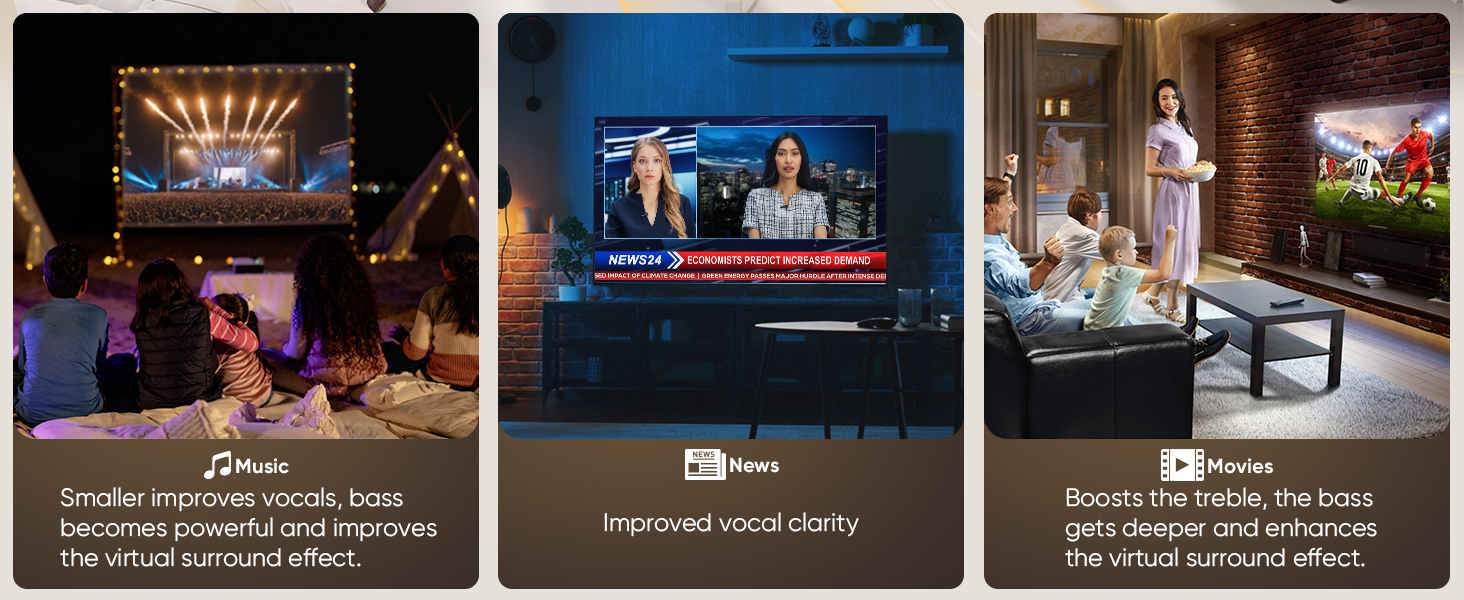
Figure 3.7: Comparison of Supersized Diaphragm Woofers (53x83mm) for bigger diaphragm, more volume, and better bass.

Figure 3.8: Acoustical Bass Reflex Port for deeper and more powerful bass.
4. Setup
4.1 Placement
For optimal audio performance, place the soundbar centrally below your TV. The subwoofer can be placed on the floor near the soundbar, ideally in a corner or against a wall to enhance bass response. Ensure there are no obstructions in front of the soundbar.
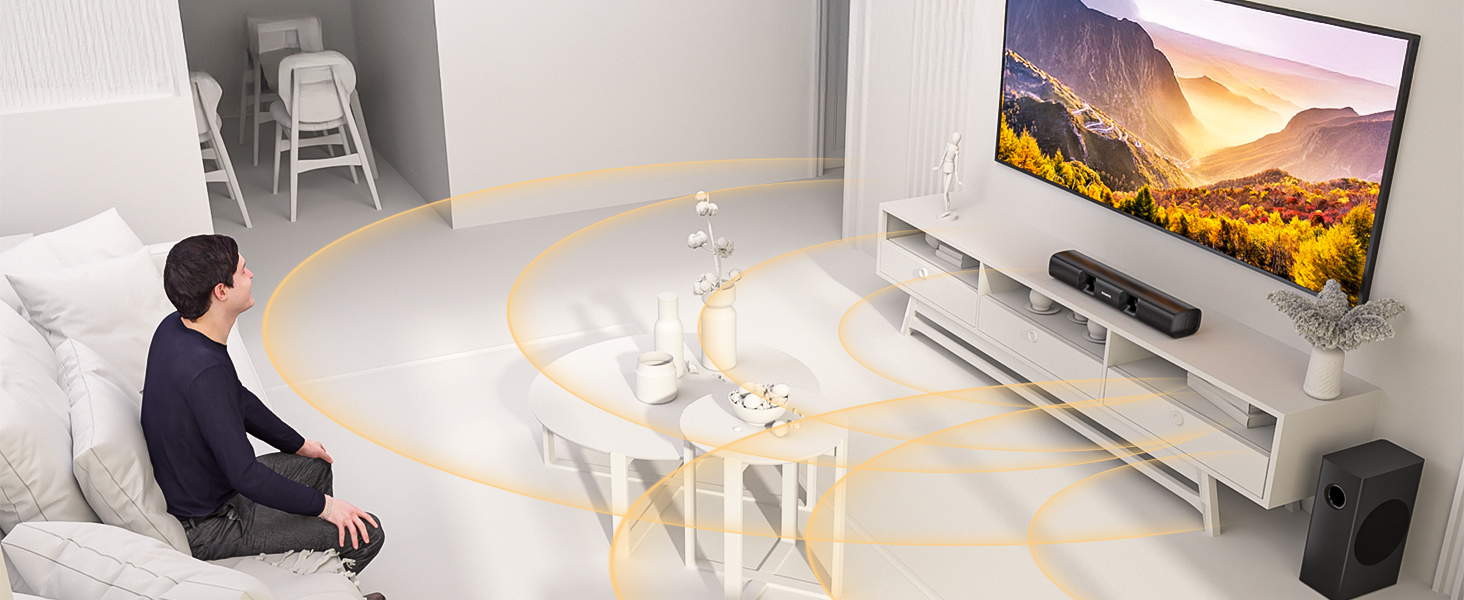
Figure 4.1: Example of wall-mounted soundbar placement.

Figure 4.2: Example of subwoofer placement for enhanced bass.
4.2 Connections
The soundbar offers multiple connection options to your audio source:
- Optical Connection:
- Connect one end of the Optical cable (included) to the OPTICAL OUT port on your TV.
- Connect the other end to the OPTICAL IN port on the soundbar.
- Ensure your TV's audio output settings are set to "PCM" or "Stereo" if you experience no sound or distorted sound.
- AUX Connection:
- Connect one end of the 3.5mm AUX cable (included) to the AUX OUT port on your TV or audio device.
- Connect the other end to the AUX IN port on the soundbar.
- Bluetooth Connection:
- Ensure the soundbar is powered on.
- Select Bluetooth mode on the soundbar (refer to Section 5.3).
- On your device (smartphone, tablet, TV), enable Bluetooth and search for "RIOWOIS Sound Bar".
- Select the soundbar from the list of available devices to pair.
- Power Connection:
- Connect the power cable to the soundbar's power input.
- Plug the other end into a wall outlet.
5. Operating Instructions
5.1 Power On/Off
Press the Power button on the remote control or the soundbar to turn the unit on or off.
5.2 Volume Control
Use the Volume + and Volume - buttons on the remote control or the soundbar to adjust the volume level.
5.3 Input Mode Selection
Press the Input or Mode button on the remote control or the soundbar to cycle through available input modes: Bluetooth, Optical, AUX.
5.4 Bluetooth Pairing
After selecting Bluetooth mode, the soundbar will automatically enter pairing mode. Search for "RIOWOIS Sound Bar" on your device's Bluetooth settings and connect. The soundbar will indicate successful pairing.
5.5 Remote Control Functions
The included remote control provides full functionality for your soundbar. Refer to Figure 3.4 for a visual guide to the remote control layout.
- Power Button: Turns the soundbar on/off.
- Input/Mode Button: Switches between input sources (Bluetooth, Optical, AUX).
- Volume +/-: Adjusts the master volume.
- Mute Button: Mutes or unmutes the sound.
- Bass +/-: Adjusts the subwoofer bass level (up to 10 levels).
- Movie Mode: Optimizes sound for movies, boosting treble and enhancing virtual surround.
- Music Mode: Improves vocals and enhances virtual surround for music.
- News Mode: Enhances vocal clarity for news and dialogue.
6. Maintenance
To ensure the longevity and optimal performance of your soundbar:
- Cleaning: Use a soft, dry cloth to clean the surfaces of the soundbar and subwoofer. Do not use liquid cleaners or abrasive materials.
- Ventilation: Ensure the soundbar and subwoofer have adequate ventilation. Do not block any vents.
- Environment: Avoid exposing the unit to extreme temperatures, humidity, or direct sunlight.
- Power: Disconnect the power cable from the wall outlet if the unit will not be used for an extended period.
7. Troubleshooting
If you encounter issues with your RIOWOIS Sound Bar, refer to the following common problems and solutions:
| Problem | Possible Cause | Solution |
|---|---|---|
| No sound from soundbar. |
|
|
| Distorted sound. |
|
|
| Remote control not working. |
|
|
| Bluetooth pairing issues. |
|
|
| TV remote not controlling soundbar volume. |
|
|
8. Specifications
| Feature | Detail |
|---|---|
| Model Name | RIOWOIS Sound Bar DS6441 PRO |
| Speaker Type | Soundbar |
| Surround Sound Channel Configuration | 2.1 |
| Speaker Maximum Output Power | 90 Watts |
| Subwoofer Diameter | 5.25 Inches |
| Woofer Diameter | 6.76 Centimeters |
| Frequency Response | 20 KHz |
| Signal-to-Noise Ratio | 80 dB |
| Connectivity Technology | Bluetooth, Auxiliary, Optical |
| Wireless Communication Technology | Bluetooth 5.3 |
| Bluetooth Range | 5 Meters |
| Control Method | Remote Control |
| Product Dimensions | 17"D x 5.7"W x 12"H |
| Item Weight | 8.47 pounds |
| Material | Acrylonitrile Butadiene Styrene (ABS) |
| Color | Black |
| Power Source | Corded Electric |
| Input Voltage | 18 Volts |
| Mounting Type | Wall Mount |
| Manufacturer | Saiyin Electronic Co., Ltd |
| Date First Available | January 17, 2025 |
9. Warranty and Support
The RIOWOIS Sound Bar DS6441 PRO comes with a limited warranty. For specific warranty terms and conditions, please refer to the Quick Start Guide included in your package or contact RIOWOIS customer support.
For technical assistance, troubleshooting beyond this manual, or warranty claims, please contact RIOWOIS customer support through the retailer's platform or the official brand website.


