
VIZIUUY VZ-5PT2
VIZIUUY VZ-5PT2 5MP Solar Security Camera Instruction Manual
Model: VZ-5PT2
1. Product Overview
The VIZIUY VZ-5PT2 is a 5MP solar-powered wireless security camera designed for outdoor use. It features 360° pan and tilt capabilities, color night vision with floodlight, PIR human detection, and compatibility with Alexa. This camera offers a wire-free solution for continuous outdoor surveillance.
Key features include:
- 5MP (2560*1920) Ultra HD resolution for clear video.
- Color night vision up to 50ft/15m with integrated floodlights.
- 100% wire-free operation with built-in rechargeable batteries and solar panel for continuous power.
- 355° horizontal pan and 90° vertical tilt for comprehensive coverage.
- AI-powered human motion detection to reduce false alarms.
- Siren and spotlight alarms for deterrence.
- Two-way audio communication.
- Support for local SD card storage (up to 128GB, not included) and basic cloud storage.
- Wi-Fi 6 and Bluetooth connectivity for faster pairing and improved network security.
- IP66 waterproof rating for outdoor durability.
2. What's in the Box
Verify that all components are present in the package:
- 1 x 5MP Solar PTZ Camera
- 1 x Solar Panel
- 1 x User Manual
- 1 x Warning Sticker
- 2 x Stands (1 for Camera, 1 for Panel)

Image: Components included in the VIZIUY VZ-5PT2 package.
3. Setup Guide
3.1 Charging the Camera
Before initial use, ensure the camera's internal battery is sufficiently charged. The included solar panel will maintain the charge, but a full initial charge is recommended for optimal performance.

Image: VIZIUY VZ-5PT2 camera connected to its solar panel for charging.
3.2 App Installation and Account Creation
Download the "Cloudedge" app from your smartphone's app store (iOS or Android). Follow the in-app instructions to create an account and log in.
3.3 Camera Pairing (One-Touch Connection)
The camera supports one-touch pairing via Bluetooth for a simplified setup process. Ensure Bluetooth is enabled on your smartphone and the camera is powered on. Open the Cloudedge app, and it should automatically detect the camera for pairing.

Image: Illustrates the one-touch pairing process via the Cloudedge app.
3.4 Wi-Fi Connection
After pairing, connect the camera to your 2.4GHz Wi-Fi network through the Cloudedge app. The camera supports Wi-Fi 6 for enhanced connectivity. Ensure the camera is within range of your Wi-Fi router for a stable connection.

Image: Visual representation of Wi-Fi 6 technology and its advantages.
3.5 Mounting the Camera and Solar Panel
The camera can be wall-mounted or ceiling-mounted. Choose a location that provides the desired viewing angle and ensures the solar panel receives maximum direct sunlight throughout the day. The solar panel comes with a 9.8ft cable for flexible placement.

Image: VIZIUY VZ-5PT2 camera and solar panel installed on an outdoor wall.

Image: Illustration of different mounting options for the camera.
For easy removal and charging, the camera features a snap-fit design that does not require screws for daily handling.

Image: Demonstrates the snap-fit installation for convenient camera removal.
4. Operating Instructions
4.1 Live View and Pan/Tilt Control
Open the Cloudedge app to access the live feed from your camera. Use the on-screen controls to pan the camera 355° horizontally and tilt it 90° vertically. The app also supports 4x digital zoom.
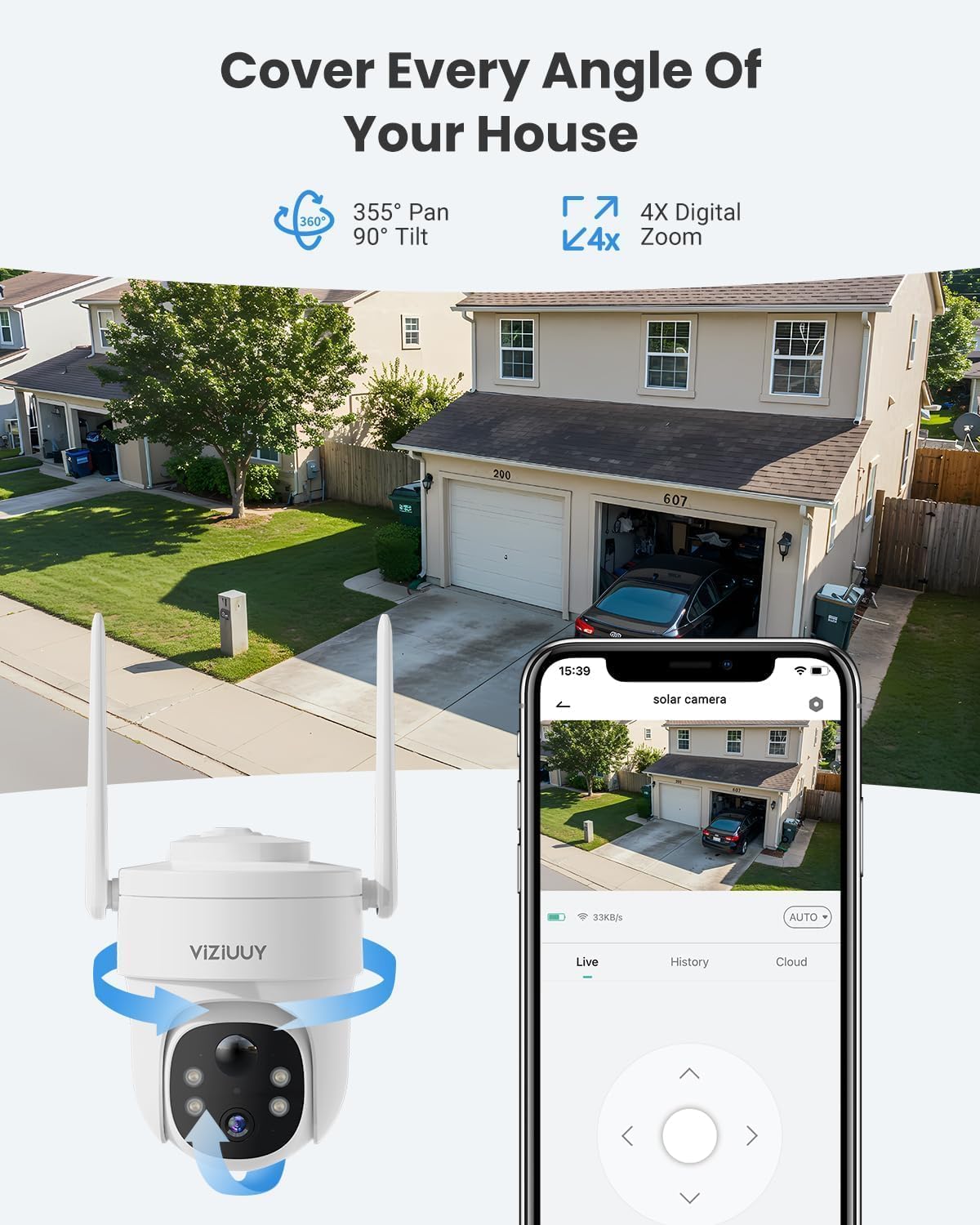
Image: Cloudedge app interface displaying live camera feed and directional controls.
4.2 Motion Detection and Alerts
The camera features AI-powered human motion detection. You can customize motion detection areas and adjust sensitivity levels (1-10) within the app to minimize false alarms. When motion is detected, the camera can automatically activate floodlights and a siren, and send push notifications to your phone.

Image: Visual explanation of AI motion detection capabilities.

Image: Depicts the camera's alarm modes (siren and spotlights) in action.

Image: Screenshot of the app interface for setting custom motion detection zones.

Image: App interface for adjusting motion detection sensitivity from 1 to 10.
4.3 Two-Way Audio
The camera includes a built-in microphone and speaker, enabling two-way audio communication. Use the Cloudedge app to listen to audio from the camera's location or speak through the camera to visitors or intruders.

Image: Cloudedge app interface demonstrating the two-way audio function.
4.4 Night Vision
The camera provides color night vision through its integrated floodlights, allowing for clear visibility up to 50 feet (15 meters) in low-light conditions. It also has infrared LEDs for standard black and white night vision.
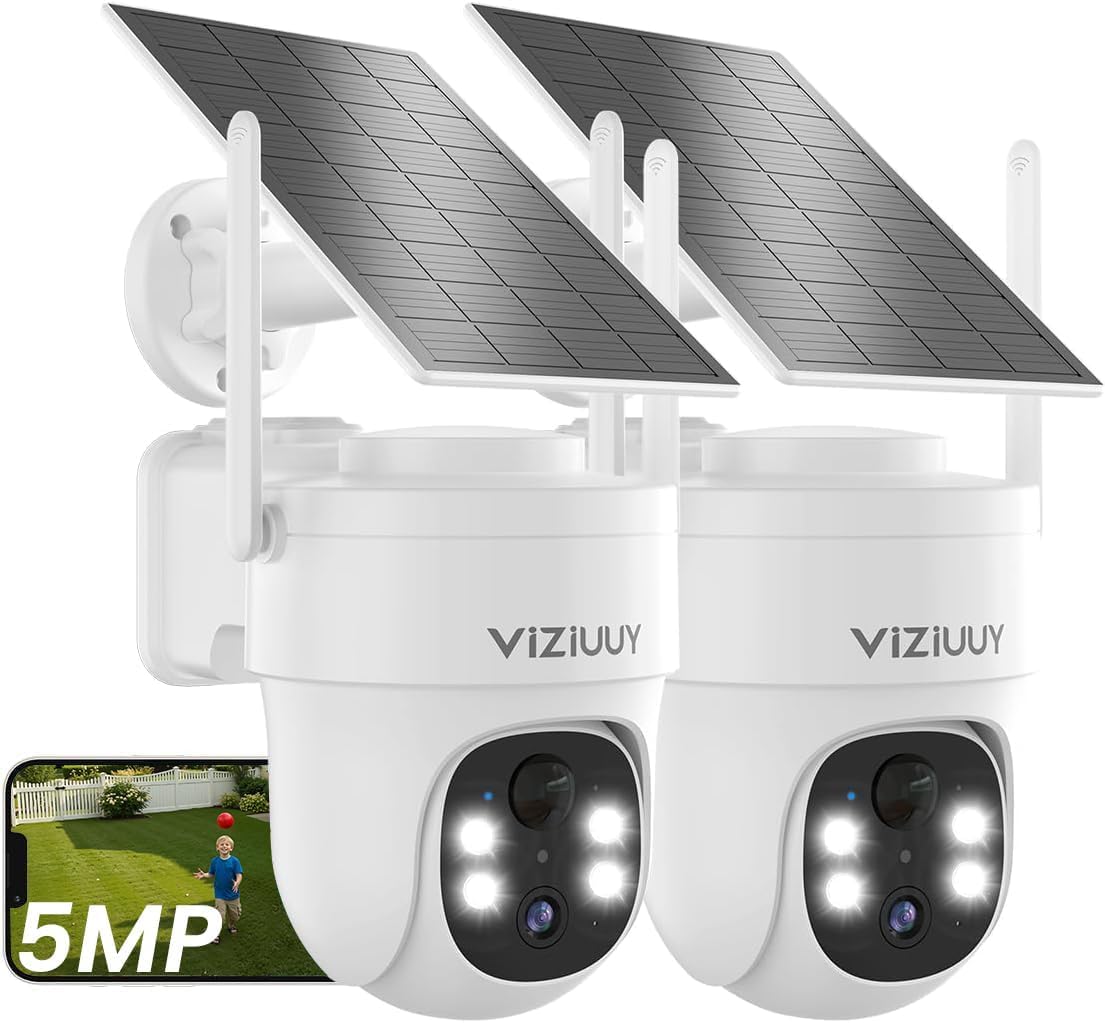
Image: Example of the camera's color night vision capability.
4.5 Storage Options
The VIZIUY VZ-5PT2 supports two storage methods:
- Local Storage: Insert a Micro SD card (up to 128GB, not included) into the camera for continuous or event-based recording.
- Cloud Storage: Basic cloud storage is offered, typically for 6-second motion detection video recordings stored for 30 days.

Image: Illustrates the dual storage options: Micro SD card and cloud service.
4.6 Alexa Integration
The camera is compatible with Amazon Alexa. Once connected, you can use voice commands (e.g., "Alexa, show me the camera") to view live images on compatible Alexa-enabled devices with screens.

Image: Shows the VIZIUY camera working with an Alexa smart display.
4.7 Video Playback and Sharing
The Cloudedge app allows for smart playback of recorded footage, with filters and timelines to easily find specific events. You can also share camera access with family members via a QR scan.

Image: Cloudedge app interface demonstrating smart playback and sharing options.
5. Maintenance
- Solar Panel: Regularly clean the surface of the solar panel to ensure maximum sunlight absorption and efficient charging. Dust, dirt, and debris can reduce its effectiveness.
- Camera Lens: Gently clean the camera lens with a soft, lint-free cloth to maintain clear image quality. Avoid abrasive materials or harsh chemicals.
- Battery: The camera uses rechargeable Lithium Ion batteries. While solar-powered, ensure the solar panel is positioned to receive adequate sunlight to keep the batteries charged. If the camera is removed for extended periods, charge it using a standard USB power adapter.
- Firmware Updates: Check the Cloudedge app periodically for firmware updates to ensure your camera has the latest features and security enhancements.
6. Troubleshooting
| Problem | Possible Cause | Solution |
|---|---|---|
| Camera not powering on. | Low battery or solar panel not charging effectively. | Ensure the solar panel is in direct sunlight. Fully charge the camera using a USB power adapter if necessary. |
| Poor Wi-Fi connection or frequent disconnections. | Camera is too far from the Wi-Fi router, or interference. | Relocate the camera closer to the router or install a Wi-Fi extender. Ensure you are connected to a 2.4GHz network. |
| Live view is choppy or low frame rate. | Weak Wi-Fi signal or app settings. | Improve Wi-Fi signal strength. In the Cloudedge app, check live view settings and ensure "real time" mode is selected if available. |
| False motion detection alerts. | High sensitivity or unoptimized detection zones. | Adjust motion detection sensitivity in the app (levels 1-10). Define custom activity zones to exclude areas with frequent irrelevant motion (e.g., moving trees). |
| No recording to SD card. | SD card not inserted, full, or corrupted. | Ensure an SD card (up to 128GB) is correctly inserted. Format the SD card via the app. Replace if corrupted. |
| Camera freezes or becomes unresponsive. | Software glitch or temporary issue. | Perform a soft reset by powering off and on the camera. If the issue persists, a factory reset might be necessary (refer to app for instructions). |
7. Specifications
| Feature | Detail |
|---|---|
| Model Number | VZ-5PT2 |
| Video Capture Resolution | 5MP (2560*1920) |
| Indoor/Outdoor Usage | Outdoor |
| Power Source | Solar Powered and Battery Powered (2 Lithium Ion batteries included) |
| Connectivity Protocol | Wi-Fi (2.4GHz, Wi-Fi 6 compatible) |
| Controller Type | Amazon Alexa, Android, CloudEdge, Google Assistant, iOS |
| Mounting Type | Ceiling Mount and Wall Mount |
| Viewing Angle | 355 Degrees (Pan), 90 Degrees (Tilt) |
| Night Vision Range | 50 feet (Color Night Vision), 100 feet (IR Night Vision) |
| Frame Rate | 15fps |
| Material | Acrylonitrile Butadiene Styrene (ABS) |
| Water Resistance Level | IP66 Waterproof |
| Flash Memory Type | Micro SD (up to 128GB supported) |
| Item Weight | 2.2 Pounds |
| Product Dimensions | 7 x 5 x 8 inches |
| Zoom Type | Digital Zoom (4X) |
| Alert Type | Audio and Motion |
| Light Source Type | LED & Infrared |
| International Protection Rating | IP66 |
8. Warranty and Support
Specific warranty details are not provided in the product information. For warranty claims or technical support, please contact VIZIUY customer service directly through their official website or the contact information provided in your product packaging.
For additional assistance, refer to the "Help" or "FAQ" section within the Cloudedge app.
9. Product Video
Video: This video provides an overview of a VIZIUY solar security camera, highlighting features such as 2K resolution, night vision, AI detection, two-way audio, and solar charging. Please note that while this video mentions a 3MP camera, the VZ-5PT2 model described in this manual is a 5MP camera.
Related documentsVZ-5PT2


Ask a question about this manual
Ask about setup, troubleshooting, compatibility, parts, safety, or missing instructions. Manuals+ will review the question and use this page’s manual context to help answer it.