
1. Safety Instructions
Please read and understand all safety instructions before installing or operating this product. Failure to follow these instructions may result in electric shock, fire, or serious injury.
- This product is for indoor use only. Do not expose to rain or moisture.
- Ensure the power supply voltage matches the product's requirements (AC 100-240V, 50/60Hz).
- Always disconnect from power before cleaning, servicing, or installing.
- Do not open the housing. There are no user-serviceable parts inside. Refer all servicing to qualified personnel.
- Avoid direct eye exposure to the light source.
- Ensure proper ventilation around the unit to prevent overheating. Do not block ventilation openings.
- Mount the fixture securely using appropriate clamps and safety cables.
2. Package Contents
Verify that all items are present and in good condition upon unpacking:
- U`King Moving Head LED Stage Light (ZQ02040)
- Power Cable
- Mounting Bracket
- Screws for Mounting
- User Manual

Image: The U`King Moving Head LED Stage Light shown with its power cable, mounting bracket, and user manual.
3. Product Overview
The U`King ZQ02040 is a compact moving head LED stage light designed for various lighting applications. It features RGBW (4-in-1) color mixing, multiple control modes, and precise movement capabilities.

Image: Several U`King Moving Head LED Stage Lights projecting colorful beams in a dynamic display.
Key Features:
- RGBW (4-in-1 Color) Lighting Effect: Utilizes bright LED lamp beads for mixed color effects with a 1-degree beam angle.
- Multiple Control Modes: Supports Auto, Sound Activated, Master-Slave, and DMX-512 modes.
- Built-in Functions: Includes program dimming (0-100%), strobe speed control, and RGBW color changes.
- LCD Display: Features a 4-button LCD for easy access to built-in functions.
- Daisy Chain Connection: 3-pin DMX connection for linking multiple units.
- Precise Movement: Offers 540° pan and 270° tilt movement for dynamic lighting.

Image: An exploded diagram illustrating the internal components of the moving head light, including the 4 individual beam chips.

Image: A close-up view of the light highlighting its ABS casing, aluminum alloy base, powerful LED chip, and 4-button menu interface.
4. Setup
Follow these steps to set up your U`King Moving Head LED Stage Light:
- Unpacking: Carefully remove the light and all accessories from the packaging. Inspect for any damage.
- Mounting: Use the provided mounting bracket and screws to securely attach the light to a truss, ceiling, or other stable surface. Ensure the mounting point can support the weight of the fixture.
- Power Connection: Connect the power cable to the unit's power input and then to a suitable power outlet (AC 100-240V, 50/60Hz).
- DMX Connection (Optional): If using DMX control, connect a 3-pin DMX cable from your DMX controller to the DMX IN port of the first fixture. For daisy-chaining multiple fixtures, connect a DMX cable from the DMX OUT of the first fixture to the DMX IN of the next, and so on.
5. Operating Modes
The U`King Moving Head LED Stage Light offers several operating modes:
- Auto Mode: The fixture runs through pre-programmed light sequences automatically.
- Sound Activated Mode: The light reacts to ambient sound or music, changing patterns and colors in sync with the beat.
- Master-Slave Mode: Link multiple fixtures together. One unit acts as the master, controlling all other slave units to perform synchronized light shows.
- DMX-512 Mode: Provides professional control over all functions (color, dimming, strobe, pan, tilt) using an external DMX controller.
Video: Demonstration of the U`King Moving Head Stage Light's various color and movement effects in a dark environment.
Video: A dynamic display of multiple U`King Moving Head Stage Lights showcasing synchronized color changes and beam movements.
6. DMX Control
The fixture supports DMX-512 protocol with 11 or 13 DMX channels. Refer to the DMX channel chart below for detailed control parameters. The LCD display with 4 buttons allows for setting the DMX address and selecting channel modes.

Image: The moving head light illustrating its 540° pan and 270° tilt rotation capabilities.
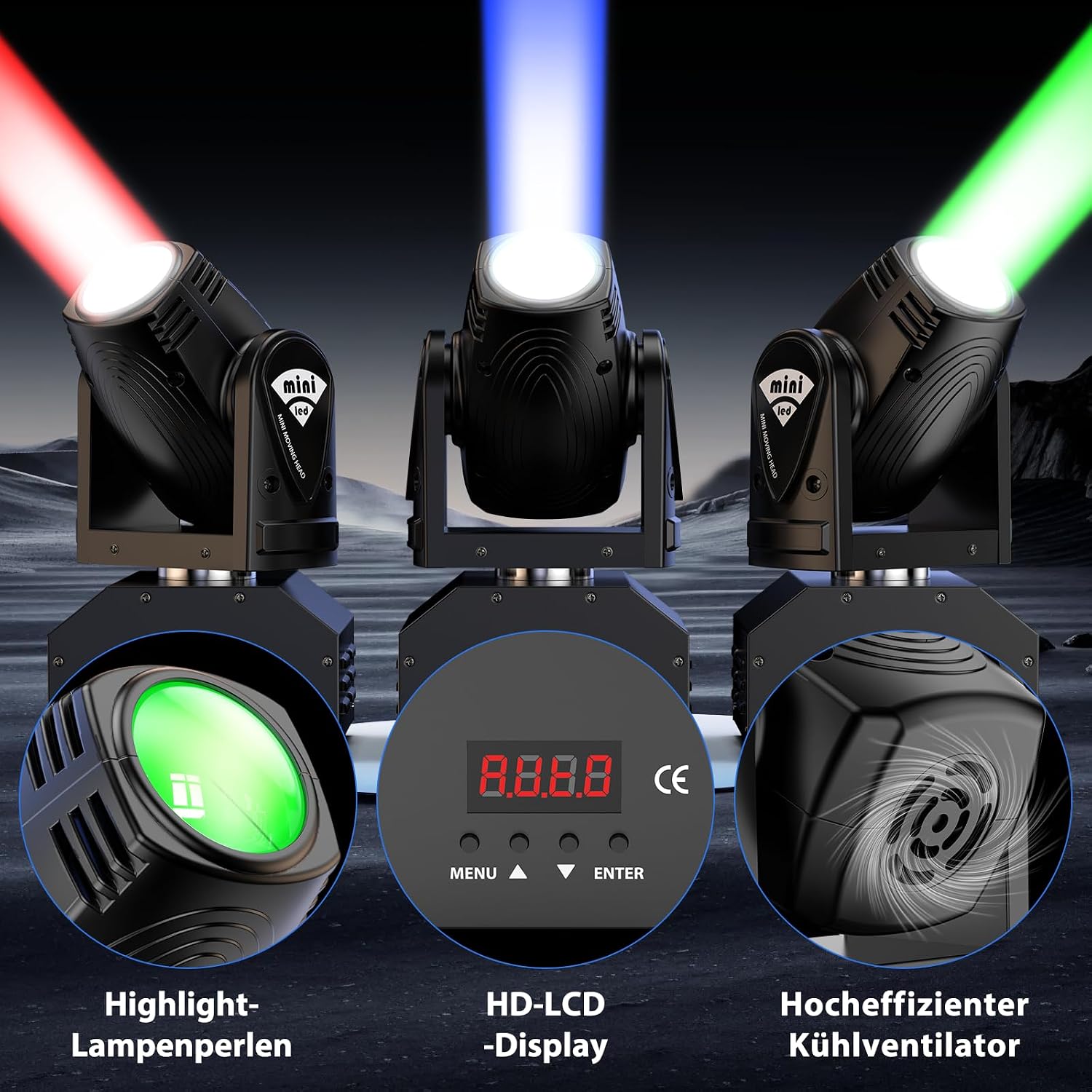
Image: A detailed view of the light's HD-LCD display, control buttons, and efficient cooling fan.
DMX Channel Chart (Example - consult product for full chart):
| Channel | Function | Value Range |
|---|---|---|
| 1 | Pan Movement | 0-255 |
| 2 | Tilt Movement | 0-255 |
| 3 | Red Dimmer | 0-255 |
| 4 | Green Dimmer | 0-255 |
| 5 | Blue Dimmer | 0-255 |
| 6 | White Dimmer | 0-255 |
| 7 | Strobe | 0-255 |
7. Maintenance
Regular maintenance ensures optimal performance and extends the lifespan of your fixture:
- Cleaning: Periodically clean the lens and exterior housing with a soft, lint-free cloth. Do not use abrasive cleaners.
- Ventilation: Ensure ventilation openings are clear of dust and debris. Use compressed air to clean if necessary.
- Inspection: Regularly check power and DMX cables for damage. Ensure all mounting hardware is secure.
8. Troubleshooting
If you encounter issues, refer to the following common problems and solutions:
- No Power:
- Check if the power cable is securely connected to both the fixture and the power outlet.
- Verify the power outlet is functional.
- Ensure the power switch on the unit is in the 'ON' position.
- Light Not Responding to DMX:
- Check DMX cable connections. Ensure they are 3-pin DMX cables, not standard microphone cables.
- Verify the DMX address on the fixture matches the address set on your controller.
- Ensure the DMX controller is sending a signal.
- Try a different DMX cable.
- Jerky Movement or Incorrect Calibration:
- Power cycle the unit (turn off, wait 10 seconds, turn on) to allow it to re-calibrate.
- Ensure the fixture is mounted on a stable surface and not obstructed.
- In DMX mode, check if pan/tilt channels are receiving stable values.
- No Light Output:
- Check dimmer settings in the selected operating mode (Auto, Sound, DMX).
- Ensure the fixture is not in 'Blackout' mode.
9. Specifications
| Feature | Detail |
|---|---|
| Model Number | ZQ02040 |
| Light Source Type | LED (RGBW 4-in-1) |
| Light Source Wattage | 25 Watts |
| Brightness | 1130 lux |
| Beam Angle | 1 Degrees |
| Control Modes | Auto, Sound Activated, Master-Slave, DMX-512 |
| DMX Channels | 11/13 CH |
| Pan Movement | 540° |
| Tilt Movement | 270° |
| Dimming | 0-100% Smooth Dimming |
| Strobe | Variable Strobe Speed |
| Material | Plastic |
| Product Dimensions | 6.3"L x 6.3"W x 8.7"H |
| Power Source | Corded Electric |

Image: Examples of the light's beam effects, showcasing individual colors (red, green, blue) and mixed colors, along with the square beam pattern.

Image: The light projecting distinct beams, highlighting its 1-degree beam angle and the ability to display individual and mixed RGBW colors.
10. Warranty and Support
U`King products are designed for reliability and performance. For warranty information or technical support, please refer to the contact details provided with your purchase documentation or visit the official U`King website. Keep your purchase receipt as proof of purchase for any warranty claims.


