
1. Product Overview
The Haulvean Smart Watch (Model B0DT8V5J6W) is a versatile wearable device designed to enhance your daily life and fitness activities. It features a 9-inch screen, Bluetooth connectivity, and compatibility with both Android and iOS operating systems. Key functions include health monitoring, various sports modes, and message notifications.
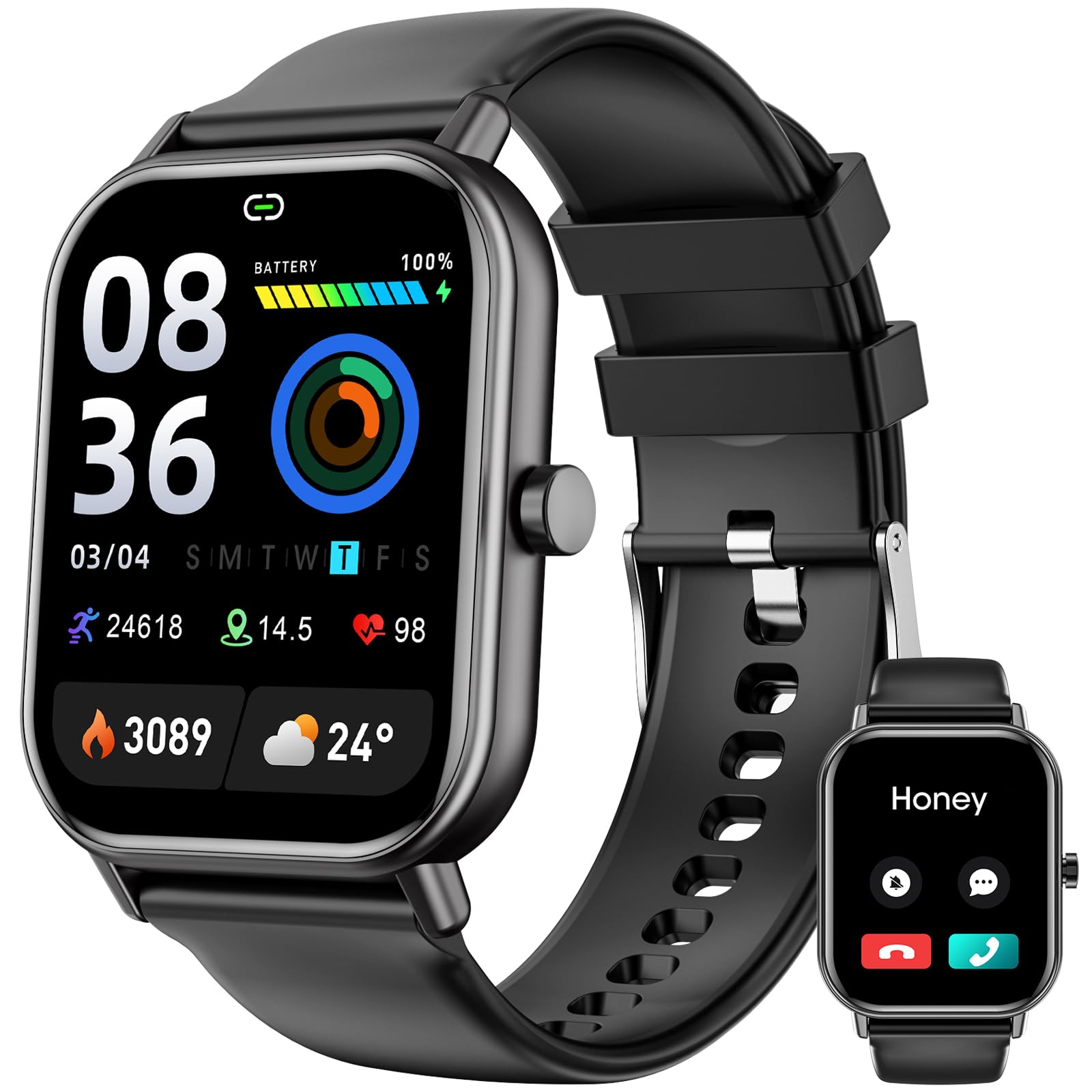
Figure 1: Haulvean Smart Watch
2. Setup
2.1 Power On/Off
- To Power On/Off: Long press the upper right button on the watch. A confirmation prompt will appear to power off.
2.2 Screen On/Off
- To Turn Screen On/Off: Click the upper right button.
2.3 Initial Pairing (APP Connection)
To unlock full functionality, connect your Haulvean Smart Watch to your mobile phone via the dedicated application (APP). Once connected, you will be able to receive message reminders and access advanced features.
3. Operating Instructions
3.1 Navigating the Watch Face
- Switch Watch Face: Turn the dial button on the side of the watch or long press the screen and swipe to select a different watch face.
3.2 Control Center
- Access: Swipe down from the top of the watch face.
- Functions: Adjust brightness, activate power-saving mode, and access other quick settings.
3.3 Message Notifications
- Access: Swipe up from the bottom of the watch face.
- Function: View message reminders received from your connected mobile phone.
3.4 Health Monitoring & Weather
- Access: Swipe left from the watch face.
- Functions: Monitor heart rate, blood pressure, sleep patterns, and view weather forecasts.
3.5 Daily Functions
- Access: Swipe right from the watch face.
- Functions: Access features such as activity tracking, sleep data, heart rate, blood pressure, SpO2, weather, messages, AI voice assistant, timer, alarm, stopwatch, 'Find Phone' feature, Alipay, and general settings.
3.6 Sports Modes
- Access: Press the lower right button on the watch.
- Available Modes: Walking, Running, Cycling, Skipping, Badminton, Basketball, Football, Swimming, Climbing, Tennis, Rugby, Golf, Yoga, Dancing, Baseball, Elliptical, and many more (over 120 sports modes available).
4. Maintenance
4.1 Charging
Use the provided magnetic charger to charge your Haulvean Smart Watch. Align the magnetic pins on the charger with the charging contacts on the back of the watch. The watch display will indicate 'Charging...' when properly connected.

Figure 2: Magnetic Charger Connection
5. Troubleshooting
If you encounter any issues with your Haulvean Smart Watch, please refer to the troubleshooting section within the companion mobile application or contact customer support. Common issues may include connectivity problems, inaccurate readings, or display malfunctions.
6. Specifications
| Feature | Detail |
|---|---|
| Brand | Haulvean |
| Model Number (ASIN) | B0DT8V5J6W |
| Package Dimensions | 1 x 1 x 1 inches |
| Item Weight | 3.17 ounces |
| Batteries | 1 AAA batteries required (included) |
| Date First Available | January 17, 2025 |
| Manufacturer | Haulvean |
| Standing Screen Display Size | 9 inches |
| Operating System | Android, iOS |
| Special Feature | Sleep Tracker |
| Connectivity Technology | Bluetooth |
| Battery Cell Composition | Lithium Polymer |
| GPS | GPS Via Smartphone |
| Shape | Square |
| Screen Size | 9 inches |
| Included Components | Smart watch |
7. Official Product Video
Video: This official product video demonstrates the basic operating instructions for the Haulvean Smart Watch, including power control, screen navigation, accessing various features like health monitoring and sports modes, and charging procedures.
8. Warranty and Support
Specific warranty information for the Haulvean Smart Watch (Model B0DT8V5J6W) is not provided in the product details. Please refer to the product packaging, the manufacturer's official website, or your point of purchase for detailed warranty terms and conditions.
For technical support, customer service, or further inquiries, please consult the contact information provided with your product documentation or visit the official Haulvean website.