
Moman MP-S57
Moman Voice Amplifier with Wireless Lavalier Microphone User Manual
Model: MP-S57
Brand: Moman
Introduction
This user manual provides comprehensive instructions for the Moman Voice Amplifier with Wireless Lavalier Microphone (Model: MP-S57). This portable PA system is designed to amplify your voice with clarity and minimal latency, making it ideal for teachers, presenters, tour guides, coaches, and anyone needing to address a group effectively. It features a built-in noise reduction chip for high-quality sound and a wireless lavalier microphone for hands-free operation.
Please read this manual thoroughly before using the device to ensure proper operation and to maximize its lifespan.
What's in the Box
Upon opening the package, please verify that all the following items are included:
- 1 x Wireless Voice Amplifier
- 1 x Wireless Lavalier Microphone
- 1 x Strap
- 1 x User Manual

Image: Contents of the Moman Voice Amplifier package, showing the amplifier, wireless microphone, and packaging.
Product Overview
Voice Amplifier
The main amplifier unit features a powerful speaker and control interface. It is designed for portability and clear sound projection.
- Speaker Grille: Front-facing for sound output.
- ON/OFF and Volume Control Wheel: A combined wheel on the side for powering on/off and adjusting volume.
- Ports: Includes a 3.5mm mic jack, USB port, and TF/SD card slot for versatile audio input and playback.
- Charging Port: DCSV port for charging the amplifier's internal battery.

Image: Detailed view of the Moman Voice Amplifier's top panel, highlighting the 3.5mm mic jack, USB port, TF/SD card slot, and charging port.
Wireless Lavalier Microphone
The compact wireless microphone allows for hands-free speaking and easily clips onto clothing.
- Power Button: Used for powering on/off and pairing.
- Clip: For attaching the microphone to clothing.
- Indicator Light: Shows power and pairing status.

Image: A person demonstrating the use of the Moman Voice Amplifier and its wireless lavalier microphone during a yoga session, showing the compact size and wireless freedom.
Setup
1. Charging the Device
Before first use, fully charge both the voice amplifier and the wireless lavalier microphone. The amplifier has a 2600mAh battery, providing up to 14 hours of continuous use. Charge promptly when the battery is low to avoid disconnection during use.
- Connect the provided charging cable to the DCSV port on the amplifier and a suitable USB power adapter (not included).
- Connect the microphone to its charging port using the appropriate cable.
- Indicator lights will show charging status and turn off or change color when fully charged.
2. Pairing the Wireless Microphone
The amplifier and wireless microphone are designed for easy, automatic pairing.
- Slide up the ON/OFF wheel on the voice amplifier to power it on.
- Press and hold the power button on the wireless lavalier microphone for 3 seconds.
- The devices will automatically pair and connect. An indicator light on the microphone will confirm successful pairing.
3. Wearing the Amplifier
The Moman Voice Amplifier offers flexible wearing options for comfort and convenience.
- Crossbody: Use the included strap to wear the amplifier across your body, allowing for hands-free movement.
- Clip on Belt: Attach the amplifier directly to your belt using the integrated clip.
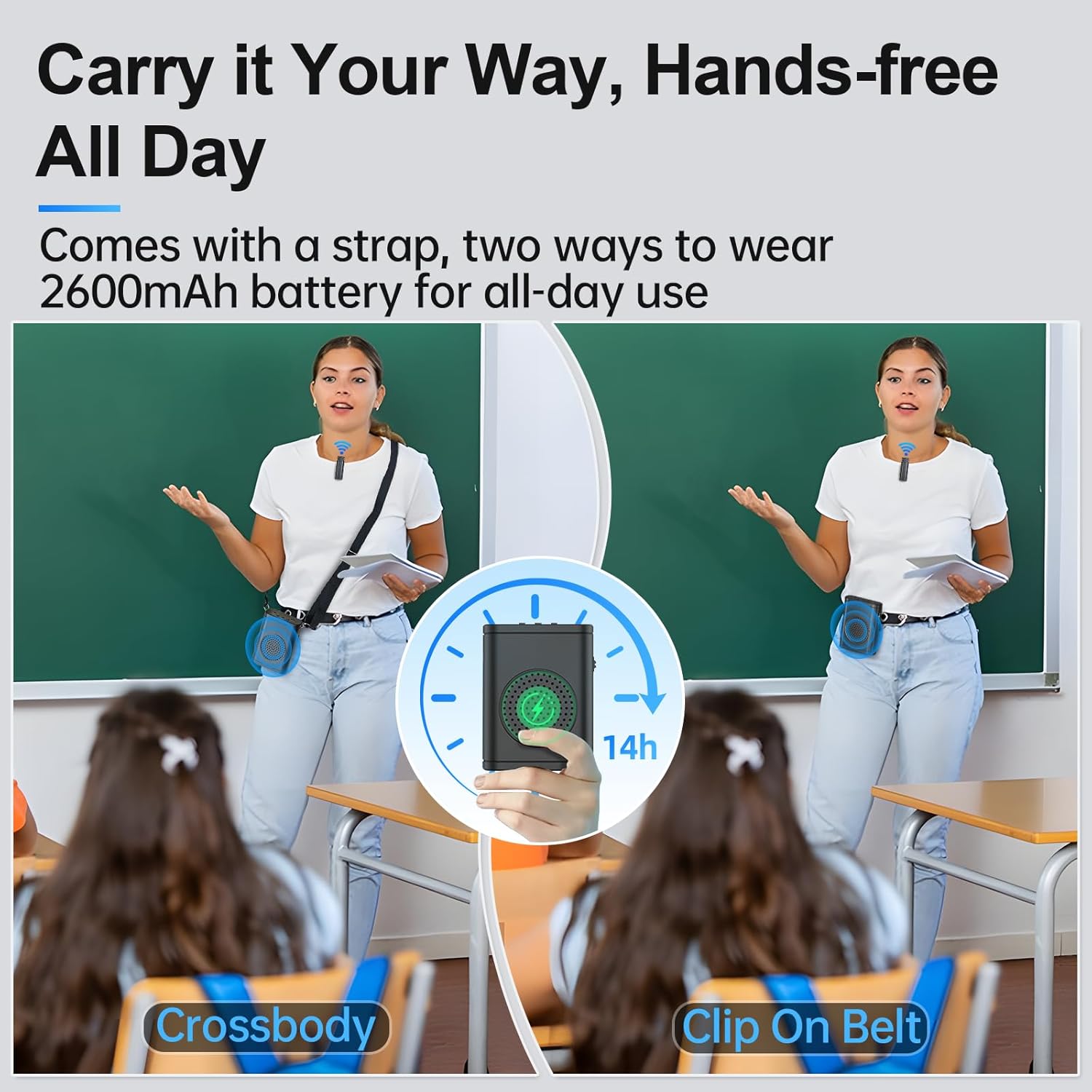
Image: Illustration showing two methods of wearing the Moman Voice Amplifier: using the crossbody strap and clipping it to a belt, demonstrating its portability.
Operating Instructions
1. Voice Amplification
Once the amplifier and microphone are paired, your voice will be amplified through the speaker.
- Volume Adjustment: Use the 2-in-1 ON/OFF and volume control wheel on the amplifier to increase or decrease the output volume.
- Microphone Placement: For optimal sound quality and to minimize whistling, keep the wireless lavalier microphone within 6 inches (approximately 15 cm) of your mouth.
- Transmission Distance: The system effectively covers distances up to 49ft (15m) with low latency.
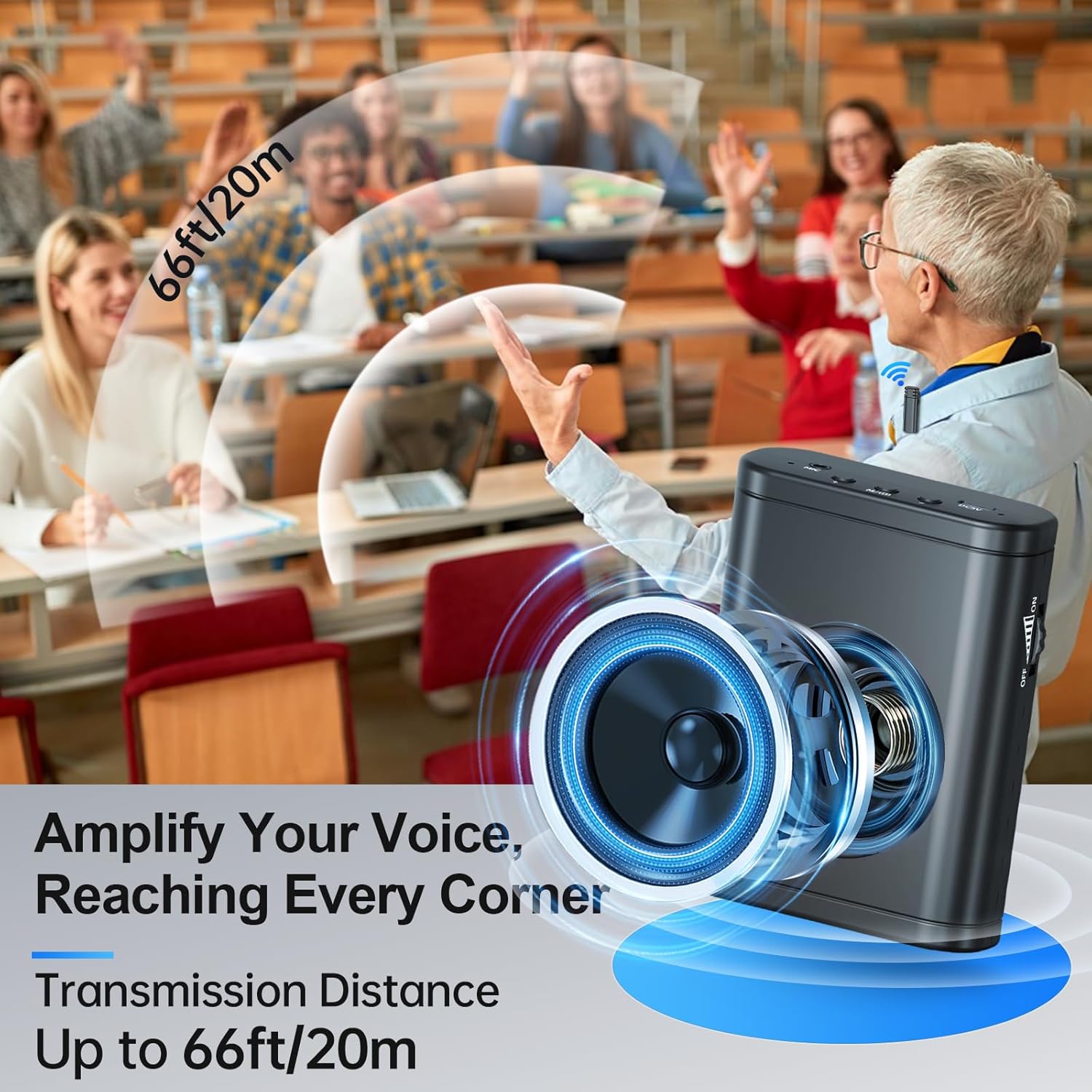
Image: A teacher using the Moman Voice Amplifier in a classroom setting, illustrating the effective transmission distance of up to 66ft/20m, ensuring voice reaches all students.
2. Versatile Playback Options
The amplifier supports various audio input methods, allowing you to play music or pre-recorded audio while speaking.
- USB & TF/SD Card Input: Insert a USB drive or TF/SD card into the respective slots to play audio files directly.
- Bluetooth Connectivity: Connect your smartphone or other Bluetooth-enabled devices to the amplifier to use it as a portable Bluetooth speaker.
- Wired Mic Mode: The amplifier also supports a wired microphone connection via its 3.5mm mic jack (wired mic not included).

Image: A split image demonstrating the Moman Voice Amplifier's flexibility, showing both wired microphone mode (with a headset mic) and wireless microphone mode (with the lavalier mic).
Maintenance
Proper maintenance ensures the longevity and optimal performance of your Moman Voice Amplifier.
- Cleaning: Use a soft, dry cloth to wipe down the amplifier and microphone. Do not use abrasive cleaners or solvents.
- Storage: Store the device in a cool, dry place away from direct sunlight and extreme temperatures.
- Battery Care: For extended storage, charge the battery to about 50% every few months to prevent deep discharge.
- Avoid Moisture: Keep the device away from water and high humidity.
Troubleshooting
If you encounter issues with your Moman Voice Amplifier, please refer to the following common problems and solutions:
| Problem | Possible Cause | Solution |
|---|---|---|
| No sound or low volume. |
|
|
| Whistling or feedback noise. |
|
|
| Microphone disconnects frequently. |
|
|
| Poor sound quality (e.g., metallic sound). |
|
|
Specifications
| Feature | Detail |
|---|---|
| Model Number | MP-S57 |
| Brand | Moman |
| Power Source | Battery Powered |
| Battery Life | Up to 14 hours (2600mAh) |
| Connectivity Technology | Bluetooth, SD/TF, USB, Wireless (2.4GHz) |
| Connector Type | 3.5mm mic jack, USB, SD/TF |
| Material | Plastic (ABS) |
| Number of Channels | 1 |
| Audio Input | Microphone |
| Frequency Response | 20 KHz |
| Item Weight | 10.2 ounces (approx. 289 grams) |
| Package Dimensions | 6.5 x 3.82 x 1.93 inches |
| Compatible Devices | 3.5mm mic jack, Smartphone |
| Mounting Type | Floor Standing, Tabletop (referring to general use, not specific mounting hardware) |
| Recommended Uses | Teaching, yoga, meetings, presentation, training, tour guiding, supermarket, conferences, coaches, etc. |
Warranty and Support
The Moman Voice Amplifier is backed by a 36-month quality guarantee, ensuring worry-free use. For any product inquiries, technical support, or warranty claims, please contact Moman customer service through the official Moman store or your point of purchase.
You can visit the official Moman store for more information and support: Moman Store on Amazon.
Related documentsMP-S57

Ask a question about this manual
Ask about setup, troubleshooting, compatibility, parts, safety, or missing instructions. Manuals+ will review the question and use this page’s manual context to help answer it.