
BACKFIRE Backfire G2Z
Backfire G2Z Electric Skateboard User Manual
Model: Backfire G2Z | Brand: BACKFIRE
1. Introduction
Welcome to the Backfire G2Z Electric Skateboard user manual. This guide provides essential information for the safe and effective operation, maintenance, and care of your new electric skateboard. The G2Z is designed for performance and reliability, featuring a powerful belt-driven motor system.
Key features include a top speed of 26 mph and an estimated range of 11 to 12.5 miles, depending on riding conditions and style. The board is also UL2272 compliant, ensuring adherence to safety standards.

Figure 1: Top and bottom view of the Backfire G2Z Electric Skateboard, showcasing its sleek design and component placement.
2. Components Overview
The Backfire G2Z comes equipped with the following main components:
- Electric Skateboard Deck: Constructed from wood, measuring 38 inches in length and 9 inches in width, with an 8-ply rating.
- Motors: Belt-driven motor system for enhanced speed and power.
- Battery: Lithium-ion battery, providing power for operation.
- R5s Remote: For controlling speed, braking, and other functions.
- Charger: For recharging the battery.
- Wheels: 96mm diameter polyurethane wheels with 80A durometer hardness.
- Trucks: Standard skateboard trucks for steering and stability.

Figure 2: Detailed view of the belt-driven motor system, highlighting the robust construction and wheel assembly.

Figure 3: The battery compartment, showing the "LITHIUM BACKFIRE" label and warning information.
3. Setup and First Use
Before your first ride, ensure the following steps are completed:
- Unboxing: Carefully remove the skateboard and all accessories from the packaging.
- Initial Charge: Connect the charger to the skateboard's charging port and a power outlet. The charging time is approximately 3.5 hours. Ensure the battery is fully charged before first use.
- Remote Pairing: Refer to the R5s Remote's specific instructions for pairing it with your G2Z skateboard.
- Safety Check: Inspect all components, including wheels, trucks, and motor mounts, to ensure they are securely fastened. Verify that the brakes and acceleration function correctly using the remote while the board is stationary.

Figure 4: A rider preparing to use the skateboard, emphasizing readiness before operation.
4. Operating Instructions
Operating the Backfire G2Z is intuitive with the R5s remote. Always wear appropriate safety gear, including a helmet, and ride in designated areas.
- Power On/Off: Use the power button on the board and remote to turn them on.
- Acceleration: Use the remote's throttle to control your speed. The G2Z can reach speeds up to 26 mph.
- Braking: Apply the brake on the remote for smooth and controlled deceleration.
- Steering: Lean to steer the skateboard, similar to a traditional longboard.
- Weight Capacity: The board supports a maximum load capacity of 265 pounds.
Video 1: An overview of the Backfire G2Z Electric Skateboard, demonstrating its features and riding capabilities.
Video 2: A detailed demonstration of the Backfire G2Z Electric Skateboard in various riding environments.

Figure 5: A rider demonstrating the smooth cruising capabilities of the Backfire G2Z.
5. Maintenance
Regular maintenance ensures the longevity and optimal performance of your Backfire G2Z. Always power off the board and remote before performing any maintenance.
- Cleaning: Wipe down the board with a damp cloth after each use to remove dirt and debris. Avoid direct water exposure to electronic components.
- Wheel Inspection: Regularly check the wheels for wear and tear. Replace them if they show significant damage or flat spots.
- Belt Check: Inspect the drive belts for any signs of fraying, cracks, or excessive wear. Replace belts as needed to maintain optimal power transfer.
- Battery Care: Store the board in a cool, dry place. If storing for extended periods, ensure the battery is charged to about 50-60% to preserve its lifespan. Avoid fully discharging the battery.
- Fastener Check: Periodically check all screws and bolts on the trucks, motor mounts, and battery enclosure to ensure they are tight.

Figure 6: Front trucks and wheels, important areas for regular inspection and maintenance.
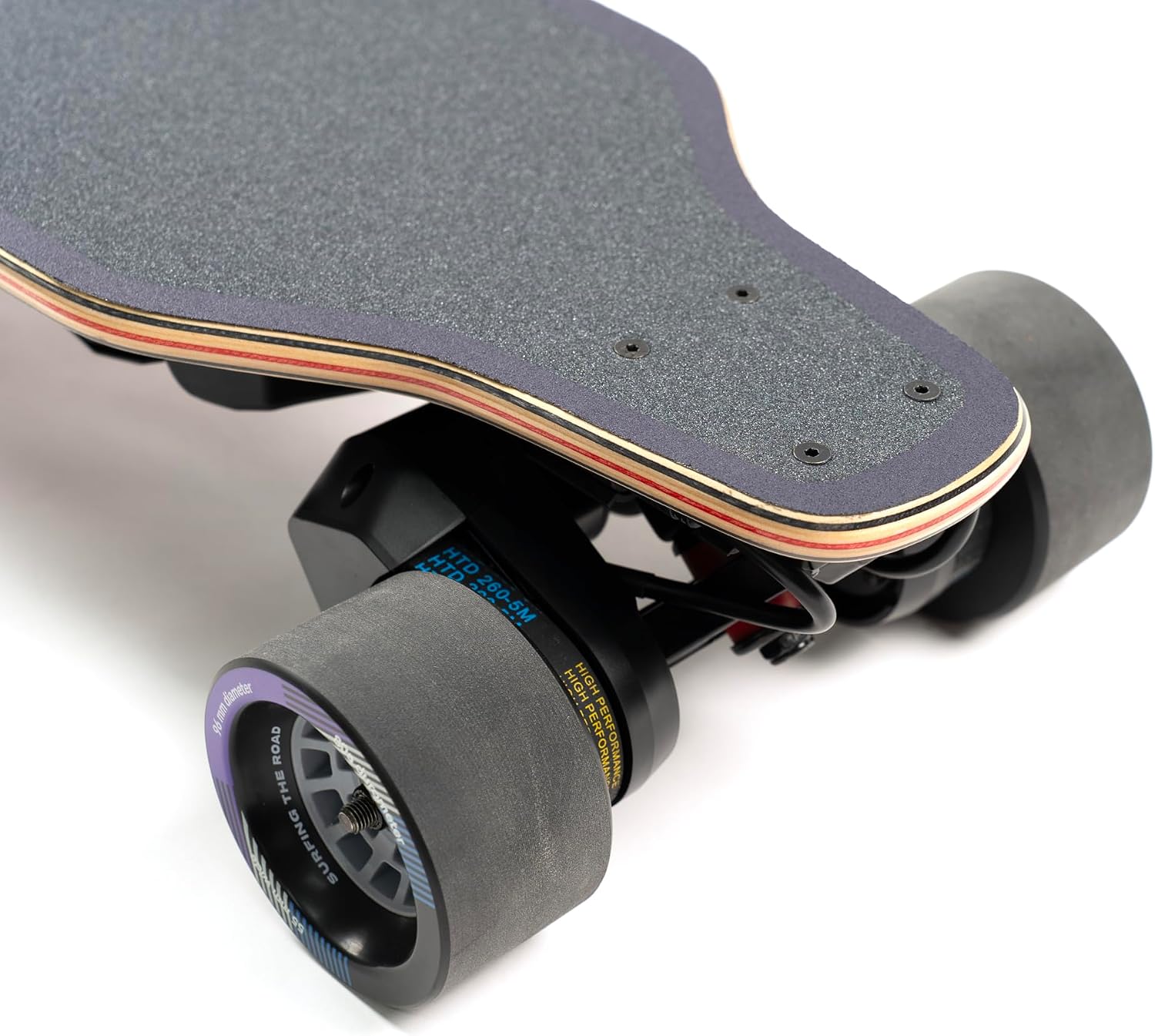
Figure 7: Rear trucks and belt-driven wheels, showing the motor and belt system that requires periodic inspection.
6. Troubleshooting
If you encounter issues with your Backfire G2Z, consider the following basic troubleshooting steps:
- No Power: Ensure the battery is fully charged and the power buttons on both the board and remote are pressed.
- Remote Not Responding: Re-pair the remote with the skateboard according to the remote's instructions. Check remote battery levels.
- Reduced Performance: Check for debris in the motor or belt system. Ensure wheels spin freely. Verify battery charge level.
- Unusual Noises: Inspect wheels, bearings, and motor belts for any foreign objects or damage.
For persistent issues or complex repairs, contact Backfire customer support.
7. Specifications
| Feature | Specification |
|---|---|
| Brand | BACKFIRE |
| Model Name | Backfire G2Z |
| Skateboard Type | Longboard |
| Deck Length | 38 Inches |
| Deck Width | 9 Inches |
| Ply Rating | 8 Ply |
| Item Weight | 17 Pounds |
| Load Capacity | 265 Pounds |
| Wheel Size | 96 Millimeters |
| Wheel Material | Polyurethane |
| Durometer Hardness | 80A |
| Charging Time | 3.5 Hours |
| Power Source | Battery Powered |
| Color | Red |
| Skill Level | All |
| Age Range (Description) | Adult |
| UL Compliance | UL2272 compliant |
8. Warranty and Support
The Backfire G2Z Electric Skateboard comes with a 6 MONTHS MANUFACTURER WARRANTY. For warranty claims, technical support, or any inquiries, please contact BACKFIRE customer service through their official channels.
You can find more information and contact details by visiting the BACKFIRE Store on Amazon.

Figure 8: The Backfire App, available for iPhone and Android, offering additional features and support.
Related documentsBackfire G2Z


Ask a question about this manual
Ask about setup, troubleshooting, compatibility, parts, safety, or missing instructions. Manuals+ will review the question and use this page’s manual context to help answer it.