
1. Introduction
The Intel® Core™ Ultra 5 Desktop Processor 235 is designed for gamers and productivity, offering high performance with its hybrid architecture. This processor features 14 cores (6 Performance-cores + 8 Efficient-cores) and 14 threads, with speeds up to 5.0 GHz. It includes integrated Intel Graphics and supports advanced technologies like PCIe 5.0 & 4.0 and DDR5 memory. It is compatible with Intel® 800 Series Chipset based motherboards and has a 65W Processor Base Power. The Intel® Laminar RM2 cooler is included in the box.
2. Package Contents
Upon opening the retail box, you will find the following components:
- Intel® Core™ Ultra 5 Desktop Processor 235
- Intel® Laminar RM2 Cooler (with pre-applied thermal compound)
- Product Literature (including installation guide and warranty information)
- Intel Core Ultra 5 sticker
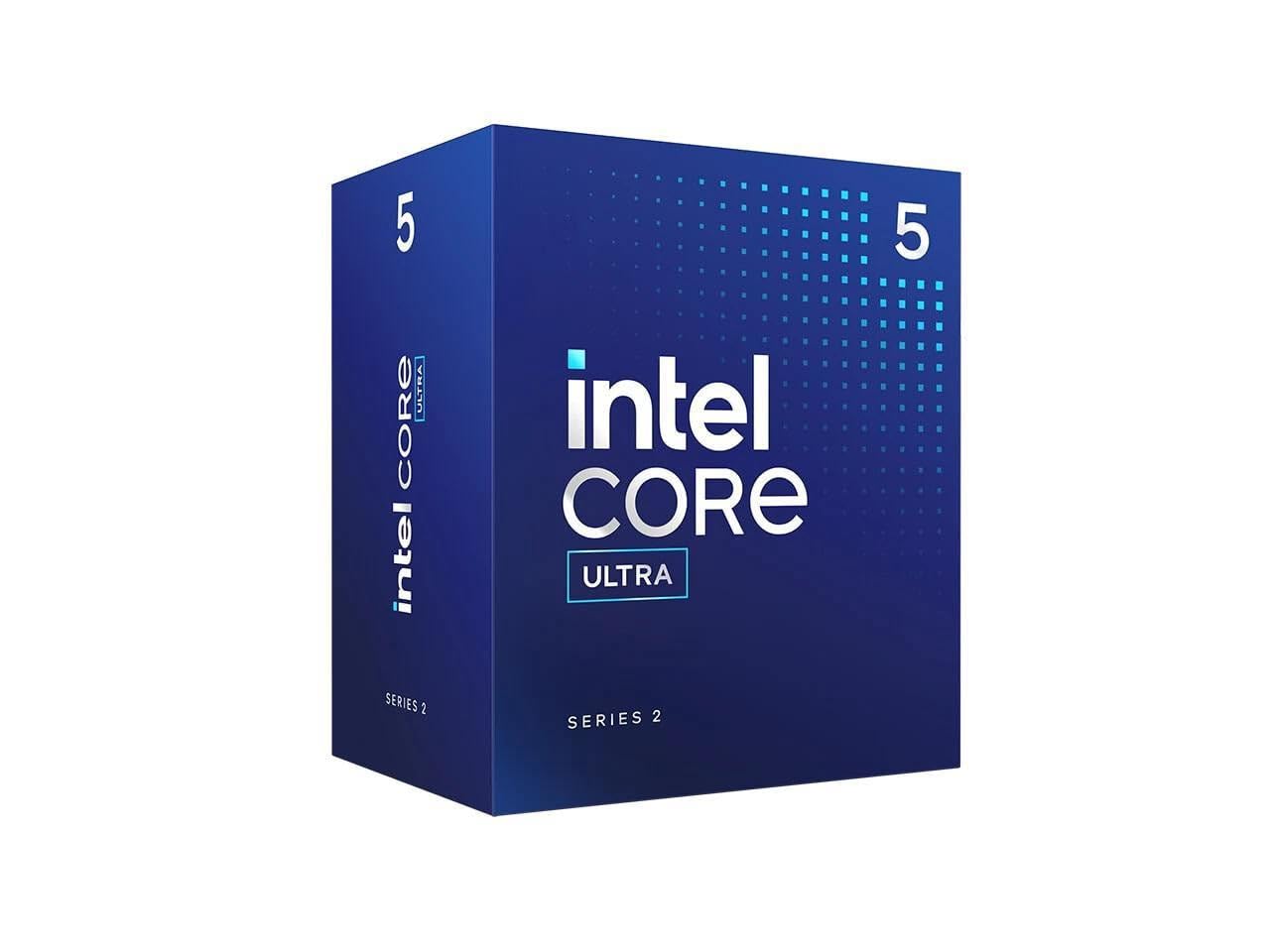
Image: The Intel Core Ultra 5 235 processor box, the included Intel Laminar RM2 cooler, and the processor itself in its protective casing.
Unboxing Video
Video: An overview of the Intel Core Ultra 5 Desktop Processor 235, including a look at the retail packaging and its contents: the processor, the Intel Laminar RM2 cooler, and product literature.
3. Setup and Installation
Follow these steps to correctly install your Intel Core Ultra 5 Desktop Processor 235 into a compatible motherboard (Intel 800 Series Chipset based motherboards).
- Prepare the Motherboard: Ensure your motherboard is placed on a non-conductive surface or installed in your PC case. Open the CPU socket retention arm.
- Unpack the CPU: Carefully remove the Intel Core Ultra 5 235 processor from its protective packaging. Handle it by the edges to avoid touching the gold contacts or the top surface.
- Align the CPU: Locate the small golden triangle on one corner of the processor. Align this triangle with the corresponding triangle or notch on the motherboard's CPU socket.
- Insert the CPU: Gently place the processor into the socket. It should drop in without force. If it doesn't, re-check the alignment. Do not force the CPU into the socket.
- Secure the CPU: Close the CPU socket retention arm to secure the processor in place. The protective cover over the socket will pop off automatically as the arm is lowered.
- Install the Cooler: Place the Intel Laminar RM2 cooler directly onto the CPU. Align the cooler's mounting pins with the holes around the CPU socket on the motherboard. Press down firmly on each pin until it clicks into place. Connect the cooler's fan cable to the CPU_FAN header on your motherboard.
Installation Video
Video: A demonstration of installing the Intel Core Ultra 5 Desktop Processor 235 into a motherboard socket, highlighting the alignment and securing process.
4. Operating and Usage
The Intel Core Ultra 5 Desktop Processor 235 is optimized for a wide range of computing tasks, from everyday productivity to gaming. Its performance hybrid architecture intelligently distributes workloads between Performance-cores and Efficient-cores to optimize speed and power efficiency. This ensures smooth multitasking, responsive application performance, and an enhanced gaming experience.
5. Performance Benchmarks
The Intel Core Ultra 5 235 processor delivers competitive performance in various benchmarks. In CPU-Z, it achieved a single-thread score of approximately 794.9 and a multi-thread score of 10371.4. These scores position it favorably against other processors in its class, offering a good balance of single-core responsiveness and multi-core processing power for demanding applications and modern games.
Performance Benchmarks Video
Video: Detailed performance benchmarks for the Intel Core Ultra 5 Desktop Processor 235 using CPU-Z and Geekbench, showcasing its single-thread and multi-thread capabilities.
6. Thermal Performance
When operating at idle, the Intel Core Ultra 5 235 processor typically maintains temperatures around 30°C with a power draw of approximately 15 watts. Under 100% CPU utilization, the processor's temperature can reach around 47°C, with a power consumption of about 65 watts. These figures are observed without custom overclocking or motherboard tweaks, using the included stock cooler. Actual temperatures may vary based on your cooling solution and PC case airflow.
Thermal Performance Video
Video: A rapid review demonstrating the thermal performance of the Intel Core Ultra 5 Desktop Processor 235 under idle and full load conditions, showing temperature and wattage readings.
7. Specifications
| Feature | Detail |
|---|---|
| Processor Model | Intel® Core™ Ultra 5 235 |
| Cores | 14 (6 Performance-cores + 8 Efficient-cores) |
| Threads | 14 |
| Max Turbo Frequency | Up to 5.0 GHz |
| Processor Base Frequency | 4.4 GHz |
| Cache | 26 MB Intel® Smart Cache |
| Processor Base Power | 65W |
| Integrated Graphics | Intel® Graphics |
| Socket | LGA 1851 |
| PCIe Support | PCIe 5.0 & 4.0 |
| Memory Support | DDR5 |
| Compatible Chipsets | Intel® 800 Series Chipset |
| Included Cooler | Intel® Laminar RM2 |
| Item Weight | 15.8 ounces |
| Product Dimensions | 4.7 x 4.4 x 0.1 inches |
8. Troubleshooting
If you encounter issues with your processor, consider the following:
- No Boot/Display: Double-check all power connections to the motherboard and CPU. Ensure the CPU is correctly seated in the socket and the cooler is properly installed. Verify that your motherboard BIOS is updated to support the Intel Core Ultra 5 235 processor.
- Overheating: Confirm the CPU cooler is securely attached and making proper contact with the CPU. Ensure adequate airflow within your PC case. Monitor CPU temperatures using system monitoring software.
- System Instability: This could be due to various factors. Ensure all drivers are up-to-date. Check memory compatibility and stability. If overclocking, revert to default settings.
- Performance Issues: Verify that your operating system and applications are up-to-date. Check for background processes consuming resources. Ensure your power plan settings are optimized for performance.
9. Maintenance
Proper maintenance can extend the lifespan and ensure optimal performance of your processor:
- Dust Removal: Regularly clean your PC case and CPU cooler to prevent dust buildup, which can impede airflow and lead to higher temperatures. Use compressed air for best results.
- Thermal Paste: While the included cooler has pre-applied thermal compound, if you replace the cooler or re-seat it, ensure new thermal paste is applied for efficient heat transfer.
- Software Updates: Keep your operating system, drivers (especially chipset and graphics drivers), and BIOS updated to benefit from performance improvements and bug fixes.
- Monitor Temperatures: Periodically check CPU temperatures during normal operation and under load to ensure they remain within safe limits.
10. Warranty and Support
The Intel® Core™ Ultra 5 Desktop Processor 235 comes with a 3-Year Limited Warranty. This warranty covers defects in materials and workmanship under normal use. For detailed warranty terms, conditions, and to register your product, please refer to the product literature included in your package or visit the official Intel support website.
For technical assistance, driver downloads, and further support, please visit the Intel Support Website.
