
Introduction
The Holmes 4-inch On-The-Go Personal Fan with Clip is designed to provide portable and customizable airflow. This compact fan features a rechargeable battery, multiple speed settings, and a versatile clip-on design, making it suitable for various personal spaces. This manual provides instructions for safe and efficient use of your fan.
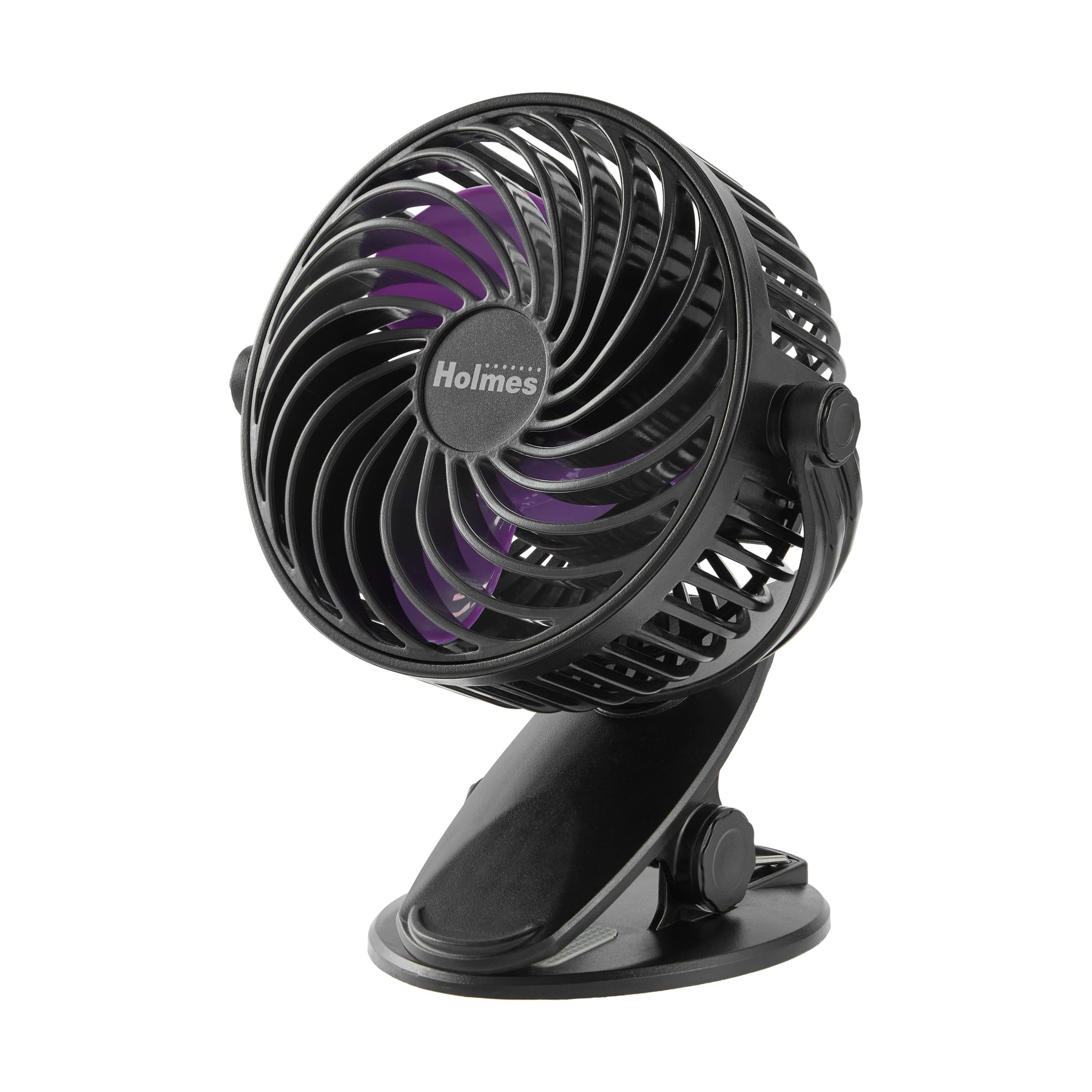
Figure 1: Holmes 4-inch On-The-Go Personal Fan with Clip.
Product Features
- 3 Speed Settings: Choose from low, medium, or high for customized airflow.
- Rechargeable Battery: Provides up to 5 hours of operation on the lowest speed setting.
- Versatile Placement: Can rest on a tabletop or securely clip onto surfaces like desks, bedframes, or shelves.
- 360° Adjustable Head: Direct airflow vertically and horizontally for optimal cooling.
- Compact & Lightweight: Easy to carry and store for on-the-go use.
- USB-C Charging: Includes a USB-C charging cable for convenient recharging.
- Stylish Design: Features a black finish with purple blades.
Setup
The Holmes 4-inch On-The-Go Personal Fan requires no assembly and is ready for immediate use. Ensure the fan is fully charged before its first use for optimal battery performance.
Operating Instructions
Power and Speed Control
- Power On/Off: Locate the power button on the back of the fan. Press once to turn the fan on. Press and hold to turn it off.
- Adjust Speed: After turning the fan on, press the speed button (often integrated with the power button or a separate button nearby) repeatedly to cycle through the 3 speed settings: Low, Medium, and High.
Adjusting Airflow Direction
The fan head can be manually adjusted 360 degrees. Gently pivot the fan head to direct the airflow to your desired position, both horizontally and vertically.
Video 1: Official product video demonstrating the Holmes 4-inch On-The-Go Personal Fan with Clip, highlighting its features and 360-degree rotation.
Charging
The fan is equipped with a rechargeable battery. Use the included USB-C charging cable to connect the fan to a compatible USB power source (e.g., a computer, wall adapter, or power bank). The charging port is located on the back of the fan. A full charge provides approximately 5 hours of runtime on the lowest speed setting. The fan can operate while charging.
Maintenance
To ensure optimal performance and longevity of your fan, follow these simple maintenance guidelines:
- Cleaning: Disconnect the fan from its power source before cleaning. Use a soft, damp cloth to wipe down the exterior surfaces. Do not immerse the fan in water or any other liquid.
- Blade Cleaning: For deeper cleaning, carefully use a soft brush or compressed air to remove dust and debris from the fan blades and grille.
- Storage: When not in use, store the fan in a cool, dry place, away from direct sunlight and extreme temperatures.
Troubleshooting
If you encounter any issues with your fan, please refer to the following common troubleshooting steps:
| Problem | Possible Cause | Solution |
|---|---|---|
| Fan does not turn on | Battery is depleted | Charge the fan using the USB-C cable. |
| Weak airflow | Low speed setting or obstructed blades | Increase the speed setting. Clean any dust or debris from the fan blades and grille. |
| Fan makes unusual noise | Obstruction or loose parts | Turn off and unplug the fan. Check for any obstructions in the blades or loose components. |
Specifications
| Feature | Detail |
|---|---|
| Brand | HOLMES |
| Model Number | 32510031 |
| Color | Black/Purple |
| Power Source | Battery Powered |
| Number of Speeds | 3 |
| Control Method | Button Control |
| Product Dimensions (D x W x H) | 5.15" x 3.93" x 6.37" |
| Item Weight | 0.7 Pounds |
| Material | Plastic |
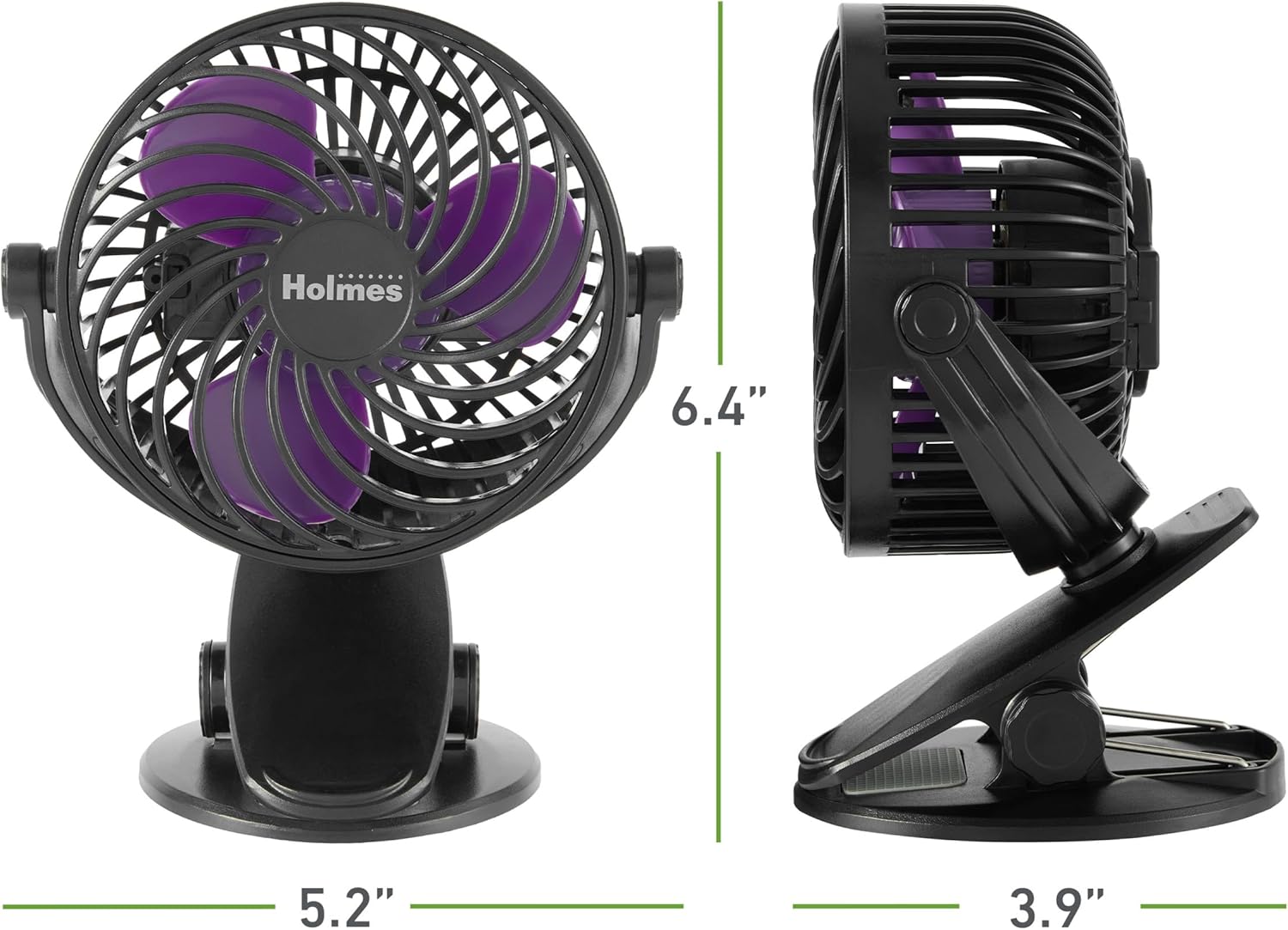
Figure 2: Product dimensions of the Holmes 4-inch On-The-Go Personal Fan.
Warranty and Support
This Holmes Personal Fan is backed by a 1-year limited warranty. For warranty claims or technical support, please refer to the contact information provided with your product packaging or visit the official Holmes website.