
oraolo R2219
Oraolo Bluetooth Speaker User Manual
Model: R2219
Introduction
Thank you for choosing the Oraolo Bluetooth Speaker. This manual provides essential information for setting up, operating, and maintaining your speaker. Please read it carefully before use to ensure optimal performance and longevity of your device.

Image: The Oraolo Bluetooth Speaker, showcasing its compact design and vibrant LED light ring.
Package Contents
Before you begin, please ensure all items are present in the package:
- 1 x Oraolo BS05 Bluetooth Speaker
- 1 x Type-C Charging Cable
- 1 x Quick Start Guide (User Manual)

Image: Illustration of the Oraolo Bluetooth Speaker, its retail box, USB-C charging cable, and user manual, indicating the items included in the package.
Setup
1. Charging the Speaker
Before first use, fully charge the speaker. Connect the provided Type-C charging cable to the speaker's USB-C port and the other end to a USB power adapter (not included) or a computer's USB port.
- Charging time: Approximately 2 hours.
- The charging indicator light will illuminate during charging and turn off when fully charged.
2. Power On/Off
- To power on: Press and hold the Power button (
 ) for 2-3 seconds until you hear an audible prompt and the LED lights activate.
 - To power off: Press and hold the Power button again for 2-3 seconds.
3. Bluetooth Pairing
The speaker will automatically enter Bluetooth pairing mode when powered on for the first time or if no device is connected.
- Ensure the speaker is powered on and in pairing mode (LED light will flash).
- On your device (smartphone, tablet, computer), enable Bluetooth.
- Search for "Oraolo BS05" in the list of available Bluetooth devices.
- Select "Oraolo BS05" to connect. You will hear a confirmation sound once paired successfully.

Image: A smartphone screen showing Bluetooth settings with "Oraolo BS05" listed as a discoverable device, demonstrating the pairing process with two Oraolo speakers.
4. True Wireless Stereo (TWS) Pairing
You can pair two Oraolo BS05 speakers together for an immersive stereo sound experience.
- Ensure both Oraolo BS05 speakers are powered on and not connected to any other Bluetooth device.
- On one of the speakers (this will be the primary speaker), double-click the "M" (Mode) button. The speaker will enter TWS pairing mode.
- The two speakers will automatically connect to each other. You will hear a confirmation sound once TWS pairing is successful.
- Now, connect your device to the primary speaker via Bluetooth as described in step 3. Both speakers will play audio in stereo.
- To disable TWS function, double-click the "M" button on either speaker again.

Image: A visual guide demonstrating the True Wireless Stereo (TWS) pairing process between two Oraolo Bluetooth speakers and a smartphone.
Operating Instructions
Button Functions
Familiarize yourself with the speaker's multi-function buttons:

Image: A detailed diagram illustrating the location and function of each button on the Oraolo Bluetooth Speaker, including Mode, Power/Play/Pause, Volume/Next, Volume/Previous, USB In (Audio), SD Card Slot, USB-C, and Charging Indicator.
- Power Button (): Press and hold to Power On/Off. Short press to Play/Pause music.
- "M" (Mode) Button: Short press to switch between Bluetooth, TF Card, and USB audio input modes. Double-click for TWS pairing.
- "+" (Volume Up / Next Track) Button: Short press for Volume Up. Long press for Next Track.
- "-" (Volume Down / Previous Track) Button: Short press for Volume Down. Long press for Previous Track.
- USB IN (Audio) Port: For connecting external audio devices via USB.
- SD Card Slot: For playing music directly from a TF (Micro SD) card.
- USB-C Port: For charging the speaker.
- Charging Indicator: Light indicates charging status.
Audio Playback
- Bluetooth Mode: After successful pairing, audio from your connected device will play through the speaker.
- TF Card Mode: Insert a TF (Micro SD) card with audio files into the SD Card Slot. The speaker will automatically switch to TF Card mode and begin playback.
- USB Audio Mode: Connect a USB drive with audio files to the USB IN (Audio) port. The speaker will automatically switch to USB mode and begin playback.
RGB Lighting Effects
The speaker features dynamic RGB lighting that syncs with the music. The lighting effects are automatic and enhance the listening experience.
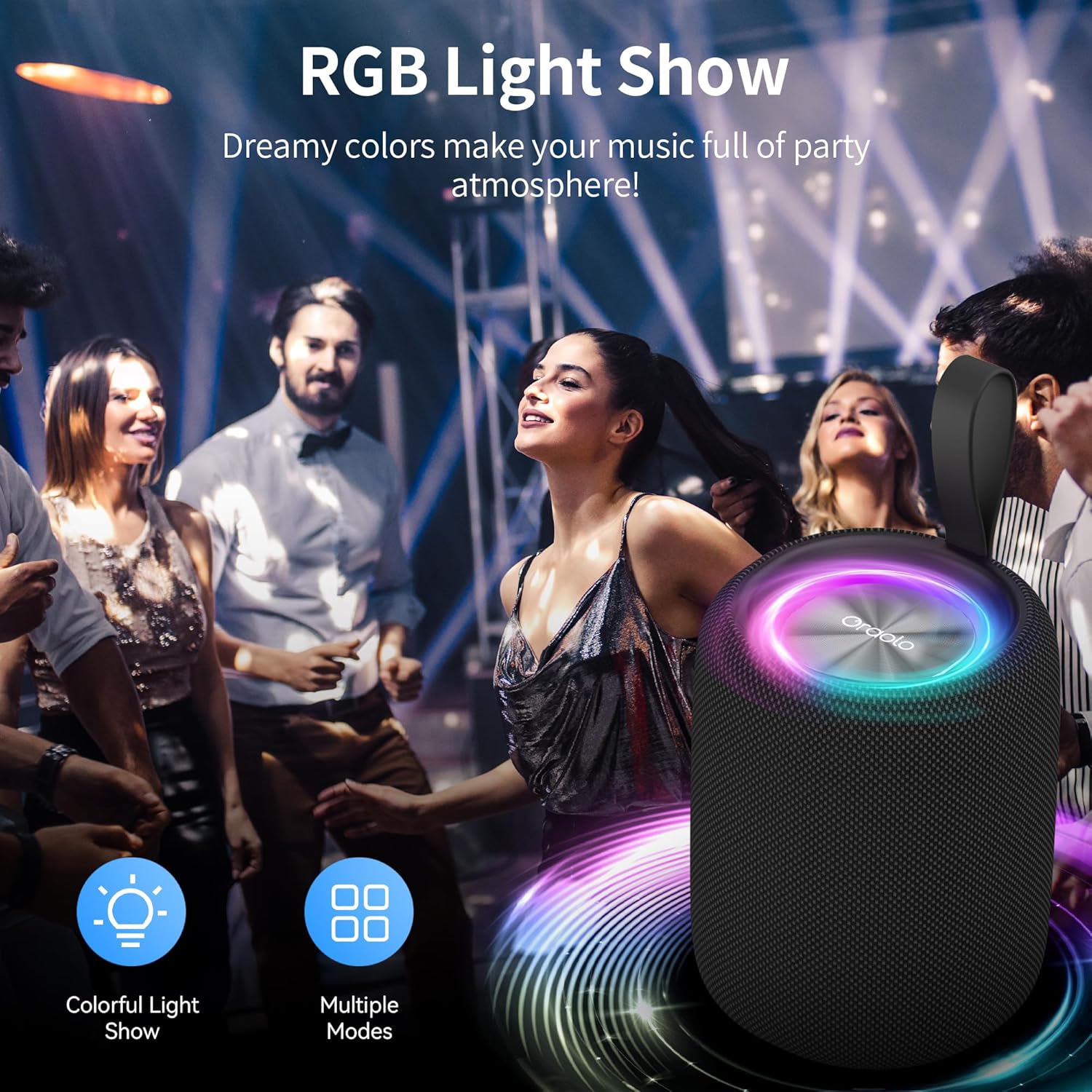
Image: The Oraolo Bluetooth Speaker displaying its RGB light show in a party setting, illustrating the dynamic lighting feature.
Hands-free Calling
When connected to a smartphone via Bluetooth, the speaker can be used for hands-free calls.
- Answer/End Call: Short press the Power button.
- Reject Call: Long press the Power button.
Maintenance
Cleaning
To clean the speaker, use a soft, dry cloth. Do not use abrasive cleaners, alcohol, or other chemical solvents, as these may damage the surface.
Storage
Store the speaker in a cool, dry place away from direct sunlight and extreme temperatures. If storing for an extended period, charge the battery to approximately 50% every few months to preserve battery life.
Water Resistance (IPX6)
The Oraolo Bluetooth Speaker is IPX6 waterproof, meaning it is protected against high-pressure water jets from any direction. It is suitable for use outdoors and near water, but it should not be submerged in water.

Image: The Oraolo Bluetooth Speaker on a wet surface, illustrating its IPX6 waterproof rating, indicating resistance to strong water splashes.
Troubleshooting
If you encounter issues with your speaker, please refer to the following common problems and solutions:
| Problem | Possible Cause | Solution |
|---|---|---|
| Speaker does not power on. | Low battery. | Charge the speaker fully. |
| Cannot pair with Bluetooth device. | Speaker is not in pairing mode or too far from device. | Ensure speaker is in pairing mode. Move speaker closer to device (within 10 meters). Turn off and on Bluetooth on your device. |
| No sound or low volume. | Volume too low on speaker or device; incorrect input mode. | Increase volume on both speaker and connected device. Press "M" button to cycle through input modes (Bluetooth, TF, USB). |
| TWS pairing failed. | Speakers already connected to other devices; incorrect pairing steps. | Ensure both speakers are disconnected from other devices. Follow TWS pairing steps precisely. |
| Sound distortion. | Volume too high; low battery; interference. | Reduce volume. Charge the speaker. Move away from sources of interference (e.g., Wi-Fi routers, other Bluetooth devices). |
Specifications
- Model Name: R2219
- Material: Plastic
- Connectivity Technology: Bluetooth 5.4
- Speaker Type: Portable Speaker
- Audio Output Mode: Stereo (2.0 channel configuration)
- Speaker Maximum Output Power: 5 Watts
- Battery Life: Up to 8 Hours
- Charging Time: Approximately 2 Hours
- Waterproof Rating: IPX6
- Product Dimensions: 8.5D x 8.5W x 11.5H Centimetres
- Item Weight: 0.39 Kilograms (390g)
- Compatible Devices: Any Bluetooth-enabled device (smartphones, tablets, computers, MP3 players, TVs, laptops)
- Special Features: RGB LED Lights, TWS Pairing, TF Card Support, USB Audio Input, Hands-free Calls
Warranty and Support
Warranty Information
This Oraolo product comes with a Limited Warranty. Please refer to the warranty card included in your package or contact Oraolo customer support for detailed terms and conditions.
Customer Support
For any questions, technical assistance, or warranty claims, please contact Oraolo customer support. Contact information can typically be found on the official Oraolo website or on the packaging.
Related documentsR2219


Ask a question about this manual
Ask about setup, troubleshooting, compatibility, parts, safety, or missing instructions. Manuals+ will review the question and use this page’s manual context to help answer it.