
aeac AR-01
aeac Smart Watch User Manual
Model: AR-01
Introduction
Thank you for choosing the aeac Smart Watch. This device is designed to be a comprehensive companion for your daily life, offering advanced health monitoring, communication features, and fitness tracking capabilities. With its intuitive AMOLED touchscreen and robust design, the aeac Smart Watch provides a seamless and intelligent experience.
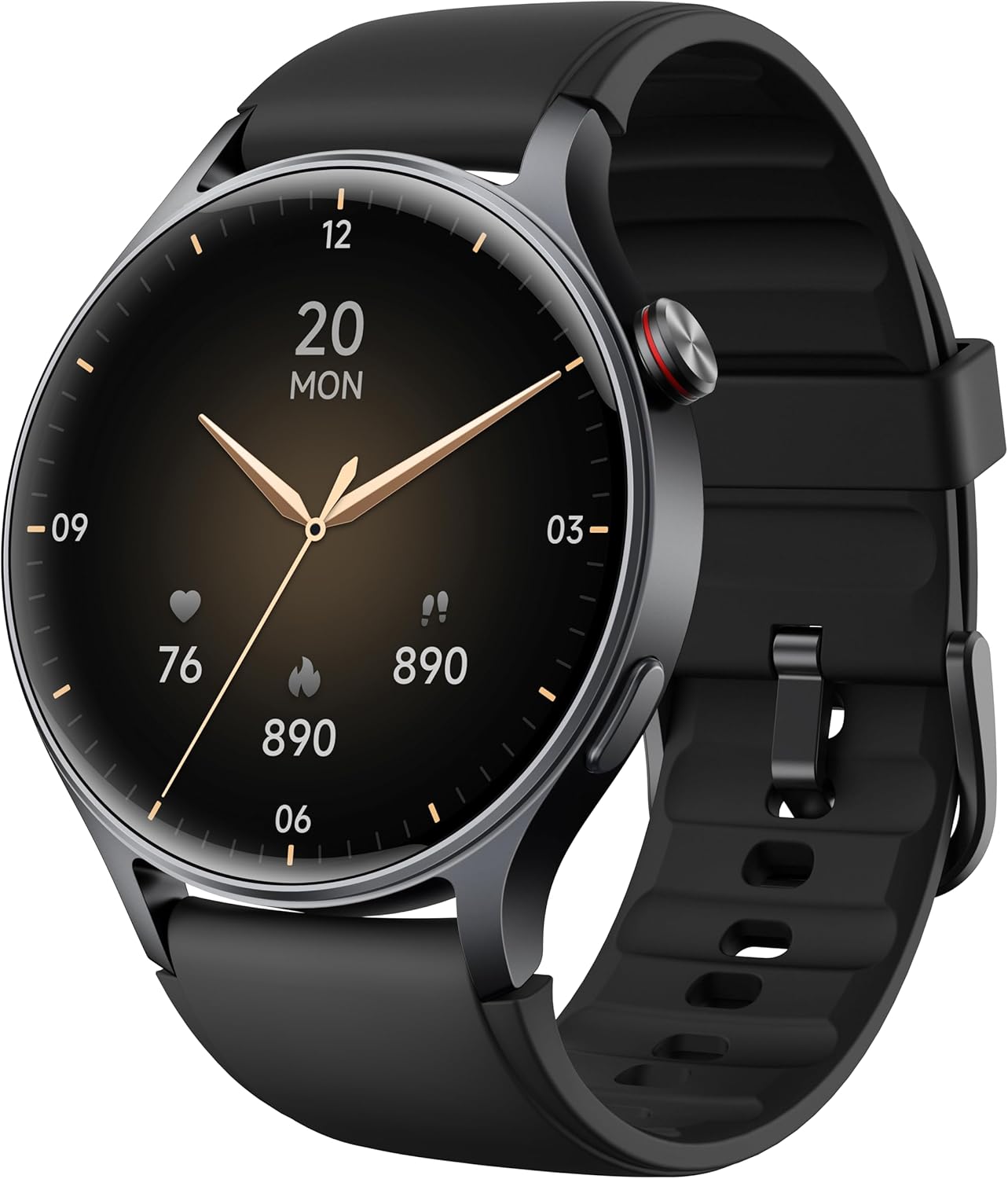
Image: The aeac Smart Watch, featuring a sleek black design and a vibrant round display.
What's in the Box
- aeac Smart Watch
- Charging Cable
- User Manual (this document)
Setup
1. Charging the Smart Watch
Before first use, fully charge your aeac Smart Watch. Connect the magnetic charging cable to the charging contacts on the back of the watch and plug the USB end into a power adapter (not included) or a computer's USB port. A full charge typically takes approximately 2 hours and provides up to 10 days of heavy usage, 15 days of basic usage, or 30 days in low power mode.

Image: Visual representation of the aeac Smart Watch's battery life, indicating up to 10 days of heavy usage.
2. App Installation and Pairing
- Download the App: Scan the QR code in the quick start guide or search for the "Veryfit" app in your smartphone's app store (App Store for iOS, Google Play Store for Android).
- Create Account: Open the Veryfit app and follow the on-screen instructions to create an account and set up your profile.
- Pair the Watch: Ensure Bluetooth is enabled on your smartphone. In the Veryfit app, navigate to the device pairing section and select your aeac Smart Watch from the list of available devices. Confirm the pairing request on both your phone and the watch. The watch utilizes Bluetooth 5.3 for stable connectivity.
Operating Instructions
Display and Navigation
The aeac Smart Watch features a 1.32-inch AMOLED ultra-clear touchscreen for vibrant visuals and smooth interaction. Swipe across the screen to navigate through menus and functions. Press the side button to return to the home screen or access the app list.

Image: The 1.32-inch AMOLED display showcasing diverse watch face options and the ability to personalize with custom photos.
Watch Faces
Choose from over 200 pre-installed watch faces or personalize your watch by uploading your own photos through the Veryfit app. The Always-ON Display feature allows you to view the time without touching the screen.

Image: The Always-ON Display functionality, demonstrating both digital and analog clock styles.
Communication Features
The aeac Smart Watch enhances your connectivity with crystal-clear call quality and smart notifications.

Image: The smartwatch connected via Bluetooth 5.3, enabling call answering and message notifications from various apps.
Bluetooth Calls
With built-in high-definition speakers and microphones, you can make and answer calls directly from your wrist when connected to your smartphone via Bluetooth.
Message Notifications
Receive real-time notifications for calls, text messages, and alerts from various social media applications directly on your watch.
AI Voice Assistant
Utilize the integrated AI voice assistant for hands-free commands, such as playing music, checking the weather, or finding your phone.

Image: A user interacting with the AI voice assistant on the smartwatch, demonstrating voice commands.
Health Monitoring
The aeac Smart Watch provides comprehensive 24/7 health tracking to help you stay informed about your well-being.

Image: Overview of the smartwatch's 24/7 activity data tracking, including heart rate, SpO2, body energy, and sleep monitoring.
- Heart Rate Monitor: Continuously tracks your heart rate throughout the day, providing insights into your cardiovascular health.
- SpO2 Monitor: Measures your blood oxygen saturation levels, an important indicator of respiratory health.
- Sleep Monitor: Analyzes your sleep patterns, including deep sleep, light sleep, and REM sleep, to help you improve sleep quality.
- Stress Monitoring: Calculates stress levels by collecting multiple signals, helping you manage daily stress.
- Body Energy Monitoring: Provides real-time feedback on your physical state to help you balance work and rest.
- Female Menstrual Cycle Reminder: Accurately records and analyzes menstrual cycles, providing reminders and assistance for pregnancy preparation.
- Breathing Exercises: Guides you through breathing exercises to help regulate your mood and reduce stress.

Image: Detailed view of the heart rate monitoring interface within the app, showing current BPM and historical data.

Image: The blood oxygen monitoring screen, displaying current SpO2 percentage and historical data.

Image: A user sleeping while wearing the smartwatch, with an overlay showing detailed sleep quality metrics like deep, light, awake, and REM sleep durations.

Image: The daily human stress monitoring interface, displaying stress values and suggesting timely adjustments.

Image: The body energy monitoring display, offering real-time feedback on physical state.

Image: The female menstrual cycle reminder function, showing log details and predictions for menstrual, safe, and fertile periods.

Image: The breathing exercises interface, guiding users to regulate mood and showing corresponding heart rate changes.
Sports Modes
The aeac Smart Watch supports over 110 sports modes, accurately monitoring your workout data for a wide range of activities, from yoga to swimming.

Image: A visual representation of the 110+ sport modes available on the smartwatch, with icons for activities like kayaking, running, cycling, and swimming.

Image: A comprehensive display of various exercise modes, including Tennis, Running, Walking, Rope Skipping, Yoga, and Anaerobics, connectable via the Veryfit app.
Running Course
The watch offers a running course feature that monitors your heart rate and provides alerts if it goes out of the normal zone, ensuring your safety during runs.

Image: The running course feature, illustrating different phases like easy run and speed up, along with recommended heart rate zones.
Waterproof Rating
The aeac Smart Watch features a 3ATM water-resistant design, ensuring reliable performance in wet conditions. It is suitable for daily use and can withstand splashes, rain, and even swimming (not suitable for hot water activities or deep diving).

Image: The smartwatch being used in water, highlighting its IP68 waterproof capability.
Other Features
- Remote Photography: Control your phone's camera remotely from your watch.
- Alarm Clock: Set alarms directly on your watch.
- Weather: Get real-time weather updates.
- Environmental Noise Monitoring: Real-time monitoring of sound decibel levels to detect noise pollution.

Image: The environmental noise monitoring feature, displaying decibel levels in various settings like a library, street, construction site, and bar.
Maintenance
- Cleaning: Regularly clean your watch and strap with a soft, dry cloth. If necessary, use a slightly damp cloth and mild soap, then rinse and dry thoroughly.
- Avoid Chemicals: Do not use harsh chemicals, cleaning solvents, or strong detergents, as they may damage the watch's finish or components.
- Storage: Store the watch in a cool, dry place when not in use.
- Temperature: Avoid exposing the watch to extreme temperatures (hot or cold) for prolonged periods.
Troubleshooting
- Watch not turning on: Ensure the watch is fully charged. Connect it to the charger for at least 10 minutes.
- Unable to pair with phone:
- Ensure Bluetooth is enabled on your phone.
- Make sure the watch is within the Bluetooth range (typically 10 meters).
- Restart both your phone and the watch.
- Check if the Veryfit app is updated to the latest version.
- Inaccurate health data: Ensure the watch is worn snugly on your wrist, not too tight or too loose. Clean the sensors on the back of the watch.
- Notifications not appearing:
- Check app notification settings on your phone and within the Veryfit app.
- Ensure the watch is connected via Bluetooth.
- Disable any "Do Not Disturb" modes on both the watch and phone.
For further assistance, please refer to the Warranty and Support section.
Specifications
| Feature | Detail |
|---|---|
| Model Number | AR-01 |
| Display Size | 1.32 Inches AMOLED |
| Battery Capacity | 350 Milliamp Hours |
| Battery Life | Up to 10 days (heavy usage) |
| Connectivity | Bluetooth 5.3 |
| Water Resistance | 3ATM (IP68) |
| Operating System Compatibility | iOS (iPhone 16/15/14/13/12/11 Series, XR/X/XS/XS Max/SE, 8/8+/7/7+/6s/6s+/6/6+), Android (Samsung, HTC, Google, Huawei, Xiaomi, Nexus, Microsoft) |
| Memory Storage Capacity | 512 MB |
| Item Weight | 5.9 ounces |
| Dimensions (Watch Face) | 43 mm diameter |
| Bracelet Size | Adjustable, Max: 212 mm, Min: 153 mm |

Image: Detailed dimensions of the aeac Smart Watch, including watch face diameter and adjustable strap length.
Warranty and Support
The aeac Smart Watch comes with a 5-year warranty and a 30-day return policy. We are committed to providing prompt and helpful support for a worry-free experience.
- 5-Year Replacement & Lifetime Service: Enjoy long-term peace of mind with our comprehensive service.
- 12-Hour Quick Reply: Our customer service team is dedicated to responding to your inquiries within 12 hours.
For any questions, issues, or support needs, please contact aeac customer service through the contact information provided in your product packaging or on the official aeac website.
Related documentsAR-01


Ask a question about this manual
Ask about setup, troubleshooting, compatibility, parts, safety, or missing instructions. Manuals+ will review the question and use this page’s manual context to help answer it.