
1. Introduction
This manual provides detailed instructions for using your CNBRO Smart Ring, Model JYR08TBFS. This device is designed to assist in monitoring various health metrics and provide convenient smart features. Please read this manual thoroughly before use to ensure proper operation and to maximize the benefits of your smart ring.

Image 1.1: The CNBRO Smart Ring and its accompanying charging case. The ring is silver with a black inner band and a small green indicator light. The charging case is black and compact.
2. Product Overview
2.1. Package Contents
- CNBRO Smart Ring (Model JYR08TBFS)
- Charging Case
- User Manual (this document)
2.2. Key Features
- Touch Button Interface: Allows for interaction with the ring's functions.
- Message and Call Reminders: Provides alerts for incoming messages and calls.
- Gesture Control: Supports gestures for controlling short videos and games.
- Pedometer: Tracks steps, calories burned, and distance.
- Heart Rate Monitor: Continuously monitors heart rate.
- Exercise Monitor: Tracks various exercise modes.
- Remote Camera Control: Enables remote photo capture.
- Music Control: Manages music playback.
- Female Physiology Reminder: Provides relevant reminders.
- Sleep Tracker: Monitors sleep duration and quality.
- Water Resistance: IP68 rated for water and dust resistance.

Image 2.1: The CNBRO Smart Ring highlighting its touch-sensitive area. The illustration shows a glowing blue light emanating from the ring, indicating its interactive capabilities.
3. Setup
3.1. Charging the Smart Ring
Before initial use, fully charge your smart ring. Place the ring into the charging case. The ring's battery is 15mAh, and a full charge takes approximately 1.5 hours. The charging case contains a built-in battery that can charge the ring approximately 5 times on a full charge, providing 5-7 days of ring usage per charge.
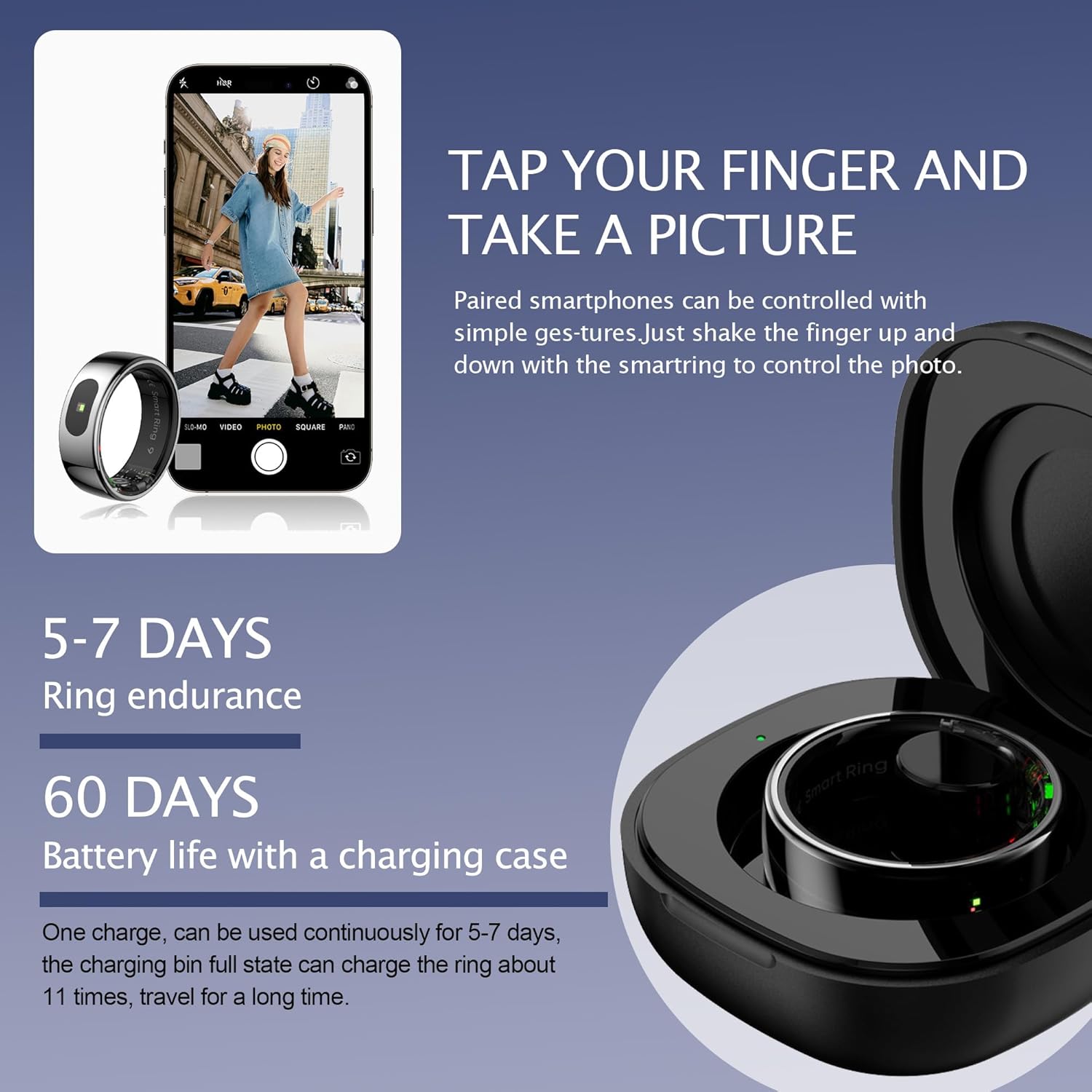
Image 3.1: The CNBRO Smart Ring placed inside its charging case. Text overlays indicate "5-7 DAYS Ring endurance" and "60 DAYS Battery life with a charging case," illustrating the device's power capabilities.
3.2. App Installation and Pairing
To utilize all features of your smart ring, download the "QRing" application on your smartphone. The app is compatible with iOS 10.0 or above and Android 9.0 or above.
- Scan the QR code provided in the packaging or search for "QRing" in your device's app store.
- Install the application.
- Open the app and follow the on-screen instructions to create an account or log in.
- Ensure your phone's Bluetooth is enabled.
- Within the "QRing" app, search for and connect to your smart ring. The ring uses Bluetooth 5.2 for connectivity.
4. Operating Instructions
4.1. Health Monitoring
The smart ring is equipped with sensors to monitor various health parameters. All health data is accessible and clearly displayed within the "QRing" application.
- Heart Rate Monitoring: The built-in high-performance green light sensor measures your heart rate. You can view real-time and historical heart rate data in the app.
- Sleep Tracking: The ring automatically monitors your sleep patterns at night, recording duration, analyzing sleep data, and identifying sleep depth (deep sleep, light sleep, awake time).
- Activity Tracking (Pedometer): Accurately tracks steps taken, distance covered, and calories burned during daily activities and exercise.

Image 4.1: Screenshots of the "QRing" application interface displaying various health management data, including activity, heart rate, blood oxygen, and menstrual cycle tracking.

Image 4.2: The "QRing" app displaying detailed sleep monitoring data, including total sleep duration, deep sleep, light sleep, and awake times. Multiple rings are shown below the app interface.
4.2. Exercise Modes
The ring can identify and track multiple exercise modes, including indoor running, outdoor running, treadmill, and walking. Detailed statistics like mileage, calories consumed, and heart rate during exercise are available in the app.

Image 4.3: A person running outdoors, with an overlay showing sports monitoring data such as mileage (2.49 kilometers), calories consumed (164 kcal), and heart rate (109 times/min).
4.3. Smart Notifications and Controls
- Message and Call Reminders: Receive instant alerts for messages and incoming calls directly on your ring, reducing the need to frequently check your phone.
- Gesture Controls: Use simple gestures with the ring to control short videos, play games, or navigate other applications.
- Remote Camera: Pair with your smartphone to remotely capture photos. Simple gestures can trigger the camera shutter.
- Music Control: Manage music playback (play, pause, skip tracks) directly from your ring.
- Female Physiology Reminder: Set up and receive timely reminders for female physiological cycles through the app.
5. Maintenance
5.1. Water Resistance
The CNBRO Smart Ring is IP68 waterproof, meaning it is resistant to dust and can withstand immersion in water up to 1.5 meters for up to 30 minutes. You can wear it while sweating or washing hands.
Important Note:
- The ring is NOT suitable for hot water bathing, diving, swimming, or water-related work where it might be exposed to high-pressure water or prolonged submersion beyond its rating.
- Exposure to hot water or chemicals can compromise the water resistance.

Image 5.1: A hand wearing the CNBRO Smart Ring submerged in water, demonstrating its 5ATM waterproof capability. The image also shows different color variants of the ring (Silvery, Deep Grey, Gold).
5.2. Cleaning
To clean your smart ring, wipe it with a soft, damp cloth. Avoid using abrasive materials or harsh chemicals, as these can damage the finish or internal components.
6. Troubleshooting
If you encounter issues with your CNBRO Smart Ring, please refer to the following common solutions:
- Ring not connecting to app:
- Ensure Bluetooth is enabled on your smartphone.
- Make sure the ring is charged.
- Restart the "QRing" app and try pairing again.
- Restart your smartphone.
- Inaccurate health data:
- Ensure the ring is worn snugly on your finger.
- Clean the sensors on the inside of the ring.
- Update the "QRing" app to the latest version.
- Short battery life:
- Ensure the ring is fully charged before use.
- Check if the charging case is fully charged.
- Reduce the frequency of notifications if they are excessive.
For further assistance, please contact customer support.
7. Specifications
| Category | Detail |
|---|---|
| Model Number | JYR08TBFS |
| Operation | Ring Touch |
| Bluetooth Version | 5.2 |
| Ring Battery Capacity | 15mAh |
| Full Charge Time (Ring) | Approximately 1.5 Hours |
| Standby Time | 5-7 days of working time per full charge |
| Charging Case Capacity | Can charge ring approximately 5 times |
| Compatible App | QRing |
| Operating System Compatibility | iOS 10.0 or above, Android 9.0 or above |
| Ring Material | Stainless Steel |
| Water Resistance Rating | IP68 |
| Ring Weight | 3.7g |
| Ring Size (US 11) | Inner Diameter: 20.6mm (0.81"), Circumference: 64.6mm (2.54") |
8. Safety Information
Please adhere to the following safety guidelines to ensure safe operation and longevity of your smart ring:
- Do not attempt to disassemble or modify the device. This can void the warranty and cause damage.
- Keep the device away from extreme temperatures, direct sunlight, and open flames.
- Avoid exposing the ring to corrosive liquids or strong chemicals.
- If you experience skin irritation, discontinue use and consult a medical professional.
- Dispose of the device and its battery responsibly according to local regulations.
9. Warranty and Support
For any questions or issues not covered in this manual, please contact CNBRO customer support. While specific warranty details are not provided here, typically, electronic devices come with a manufacturer's warranty against defects in materials and workmanship. Please retain your proof of purchase for warranty claims.
Contact information for support is usually available on the product packaging or the official CNBRO website.