
1. Important Safety Instructions
Please read all instructions carefully before using this product and retain them for future reference. Improper use may result in electric shock, fire, or serious injury.
- Do not immerse the fan, USB cable, or battery in water or other liquids.
- Keep the fan away from heat sources, direct sunlight, and flammable materials.
- Ensure the power adapter used for charging is within the specified range (≤5V, ≤2A max, ≤6.5W). Using higher voltage adapters may cause damage or abnormal charging.
- Do not insert fingers or foreign objects into the fan grille.
- This appliance is not intended for use by persons (including children) with reduced physical, sensory or mental capabilities, or lack of experience and knowledge, unless they have been given supervision or instruction concerning use of the appliance by a person responsible for their safety.
- Unplug the fan from the power source when not in use, before cleaning, or during maintenance.
- Do not attempt to repair or disassemble the fan yourself. Contact qualified service personnel for assistance.
2. Package Contents
Verify that all items are present in the package:
- Wastou NS-22 USB Desk Fan
- USB Charging Cable
- User Manual
3. Product Overview
The Wastou NS-22 fan is a compact, rechargeable desk fan featuring a digital display, 5-speed settings, 90-degree manual tilt, and a hangable design for versatile placement.
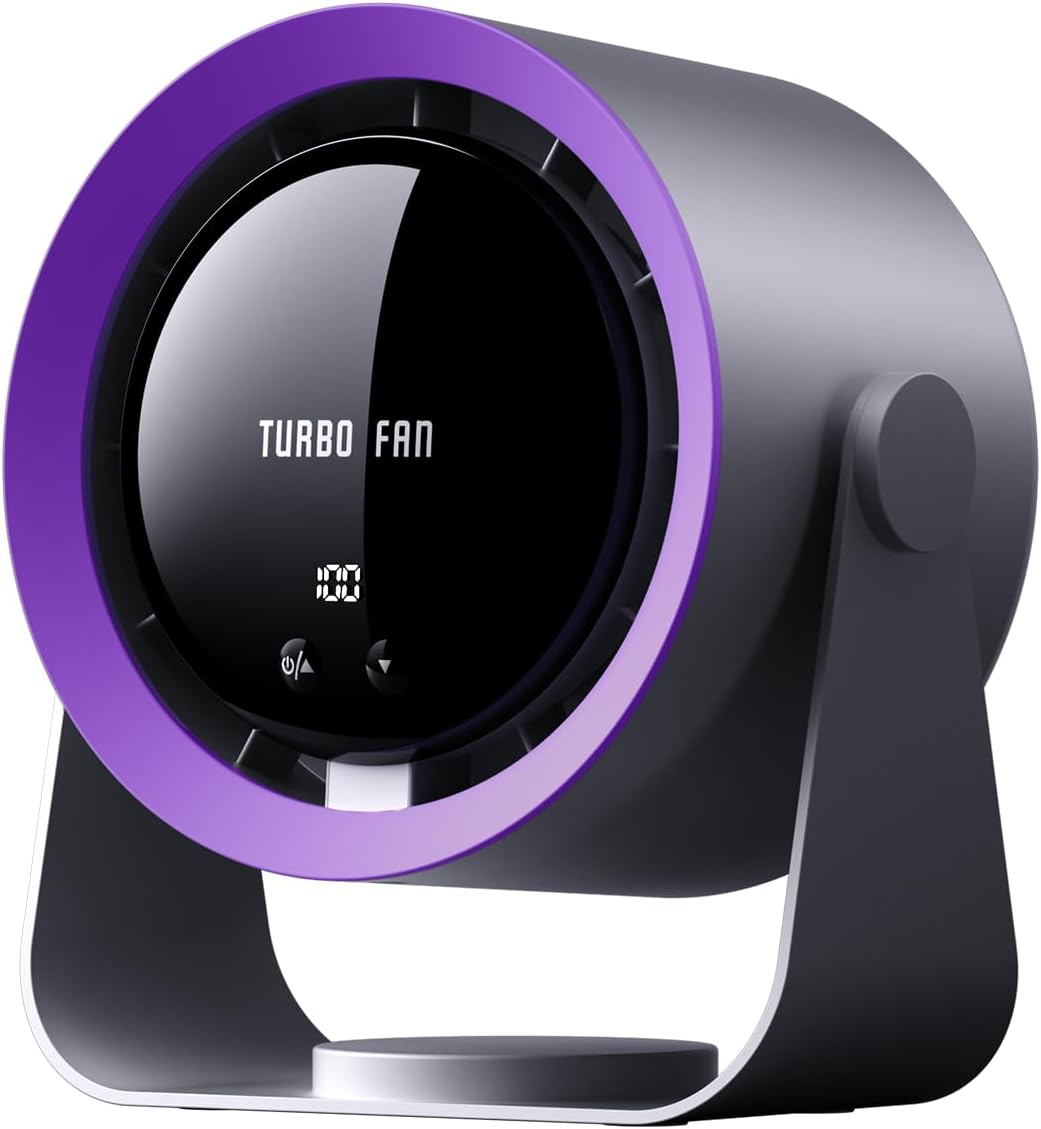
Image 3.1: Front view of the Wastou NS-22 Rechargeable USB Desk Fan, showcasing its compact design and digital display.
Components:
- Fan Grille: Front and rear protective covers.
- Fan Blades: Internal double-helix blade design for airflow.
- Digital Display: Shows real-time airflow percentage (1-100%) and battery level.
- Control Buttons: Power/Speed adjustment buttons.
- Adjustable Stand: Allows for 90-degree manual tilt.
- USB Charging Port: For power input and battery charging.
- Hanging Hook/Mounting Point: Located on the base for versatile placement.

Image 3.2: Close-up of the fan's LED digital display screen, showing the real-time airflow percentage and battery level indicators.
4. Setup
4.1 Unpacking
Carefully remove the fan and all accessories from the packaging. Inspect for any damage. If any components are missing or damaged, contact customer support.
4.2 Placement
The fan offers multiple placement options:
- Desktop: Place the fan on a stable, flat surface.
- Hanging: Utilize the integrated hanging feature on the base to suspend the fan from a hook or suitable fixture.
- Adhesive Mounting: The fan can be adhered to smooth surfaces like tiles or glass for temporary use.

Image 4.1: Examples of the fan's versatile placement, including use in a kitchen, office, bedroom, and during camping.
4.3 Adjusting Tilt
The fan head can be manually tilted up to 90 degrees. Gently adjust the fan body to direct airflow as desired. The stand will hold the fan securely at the chosen angle.
5. Operating Instructions
5.1 Power On/Off
Locate the power button on the control panel. Press and hold the power button for approximately 2 seconds to turn the fan on or off.
5.2 Adjusting Fan Speed
The fan offers two methods for speed adjustment:
- Preset Speeds (5 Levels): Short press the 'Up' or 'Down' arrow buttons to cycle through 5 preset wind speeds (1%, 25%, 50%, 75%, 100%).
- Stepless Speed Regulation: Long press the 'Up' or 'Down' arrow buttons to smoothly adjust the wind speed to any desired level between 1% and 100%. Release the button when the desired speed is reached.

Image 5.1: Illustration of the 5-speed adjustment feature and the fan's long-lasting battery capacity.
5.3 Digital Display
The digital display provides real-time information:
- Airflow Percentage: Indicates the current fan speed from 1% to 100%.
- Battery Level: Shows the remaining battery charge.
6. Charging Instructions
The Wastou NS-22 fan is equipped with a 5400mAh high-capacity battery and supports USB charging.
- Connect the provided USB charging cable to the fan's USB port.
- Connect the other end of the USB cable to a compatible USB power source, such as a computer, power bank, or a USB wall adapter.
- Important: Ensure the USB adapter's output is ≤5V, ≤2A (maximum), and ≤6.5W. Using higher power chargers (e.g., 9V/12V) may lead to abnormal charging displays and faster battery drain.
- The digital display will indicate the charging status.
- The fan can be used while it is charging.

Image 6.1: Various methods for charging the fan, including wall charger, power bank, USB fast charge, and laptop connection.
7. Maintenance and Cleaning
Regular maintenance ensures optimal performance and extends the lifespan of your fan.
- Cleaning: Use a soft, dry cloth to wipe the exterior of the fan. Do not use abrasive cleaners, solvents, or immerse the fan in water.
- Dust Removal: Periodically use a soft brush or compressed air to gently remove dust from the fan grilles.
- Storage: When not in use for extended periods, store the fan in a cool, dry place, away from direct sunlight and extreme temperatures.
8. Troubleshooting
If you encounter any issues with your Wastou NS-22 fan, refer to the following common problems and solutions:
| Problem | Possible Cause | Solution |
|---|---|---|
| Fan does not turn on. | Battery is depleted. Power button not pressed correctly. | Charge the fan using the provided USB cable and a compatible adapter. Press and hold the power button for 2 seconds. |
| Fan is not charging. | USB cable is damaged or not connected properly. Power adapter is incompatible or faulty. | Ensure the USB cable is securely connected to both the fan and the power source. Try a different USB cable. Use a USB adapter with output ≤5V, ≤2A (max), ≤6.5W. Try a different compatible adapter. |
| Weak airflow. | Fan speed is set too low. Obstruction in front or behind the fan. | Increase the fan speed using the 'Up' arrow button. Ensure there are no objects blocking the air intake or output. |
| Unusual noise during operation. | Dust or debris inside the fan. Fan placed on an unstable surface. | Gently clean the fan grilles to remove any dust. Do not attempt to open the fan. Place the fan on a stable, flat surface. |
If the problem persists after attempting these solutions, please contact Wastou customer support for further assistance.
9. Specifications
Detailed technical specifications for the Wastou NS-22 Rechargeable USB Desk Fan:
| Feature | Specification |
|---|---|
| Brand | Wastou |
| Model Name | NS-22 |
| Electric Fan Design | Table Fan |
| Power Source | USB Rechargeable |
| Battery Capacity | 5400mAh (Included) |
| Voltage | 5 Volts |
| Wattage | 6.4 watts |
| Number of Power Levels | 5 (Preset) / Stepless Adjustment |
| Noise Level | 30 dB |
| Product Dimensions | 7.17"D x 4.72"W x 8.27"H |
| Item Weight | 1.93 pounds (877 Grams) |
| Special Features | Digital Display, Portable, USB Rechargeable, Wall Mountable, 90° Manual Tilt |
| Control Method | Touch Control |
| Indoor/Outdoor Usage | Indoor |
10. Warranty and Support
For warranty information, technical support, or any questions regarding your Wastou NS-22 Rechargeable USB Desk Fan, please refer to the product packaging or contact Wastou customer service directly. Keep your purchase receipt as proof of purchase.