
Introduction
Thank you for choosing the Oraolo BS05 Bluetooth Speaker. This manual provides essential information for setting up, operating, and maintaining your speaker to ensure optimal performance and longevity. Please read these instructions carefully before use.
The Oraolo BS05 offers superior sound quality with clear highs, balanced mids, and powerful bass. It features Bluetooth 5.3 for stable connections, RGB lighting, and a portable design for versatile use.

Image: The Oraolo BS05 speaker demonstrating its portable design and compact size, held by a user.
What's in the Box
Verify that all items are present in your package:
- 1 x Oraolo BS05 Bluetooth Speaker
- 1 x USB-C Charging Cable
- 1 x User Manual (this document)

Image: A visual representation of the Oraolo BS05 speaker, USB-C charging cable, and user manual as packaged in the box.
Product Overview
Familiarize yourself with the buttons and ports on your Oraolo BS05 speaker:

Image: A detailed diagram illustrating the location and function of each button and port on the Oraolo BS05 speaker.
- M (Modes) Button: Press to switch between Bluetooth, USB Audio, and SD Card modes. Double-press for TWS pairing.
- Power On/Off / Play/Pause Button: Long press to power on/off. Short press to play or pause audio.
- Volume+ / Next Track Button: Short press to increase volume. Long press for the next track.
- Volume- / Previous Track Button: Short press to decrease volume. Long press for the previous track.
- USB IN (Audio) Port: For direct audio input via USB.
- SD Card Slot: Insert an SD card for local music playback.
- USB-C Port: For charging the speaker.
- Charging Indicator: LED light indicating charging status.
Setup
1. Charging the Speaker
Before first use, fully charge the speaker. Connect the provided USB-C cable to the speaker's USB-C port and the other end to a USB power adapter (not included) or a computer's USB port. The charging indicator will show the charging status and turn off when fully charged.
2. Power On/Off
- Power On: Long press the Power On/Off button until you hear an audible prompt and the RGB lights illuminate.
- Power Off: Long press the Power On/Off button again until the speaker powers down.
3. Bluetooth Pairing
- Ensure the speaker is powered on and in Bluetooth mode (indicated by a blue flashing light). If not, press the M button to switch to Bluetooth mode.
- On your mobile device, enable Bluetooth and search for available devices.
- Select "Oraolo BS05" from the list of devices.
- Once connected, you will hear an audible confirmation, and the blue light will become solid.

Image: Two Oraolo BS05 speakers and a smartphone displaying a successful Bluetooth 5.3 connection.
4. True Wireless Stereo (TWS) Pairing
To pair two Oraolo BS05 speakers for a stereo sound experience:
- Ensure both speakers are powered on and in Bluetooth mode.
- Double-press the M button on one of the speakers. It will enter TWS pairing mode.
- The speakers will automatically connect to each other. Once paired, you will hear a confirmation sound.
- Connect your mobile device to one of the paired speakers via Bluetooth as described in step 3.
- To disable TWS, double-press the M button on either speaker again.

Image: A visual guide showing two Oraolo BS05 speakers connected wirelessly for True Wireless Stereo (TWS) sound, with a smartphone indicating the connection.
Operating Instructions
1. Basic Audio Controls
- Play/Pause: Short press the Power On/Off button.
- Volume Up: Short press the Volume+ button.
- Volume Down: Short press the Volume- button.
- Next Track: Long press the Volume+ button.
- Previous Track: Long press the Volume- button.
2. RGB Light Modes
The Oraolo BS05 features dynamic RGB lighting. To cycle through different light modes or turn them off, short press the Power On/Off button while the speaker is playing audio. Each press will change the light pattern or color.
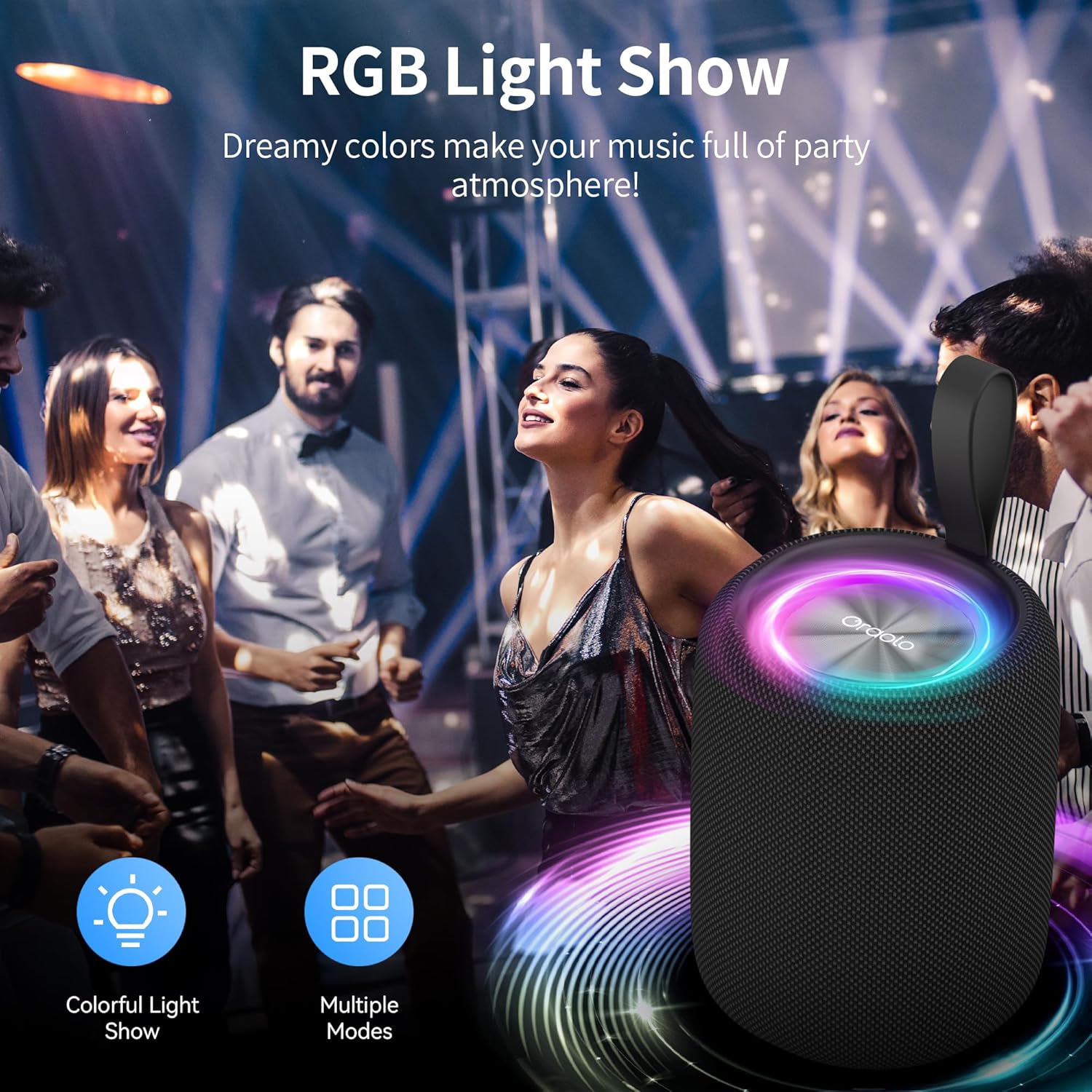
Image: The Oraolo BS05 speaker showcasing its vibrant RGB light show, enhancing the atmosphere.
3. Audio Input Modes
The speaker supports multiple audio input methods:
- Bluetooth Mode: (Default) Connect wirelessly to your device.
- USB Audio Mode: Connect a device directly via the USB IN port for audio playback.
- SD Card Mode: Insert a microSD card into the SD card slot. The speaker will automatically detect and play audio files from the card.
Press the M button to cycle through these input modes.
Maintenance
- Cleaning: Use a soft, dry cloth to clean the speaker. Do not use harsh chemicals or abrasive materials.
- Storage: Store the speaker in a cool, dry place away from direct sunlight and extreme temperatures.
- Battery Care: To prolong battery life, avoid fully discharging the speaker frequently. Charge it regularly, even if not in use for extended periods.
- Water Resistance: The speaker is designed to be water-resistant. However, avoid submerging it in water or exposing it to heavy rain for prolonged periods. Ensure the port cover is securely closed.
Troubleshooting
| Problem | Solution |
|---|---|
| Speaker does not power on. | Ensure the speaker is charged. Connect it to a power source using the USB-C cable. |
| Cannot pair via Bluetooth. | Make sure the speaker is in Bluetooth pairing mode (blue light flashing). Turn off and on your device's Bluetooth. Ensure the speaker is not connected to another device. |
| No sound or low volume. | Check the volume levels on both the speaker and your connected device. Ensure the correct audio input mode is selected. |
| TWS pairing fails. | Ensure both speakers are in Bluetooth mode and within range of each other. Double-press the M button on only one speaker to initiate TWS pairing. |
| RGB lights are not working. | Short press the Power On/Off button to cycle through light modes. |
Specifications
- Brand: Oraolo
- Model Name: Oraolo BS05
- Model Number: BS05
- Connectivity: Bluetooth 5.3
- Audio Channels: 2.0
- Control Method: Touch buttons
- Speaker Size: 12.4 Centimeters
- Battery: 1 A battery (included)
- Battery Capacity: 8 Milliamp Hours (Note: This value seems unusually low for a speaker; please refer to product packaging for accurate battery capacity if available.)
- Color: Black
Safety Information
- Do not expose the speaker to extreme temperatures or humidity.
- Keep away from children and pets.
- Do not disassemble, repair, or modify the speaker. This may void the warranty and pose safety risks.
- Use only the provided charging cable or a certified USB-C cable for charging.
- Dispose of the speaker and its battery responsibly according to local regulations.
Warranty and Support
For warranty information or technical support, please refer to the contact details provided on the product packaging or visit the official Oraolo website. Keep your purchase receipt for warranty claims.


