
1. Introduction
Welcome to the EarFun K4 Kids Bluetooth Headphones. These headphones are designed specifically for children, featuring volume limiting technology to protect young ears, comfortable over-ear design, and fun LED lights. This manual provides essential information for safe and optimal use of your new headphones.
2. Safety Information
The EarFun K4 headphones incorporate several safety features to ensure a secure listening experience for children.
- Volume Limiting: The headphones feature adjustable volume limits of 74dBA (Normal Mode), 85dBA (Study Mode), and 94dBA (Travel Mode) to prevent hearing damage.
- Child-Friendly Materials: Constructed with BPA-free materials, certified with Rohs2.0 and CPC standards, ensuring they are safe for children.

Image: EarFun K4 headphones in various colors, highlighting safety certifications.

Image: Visual representation of the safer materials used in EarFun K4 headphones, including RoHS, CPC, and BPA-free certifications.
3. Package Contents
Please check that all items are present in your package:
- EarFun K4 Kids Bluetooth Headphones
- USB-C Charging Cable
- 3.5mm Audio Cable
- User Manual (this document)
4. Product Overview
Familiarize yourself with the components and controls of your EarFun K4 headphones.

Image: Detailed view of the headphone controls, LED light, and built-in microphone.
- Power Button: Used for powering on/off, play/pause, and call management.
- Volume Up / Next Track Button: Increases volume with a short press, skips to next track with a long press.
- Volume Down / Previous Track Button: Decreases volume with a short press, goes to previous track with a long press.
- LED Light Mode Button: Cycles through different LED light patterns.
- Built-in Microphone: For hands-free calls.
- USB-C Charging Port: For charging the headphones.
- 3.5mm Audio Jack: For wired connection.
- Adjustable Headband: Ensures a comfortable fit for various head sizes.
- Foldable Structure: For easy storage and portability.
- Memory Foam Earcups: Provides enhanced comfort for extended wear.

Image: Overview of comfort features including adjustable headband, foldable design, memory foam, and durable materials.
5. Setup
5.1 Charging the Headphones
- Connect the provided USB-C charging cable to the charging port on the headphones.
- Connect the other end of the cable to a USB power adapter (not included) or a computer's USB port.
- The LED indicator will blink red during charging. It will turn off or change color (depending on model) when fully charged.
A 10-minute charge provides approximately 8 hours of playtime. A full charge offers up to 90 hours of wireless playback with LED lights off.
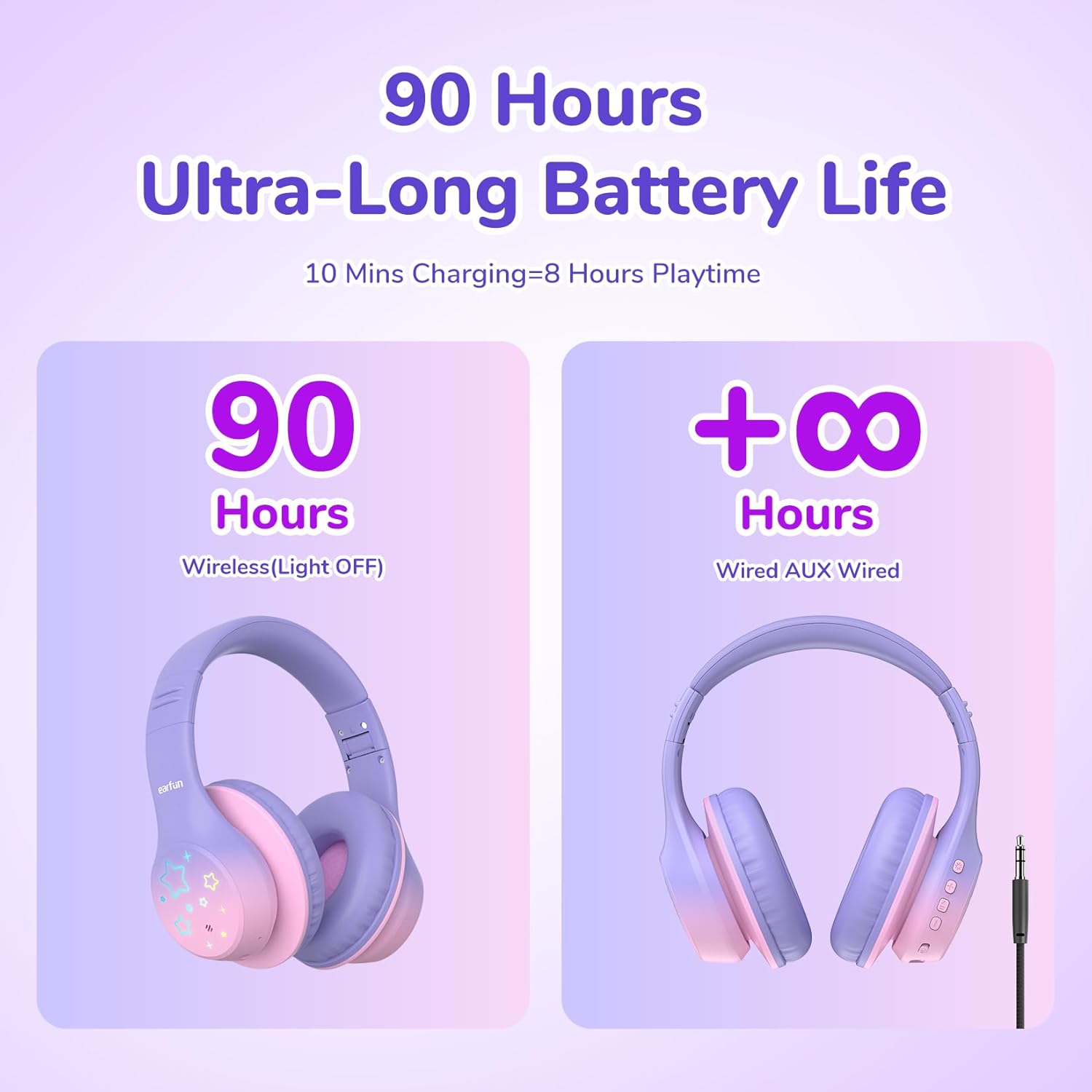
Image: Battery life illustration for wireless and wired modes.
5.2 Bluetooth Pairing
- Ensure the headphones are charged.
- Press and hold the Power button for 3 seconds to turn on the headphones. The LED indicator will flash blue, indicating pairing mode.
- On your device (smartphone, tablet, laptop), enable Bluetooth.
- Search for "EarFun K4" in the list of available Bluetooth devices and select it to connect.
- Once connected, the LED indicator will turn solid blue or flash slowly.
5.3 Wired Mode
To use the headphones in wired mode:
- Connect one end of the 3.5mm audio cable to the audio jack on the headphones.
- Connect the other end to the 3.5mm audio output of your device.
- The headphones will automatically switch to wired mode. Bluetooth functionality will be disabled.
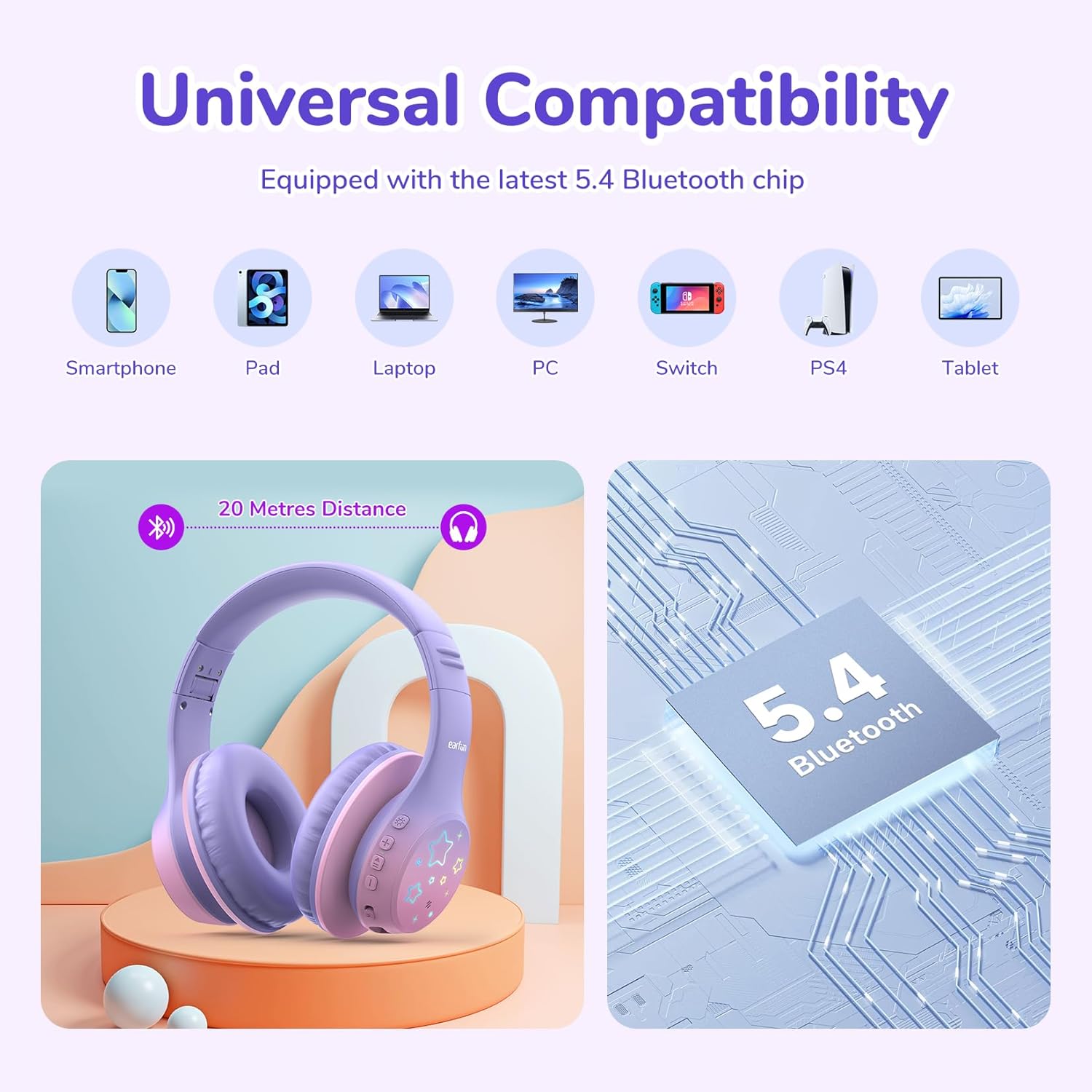
Image: Universal compatibility of EarFun K4 headphones with various devices via Bluetooth 5.4.
6. Operating Instructions
6.1 Basic Functions
- Power On: Press and hold the Power button for 3 seconds.
- Power Off: Press and hold the Power button for 3 seconds.
- Play/Pause: Short press the Power button.
- Volume Up: Short press the Volume Up (+) button.
- Volume Down: Short press the Volume Down (-) button.
- Next Track: Long press the Volume Up (+) button.
- Previous Track: Long press the Volume Down (-) button.
6.2 Call Management
- Answer/End Call: Short press the Power button.
- Reject Call: Long press the Power button.
6.3 LED Light Modes
The EarFun K4 headphones feature 5 different LED light modes:
- Static Color 1
- Static Color 2
- Static Color 3
- Gradient Light
- Quick Flash
Short press the LED Light Mode button to cycle through these modes.

Image: Illustration of the five distinct LED lighting modes.
6.4 Volume Limit Modes
The EarFun K4 headphones offer three volume limit settings for different environments:
- 74dBA: Normal Mode
- 85dBA: Study Mode
- 94dBA: Travel Mode
To switch between these modes, simultaneously press the Volume Up (+) and Volume Down (-) buttons once after the headphones are paired.

Image: Visual guide to the three volume limit modes: Normal (74dB), Study (85dB), and Travel (94dB).

Image: Instructions on how to switch between volume limit modes.
7. Maintenance
- Clean the headphones regularly with a soft, dry cloth. Do not use liquid cleaners.
- Avoid exposing the headphones to extreme temperatures, humidity, or direct sunlight.
- Store the headphones in a cool, dry place when not in use.
- Do not attempt to disassemble or modify the headphones, as this will void the warranty.
8. Troubleshooting
If you encounter issues with your EarFun K4 headphones, refer to the following common problems and solutions:
| Problem | Solution |
|---|---|
| Headphones do not power on. | Ensure the headphones are fully charged. Connect to a power source using the USB-C cable. |
| Cannot pair via Bluetooth. |
|
| No sound or low volume. |
|
| LED lights are not working. | Press the LED Light Mode button to activate or cycle through the light patterns. Ensure headphones are powered on. |
9. Specifications
| Feature | Detail |
|---|---|
| Brand | EarFun |
| Model | K4 |
| Connectivity | Bluetooth 5.4, 3.5mm Audio Jack |
| Ear Placement | Over Ear |
| Driver Size | 40mm Dynamic Driver |
| Impedance | 32 Ohms |
| Frequency Response | 20 Hz - 20 KHz |
| Sensitivity | 100 dB |
| Volume Limit | 74/85/94 dBA |
| Battery Life | Up to 90 hours (wireless, LED lights off) |
| Charging Port | USB-C |
| Quick Charge | 10 minutes charge for 8 hours playtime |
| Built-in Mic | Yes |
| Weight | 213 Grams |
| Materials | Leather, Plastic |
| Additional Features | LED Lights, Foldable Structure |
10. Warranty & Support
EarFun provides an 18-month warranty for every product. If you experience any issues or have questions regarding your EarFun K4 Kids Bluetooth Headphones, please contact EarFun customer support for assistance.
For more information and support, visit the official EarFun website or refer to the contact details provided with your product packaging.