
EarFun K4
EarFun K4 Kids Bluetooth Headphones User Manual
Model: EarFun K4
Introduction
Thank you for choosing the EarFun K4 Kids Bluetooth Headphones. These headphones are designed specifically for children, featuring volume limiting technology to protect hearing, colorful LED lights for an engaging experience, and a comfortable, durable design. This manual provides essential information on setting up, operating, maintaining, and troubleshooting your headphones to ensure optimal performance and safety.
What's in the Box
- EarFun K4 Kids Bluetooth Headphones
- User Manual
- USB-C Charging Cable
- 3.5mm Audio Cable

Image: The EarFun K4 Kids Bluetooth Headphones, showcasing their over-ear design and vibrant green color.
Setup
1. Charging the Headphones
Before first use, fully charge the headphones. Connect the provided USB-C charging cable to the charging port on the headphones and the other end to a compatible USB power source (e.g., computer USB port, wall adapter).
- A full charge provides approximately 90 hours of playtime with the LED lights off.
- With LED lights on, playtime is approximately 24 hours.
- A quick 10-minute charge can provide up to 8 hours of battery life.
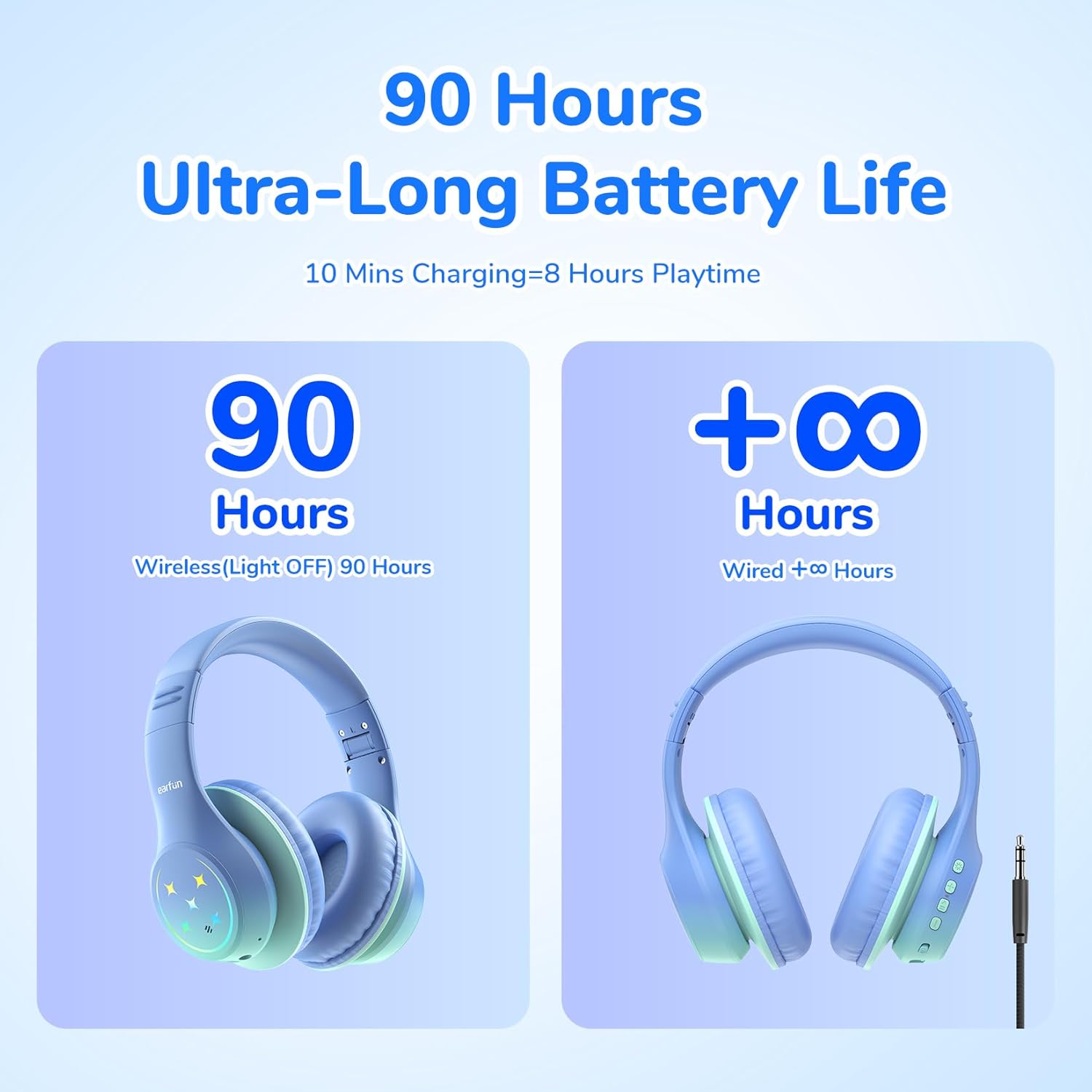
Image: Illustration detailing the ultra-long battery life of the EarFun K4 headphones, showing 90 hours of wireless playtime with lights off and infinite playtime in wired mode.
2. Powering On/Off
Locate the physical slider switch on the headphones. Slide the switch to the "ON" position to power on the headphones. Slide it to the "OFF" position to power them off.
3. Bluetooth Pairing
When powered on for the first time or when entering pairing mode, the headphones will automatically become discoverable.
- Ensure the headphones are powered on.
- On your device (smartphone, tablet, laptop, etc.), enable Bluetooth and search for available devices.
- Select "EarFun K4" from the list of found devices.
- Once connected, the headphones will indicate successful pairing (e.g., via an audio prompt or LED indicator change).

Image: An illustration demonstrating the universal compatibility of the EarFun K4 headphones with devices such as smartphones, tablets, laptops, PCs, Nintendo Switch, and PS4, highlighting the Bluetooth 5.4 chip.
Operating Instructions
1. Volume Control and Limiting
The EarFun K4 headphones feature three volume limit modes to protect children's hearing:
- Normal Mode: 74dBA
- Study Mode: 85dBA
- Travel Mode: 94dBA
To switch between volume limit modes, simultaneously press the "+" and "-" buttons once after pairing. Use the volume buttons on the headphones or your connected device to adjust the volume within the selected limit.

Image: A visual guide illustrating the three distinct volume limit levels (74dBA, 85dBA, 94dBA) designed to protect children's hearing in different environments.
2. LED Lighting Modes
The headphones feature 5 colorful LED lighting modes. Press the dedicated LED light button to cycle through the modes or turn them off.
- Static Color 1
- Static Color 2
- Static Color 3
- Gradient Light
- Quick Flash

Image: A detailed view of the headphone's controls, highlighting the button for cycling through the five distinct LED lighting modes.
3. Hands-Free Calls and Stereo Sound
The EarFun K4 headphones are equipped with 40mm drivers for clear, rich stereo sound and a built-in microphone for hands-free calls.
- Answering/Ending Calls: Short press the multi-function button.
- Rejecting Calls: Long press the multi-function button.
- Play/Pause Music: Short press the multi-function button.
- Next Track: Long press the "+" button.
- Previous Track: Long press the "-" button.

Image: A child wearing the EarFun K4 headphones, demonstrating the comfortable fit and highlighting features like the built-in HD microphone and Hi-Fi stereo sound.
4. Wired Mode
For uninterrupted listening or when the battery is low, connect the provided 3.5mm audio cable to the headphone's audio jack and your device's audio output. This will bypass the Bluetooth connection and allow passive listening.
5. Adjustable Headband and Comfort
The headphones feature an adjustable headband (from 1 to 8 settings) and soft memory foam earcups to ensure a comfortable and secure fit for various head sizes, ideal for extended wear. The foldable structure allows for easy storage and portability.
Image: An infographic showcasing the comfort features of the EarFun K4 headphones, including an adjustable headband, foldable structure, memory foam earcups, and durable materials.
Maintenance
Proper maintenance ensures the longevity and optimal performance of your EarFun K4 headphones.
- Cleaning: Use a soft, dry cloth to wipe the headphones. Do not use abrasive cleaners or solvents. For earcups, gently wipe with a slightly damp cloth and allow to air dry completely before use.
- Storage: When not in use, store the headphones in a cool, dry place away from direct sunlight and extreme temperatures. Utilize the foldable design for compact storage.
- Avoid Moisture: The headphones are not water resistant. Avoid exposure to water, rain, or excessive humidity.
- Handle with Care: While durable, avoid dropping the headphones or subjecting them to strong impacts.
Troubleshooting
| Problem | Possible Solution |
|---|---|
| Headphones do not power on. | Ensure the battery is charged. Connect the USB-C charging cable and allow it to charge for at least 10 minutes before attempting to power on again. |
| Cannot pair with device. |
|
| No sound or low volume. |
|
| LED lights are not working. |
|
Specifications
| Feature | Detail |
|---|---|
| Model Name | EarFun K4 |
| Connectivity Technology | Wireless (Bluetooth), Wired (3.5mm Jack) |
| Bluetooth Version | 5.4 |
| Battery Life | Up to 90 Hours (lights off), 24 Hours (lights on) |
| Charging Time | 10 minutes for 8 hours playtime |
| Volume Limit | 74dBA / 85dBA / 94dBA |
| Audio Driver Type | 40mm Dynamic Driver |
| Frequency Response | 20 Hz - 20,000 Hz |
| Impedance | 32 Ohm |
| Sensitivity | 100 dB |
| Microphone | Built-in HD Mic |
| Noise Control | Passive Noise Cancellation |
| Material | Leather, Plastic (BPA-free, RoHS2.0, CPC certified) |
| Weight | 7.4 ounces (210 Grams) |
| Dimensions | 6.5 x 3.54 x 7.48 inches |
| Ear Placement | Over Ear |
| Compatible Devices | Smartphones, Tablets, Laptops, Desktops, iPad |

Image: The EarFun K4 headphones highlighting their construction from safe, BPA-free materials and compliance with RoHS and CPC certifications.
Warranty and Support
EarFun provides an 18-month hassle-free protection for the K4 Kids Bluetooth Headphones. For any product inquiries, technical support, or warranty claims, please contact EarFun customer service.
You can find more information and support on the official EarFun store: EarFun Store on Amazon.
Related documentsK4


Ask a question about this manual
Ask about setup, troubleshooting, compatibility, parts, safety, or missing instructions. Manuals+ will review the question and use this page’s manual context to help answer it.