
1. Product Overview
The TECKNET Self-Powered Wireless Doorbell Kit (Model HWD01809WS02) provides a convenient and reliable solution for home and office notification. This kit includes a self-powered push button (transmitter) and a plug-through receiver with an RGB light indicator. It offers a wide range of chimes and adjustable volume levels, designed for ease of use and durability.

Image: The TECKNET Self-Powered Wireless Doorbell Kit, showing the push button (transmitter) and the plug-through receiver.
Key Features:
- Self-Powered Push Button: No batteries required for the transmitter, generating power with each press.
- Plug-Through Receiver: The receiver plugs into a standard outlet without blocking the socket, allowing other devices to be connected.
- 60 Chimes & 5 Volume Levels: Choose from a variety of melodies and adjust the volume from 0 to 120 dB.
- Memory Function: Retains selected melody and volume settings even after power disconnection.
- Bright RGB Light Indicator: Provides visual alerts, beneficial for the hearing impaired or noisy environments.
- IP66 Waterproof & Dustproof: The push button is designed to withstand various outdoor weather conditions, from -4°F to 140°F (-20°C to 60°C).
- 1000ft Wireless Range: Ensures a strong and stable signal over long distances in open spaces.
2. Setup
2.1. Push Button (Transmitter) Installation
The push button can be installed using either adhesive tape or screws. Ensure the installation surface is clean and dry before proceeding.
Method 1: Adhesive Mounting
- Clean the desired installation area on your wall or door frame.
- Remove the protective film from one side of the provided double-sided adhesive tape.
- Attach the adhesive tape to the back of the push button's mounting plate.
- Remove the protective film from the other side of the adhesive tape.
- Firmly press the push button onto the cleaned surface for at least 30 seconds.

Image: Illustration of the push button being installed using double-sided adhesive tape.
Method 2: Screw Mounting
- Separate the mounting plate from the push button.
- Position the mounting plate on the desired installation spot and mark the screw holes.
- Drill pilot holes if necessary, then secure the mounting plate to the surface using the provided screws.
- Attach the push button onto the secured mounting plate.

Image: Illustration of the push button being installed using screws for a secure mount.
Video: Official TECKNET video demonstrating the installation process for the wireless doorbell push button.
2.2. Receiver Installation
- Select a suitable indoor power outlet within range of the push button.
- Plug the receiver directly into the power outlet. The plug-through design ensures the outlet remains available for other devices.
- The receiver is typically pre-paired with the push button. If not, refer to the "Pairing Instructions" in the Operating section.

Image: The doorbell receiver plugged into a wall outlet, demonstrating its pass-through design that keeps the outlet usable.
3. Operating Instructions
3.1. Chime Selection and Volume Adjustment
The receiver offers 60 different chimes and 5 adjustable volume levels (0-120 dB).
- Change Chime: Press the "Melody Selection" button (usually marked with a musical note or up/down arrows) on the side of the receiver to cycle through the available chimes.
- Adjust Volume: Press the "Volume Control" button (usually marked with a speaker icon or up/down arrows) on the side of the receiver to adjust the volume level. The lowest setting (0 dB) will mute the sound, leaving only the RGB light indicator.
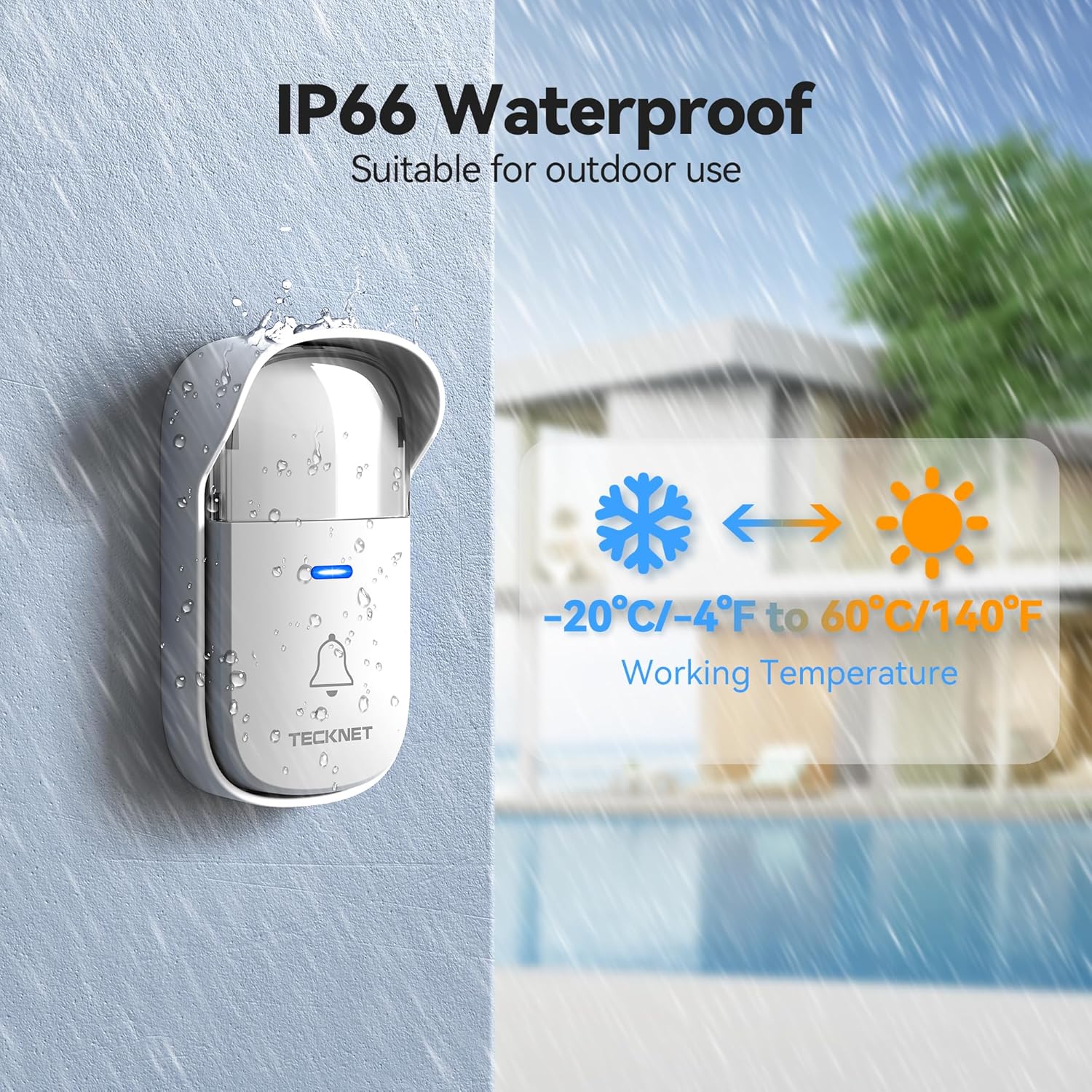
Image: Close-up of the receiver showing the buttons for selecting chimes and adjusting volume.
3.2. RGB Light Indicator Modes
The receiver features a bright RGB light that can operate in different modes:
- RGB & Ringing Mode: The light flashes and the selected chime plays when the push button is pressed.
- Ringtone Only Mode: Only the selected chime plays, with no light indication.
- RGB Only Mode (Mute Mode): The light flashes without sound, ideal for quiet environments or for users with hearing difficulties.
To switch between modes, press and hold the "Melody Selection" button for a few seconds until the mode changes. The RGB light is particularly useful for ensuring notifications are received in noisy environments or by individuals who are hard of hearing.

Image: The doorbell receiver displaying its multi-colored RGB light indicator.
3.3. Memory Function
The doorbell receiver is equipped with a memory function. This feature ensures that your chosen melody and volume settings are retained even if the receiver is unplugged or experiences a power outage. When power is restored, the doorbell will resume operation with your last selected settings.
4. Maintenance
- No Battery Replacement: The push button is self-powered, eliminating the need for battery replacements. This reduces maintenance and environmental impact.
- Weather Resistance: The push button is IP66 waterproof and dustproof, designed to operate reliably in temperatures ranging from -4°F to 140°F (-20°C to 60°C). Regular cleaning of the exterior is recommended to prevent dirt buildup.
- Cleaning: To clean the doorbell components, use a soft, damp cloth. Avoid using harsh chemicals or abrasive cleaners, which may damage the surface or internal components.

Image: Diagram illustrating the self-generating power mechanism within the push button, highlighting that no batteries are required.

Image: The doorbell push button shown enduring rain, snow, and sun, demonstrating its IP66 waterproof and dustproof rating.
5. Troubleshooting
| Issue | Possible Cause | Solution |
|---|---|---|
| Doorbell does not ring or light up. | Receiver unplugged or power outage. Push button out of range. Push button not pressed firmly. Receiver volume set to 0 (mute). | Ensure receiver is securely plugged into a working outlet. Relocate receiver closer to the push button. Press the push button firmly and completely. Increase the volume level on the receiver. |
| Short wireless range or intermittent signal. | Obstructions (thick walls, metal structures). Interference from other wireless devices. | Try repositioning the receiver or push button to minimize obstructions. Move the doorbell system away from other strong wireless signals. |
| Settings (chime/volume) are not saving. | This is unlikely due to the memory function. | Ensure you are correctly selecting and setting the desired options. If the issue persists, contact customer support. |
6. Specifications
| Feature | Detail |
|---|---|
| Manufacturer | TECKNET |
| Model Number | HWD01809WS02 |
| Item Weight | 6.7 ounces |
| Product Dimensions | 4.5 x 3 x 1.5 inches |
| Size | 1 Button & 1 Receiver |
| Color | White |
| Item Package Quantity | 1 |
| Included Components | Doorbell Receiver, Installation Kit, Push Button |
| Batteries Required? | No (for push button) |
| Waterproof Rating | IP66 |
| Operating Temperature | -4°F to 140°F (-20°C to 60°C) |
| Wireless Range | Up to 1000ft (300m) in open spaces |
| Chime Options | 60 |
| Volume Levels | 5 (0-120 dB) |
7. Warranty and Support
TECKNET products are designed for reliability and performance. This product comes with lifetime support upon registration. For any inquiries, technical assistance, or warranty claims, please contact TECKNET customer service.
Contact Information:
- Website: www.tecknet.co.uk/support (or refer to your product packaging for regional support details)
- Email: support@tecknet.co.uk (example, please verify official contact)
Please have your model number (HWD01809WS02) and purchase details ready when contacting support.

