
Product Overview
The LivePure True HEPA Air Purifier is designed to enhance your indoor air quality by utilizing a powerful three-stage filtration system. Its compact design allows it to fit seamlessly into any room, quietly working to remove airborne particles and odors.
This air purifier features a permanent Granular Carbon Filter, made from coconut carbon, which effectively absorbs odors and moisture, including those from cooking, pets, smoking, and volatile organic compounds (VOCs) like formaldehyde. The permanent True HEPA filtration system captures up to 99.97% of airborne particles as small as 0.3 microns, such as smoke, dust, pollen, pet hair and dander, mold spores, and dust mites.

Image: LivePure True HEPA Air Purifier in Graphite, showcasing its sleek design and accompanying remote control.

Image: Visual representation of the air purifier's effectiveness against common indoor pollutants including smoke, odors, household dust, pet hair & dander, pollen, mold spores, bacteria, and viruses.
Safety Information
Please read all instructions carefully before operating the air purifier. Keep this manual for future reference.
- Do not operate the unit with a damaged cord or plug.
- Do not use the air purifier in wet or damp environments.
- Keep the air inlet and outlet clear of obstructions.
- Unplug the unit before cleaning or performing any maintenance.
- This appliance is not intended for use by persons (including children) with reduced physical, sensory or mental capabilities, or lack of experience and knowledge, unless they have been given supervision or instruction concerning use of the appliance by a person responsible for their safety.
Setup and Installation
Follow these steps to set up your LivePure Air Purifier:
- Unpack the air purifier and all its components from the packaging.
- Place the unit on a firm, level surface. Ensure there is adequate space around the unit for proper airflow.
- Before first use, ensure all filters are correctly installed. The unit comes with a permanent coconut carbon pre-filter and a True HEPA filter.
- Plug the power cord into a standard electrical outlet.
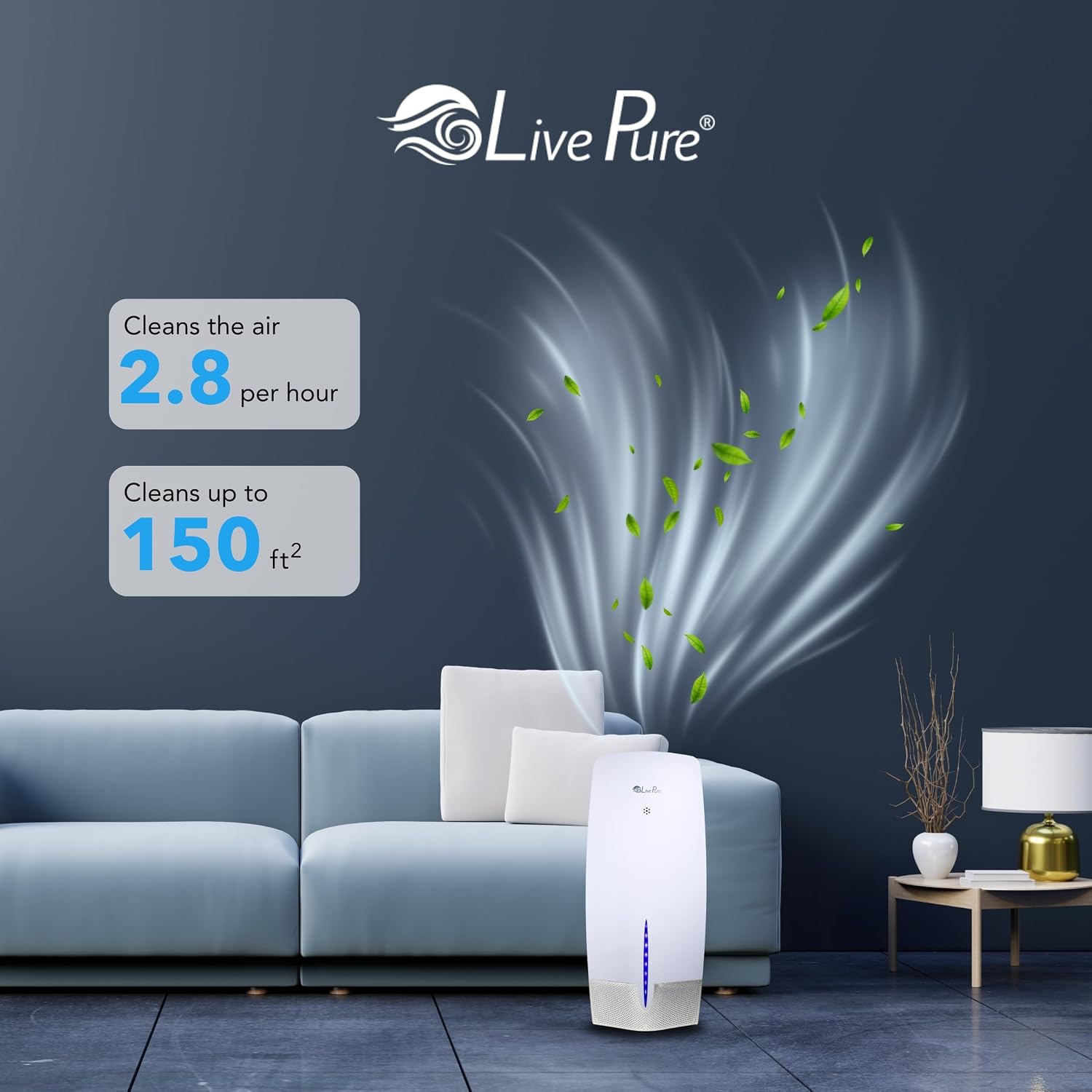
Image: A four-panel guide illustrating the process of changing or inspecting filters. This includes unplugging the unit, removing the front panel, sweeping debris from the pre-filter and HEPA filter with a vacuum attachment, and reinserting the filter before replacing the panel.
Operating Instructions
The LivePure Air Purifier features a functional touch control panel for easy operation.

Image: Detailed view of the air purifier's top control panel, highlighting buttons for On/Off Power, Fan Speed & Sleep Mode, LED Accent Light, Timer, and Filter Indicator Lights for Carbon and HEPA filters.
- On/Off Power: Press the power button to turn the unit on or off.
- Fan Speed & Sleep Mode: Cycle through Low, Medium, High fan speeds. Press and hold for Sleep Mode, which operates the unit quietly.
- LED Accent Light: Controls the blue accent light on the front of the unit.
- Timer: Set the operating time for the unit (e.g., 2, 4, 8 hours).
- Filter Indicator Lights: Separate lights for "Carbon" and "HEPA" indicate when filters need cleaning.
Air is systematically pulled into the purifier and sequentially passed through the pre-filter, True HEPA filter, and Granular carbon insert for thorough and efficient air purification.
Maintenance
Regular maintenance ensures optimal performance and longevity of your air purifier.
Filter Cleaning
- True HEPA Filter: Under normal conditions of continuous use, the True HEPA filter should be cleaned every 6 months (approximately 4320 hours) or more often depending on air quality and environmental factors. Use a vacuum attachment to sweep any debris or dust from the HEPA filter.
- Permanent Granular Carbon Filter: This filter should be placed in direct sunshine for at least one hour once a month to refresh its odor-absorbing capabilities. Use a vacuum attachment to sweep any debris or dust from the pre-filter.
The filter cleaning indicator lights on the control panel (labeled "Carbon" and "HEPA") will remind you when it's time to clean the respective filters.
General Cleaning
- Wipe the exterior of the unit with a soft, dry cloth.
- Do not use abrasive cleaners or solvents.
- Ensure the unit is unplugged before any cleaning.
Troubleshooting
If you experience issues with your LivePure Air Purifier, please refer to the following common solutions:
| Problem | Possible Cause | Solution |
|---|---|---|
| Unit does not turn on. | Not plugged in; power outlet issue; unit malfunction. | Ensure power cord is securely plugged into a working outlet. Try a different outlet. |
| Airflow is weak. | Filters are dirty or clogged; air inlets/outlets blocked. | Clean the HEPA and Carbon filters as per maintenance instructions. Ensure nothing is blocking the air intake or exhaust vents. |
| Unusual noise. | Foreign object inside; unit not on a level surface; fan issue. | Unplug and check for any foreign objects. Place the unit on a stable, level surface. If noise persists, contact customer support. |
| Filter indicator light remains on after cleaning. | Filter reset not performed. | Refer to the operating instructions for how to reset the filter indicator lights after cleaning. |
Specifications
| Feature | Detail |
|---|---|
| Brand | LivePure |
| Model | LP470THP-GRA |
| Color | Graphite |
| Product Dimensions (D x W x H) | 8.27"D x 8.07"W x 18.9"H |
| Weight | 7.27 Pounds |
| Control Method | Touch |
| Filtration Type | True HEPA, Granular Carbon (Coconut Carbon) |
| Coverage Area | Cleans air in a 150 sq. ft. room 2.8 times an hour. |
| UPC | 810067453714 |

Image: An olive green LivePure air purifier illustrating its height of 18.9 inches and width of 8.27 inches, alongside text indicating it cleans air in a 150 sq. ft. room 2.8 times an hour.
Warranty and Support
For warranty information or technical support, please contact LivePure customer service. Keep your purchase receipt as proof of purchase.
Manufacturer: LivePure
For further assistance, visit the official LivePure store on Amazon: LivePure Store