
1. Introduction
Thank you for choosing the Skechers SR1186 Whitfield Digital Watch. This manual provides essential information for the proper setup, operation, and maintenance of your watch. Please read these instructions carefully to ensure optimal performance and longevity of your timepiece.
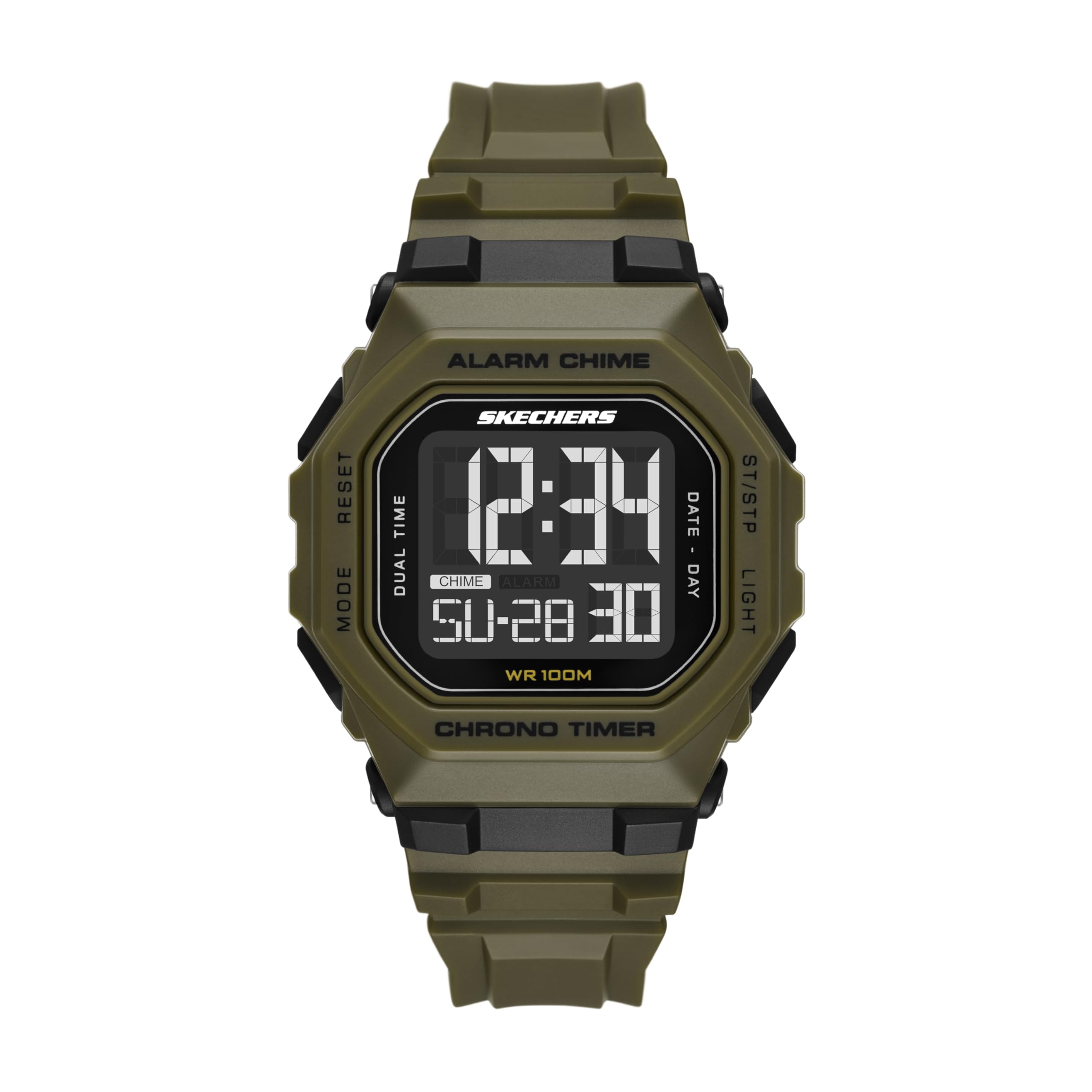
Figure 1: Front view of the Skechers SR1186 Whitfield Digital Watch.
2. Product Features
- Model: SR1186
- Case: 45mm barrel-shaped polycarbonate case.
- Display: Digital movement with a negative display dial for clear visibility.
- Strap: 18mm wide green polyurethane band with a buckle clasp.
- Crystal: Durable acrylic crystal.
- Water Resistance: Rated for 100 meters (330 feet), suitable for bathing, swimming, or shallow diving.
- Battery: 1 x LR44 battery (included).

Figure 2: Detail of the watch's buckle clasp.
3. Setup Instructions
3.1 Setting Time and Date
- Press the MODE button repeatedly until the time setting mode is displayed (usually indicated by flashing digits).
- Use the START/STOP button to adjust the flashing digit (hours, minutes, year, month, day).
- Press the RESET button to move to the next setting item.
- Once all settings are correct, press the MODE button to exit the setting mode.
3.2 Setting the Alarm
- Press the MODE button until the alarm display appears.
- Press the RESET button to activate the alarm setting. The hour digits will flash.
- Use the START/STOP button to set the desired hour.
- Press RESET to move to the minute setting, then use START/STOP to set the minutes.
- Press MODE to confirm and exit.
4. Operating Instructions
4.1 Button Functions

Figure 3: Side view illustrating the watch's control buttons.
- LIGHT Button: Activates the backlight for improved visibility in low-light conditions.
- MODE Button: Cycles through different display modes (Time, Alarm, Chronograph/Timer).
- START/STOP Button: Used to start and stop the chronograph, or to adjust values during setting modes.
- RESET Button: Used to reset the chronograph, or to confirm selections during setting modes.
4.2 Using the Chronograph (Stopwatch)
- Press the MODE button until the chronograph display appears (usually showing "00:00:00").
- Press the START/STOP button to begin timing.
- Press START/STOP again to pause the timing.
- Press RESET to clear the chronograph to zero.
4.3 Water Resistance Guidelines
Your Skechers SR1186 watch is water resistant up to 100 meters (10 ATM). This means it is suitable for:
- Daily use and accidental splashes.
- Showering and bathing.
- Swimming in pools or open water.
- Shallow diving.
Important: Do not operate the watch buttons while submerged in water, as this can compromise the water resistance seal.
5. Maintenance
5.1 Cleaning Your Watch
To maintain the appearance of your watch, wipe the case and strap regularly with a soft, damp cloth. Avoid using harsh chemicals or abrasive materials, which can damage the watch's finish.
5.2 Battery Replacement
The watch uses one LR44 battery. When the display becomes dim or the watch stops functioning, it is time to replace the battery. Battery replacement should ideally be performed by a qualified watch technician to ensure the water resistance seal is properly maintained.
5.3 Strap Care
The polyurethane strap is durable but can be affected by prolonged exposure to direct sunlight, extreme temperatures, or harsh chemicals. Clean the strap with mild soap and water, and allow it to air dry completely.
6. Troubleshooting
- Display is blank or dim: The battery may be low or depleted. Replace the battery as described in the Maintenance section.
- Time is incorrect: Reset the time and date according to the instructions in the Setup section. Ensure the correct AM/PM setting is selected.
- Buttons are unresponsive: Ensure the watch is not in a locked mode (if applicable, refer to specific model features). If the issue persists, a battery replacement or professional inspection may be required.
- Water inside the watch: If condensation or water appears inside the watch, stop using it immediately and have it inspected by a professional to prevent further damage.
7. Specifications
| Model Number | SR1186 |
| Case Diameter | 45 mm |
| Case Material | Polycarbonate |
| Band Width | 18 mm |
| Band Material | Polyurethane |
| Band Color | Green |
| Display Type | Digital (Negative Display) |
| Movement Type | Quartz |
| Crystal Material | Acrylic |
| Water Resistance | 100 Meters (10 ATM) |
| Clasp Type | Buckle |
| Battery Type | 1 x LR44 (included) |
8. Warranty and Support
Your Skechers SR1186 Whitfield Digital Watch comes with a limited warranty. Please refer to the warranty card included with your purchase for specific terms and conditions. For technical support or warranty claims, please contact Skechers customer service through their official website or authorized retailers.
For more information, you may visit the Skechers Watches Store.


