
iRest A303
iRest A303 & MYTHIA A303 SL Track Full Body Massage Chair Bundle User Manual
Model: A303
1. Product Overview
This manual provides comprehensive instructions for the safe and effective operation, maintenance, and troubleshooting of your iRest A303 and MYTHIA A303 SL Track Full Body Massage Chair Bundle. These chairs are designed to provide a full-body massage experience with advanced features such as SL track technology, zero gravity reclining, heat therapy, and comprehensive foot massage.

Image: The iRest A303 (black) and MYTHIA A303 (white and blue) massage chairs, showcasing their design and form factor.
Key Features:
- Full-Body Relaxation with SL Track Technology: Seamless massage coverage from neck to legs, maintaining the natural "S" curve of your spine.
- Zero Gravity Reclining: Adjustable angles to reduce pressure on the body and enhance relaxation.
- Soothing Heat Therapy: Targeted heat functions to relieve tension, with full-body heat in iRest and lumbar-specific heating in MYTHIA.
- Comprehensive Foot Massage: Foot rollers and airbag systems for alleviating soreness in feet and calves.
- Durable Design: Crafted with premium materials for longevity.
2. Safety Information
Please read all safety warnings and instructions carefully before using the massage chair. Failure to follow these instructions may result in injury or damage to the product.
- Always unplug the chair from the power outlet when not in use or before cleaning.
- Do not use the chair in a damp or wet environment.
- Keep children and pets away from the chair, especially during operation.
- Consult a physician before use if you have any medical conditions, are pregnant, or have a pacemaker.
- Do not attempt to repair or disassemble the chair yourself. Contact qualified service personnel.
- Ensure adequate space around the chair for reclining and operation.
3. Package Contents
Upon unpacking, please verify that all components are present and undamaged:
- iRest A303 Massage Chair (Main Unit)
- MYTHIA A303 Massage Chair (Main Unit)
- Arm Pads (for both chairs)
- Casters (pre-installed or separate, check packaging)
- Cushions (for both chairs)
- Ottomans (integrated or separate, for both chairs)
- Power Cords
- User Manual (this document)
- Remote Controls (for both chairs)
4. Setup
4.1 Placement
Choose a flat, stable surface for the massage chair. Ensure there is sufficient space behind and in front of the chair for full recline. Approximately 10-12 inches (25-30 cm) behind the chair and 20-24 inches (50-60 cm) in front may be required for full zero gravity recline.

Image: Diagram illustrating the three stages of Zero Gravity recline: Initial, Comfort, and Deep Zero Gravity, showing the chair's movement.
4.2 Assembly (if required)
Most components of the iRest A303 and MYTHIA A303 chairs come pre-assembled. Minor assembly may be required for armrests or footrests. Refer to the specific assembly diagrams included in your packaging for detailed steps. Ensure all connections are secure before plugging in the chair.
4.3 Power Connection
Connect the power cord securely to the chair's power inlet and then plug it into a grounded electrical outlet. Ensure the power switch on the chair (usually located near the power inlet) is in the OFF position before plugging in.
5. Operating Instructions
5.1 Powering On/Off
Locate the main power switch on the chair and flip it to the ON position. The remote control will then become active. To turn off, press the power button on the remote or flip the main power switch to OFF.
5.2 Remote Control Functions
The remote control allows you to select various massage programs, adjust intensity, and control specific features. Familiarize yourself with the buttons and their corresponding functions.
5.3 Automatic Body Scan System
Upon starting an automatic program, the chair will perform a body scan to detect your shoulder position and body curve. This ensures the massage rollers accurately target your unique body shape for an optimized massage experience.

Image: Illustration of the Automatic Body Scan System, showing a human figure being scanned by the chair to detect shoulder width and body contours.
5.4 Massage Programs and Techniques
The chairs offer a variety of massage techniques and pre-set programs:

Image: Diagram illustrating the 53.15-inch SL track, showing how the massage rollers follow the natural curve of the body from neck to hip.

Image: Diagram showing various massage techniques like Kneading, Rolling, Shiatsu, Tapping, Knocking, and Tapping/Kneading, along with an illustration of the full-body airbag system and foot roller massage.

Image: Detailed view of the foot and calf massage features, including foot airbag compression, calf shaping, and leg airbag massage with roller massage indicated.
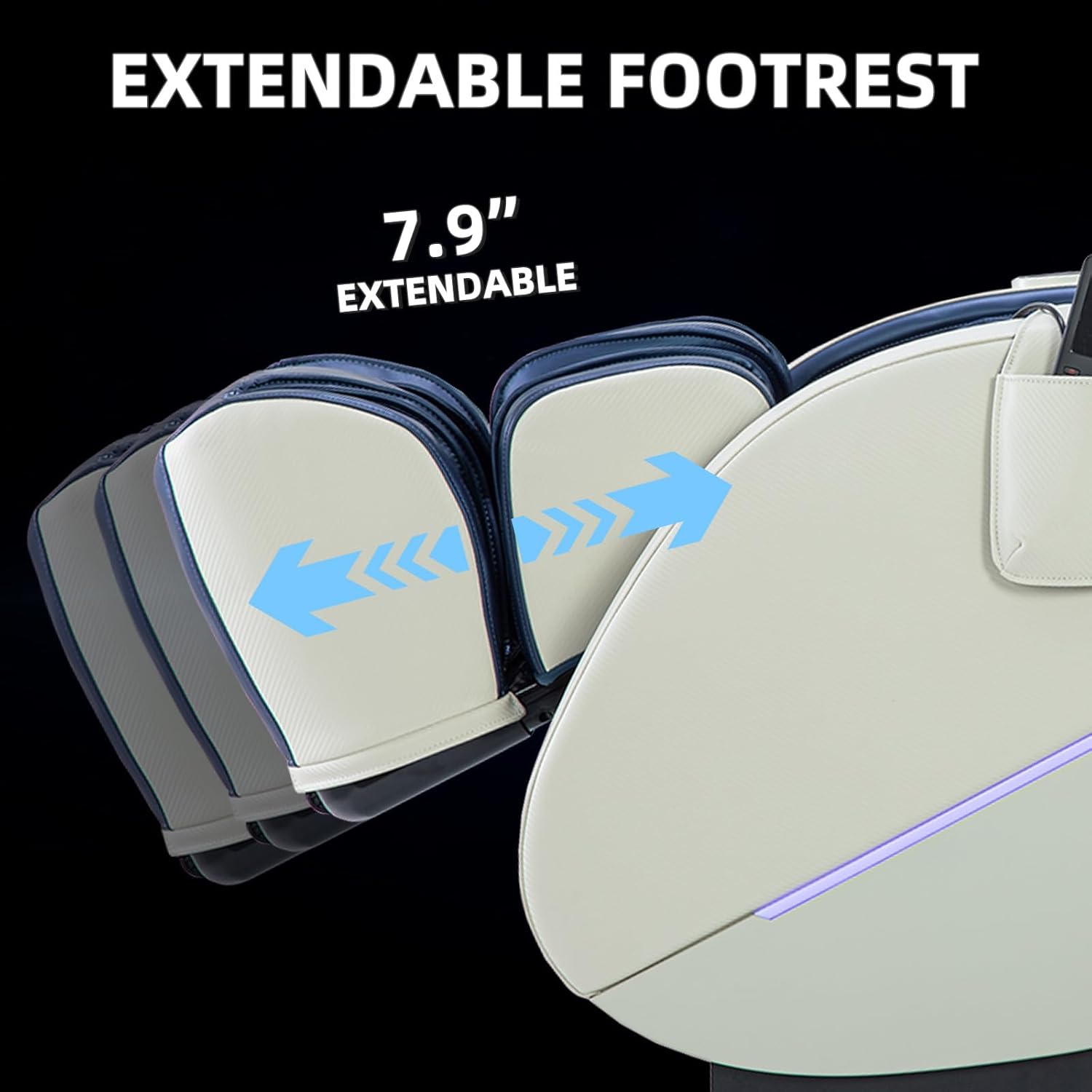
Image: Illustration of the intelligent mechanical massage hands mechanism, showing the rollers and gears that provide various massage techniques.
- SL Track Massage: Rollers follow the natural curve of your spine from neck to glutes.
- Airbag Compression Massage: Airbags inflate and deflate to provide compression massage to shoulders, arms, hips, calves, and feet.
- Foot Roller Massage: Rollers target the soles of your feet for reflexology benefits.
- Heat Therapy: Activate heat for the lumbar area (MYTHIA) or full body (iRest) to soothe muscles.
- Zero Gravity Recline: Adjust the recline angle to achieve a weightless sensation, reducing pressure on the spine.
- Extendable Footrest: Adjust the footrest length to accommodate users of different heights.

Image: Close-up of the chair's integrated speaker, highlighting Bluetooth connectivity and 360-degree surround sound capabilities.
5.5 Bluetooth Connectivity
To connect your device via Bluetooth, enable Bluetooth on your smartphone or tablet and search for the chair's Bluetooth name (e.g., "iRest Massage Chair"). Pair the devices to stream audio through the chair's integrated speakers.
6. Maintenance
6.1 Cleaning
- Unplug the chair before cleaning.
- Wipe the surface with a soft, damp cloth. Do not use abrasive cleaners or solvents.
- For leather surfaces, use a specialized leather cleaner and conditioner as needed.
- Do not spray water directly onto the chair.
6.2 Storage
When not in use for extended periods, store the chair in a cool, dry place away from direct sunlight and extreme temperatures. Cover the chair to protect it from dust.
7. Troubleshooting
If you encounter issues with your massage chair, refer to the following common problems and solutions:
| Problem | Possible Cause | Solution |
|---|---|---|
| Chair does not power on. | Power cord not securely plugged in; Main power switch is off; Power outlet issue. | Check power cord connections; Ensure main power switch is ON; Test outlet with another device. |
| Remote control is unresponsive. | Batteries are low or incorrectly inserted; Remote not paired (if applicable). | Replace batteries; Ensure correct polarity; Refer to remote pairing instructions in full manual. |
| Massage intensity is too weak/strong. | Incorrect program selected; Intensity setting needs adjustment. | Select a different program; Adjust intensity levels using the remote control. |
| Unusual noises during operation. | Normal operational sounds; Loose component; Obstruction. | Some mechanical sounds are normal. Check for obstructions. If persistent or loud, contact support. |
If the problem persists after attempting these solutions, please contact customer support.
8. Specifications
| Attribute | Detail |
|---|---|
| Brand | iRest |
| Model Number | A303 |
| Back Style | Split Back |
| Seat Material Type | Leather |
| Age Range (Description) | Adult |
| Included Components | Arm Pad, Caster, Cushion, Ottoman |
| Arm Style | Rounded |
| Indoor/Outdoor Usage | Indoor |
| Reclining Position Count | 2 (Zero Gravity stages) |
| ASIN | B0DT4NT3XW |
| Date First Available | January 15, 2025 |
9. Warranty and Support
The iRest A303 and MYTHIA A303 massage chairs come with a 3-year warranty. This warranty covers manufacturing defects and ensures the quality and durability of your product.
For any inquiries, technical assistance, or warranty claims, please contact our customer support team. We offer 24/7 local customer support to ensure a hassle-free experience.
Please retain your proof of purchase for warranty validation.
Related documentsA303


Ask a question about this manual
Ask about setup, troubleshooting, compatibility, parts, safety, or missing instructions. Manuals+ will review the question and use this page’s manual context to help answer it.