
1. Introduction
Thank you for purchasing the Ausic P35 5 Gallon 12-inch Portable Misting Fan. This manual provides important information for the safe and efficient use of your fan. Please read it thoroughly before operation and retain it for future reference.
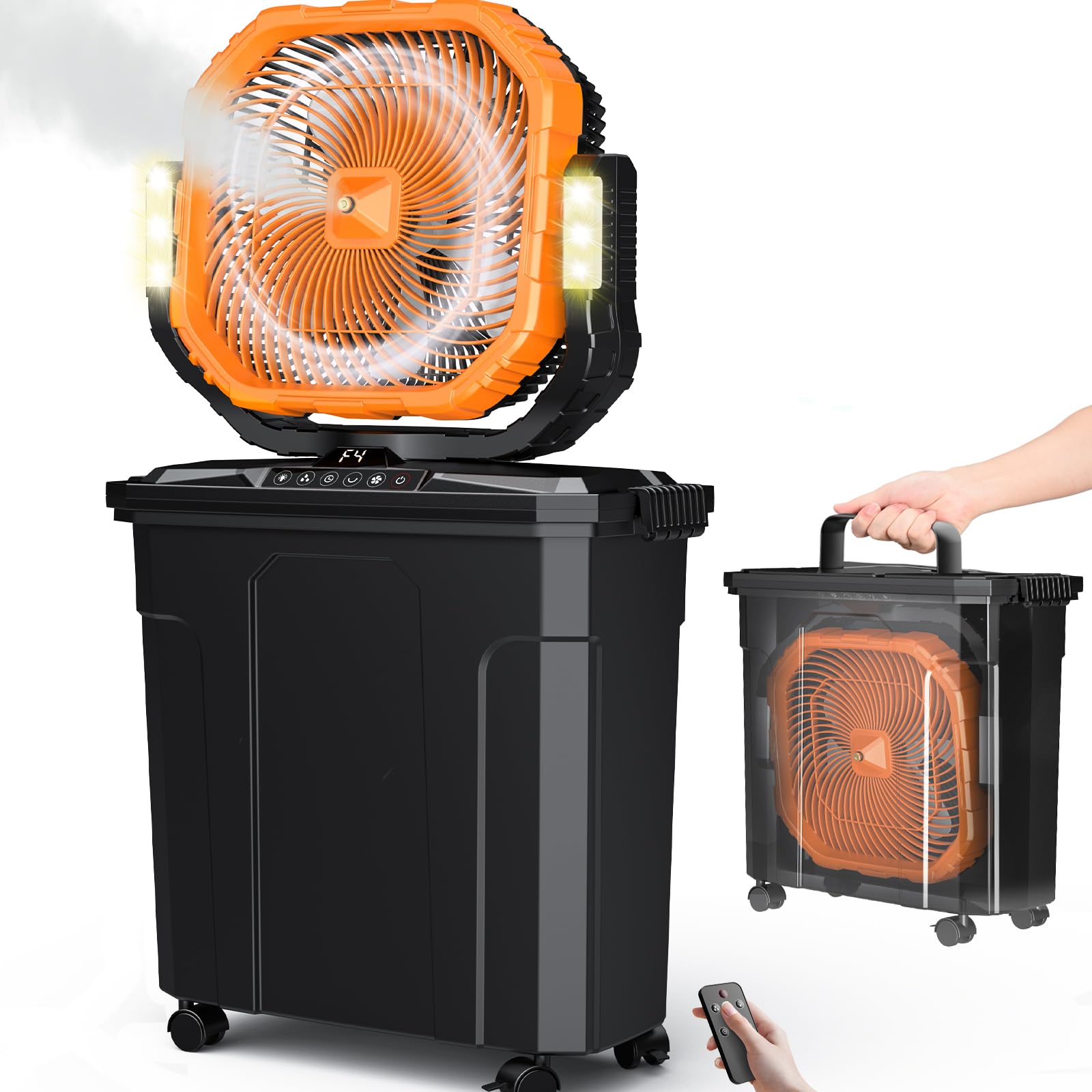
Figure 1.1: Ausic P35 Portable Misting Fan assembled on its 5-gallon bucket with casters.
2. Safety Information
To ensure safe operation, always follow these basic precautions:
- Read all instructions before using the appliance.
- Do not immerse the fan unit or power cord in water or other liquids.
- Keep the fan away from children and pets.
- Ensure the power adapter is compatible with your local power supply.
- Do not operate the fan with a damaged cord or plug.
- Unplug the fan from the power source before cleaning or performing any maintenance.
- Use only clean water in the misting tank. Do not add chemicals or fragrances.
- Avoid placing the fan on unstable surfaces.
3. Package Contents
Verify that all items are present in the package:
- Ausic P35 Misting Fan Unit (12-inch)
- 5 Gallon (20L) Water Bucket with Casters
- Remote Control
- Fast-Charging Adapter
- Replacement Mist Nozzles (2 pieces)
- User Manual
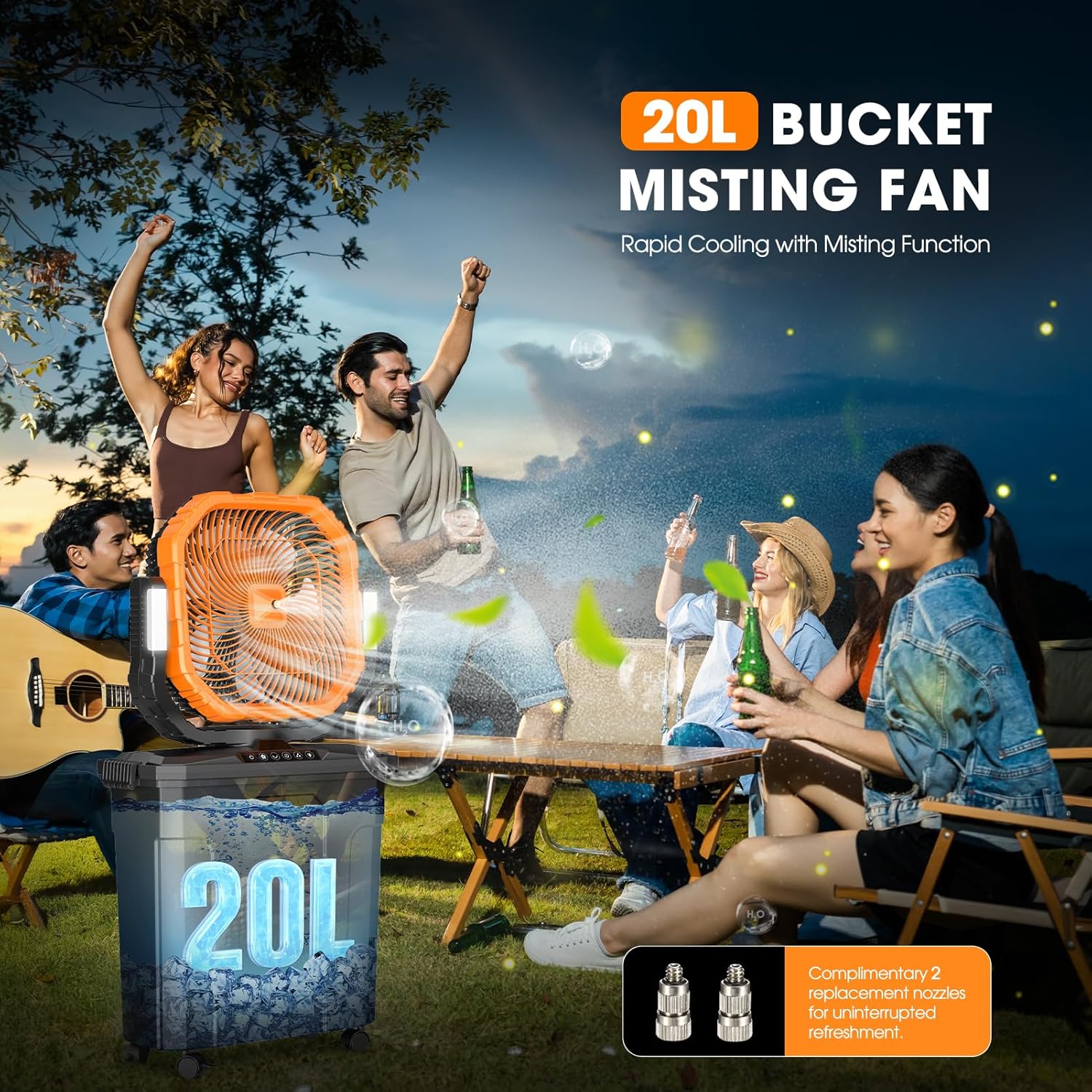
Figure 3.1: The Ausic P35 Misting Fan with its 20L bucket, designed for rapid cooling with misting functionality, depicted in an outdoor social setting.
4. Product Overview
The Ausic P35 is a versatile portable misting fan designed for both indoor and outdoor use. It features a 12-inch fan, a large 5-gallon (20L) water tank, and a powerful 30000mAh rechargeable battery for extended operation.
Key Features:
- 12-inch Fan: Provides strong airflow for wider coverage.
- 30000mAh Battery: Offers up to 62 hours of continuous fan operation on low speed.
- 5 Gallon (20L) Water Tank: Ensures 8-10 hours of continuous misting.
- Oscillation: Automatic 45°/90° horizontal oscillation and 100° vertical rotation for broad cooling.
- 4 Fan Speeds: Adjustable airflow from a gentle breeze to a strong wind.
- Misting Function: Evaporative cooling for enhanced comfort in hot conditions.
- LED Light: Two brightness settings for illumination.
- Timer: 1/2/4/8 hour settings for automatic shut-off.
- Remote Control: Convenient operation from a distance of up to 5 meters.
- Portable Design: Fan unit stores inside the bucket, equipped with universal casters for easy transport.
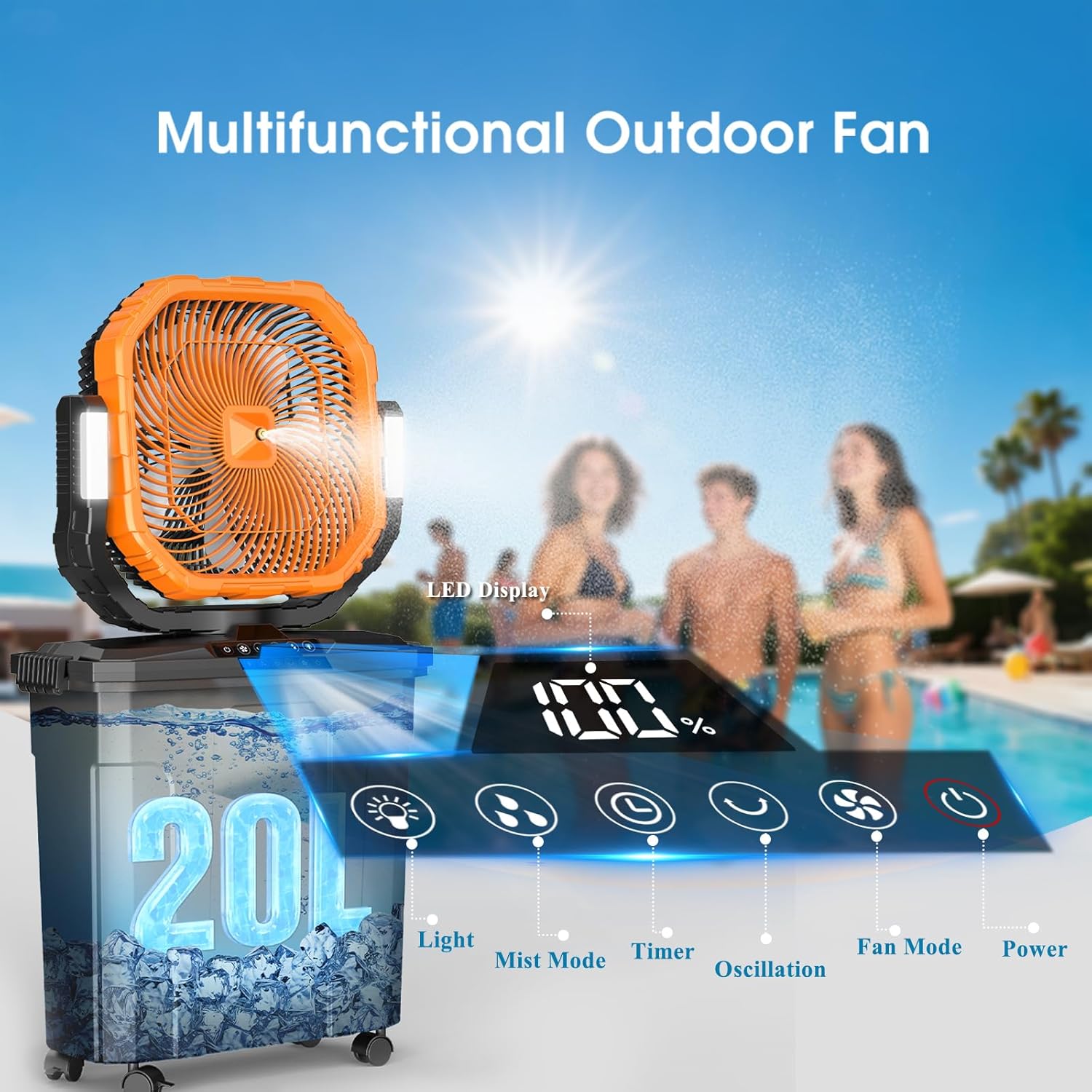
Figure 4.1: The Ausic P35 Misting Fan's LED display and control panel, illustrating functions such as light, mist mode, timer, oscillation, fan mode, and power, positioned by a swimming pool.
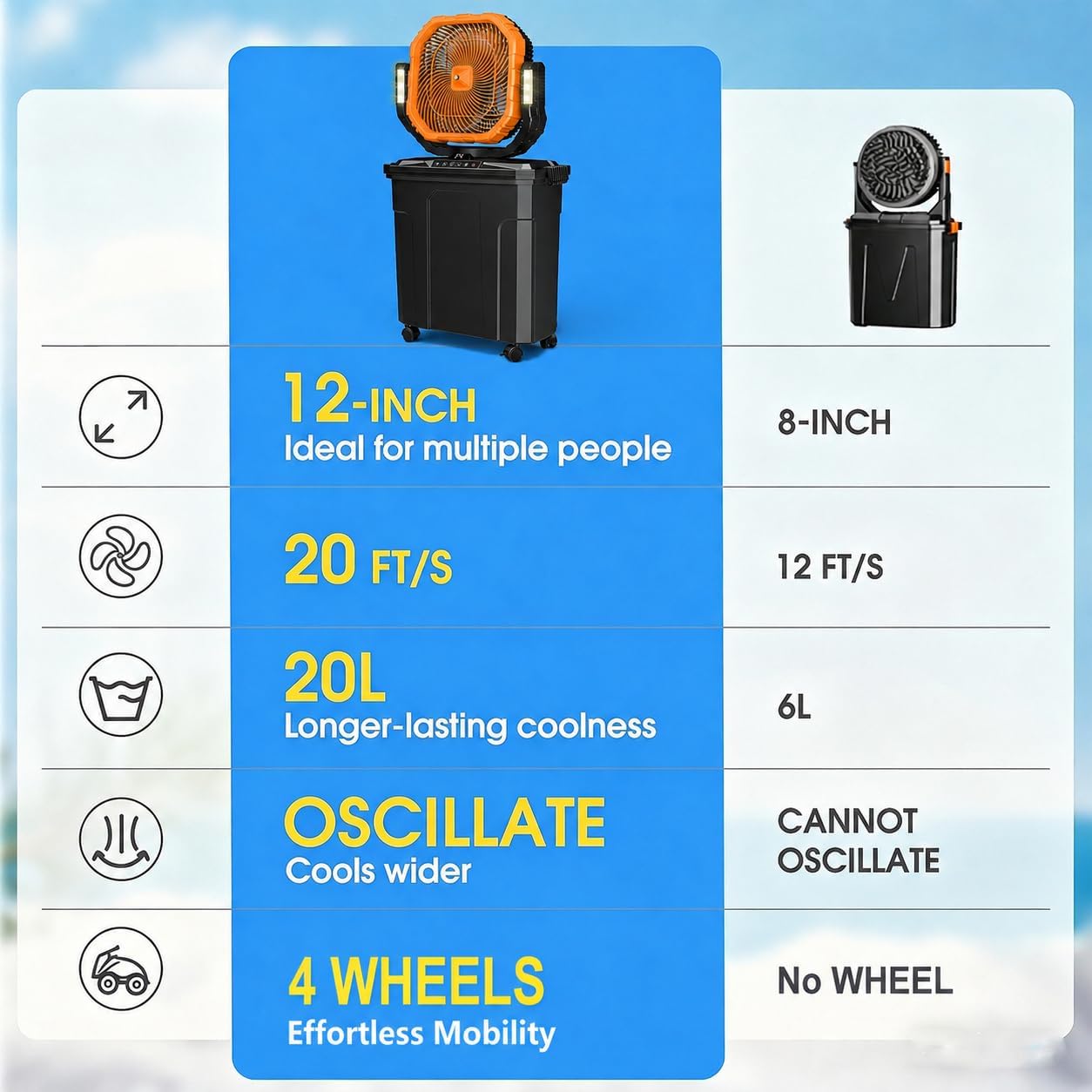
Figure 4.2: A visual comparison highlighting the advantages of the 12-inch Ausic fan, including its larger size, increased airflow (20 FT/S vs 12 FT/S), larger 20L water tank, oscillation capability, and the convenience of 4 wheels for mobility, compared to a smaller 8-inch fan.
5. Setup
5.1. Attaching Casters
The 5-gallon water bucket is equipped with universal casters for easy mobility. If not pre-attached, insert the caster stems into the designated holes on the bottom of the bucket until they click securely into place.
5.2. Charging the Battery
Before first use, fully charge the fan's 30000mAh battery. Connect the fast-charging adapter to the fan unit and a power outlet. The LED display will indicate charging status. A full charge typically takes approximately 6 hours.

Figure 5.1: The Ausic P35 Misting Fan showcasing its 30000mAh large battery capacity, detailing working times for different fan speeds (Low Gear: 62H, Medium Gear: 30H, High Gear: 17H, Highest Gear: 10H) and a charging time of 6 hours.
5.3. Filling the Water Tank
Open the lid of the 5-gallon (20L) water bucket. Fill the tank with clean water. For enhanced cooling, you may add ice to the water. Ensure the water level does not exceed the maximum fill line. Close the lid securely.
5.4. Assembling the Fan Unit
Place the fan unit securely on top of the water bucket. Ensure it is properly aligned and stable before operation.

Figure 5.2: A three-step illustration of the Ausic P35 Misting Fan's portable storage feature. Step 1 shows the fan unit being lifted from the bucket. Step 2 shows the fan unit being placed inside the bucket for compact storage. Step 3 shows the fan unit fully stored within the bucket, ready for transport with its lockable 360° swivel casters.
6. Operating Instructions
The Ausic P35 fan can be operated using the control panel on the unit or the included remote control.
6.1. Power On/Off
Press the Power button on the control panel or remote to turn the fan on or off.
6.2. Adjusting Fan Speed
Press the Fan Mode button repeatedly to cycle through the 4 available fan speeds (Low, Medium, High, Max).
6.3. Misting Function
Press the Mist Mode button to activate or deactivate the misting function. Ensure the water tank has sufficient water for misting.
6.4. Oscillation
Press the Oscillation button to activate the automatic horizontal oscillation (45°/90°). The fan head can also be manually rotated 100° vertically to direct airflow.
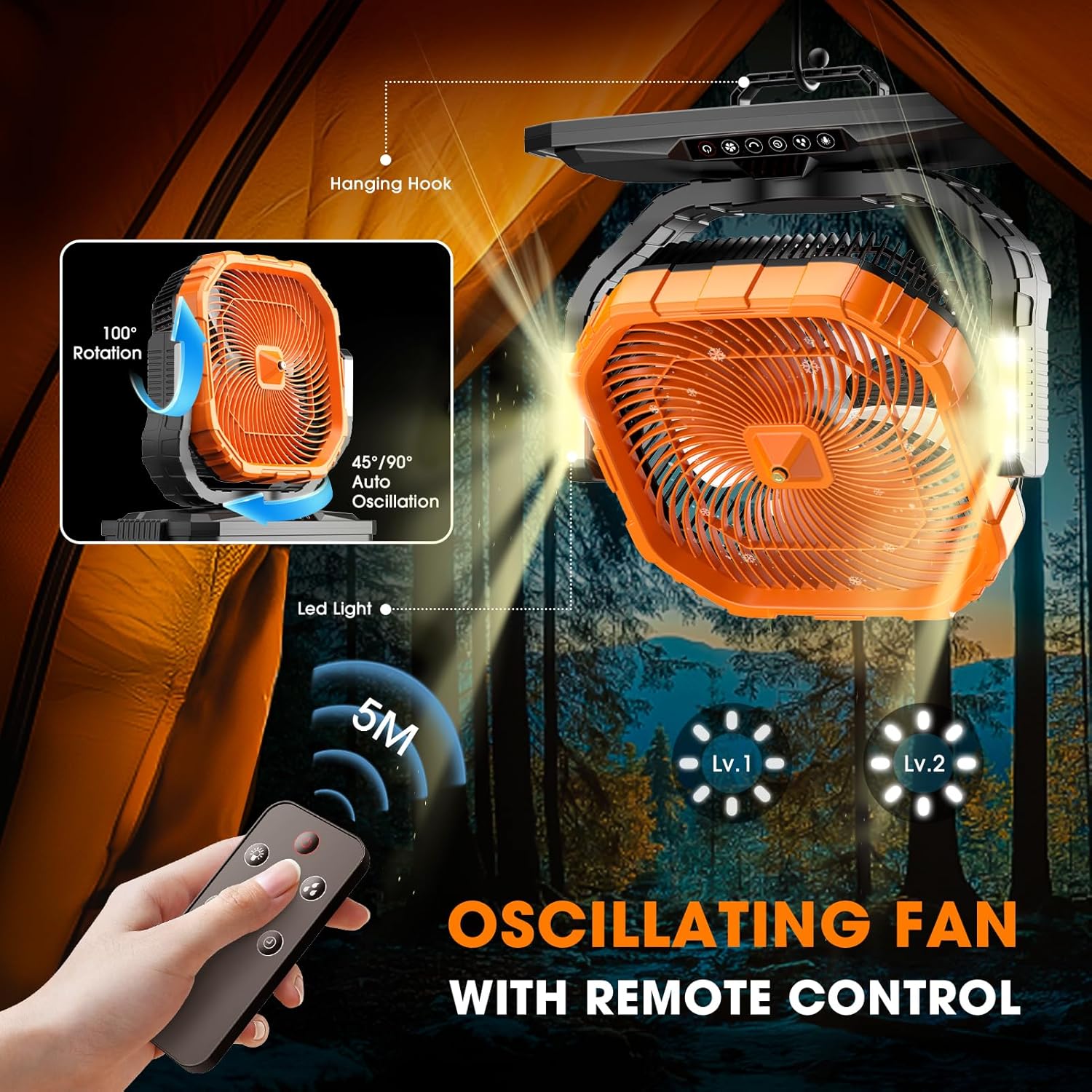
Figure 6.1: The Ausic P35 Misting Fan demonstrating its remote control functionality, including 45°/90° auto oscillation, 100° vertical rotation, and two levels of LED light, shown in a tent setting.
6.5. Timer Settings
Press the Timer button to set the fan to automatically turn off after 1, 2, 4, or 8 hours.
6.6. LED Light
Press the Light button to cycle through the two brightness settings for the integrated LED lights.
6.7. Remote Control Usage
The remote control allows convenient operation of all fan functions from a distance of up to 5 meters. Ensure the remote has working batteries.
Video 6.1: Official product video demonstrating the powerful and versatile misting fan, highlighting its features and benefits for summer cooling.
Video 6.2: Official product video showcasing the 12-inch 20L large bucket misting fan for outdoor use, detailing its design and functionality.
Video 6.3: Official product video demonstrating the amazing large mist fan, emphasizing its long cooling capabilities and suitability as a summer essential.
7. Maintenance
Regular maintenance ensures optimal performance and longevity of your Ausic P35 Misting Fan.
7.1. Cleaning the Fan Blades
Before cleaning, ensure the fan is turned off and unplugged. Use a soft, damp cloth to wipe the fan blades and grille. Do not use abrasive cleaners or allow water to enter the motor housing.
7.2. Cleaning the Water Tank
Empty any remaining water from the tank. Rinse the tank with clean water. For thorough cleaning, use a mild detergent and a soft brush, then rinse thoroughly to remove all soap residue. Allow the tank to air dry completely before refilling or storing.
7.3. Replacing Mist Nozzles
If mist output decreases or nozzles become clogged, replace them with the provided spare nozzles. Twist the old nozzle counter-clockwise to remove and twist the new nozzle clockwise to install.
7.4. Storage
When not in use for extended periods, ensure the water tank is empty and clean. The fan unit can be detached and stored inside the 5-gallon bucket for compact storage. Store in a cool, dry place away from direct sunlight.
8. Troubleshooting
If you encounter issues with your Ausic P35 Misting Fan, refer to the following common problems and solutions:
| Problem | Possible Cause | Solution |
|---|---|---|
| Fan does not turn on. | Battery is depleted. | Charge the battery using the provided adapter. |
| Power button not pressed correctly. | Ensure the power button is pressed firmly. | |
| No mist is produced. | Water tank is empty. | Refill the water tank with clean water. |
| Mist nozzles are clogged. | Clean or replace the mist nozzles. | |
| Misting function not activated. | Press the Mist Mode button to activate. | |
| Remote control not working. | Remote batteries are dead. | Replace the batteries in the remote control. |
| Out of range. | Move closer to the fan (within 5 meters). |
If the problem persists after attempting these solutions, please contact customer support.
9. Specifications
| Feature | Detail |
|---|---|
| Brand | Ausic |
| Model Name | P35 |
| Color | Orange |
| Electric Fan Design | Floor Fan |
| Power Source | Battery Powered |
| Product Dimensions (D x W x H) | 8.5"D x 17.7"W x 31.5"H |
| Special Features | 12-inch, 30000mAh Oscillating Fan, 5 Gallon Bucket Misting Fan, Bucket with 4 wheels, Portable Storage, 4 Strong Winds, Remote Control, Timer, LED light |
| Recommended Uses | Cooling (Garage, Pet, Chicken coop, Travel Essentials, Home Office, Bedroom, Fishing, Beach, Camping, Patio, Swimming pool, Golf Cart, Sport, Party) |
| Mounting Type | Caster |
| Controller Type | Button Control, Remote Control |
| Number of Speeds | 4 |
| Wattage | 20 watts |
| Indoor/Outdoor Usage | Indoor, Outdoor |
| Motor Type | Brushless |
| Installation Type | Portable |
| Light Type | LED |
| Material | Plastic |
| Item Weight | 4.65 Kilograms |
| UPC | 763344545490 |
10. Warranty and Customer Support
Ausic products are manufactured to high-quality standards. For any questions, technical assistance, or warranty claims, please contact Ausic customer service. Our customer service team is available 24 hours a day to assist you.
Please refer to your purchase documentation for specific warranty terms and contact information.