
Soundcore A3957
Contents
soundcore Liberty 5 Wireless Earbuds User Manual
Model: A3957 | Brand: Soundcore
Noise-Cancelling Wireless Earbuds with 2x Stronger Voice Reduction, Real-Time Adaptive Noise Cancellation, Fast Charging, Dolby Audio, 6-Mic AI Clear Calls, and Long Battery Life.
1. Setup
1.1 What's in the Box
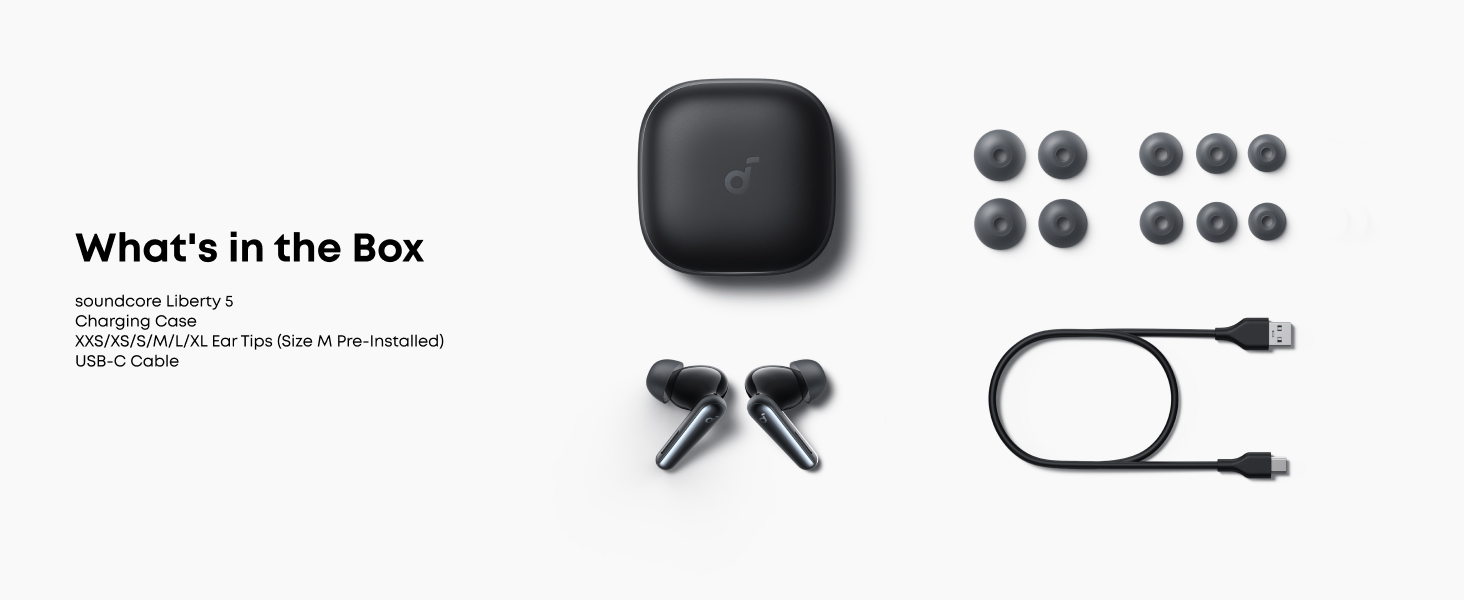
The soundcore Liberty 5 package includes the following items:
- soundcore Liberty 5 Earbuds
- Charging Case
- USB-C Cable
- XXS/XS/S/M/L/XL Ear Tips (Size M Pre-Installed)




1.2 Initial Charging
Before first use, fully charge the earbuds and the charging case. A full charge for the case takes approximately 3 hours. The earbuds provide up to 12 hours of playback on a single charge (ANC off) and up to 48 hours with the charging case.
1.3 Pairing and Connectivity
The soundcore Liberty 5 earbuds utilize Bluetooth 5.4 for stable and efficient wireless communication within a 10-meter range. They support Google Fast Pair for quick and convenient initial setup and multipoint connection for simultaneous pairing with two devices.
To pair:
- Open the charging case.
- The earbuds will automatically enter pairing mode.
- On your device, search for "soundcore Liberty 5" in the Bluetooth settings and select to connect.
For dual connections, refer to the video below:
Video: How to Connect Two Devices Simultaneously. This video demonstrates the steps to connect your soundcore Liberty 5 earbuds to two devices at the same time, enabling seamless switching between them.

1.4 Optimal Fit and Ear Tips
Choosing the correct ear tips is crucial for optimal noise cancellation and sound quality. The soundcore Liberty 5 comes with XXS, XS, S, M, L, and XL ear tips. Experiment with different sizes to find the best seal for your ears.
Video: How to Use Fit Test. This video guides you through using the soundcore app's Fit Test feature to ensure your ear tips provide a proper seal for the best audio experience and noise cancellation.
2. Operating Instructions
2.1 Noise Cancellation (ANC) and Transparency Mode
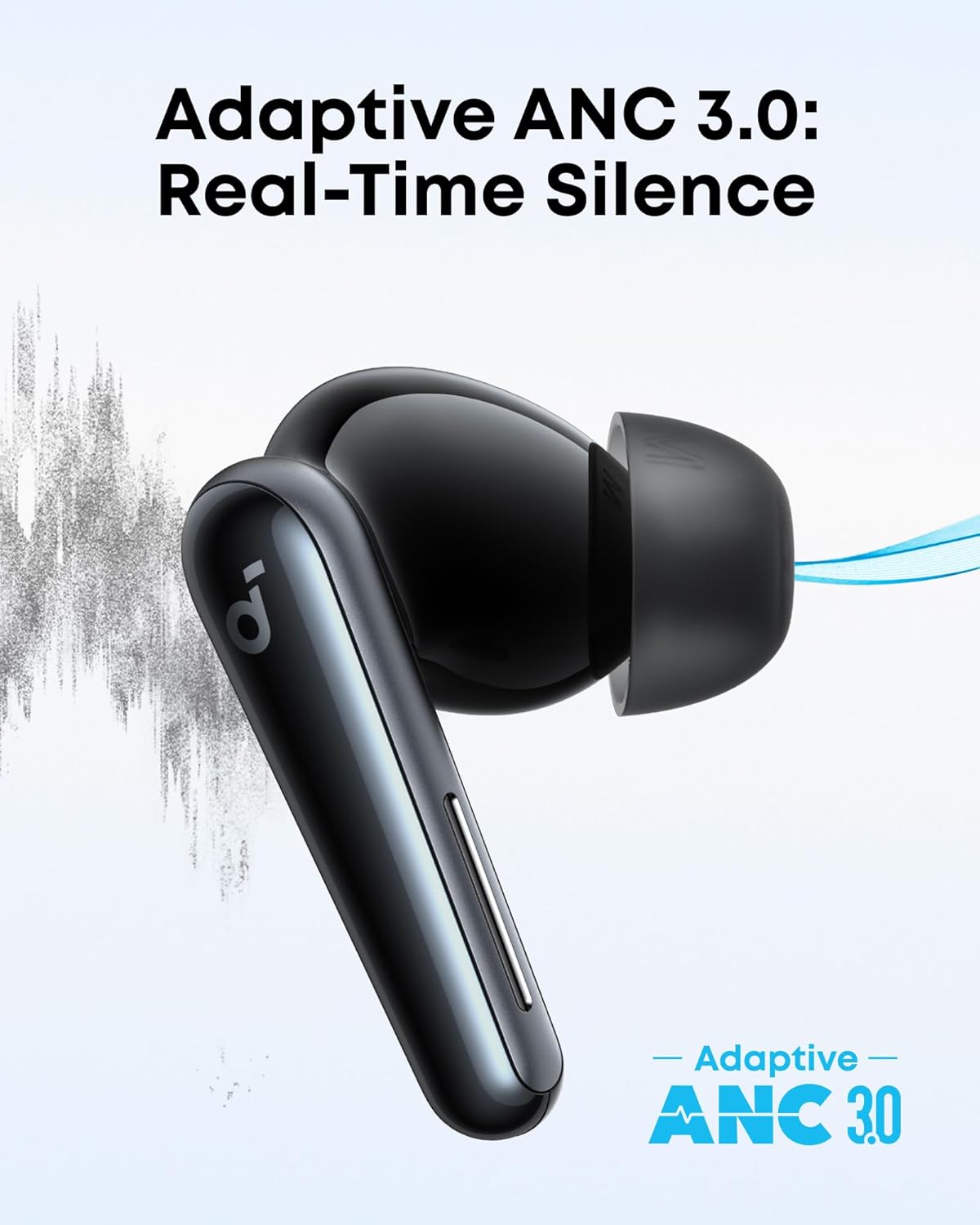
The soundcore Liberty 5 features Adaptive ANC 3.0 technology, which adjusts every 0.3 seconds to provide optimal noise cancellation. It is particularly effective at reducing human voices by up to 2 times more than previous models.
For situations where you need to be aware of your surroundings, activate Transparency Mode. This mode allows ambient sounds to pass through, making it easier to hear conversations or traffic without removing your earbuds.

2.2 Audio Quality
Enjoy immersive audio with industry-leading Dolby Audio and custom modes for music, movies, and podcasts. The earbuds are equipped with wool paper diaphragms and bass-enhancing tubes, supporting LDAC and Hi-Res Audio for rich, well-balanced treble and bass.


2.3 Call Quality
Equipped with six microphones and an AI noise cancellation algorithm, the Liberty 5 earbuds ensure clear calls by isolating your voice from ambient noise and reducing wind interference.
2.4 Touch Controls
The earbuds feature intuitive touch controls on their stems for managing playback, calls, and noise modes. Customize these controls via the soundcore app.
- Single Squeeze: Play/Pause music, Answer/End call.
- Double Squeeze: Skip tracks (customizable).
- Triple Squeeze: Activate voice assistant (customizable).
- Hold for 2 seconds: Switch ANC/Transparency mode.

2.5 Battery Life and Charging
The soundcore Liberty 5 offers extended battery life:
- ANC Off: Up to 12 hours per charge, 48 hours with case.
- ANC On: Up to 8 hours per charge, 32 hours with case.
- ANC On with Dolby: Up to 5 hours per charge, 20 hours with case.
A quick 10-minute charge provides up to 5 hours of playtime. The charging case supports wireless charging.

3. Maintenance
3.1 Cleaning
Regularly clean your earbuds and charging case to maintain optimal performance and hygiene. Use a soft, dry, lint-free cloth. For ear tips, you can gently wipe them with a damp cloth and mild soap, then dry thoroughly before reattaching.
3.2 Water and Dust Resistance
The soundcore Liberty 5 earbuds are IP55 water and dust-resistant, making them suitable for workouts and outdoor activities. This rating means they are protected against dust ingress and low-pressure water jets from any direction. However, they are not designed for submersion in water.
4. Troubleshooting
If you encounter any issues with your soundcore Liberty 5 earbuds, please refer to the official troubleshooting guide or try the following common solutions:
- No Sound: Ensure earbuds are charged, connected, and volume is up on both earbuds and device.
- Pairing Issues: Place earbuds back in the case, close and reopen, then try re-pairing. Ensure Bluetooth is enabled on your device.
- Distorted Audio: Check for interference, move closer to your device, or try a different audio source.
- ANC Not Effective: Ensure ear tips provide a good seal. Use the Fit Test in the soundcore app.
For more detailed solutions, download the official Troubleshooting Guide (PDF).
5. Specifications
| Feature | Specification |
|---|---|
| Model Name | Liberty 5 |
| Connectivity Technology | Wireless (Bluetooth 5.4) |
| Noise Control | Adaptive Noise Cancellation |
| Frequency Response | 20-40000 Hz |
| Audio Driver Type | Dynamic Driver (9.2 mm) |
| Battery Life (Earbuds) | Up to 12 hours (ANC off) |
| Battery Life (with Case) | Up to 48 hours |
| Charging Time (Case) | 3 Hours |
| Water Resistance Level | IP55 (Water Resistant) |
| Control Type | Touch Control |
| Item Weight | 57.1 Grams |
| Product Dimensions | 4.25 x 4.25 x 2.2 inches |
| Manufacturer | Anker |
6. Warranty and Support
6.1 Product Warranty
Soundcore products typically come with a limited warranty covering manufacturing defects. Please refer to the warranty card included with your product or visit the official Soundcore website for specific warranty terms and conditions.
6.2 Customer Support
For further assistance, technical support, or warranty claims, please contact Soundcore customer service through their official channels. You can also find additional resources and FAQs on the Soundcore Brand Store or download the comprehensive User Guide (PDF).
Documents and downloads
Ask a question about this manual
Ask about setup, troubleshooting, compatibility, parts, safety, or missing instructions. Manuals+ will review the question and use this page’s manual context to help answer it.