
1. Introduction
This manual provides comprehensive instructions for the installation, operation, maintenance, and troubleshooting of your Eonon UX6K-PRO-MAX Double Din Car Stereo. Please read this manual thoroughly before using the product to ensure proper functionality and safety. Keep this manual for future reference.

Figure 1: Eonon UX6K-PRO-MAX Car Stereo with accessories.
2. Package Contents
Verify that all items listed below are included in your product package:
- A0127 Reversing camera *1
- Power cord *1
- GPS Antenna *1
- 4G Antenna *1
- USB cable *1
- Carplay USB cable *1
- Reversing input cable *1
- Audio cable *1
- AV conversion cable *1
- Spare fuse *1
- SIM card holder *1
- External microphone *1
- Screws *8
- Instruction manual *1
3. Product Features
- Universal Double DIN Compatibility: The UX6K-PRO-MAX is a 10.1-inch universal double DIN head unit designed for seamless dashboard integration. It fits original car radio mounting sizes of 178x100mm (7.01"x3.94") with an ISO power cord. The panel offers universal adjustment angles (up, down, left, right).
- High Performance: Equipped with Android 13 system and an Octa-core 8GB RAM & 128GB ROM, ensuring snappy and responsive performance for everyday tasks. Supports 2.4G/5G Wi-Fi & WiFi6, and 4G SIM card internet access.
- Wireless CarPlay & Android Auto: Offers a hands-free experience with voice control via 'Hey Siri' or 'Hey Google' for music, navigation, calls, and messages. Supports screen mirroring for smartphone apps.
- Gorgeous 10.1-inch QLED Display: Features a 1280x720P HD resolution QLED screen for vibrant, true-to-life colors and precise control with a 2.5D multi-touch capacitive screen.
- Immersive Audio Experience: Includes RHOM 32107 DSP audio processing chip, a 48-band equalizer, and ST TDA7851 amplifier (4x48W surround sound). ST TDA7708 radio module ensures clear reception. Supports optical and coaxial audio outputs for professional-grade setups.
- Software Updates (OTA): Keep your car stereo up-to-date with Over-The-Air (OTA) updates to fix software issues and enhance security. Note: These updates are for software, not Android system upgrades.

Figure 2: Universal Double DIN fitment and adjustable viewing angle.

Figure 3: High-performance Qualcomm 8-Core processor.
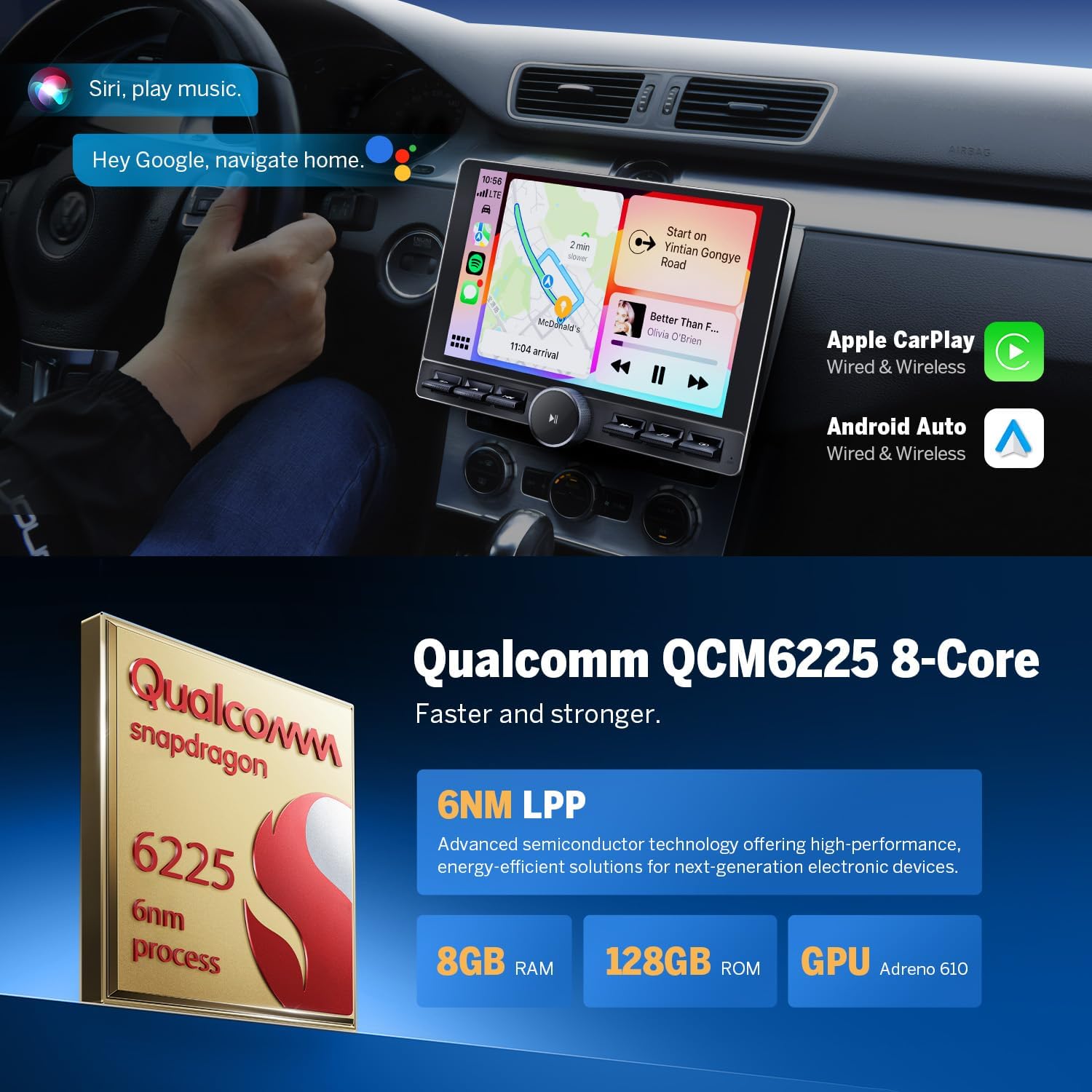
Figure 4: Wireless CarPlay and Android Auto in action.

Figure 5: The 10.1-inch QLED display.
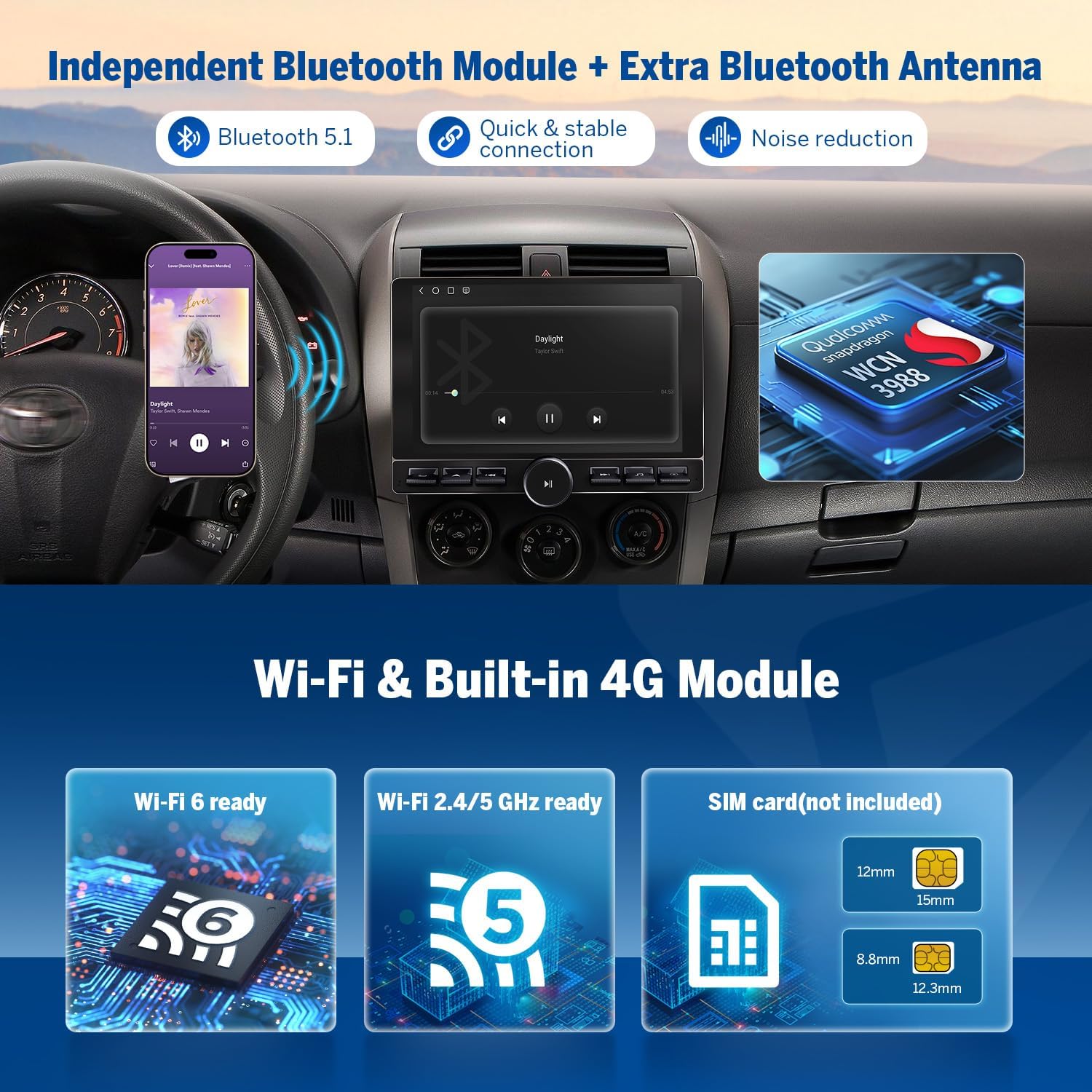
Figure 6: Built-in DSP and audio outputs.
4. Setup & Installation
Proper installation is crucial for optimal performance. It is recommended to have the unit installed by a professional if you are unsure about any steps.
4.1 Wiring Diagram Overview
Refer to the detailed wiring diagram provided in your package for all connections. Ensure all wires are securely connected to prevent malfunctions.
Figure 7: Comprehensive wiring diagram.
4.2 Connecting a Backup Camera
The unit supports a backup camera for enhanced safety during reversing. Connect the backup camera's power and video output to the corresponding inputs on the head unit and your vehicle's reverse light circuit.
Video 1: Detailed guide on connecting a backup camera to your Eonon car stereo.
4.3 Connecting a Front Camera
For additional visibility, you can connect a front camera. Ensure the camera's power is connected to an ACC (+12V) source and its video output is connected to the head unit's front camera input.
Video 2: Instructions for connecting a front camera to the head unit.
4.4 Connecting a Subwoofer
To enhance your audio experience, connect a subwoofer to the dedicated subwoofer output on the head unit. Ensure the amplifier control wire (AMP) from the head unit is connected to the amplifier's remote turn-on input.
Video 3: Guide on how to connect a subwoofer to your Eonon car stereo.
4.5 Setting Up Steering Wheel Controls
Configure your steering wheel controls to operate the head unit for convenient and safe driving. This typically involves connecting the SWC wires and then performing a learning process within the unit's settings.
Video 4: Instructions for setting up steering wheel controls.
4.6 Setting Up a SIM Card
The UX6K-PRO-MAX supports 4G SIM card internet access. Insert a Micro-SIM network card into the provided SIM card holder. Some SIM cards may require APN configuration. Consult your SIM card provider for specific APN settings if needed (Settings -> SIM card -> Access Point Names).
Video 5: Guide on how to set up a SIM card for internet access.
5. Operating Instructions
5.1 Wireless CarPlay & Android Auto
Connect your smartphone wirelessly to access CarPlay or Android Auto features. This allows for navigation, music playback, calls, and messaging directly from the head unit's display.

Figure 8: Wireless Apple CarPlay connection steps.

Figure 9: Wireless Android Auto connection steps.
5.2 Touch Calibration & Key Study
If the touchscreen or physical buttons are not responding correctly, you may need to perform a touch calibration or key study. This can be accessed via the settings menu or a five-finger shortcut on the screen.
Video 6: Guide for touch calibration and key study.
5.3 DSP Audio Customization
Utilize the built-in Digital Signal Processing (DSP) and 48-band equalizer to fine-tune your audio output for an optimal listening experience. Adjust settings like brightness, contrast, and saturation for connected cameras.
5.4 Split Screen Multitasking
The head unit supports split-screen functionality, allowing you to view and use two applications simultaneously on the 10.1-inch QLED display.
5.5 Over-the-Air (OTA) Firmware Updates
Regularly check for and install OTA firmware updates to ensure your device has the latest features, bug fixes, and security enhancements. Navigate to the system settings to initiate updates.
6. Maintenance
To ensure the longevity and optimal performance of your Eonon UX6K-PRO-MAX car stereo, follow these maintenance guidelines:
- Cleaning: Use a soft, dry cloth to clean the screen and exterior. For stubborn smudges, slightly dampen the cloth with water or a screen-safe cleaner. Avoid abrasive materials or harsh chemicals.
- Temperature: Avoid exposing the unit to extreme temperatures, both hot and cold, for extended periods.
- Ventilation: Ensure the unit's ventilation openings are not blocked to prevent overheating.
- Connections: Periodically check all wiring connections to ensure they are secure and free from corrosion.
7. Troubleshooting
If you encounter issues with your Eonon UX6K-PRO-MAX, refer to the following common problems and solutions:
| Problem | Possible Cause | Solution |
|---|---|---|
| Unit does not power on | Incorrect wiring, blown fuse, insufficient power supply. | Check power connections (ACC, GND, B+). Inspect the fuse in the power cord and replace if necessary. Ensure stable 12V power supply. |
| No sound output | Incorrect speaker wiring, volume too low, mute activated, amplifier issue. | Verify speaker connections. Increase volume. Check if mute function is active. If using an external amplifier, ensure it is powered on and correctly connected. |
| Touchscreen unresponsive or inaccurate | Calibration needed, software glitch. | Perform a touch calibration (refer to Video 6 in Section 5.2). Restart the unit. If issue persists, consider a factory reset (backup data first). |
| Volume increases by itself (as reported by some users) | Hardware defect, software anomaly. | Attempt a factory reset. If the issue persists, contact Eonon customer support for assistance as this may indicate a hardware fault. |
| SIM card not detected or no internet | Incorrect SIM insertion, APN settings, network coverage. | Ensure SIM card is correctly inserted (refer to Video 5 in Section 4.6). Verify APN settings with your SIM provider. Check for 4G network coverage in your area. |
| CarPlay/Android Auto not connecting | Bluetooth/Wi-Fi issues, phone compatibility, software glitch. | Ensure Bluetooth and Wi-Fi are enabled on both the head unit and your phone. Restart both devices. Check phone compatibility with CarPlay/Android Auto. Update head unit firmware. |
8. Specifications
| Specification | Value |
|---|---|
| Model Number | UX6K-PRO-MAX |
| Operating System | Android 13 |
| Processor | 8-Core (Qualcomm QCM6225) |
| RAM | 8GB |
| ROM | 128GB |
| Screen Size | 10.1 Inches |
| Display Type | QLED, 2.5D Multi-touch Capacitive |
| Resolution | 1280x720P HD |
| Wireless Connectivity | Wi-Fi 6 (2.4G/5G), Bluetooth 5.4, 4G LTE (SIM card required) |
| Audio Processing | RHOM 32107 DSP, 48-band Equalizer |
| Amplifier | ST TDA7851 (4x48W output) |
| Radio Module | ST TDA7708 (AM/FM radio) |
| Audio Outputs | Optical, Coaxial, RCA |
| Compatible Devices | Mobile Phone (CarPlay/Android Auto) |
| Item Weight | 5.99 pounds |
| Manufacturer | Eonon |
9. Warranty & Support
Eonon products are designed for reliability and performance. For warranty information, technical support, or service inquiries, please refer to the warranty card included in your package or visit the official Eonon website. Keep your purchase receipt as proof of purchase for warranty claims.


