
Introduction
This manual provides detailed instructions for the Keyscaper Marvel Avengers Thor Sigil Wireless TWS Earbuds, Model 00E71. These earbuds offer a wireless Bluetooth range of 35-50 feet and up to 4 hours of playtime per charge. Please read this manual thoroughly before using your earbuds to ensure proper operation and to maximize their lifespan.

Image: The Thor Sigil, representing the design theme of the earbuds.
What's in the Box
Upon unboxing, please verify that all the following items are included:
- Keyscaper Marvel Avengers Thor Sigil Wireless TWS Earbuds
- Wireless Charging Case
- Charging Cable
- User Manual (this document)

Image: Contents of the product package, including the earbuds, charging case, and cable.
Setup
1. Charging the Earbuds and Case
- Place the earbuds into the charging case. Ensure they are correctly seated.
- Connect the charging cable to the charging case and a USB power source.
- The indicator light on the case will illuminate to show charging status. A full charge takes approximately 2 hours.
- Once fully charged, disconnect the charging cable. The case provides additional charges for the earbuds, extending total usage time to approximately 12 hours.
2. Pairing with a Bluetooth Device
- Ensure the earbuds are charged.
- Open the charging case. The earbuds will automatically enter pairing mode, indicated by a flashing LED light on one or both earbuds.
- On your device (smartphone, tablet, etc.), enable Bluetooth.
- Search for available Bluetooth devices and select "Keyscaper Thor Earbuds" (or similar name).
- Once connected, the earbud indicator lights will stop flashing.
- The earbuds will automatically reconnect to the last paired device when removed from the case, if Bluetooth is enabled on the device.
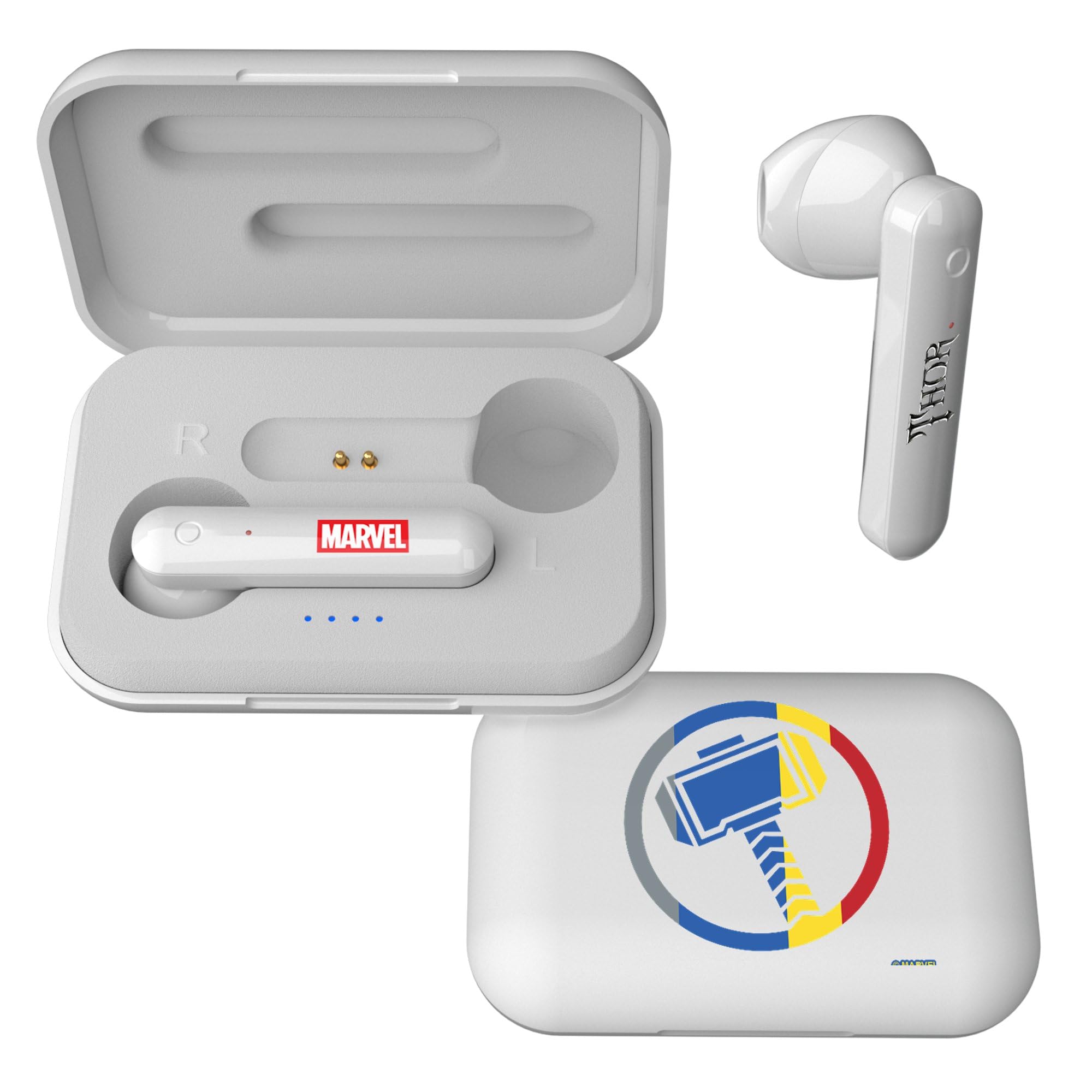
Image: The Keyscaper Thor Sigil Wireless TWS Earbuds inside their charging case, ready for pairing or charging.
Operating Instructions
Power On/Off
- Power On: The earbuds power on automatically when removed from the charging case.
- Power Off: Place the earbuds back into the charging case to power them off automatically. Alternatively, if disconnected from a device for several minutes, they may power off to save battery.
Music Playback
- Play/Pause: Tap either earbud once.
- Next Track: Double-tap the right earbud.
- Previous Track: Double-tap the left earbud.
- Volume Control: (Specific touch controls for volume may vary or be controlled via the connected device.)
Call Management
- Answer/End Call: Tap either earbud once.
- Reject Call: Press and hold either earbud for 2 seconds.
Voice Assistant
- Activate Voice Assistant: Triple-tap either earbud.
Maintenance
- Cleaning: Use a soft, dry, lint-free cloth to clean the earbuds and charging case. Do not use abrasive cleaners, alcohol, or chemical solvents.
- Storage: When not in use, store the earbuds in their charging case to protect them from dust and damage. Store in a cool, dry place away from direct sunlight and extreme temperatures.
- Battery Care: To preserve battery life, charge the earbuds and case regularly, even if not used frequently. Avoid fully discharging the battery for extended periods.
Troubleshooting
| Problem | Possible Solution |
|---|---|
| Earbuds not pairing with device. |
|
| No sound from earbuds. |
|
| Earbuds not charging. |
|
| One earbud has no sound. |
|
Specifications
| Brand | Keyscaper |
| Model Number | 00E71 |
| Model Name | Wireless TWS Earbuds |
| Color | Thor Sigil |
| Ear Placement | In Ear |
| Form Factor | True Wireless |
| Connectivity Technology | Bluetooth, Wireless |
| Wireless Range | 35-50 feet |
| Battery Life (Earbuds) | Up to 4 hours |
| Total Battery Life (with Case) | Up to 12 hours |
| Battery Charge Time | Approximately 2 hours |
| Enclosure Material | Plastic |
| UPC | 198905403788 |
| Manufacturer | IMAZON INTERNATIONAL Co., Limited |
Warranty Information
The Keyscaper Marvel Avengers Thor Sigil Wireless TWS Earbuds come with a one-year warranty against manufacturing defects. This warranty covers defects in materials and workmanship under normal use. It does not cover damage caused by misuse, accidents, unauthorized modifications, or normal wear and tear. Please retain your proof of purchase for warranty claims.
Support
For further assistance, technical support, or warranty inquiries, please contact Keyscaper customer service. Refer to the official Keyscaper website or your purchase documentation for contact details.
You can visit the Keyscaper Store on Amazon for more information and products.