
1. Introduction
Thank you for choosing the Maestri House K112 Espresso Coffee Scale. This digital scale is designed for precise coffee brewing, offering 0.1g accuracy and a maximum capacity of 2kg. Its compact size, rechargeable battery, and versatile timing modes make it an essential tool for both espresso and pour-over coffee enthusiasts.
Please read this manual thoroughly before using the scale to ensure proper operation and to maximize its lifespan.

Image 1.1: Maestri House K112 Espresso Coffee Scale (Black, Silver variant).
2. Product Components
The Maestri House K112 Espresso Coffee Scale package includes the following items:
- 1 x Maestri House K112 Coffee Scale
- 1 x User Manual
- 1 x Silicone Pad
- 1 x USB-C Charging Cable

Image 2.1: The included silicone pad provides heat protection, a steady grip, and surface protection.
3. Setup
- Unpack: Carefully remove all components from the packaging.
- Initial Charge: Before first use, fully charge the scale using the provided USB-C cable. Connect the cable to the scale's USB-C port and a compatible power source. The display will indicate charging status.
- Place Silicone Pad: Position the silicone pad on the weighing platform. This protects the scale surface from heat and spills, and provides an anti-slip surface for your brewing equipment.
- Power On: Locate the ON/OFF switch on the side of the scale and slide it to the 'ON' position. The display will light up.

Image 3.1: The USB-C charging port for convenient recharging.
4. Operating Instructions
4.1. Power On/Off
Slide the physical switch on the side of the scale to 'ON' to power it on. Slide it to 'OFF' to power it off. The scale also features an auto-sleep function after 5 minutes of inactivity to conserve battery.
4.2. Unit Conversion (g/oz/ml)
With the scale powered on, press the 'ZERO/POWER' button briefly to cycle through the available units: grams (g), ounces (oz), and milliliters (ml). Select the desired unit for your measurement.

Image 4.1: The scale display showing weight and timer, with indicators for various functions.
4.3. Tare Function
To zero out the weight of a container (tare), place the empty container on the scale. Once the weight stabilizes, press the 'ZERO/POWER' button. The display will reset to 0.0, allowing you to measure only the contents added thereafter.
4.4. Manual Timer Mode
In manual timer mode, you control when the timer starts and stops. Press the 'TIMER' button to start the timer. Press it again to pause, and a third time to reset. This mode is ideal for precise control over your brewing process.
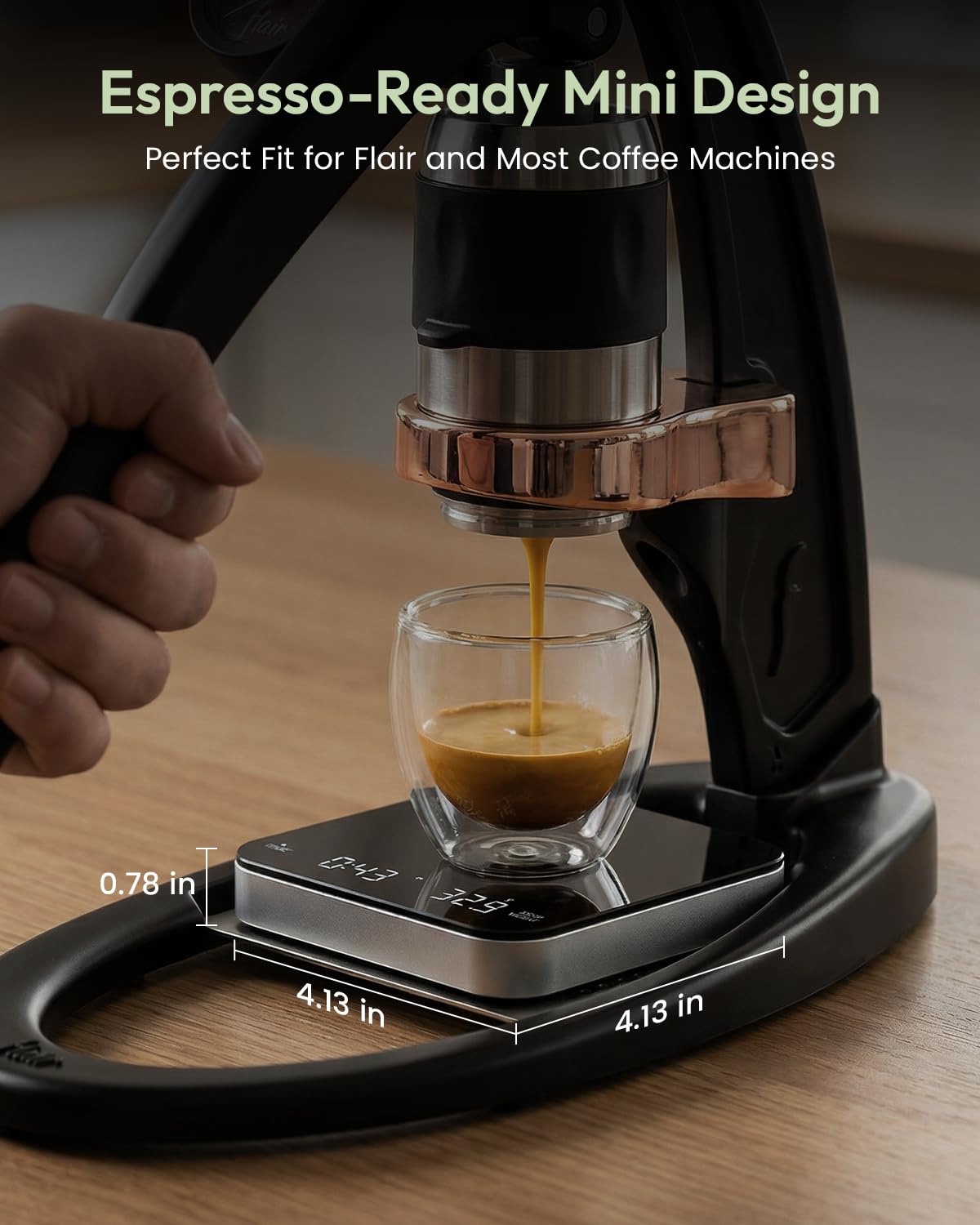
Image 4.2: Using the scale for espresso brewing with manual timer control.
4.5. Automatic Timer Mode
The automatic timer mode simplifies pour-over and espresso brewing. To activate, press and hold the 'TIMER' button until the auto-timer icon appears on the display. When you place a cup or pour liquid onto the scale, it will automatically start the timer and display the weight. The timer will pause when the flow stops and reset when the item is removed.
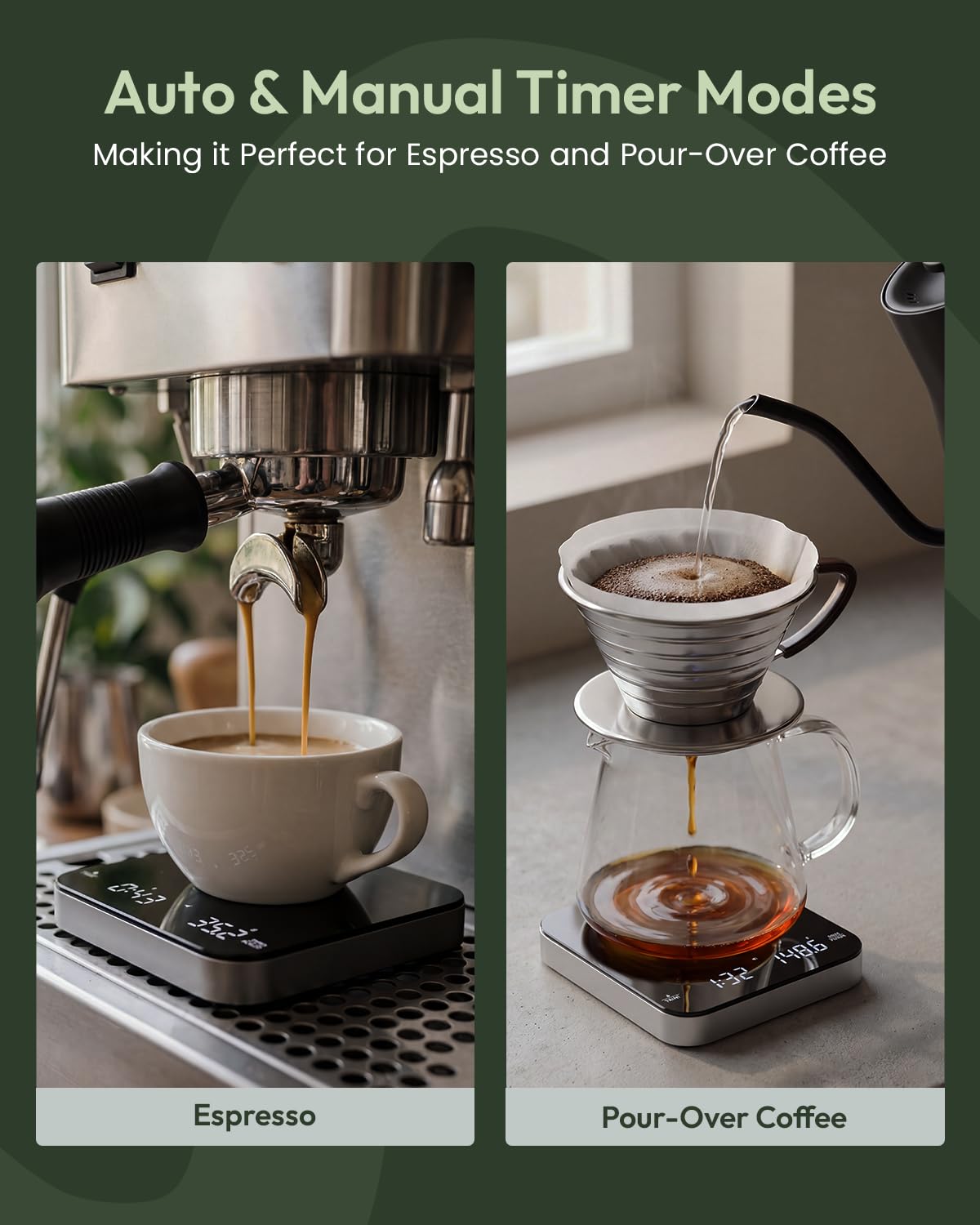
Image 4.3: The scale in use for pour-over coffee, demonstrating automatic timer functionality.
4.6. Silent Function
To mute the scale's beeping sounds, press and hold both the 'TIMER' and 'ZERO/POWER' buttons simultaneously for approximately 2 seconds. Repeat the action to re-enable the sound.
Video 4.1: Demonstration of the Maestri House K112 coffee scale's features, including unit conversion, tare, and silent function.
5. Charging
The Maestri House K112 scale is equipped with a built-in 500 mAh lithium battery. When the battery is low, the display will show a low battery indicator. Connect the provided USB-C cable to the scale and a 5V/1A power adapter (not included) or a computer USB port for charging. A full charge can provide up to 90 days of use, depending on usage frequency.
6. Maintenance and Care
- Cleaning: Wipe the scale surface with a soft, damp cloth. Do not immerse the scale in water or use abrasive cleaners. The borosilicate glass surface and silicone pad are designed for easy cleaning.
- Storage: Store the scale in a dry, cool place away from direct sunlight and extreme temperatures.
- Protection: Always use the silicone pad to protect the weighing platform from scratches, heat, and spills.
- Avoid Overload: Do not exceed the maximum weight capacity of 2000g (2kg) to prevent damage to the sensors.
7. Troubleshooting
| Problem | Possible Cause | Solution |
|---|---|---|
| Scale does not turn on | Low battery or power switch is off. | Charge the scale using the USB-C cable. Ensure the ON/OFF switch is in the 'ON' position. |
| Inaccurate readings | Scale not on a flat surface, overloaded, or external interference. | Place the scale on a stable, flat surface. Ensure weight does not exceed 2kg. Avoid strong electromagnetic fields. |
| Timer not starting automatically | Not in automatic timer mode or initial weight too low. | Ensure automatic timer mode is activated (auto-timer icon visible). The minimum detection weight is 0.5g. |
| Display shows "Err" | Overload or internal error. | Remove items from the scale immediately. If the error persists, power off and restart the scale. |
8. Specifications
- Model: K112
- Brand: Maestri House
- Weight Capacity: 0.5g - 2000g (2kg)
- Accuracy: 0.1g
- Units: Grams (g), Ounces (oz), Milliliters (ml)
- Display Type: LED
- Battery: 500 mAh Lithium-ion (Rechargeable)
- Charging Port: USB-C
- Auto-Off: 5 minutes of inactivity
- Dimensions: Approximately 4.13 x 4.13 x 0.78 inches (10.5 x 10.5 x 2 cm)
- Material: Borosilicate Glass, Silicone, Plastic/Metal
9. Warranty and Support
Maestri House provides a standard warranty for this product. For detailed warranty information, please refer to the warranty card included in your package or visit the official Maestri House website. If you encounter any issues or have questions regarding your K112 Espresso Coffee Scale, please contact Maestri House customer support for assistance.
Contact information can typically be found on the product packaging or the official brand website: Maestri House Store


