
1. Product Overview
The BrickSoul Light Up Kit is an accessory designed to illuminate your Lego Art Love 31214 Building Set. This kit enhances the visual appeal of your model with high-quality LED lighting and features a cable-hiding design for a clean, professional display. Please note that the Lego 31214 Building Set is not included with this lighting kit.

Image 1.1: The BrickSoul Light Up Kit installed on the Lego Art Love 31214 model, showcasing its illuminated appearance.
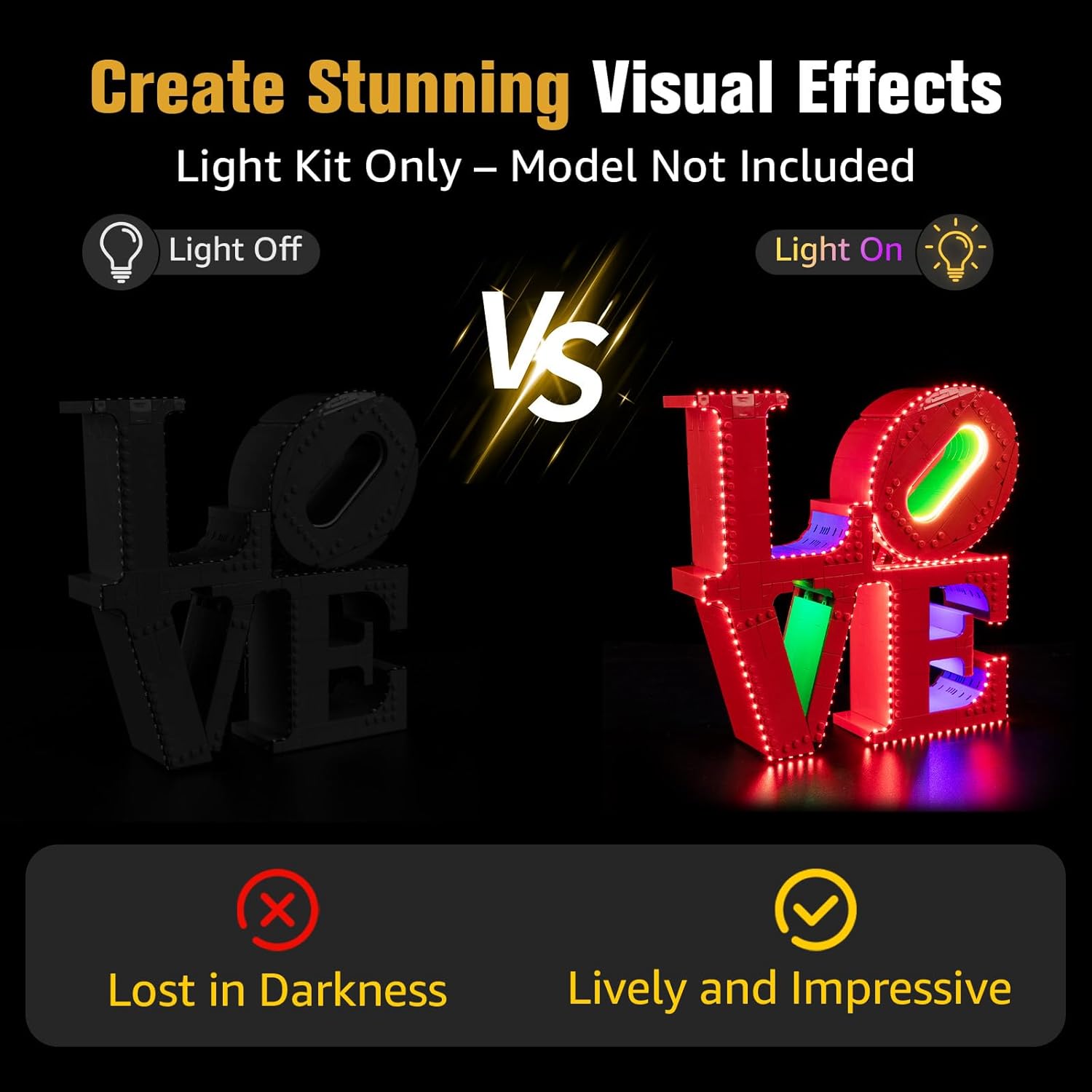
Image 1.2: A comparison showing the Lego Art Love 31214 model unlit versus illuminated with the BrickSoul Light Up Kit, highlighting the visual enhancement.
2. Safety Information
Please read and understand all safety instructions before installation and use.
- This product is intended for users aged 14 and up.
- The light kit operates on stable 5V low-voltage components for enhanced safety.
- Do not attempt to modify or disassemble the light components.
- Keep small parts away from young children to prevent choking hazards.
- Ensure all connections are secure before powering on the kit.
3. Package Contents
Verify that all components listed below are present in your package:
- LED Light Kits (various light bags)
- USB Power Cable
- Battery Box (AAA batteries not included)
- Online Video/PDF Instruction Guide Access (via QR code or link)

Image 3.1: Contents of the BrickSoul Light Up Kit package, including light kits, instructions, and power options. Note: Lego set is not included.
4. Setup and Installation
Follow these steps to install your BrickSoul Light Up Kit. Digital instructions (video or PDF) are available online and are highly recommended for a smooth installation process.
- Access Digital Instructions: Scan the QR code provided in the package or visit the BrickSoul website to access the detailed online video or PDF instructions specific to the Lego Art Love 31214 model. These instructions provide step-by-step visual guidance.
- Prepare Your Lego Model: The installation of the light kit may require partial disassembly of your existing Lego Art Love 31214 model. Refer to the digital instructions for precise guidance on which sections need to be carefully separated.
- Install Light Components: The light kit includes clearly numbered light bags that correspond to specific installation steps. Use the intuitive snap-on connectors to attach the lights to your Lego model. The upgraded cable-hiding technology is designed to integrate wires seamlessly within the Lego structure, making them virtually invisible.
- Reconnect Lego Sections: Once the lights and wires are properly routed and secured, carefully reassemble the Lego sections according to the digital instructions.
- Connect Power: Choose one of the following power options:
- USB Power: Connect the included USB cable to the light kit and plug the other end into a 5V USB power adapter (not included) or a USB port.
- Battery Box Power: Insert 3 AAA batteries (not included) into the battery box, then connect the battery box to the light kit.

Image 4.1: Illustration of accessing digital instructions via a tablet, emphasizing the online-only manual.

Image 4.2: A comparison demonstrating the clean and tidy wiring of the BrickSoul kit versus tangled wires from other kits, highlighting the cable-hiding feature.
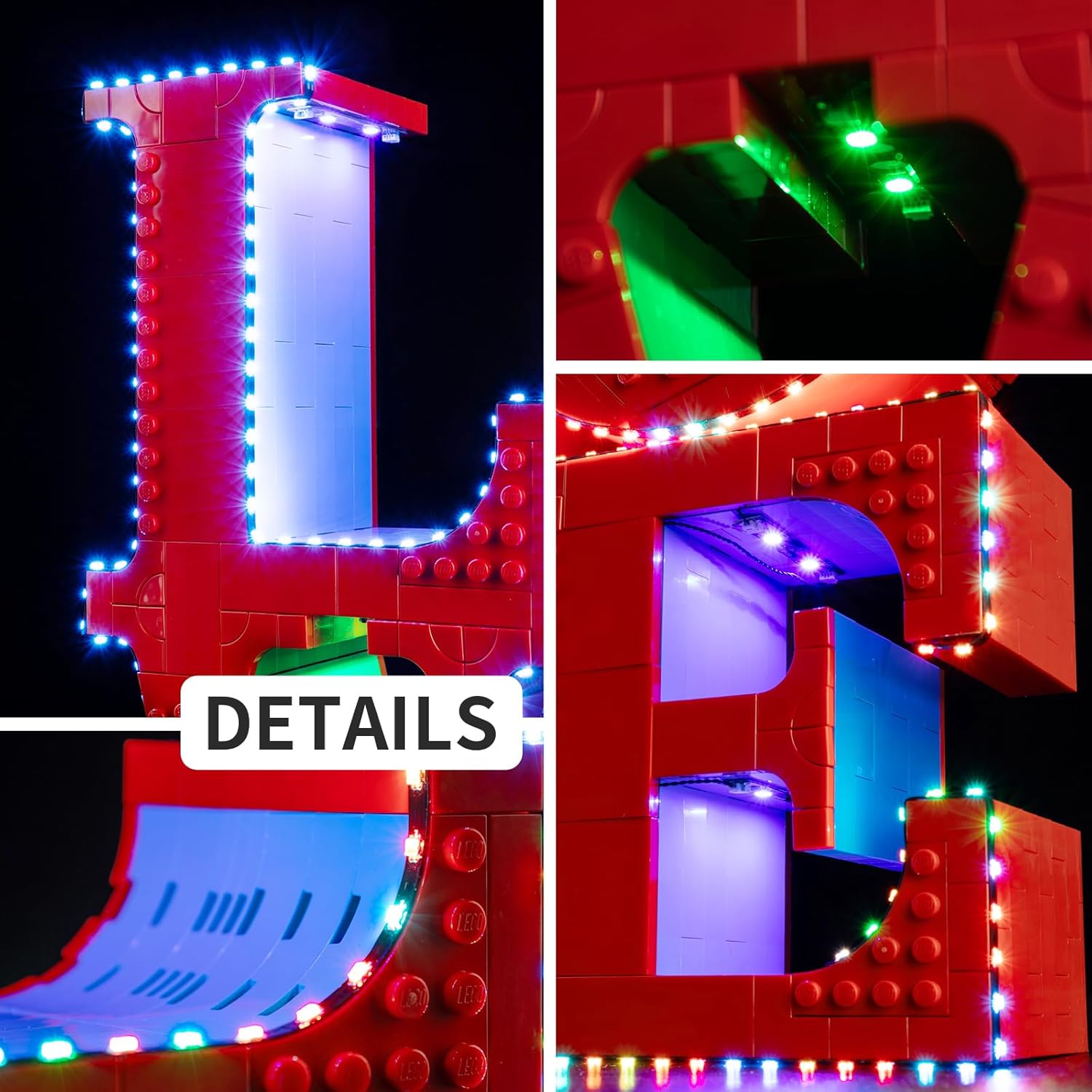
Image 4.3: Close-up images showing the detailed installation of individual light components and light strips within the Lego model.
5. Operating Instructions
Once the light kit is fully installed and connected to a power source, the lights will illuminate. There are no complex operating modes; the kit is designed for continuous display lighting.
- To turn the lights on, ensure the power source (USB or battery box) is active.
- To turn the lights off, disconnect the USB cable or remove the batteries from the battery box.
6. Maintenance
To ensure the longevity and optimal performance of your BrickSoul Light Up Kit, follow these simple maintenance guidelines:
- Cleaning: Gently wipe the LED components and wires with a dry, soft cloth to remove dust. Do not use liquid cleaners or abrasive materials.
- Storage: If storing the model for an extended period, disconnect the power source (remove batteries or unplug USB cable).
- Handling: Handle the illuminated model with care to avoid damaging the delicate wiring and LED components.
7. Troubleshooting
If you encounter any issues with your light kit, refer to the following common problems and solutions:
| Problem | Possible Cause | Solution |
|---|---|---|
| Lights do not turn on. | No power, loose connection, incorrect battery installation. | Ensure USB cable is securely connected to a working power source or that batteries are correctly inserted and charged in the battery box. Check all light kit connections. |
| Some lights are not working. | Loose connection, damaged wire/LED, missing component. | Carefully inspect the connections for the non-working lights. Refer to the digital instructions to ensure all components are installed correctly. If a component is damaged, contact customer support. |
| Wires are visible or messy. | Incorrect wire routing. | Review the digital instructions for proper cable-hiding techniques. Gently re-route wires to integrate them seamlessly within the Lego structure. |
| Installation is difficult to follow. | Reliance on static images, complex steps. | Utilize the online video instructions for a more dynamic and clear guide. Pause and replay sections as needed. Contact customer support for further assistance. |
8. Product Specifications
- Product Dimensions: 6 x 5 x 1.2 inches
- Item Weight: 4.5 ounces
- Item Model Number: BS-31214-cv
- Manufacturer Recommended Age: 14 years and up
- Power Input: 5V (via USB cable or 3x AAA batteries)
- Manufacturer: BrickSoul
9. Warranty and Customer Support
BrickSoul is committed to providing high-quality products and excellent customer service. Your satisfaction is guaranteed.
- Warranty: This product comes with 1-Year Hassle-Free Support.
- Replacements: We offer free and fast replacements for any defective or missing parts.
- Customer Service: Our responsive customer support team is available to swiftly resolve any questions or issues you may have.
- Contact: For support, please visit the official BrickSoul store on Amazon or refer to the contact information provided in your digital instruction guide.

Image 9.1: An image showcasing positive customer feedback and highlighting BrickSoul's commitment to high-quality craftsmanship and superior service.