
Skuehod Richmat HJH5
User Manual
Richmat Remote Control Replacement for Adjustable Bed
Model: Richmat HJH5 | Brand: Skuehod
Introduction
This manual provides instructions for the installation, operation, and maintenance of your Richmat 2-button, 5-pin wired hand controller for adjustable beds. Please read this manual thoroughly before use to ensure proper function and longevity of the product.
Package Contents
- 1 x Richmat 2-Button, 5-Pin Wired Hand Controller

Image: The Richmat wired hand controller, showing the main unit, attached cable, and the 5-pin circular connector at the end of the cable.
Specifications
| Model Number | Richmat HJH5 |
| Controller Type | Button Control |
| Number of Buttons | 2 |
| Connector Type | 5-Pin Circular Connector |
| Compatible Devices | Adjustable Beds (Richmat systems) |
| Color | Sliver (Buttons), Black (Body) |
| Item Weight | 4.2 ounces |
| Manufacturer | Richmat |
Setup
- Locate the Control Box: Identify the control box on your adjustable bed frame. This is typically located near the motor or under the bed.
- Identify the Connector Port: Find the corresponding 5-pin circular port on the control box. Ensure it matches the connector on your new Richmat remote.

Image: A detailed view of the 5-pin circular connector, highlighting its configuration for proper connection.
- Connect the Remote: Align the pins of the remote's connector with the holes in the control box port. Gently push the connector firmly into place until it is secure. Do not force the connection.
- Test Functionality: Once connected, test the remote by pressing the "Head Up" and "Head Down" buttons to ensure the bed responds correctly.
- Optional: Attach Removable Hook: The remote comes with a removable hook for convenient storage. To attach, slide the hook onto the back of the remote until it clicks into place. To remove, gently pull the hook away from the remote.
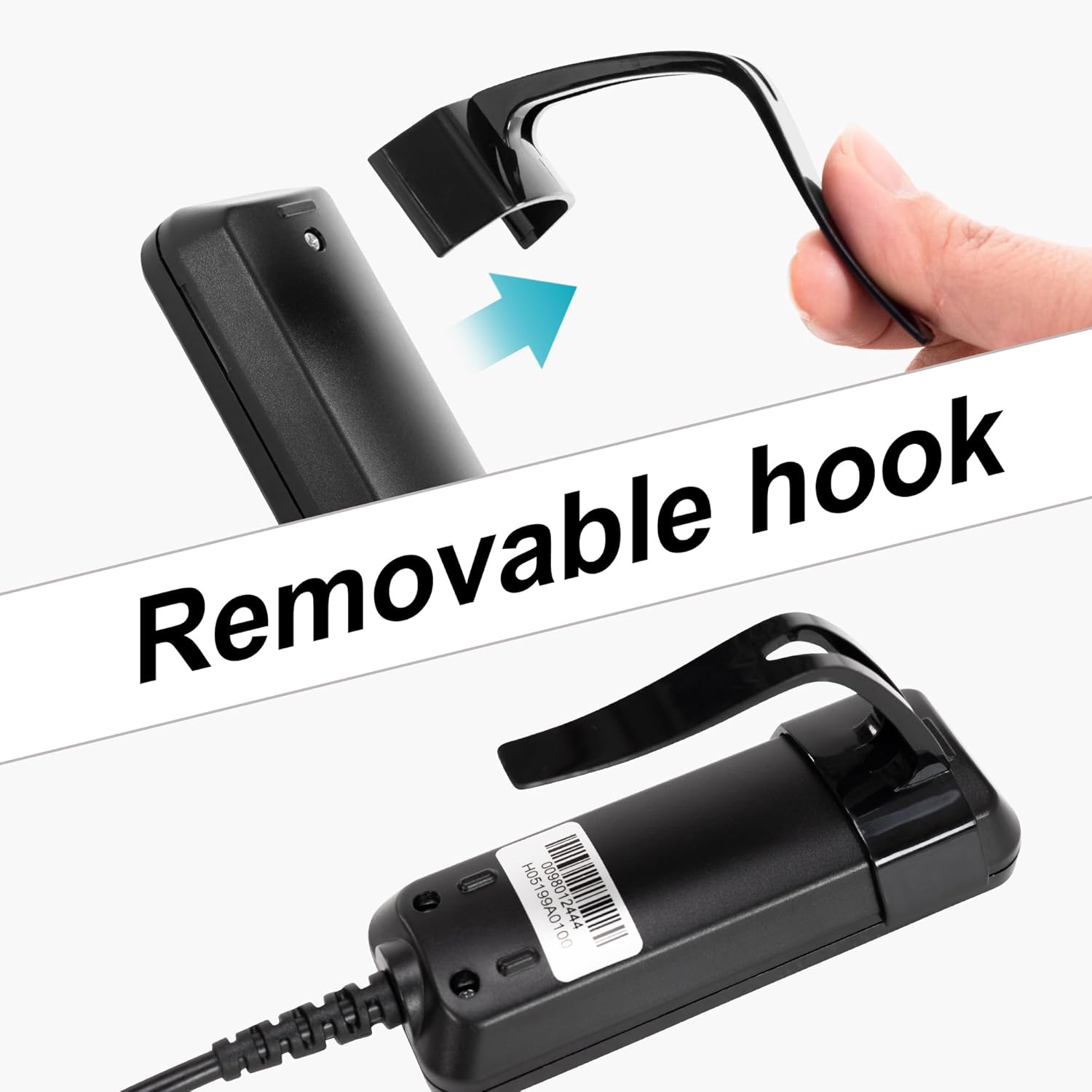
Image: An illustration demonstrating the process of attaching the removable hook to the back of the remote control unit.

Image: The Richmat remote control with the black removable hook securely attached to its back, ready for hanging.

Image: The remote control conveniently hanging from a wooden bed frame, demonstrating the utility of the removable hook for easy access.
Operating Instructions
The Richmat hand controller features two primary buttons for adjusting your bed's head section.

Image: A close-up view of the remote's two buttons, clearly labeled "Head up" (triangle pointing up) and "Head down" (triangle pointing down).
- Head Up Button (▲): Press and hold this button to raise the head section of your adjustable bed. Release the button when the desired position is reached.
- Head Down Button (▼): Press and hold this button to lower the head section of your adjustable bed. Release the button when the desired position is reached.
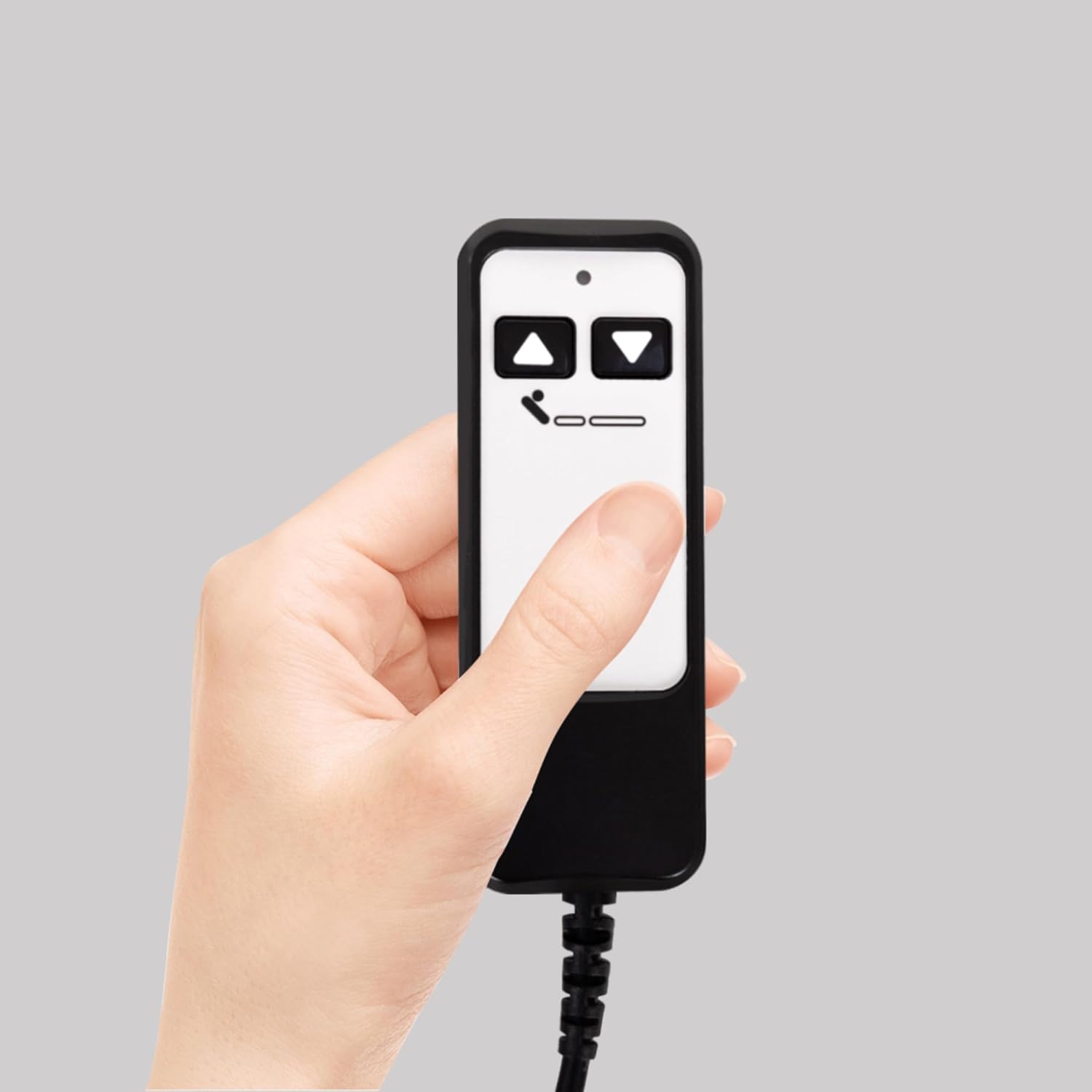
Image: A hand holding the Richmat remote control, illustrating its compact size and ease of grip during operation.
Maintenance
- Cleaning: Wipe the remote control with a soft, dry cloth. Do not use liquid cleaners, aerosols, or abrasive cleaning agents.
- Storage: When not in use, store the remote in a dry place away from direct sunlight and extreme temperatures. The removable hook can be used to hang the remote for convenient storage.
- Cable Care: Avoid bending or kinking the cable excessively. Ensure the cable is not pinched by the bed frame or other objects.
Troubleshooting
If you experience issues with your Richmat remote control, please refer to the following common problems and solutions:
| Problem | Possible Cause | Solution |
|---|---|---|
| Remote does not work (no response from bed). |
|
|
| Buttons are unresponsive or sticky. |
|
|
Warranty and Support
Information regarding specific warranty terms for the Richmat HJH5 remote control is not provided in the product details. For warranty claims or technical support, please contact the seller or manufacturer directly through your purchase platform.
Ask a question about this manual
Ask about setup, troubleshooting, compatibility, parts, safety, or missing instructions. Manuals+ will review the question and use this page’s manual context to help answer it.