
LUNINO K2
LUNINO K2 HEPA Double-Sided Air Purifier User Manual
Model: K2
1. Introduction
Thank you for choosing the LUNINO K2 HEPA Double-Sided Air Purifier. This manual provides essential information for the safe and efficient operation, maintenance, and troubleshooting of your air purifier. Please read it thoroughly before use and retain it for future reference.

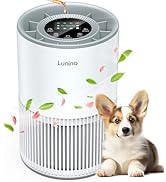
Image 1.1: LUNINO K2 Air Purifier
The LUNINO K2 is designed to improve indoor air quality by effectively removing various airborne pollutants. It features a double-sided air intake, a multi-stage filtration system, and smart air quality monitoring.
2. Important Safety Instructions
To reduce the risk of fire, electric shock, or injury, please observe the following safety precautions:
- Read all instructions before operating the appliance.
- Ensure the power supply voltage matches the rating label on the appliance.
- Do not operate the air purifier with a damaged cord or plug. If the cord or plug is damaged, contact customer support.
- Keep the power cord away from heated surfaces.
- Do not use the appliance in wet environments or near water.
- Always unplug the air purifier before moving it, cleaning it, or replacing filters.
- Do not insert fingers or foreign objects into any openings.
- This appliance is not intended for use by persons (including children) with reduced physical, sensory, or mental capabilities, or lack of experience and knowledge, unless they have been given supervision or instruction concerning use of the appliance by a person responsible for their safety.
- Do not block air inlets or outlets.
- Use only LUNINO authorized replacement filters.
3. Package Contents
Verify that all items are present in the package:
- LUNINO K2 Air Purifier Unit
- HEPA Filtration System (Pre-installed)
- User Manual
4. Product Overview
Familiarize yourself with the components of your LUNINO K2 Air Purifier:
4.1 Main Unit
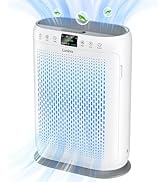
The main unit houses the fan, motor, and filter compartments. It features air inlets on both sides and an air outlet on the top.
4.2 Control Panel
The top of the unit features a control panel with various buttons and an LED display for operation and status indication.
4.3 Filtration System
The LUNINO K2 utilizes a 3-stage filtration system:
- Washable Pre-filter: Captures large particles such as dust, lint, and pet hair.
- HEPA Filter: Traps 99.97% of airborne particles as small as 0.3 microns, including pollen, dust mites, and pet dander.
- Activated Carbon Filter: Absorbs odors from pets, cooking, smoke, and harmful gases.

Image 4.1: Double-sided Air Intake and Filter Layers
5. Setup Instructions
Follow these steps for initial setup:
- Unpack: Carefully remove the air purifier from its packaging and place it on a flat, stable surface.
- Remove Filter Packaging: Open the filter covers on both sides of the unit. Remove the plastic packaging from the pre-installed filters.
- Reinstall Filters: Insert the filters back into their compartments, ensuring they are seated correctly. Close the filter covers securely.
- Placement: Position the air purifier in the desired location, ensuring at least 15 cm (6 inches) of clearance around all sides for optimal airflow. Avoid placing it directly against walls or furniture.
- Power Connection: Plug the power cord into a standard electrical outlet. The unit is now ready for operation.
6. Operating Instructions
6.1 Power On/Off
Press the Power Button on the control panel to turn the air purifier on or off.
6.2 Fan Speed Modes
Press the Fan Speed Button to cycle through the available fan modes:
- Low: For quiet, continuous operation.
- Medium: Balanced purification and noise level.
- High: Stronger purification for faster air cleaning.
- Turbo: Maximum purification power for rapid air cleaning.

Image 6.1: Air Purifier operating in a high fan speed mode.
6.3 Sleep Mode
Press the Sleep Mode Button to activate quiet operation. In this mode, the fan speed is reduced to its lowest setting (approximately 15dB), and the display lights dim for an undisturbed environment.

Image 6.2: Sleep Mode operation.
6.4 Air Quality Sensor & Auto Mode
The air purifier features a built-in PM2.5 sensor that detects real-time air quality. The LED display shows the PM2.5 level, and the indicator light changes color (Blue: Good, Green: Normal, Red: Bad). In Auto Mode, the fan speed automatically adjusts based on the detected air quality to optimize purification.
Note: It is normal for the air quality display to be inaccurate immediately after startup. The sensor requires some time to accurately assess the air quality.

Image 6.3: Air Quality Display and Auto Mode.
6.5 Timer Function
Press the Timer Button to set the operating duration for 2, 4, or 8 hours. The unit will automatically turn off after the selected time has elapsed.

Image 6.4: Timer Function.
6.6 Child Lock
Press and hold the Child Lock Button for 3 seconds to activate or deactivate the child lock. When activated, all other buttons on the control panel will be unresponsive to prevent accidental changes to settings.

Image 6.5: Child Lock feature.
6.7 Aromatherapy Function
Locate the aromatherapy pad on the top of the air purifier. Add a few drops of your preferred essential oil to the pad. The air purifier will then diffuse the scent into the room. The external design of the aromatherapy box facilitates easy replacement and maintenance, helping to prevent essential oil ingredients from damaging the machine's interior and extending its service life.

Image 6.6: Aromatherapy Function.
7. Maintenance
Regular maintenance ensures optimal performance and extends the lifespan of your air purifier.
7.1 Washable Pre-filter Cleaning
The pre-filter can be cleaned by vacuuming or washing. For washing, gently rinse under running water and allow it to air dry completely before reinstallation. Regular cleaning of the pre-filter helps maintain purification efficiency and prolongs the life of the HEPA filter.

Image 7.1: Cleaning the Washable Pre-filter.
7.2 HEPA Filter Replacement
The HEPA filter should be replaced every 3-6 months, depending on usage and air quality. When the filter replacement indicator light illuminates, it signifies that the filter needs to be replaced.

Image 7.2: Filter Replacement Reminder.
After replacing the filter, press and hold the "Filter/Reset" button for 3-5 seconds to reset the filter life counter. For optimal performance, use official LUNINO replacement filters (search for B0DT6LVXH3 on Amazon).
8. Troubleshooting
If you encounter issues with your air purifier, refer to the following table for common problems and solutions:
| Problem | Possible Cause | Solution |
|---|---|---|
| Unit does not turn on | No power supply; Filters not installed correctly. | Check power cord connection; Ensure filters are properly seated and covers are closed. |
| Poor air purification | Blocked air inlets/outlets; Dirty filters; Incorrect fan speed. | Ensure clear space around the unit; Clean or replace filters; Increase fan speed. |
| PM2.5 display inaccurate | Sensor calibration in progress. | Allow the sensor some time (up to a few minutes) to stabilize after startup. |
| Unusual noise | Foreign object inside; Filters not seated properly. | Unplug and check for obstructions; Reinstall filters securely. |
| Filter replacement indicator remains on after replacement | Filter life counter not reset. | Press and hold the "Filter/Reset" button for 3-5 seconds. |
If the problem persists after attempting these solutions, please contact LUNINO customer support.
9. Specifications
- Model: K2
- Brand: LUNINO
- Product Dimensions: 6.69"D x 11.81"W x 15.94"H
- Coverage Area: Up to 3000 Square Feet
- Filtration System: 3-Stage (Washable Pre-filter, HEPA Filter, Activated Carbon Filter)
- Fan Modes: Sleep, Auto, Low, Medium, High, Turbo
- Noise Level (Sleep Mode): As low as 15dB
- Special Features: PM2.5 Display, Air Quality Sensor, Timer, Child Lock, Aromatherapy Function, Filter Replacement Reminder
- Certifications: ETL, FCC, EPA, CARB Certified
10. Warranty and Customer Support
The LUNINO K2 Air Purifier comes with a warranty of more than 1 year and lifetime technical support.
10.1 Warranty Information
LUNINO provides a warranty covering defects in materials and workmanship for a period exceeding one year from the date of purchase. This warranty does not cover damage caused by misuse, accident, unauthorized modifications, or normal wear and tear.
10.2 Technical Support
Lifetime technical support is available for your LUNINO K2 Air Purifier. If you encounter any problems during use, please contact our customer service team. We aim to resolve issues within 24 hours.
- Contact: Please refer to the contact information provided on the LUNINO official website or your purchase platform for customer service details.

24 Hours Quick Response
2 Years Warranty
Lifetime Technical Support
Related documentsK2

Ask a question about this manual
Ask about setup, troubleshooting, compatibility, parts, safety, or missing instructions. Manuals+ will review the question and use this page’s manual context to help answer it.