
Mewaii NNMEDO000LIP1737Y8-A
Mewaii Huggwaii Squishy Axolotl Night Light User Manual
Model: NNMEDO000LIP1737Y8-A
1. Introduction
Thank you for purchasing the Mewaii Huggwaii Squishy Axolotl Night Light. This product is designed to provide a comforting light source and soothing sounds for children and toddlers. It features a soft, dimmable silicone lamp with four built-in white noise sounds and a convenient 30-minute timer function. This manual provides essential information for safe and effective use of your new night light.

Image: The Mewaii Huggwaii Squishy Axolotl Night Light, glowing with a warm light, showcasing its cute design.
2. Important Safety Information
- Read all instructions before use and retain for future reference.
- This product is not a toy. Adult supervision is recommended when used by young children.
- Do not disassemble, repair, or modify the product.
- Keep away from water and moisture to prevent electric shock or damage.
- Use only the provided charging cable or a certified USB-C cable for charging.
- Avoid extreme temperatures and direct sunlight.
- Dispose of the product and battery responsibly according to local regulations.
3. What's in the Box
Please check the package contents to ensure all items are present:
- 1 x Axolotl Night Light
- 1 x Charger (USB-C Cable)
- 1 x User Manual

Image: The Axolotl Night Light, its USB-C charging cable, and the user manual, laid out next to the product packaging.
4. Product Overview
The Mewaii Huggwaii Squishy Axolotl Night Light is crafted from soft, odorless, and shatter-resistant silicone, making it safe for children. Its unique axolotl design adds a charming touch to any room. The device features intuitive controls located on its base and a touch-sensitive surface for light adjustments.

Image: A close-up view highlighting the soft, squishy silicone material of the Axolotl Night Light.
Controls on the Base:
- Power Switch: Slide to turn the unit ON/OFF or activate the 30-minute timer.
- Sound Button: Press to cycle through the 4 white noise sounds.
- Charging Port: USB-C port for recharging the internal battery.
5. Setup
Charging the Night Light
Before first use, fully charge the night light. The device is powered by a rechargeable 500 mAh battery.
- Locate the USB-C charging port on the back of the axolotl night light.
- Connect the provided USB-C cable to the charging port.
- Plug the other end of the USB-C cable into a compatible USB power adapter (not included) or a computer's USB port.
- The indicator light will show charging status (refer to product for specific indicator behavior).
- A full charge typically takes approximately 2-3 hours.
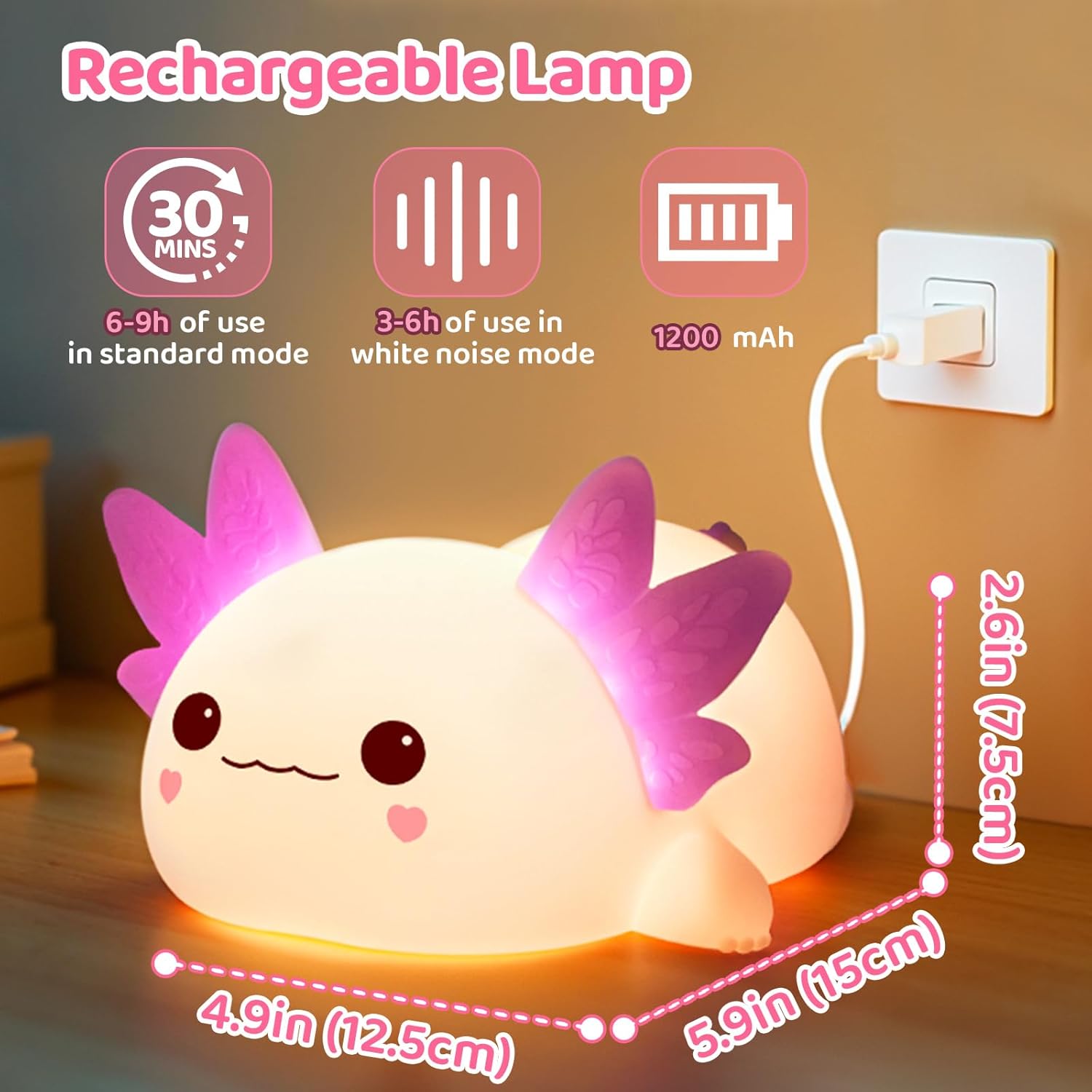
Image: The Axolotl Night Light connected to a USB-C charging cable, illustrating the charging process.
6. Operating Instructions
Power On/Off and Timer
Use the slide switch on the base of the night light to control power and timer functions:
- Slide to ON position for continuous operation.
- Slide to OFF position to turn off the device.
- Slide to 30 MIN position to activate the 30-minute auto-shutoff timer. The light and sound will automatically turn off after 30 minutes.

Image: The underside of the Axolotl Night Light, showing the power switch with ON, OFF, and 30 MIN timer options.
Adjusting Brightness
The night light offers three dimmable brightness levels:
- Ensure the night light is powered on.
- Gently tap the silicone surface of the axolotl to cycle through the brightness levels: 25% (softest), 50% (medium), and 100% (brightest).
- Tap again to turn the light off.
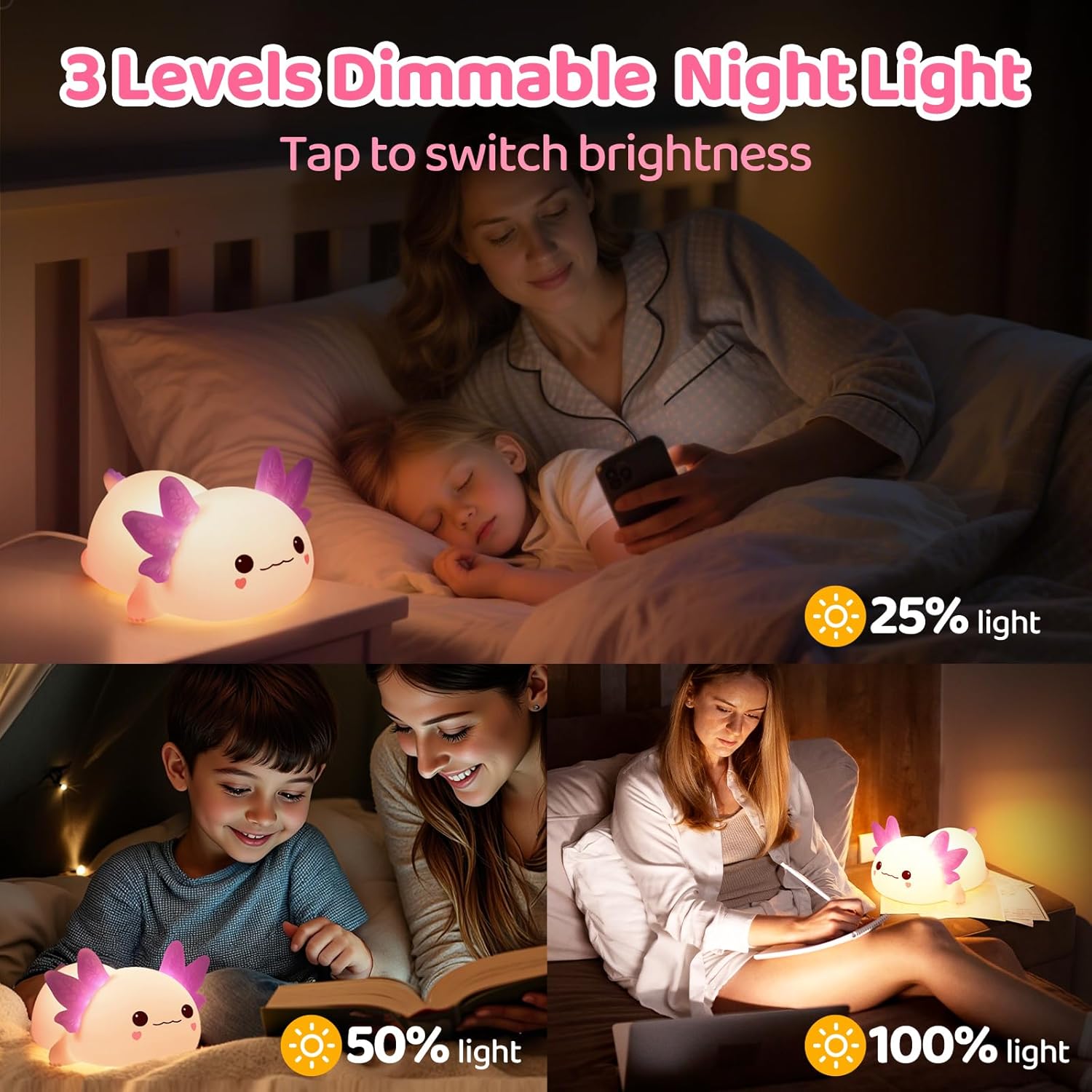
Image: Visual representation of the three brightness settings (25%, 50%, 100%) of the night light, demonstrating its dimmable feature.
Using White Noise Sounds
The night light includes four soothing white noise sounds to aid sleep:
- Rain
- Chirp
- Lullaby
- Music Box
To activate and cycle through the sounds, press the dedicated sound button on the base of the device.

Image: A graphic illustrating the four white noise sound options (Rain, Chirp, Lullaby, Music Box) available on the night light.
Video: A demonstration of the white noise sounds feature of the Mewaii Axolotl Night Light.
7. Maintenance
Cleaning
To clean the silicone surface of the night light, gently wipe it with a soft, damp cloth. Do not use harsh chemicals or abrasive cleaners, as these may damage the material. Ensure the charging port is dry before charging.
8. Troubleshooting
- Light not turning on: Ensure the power switch on the base is in the ON or 30 MIN position. Check if the battery is charged.
- Sound not working: Ensure the power switch is ON. Press the sound button to cycle through sounds. Check battery level.
- Not charging: Verify the USB-C cable is securely connected to both the night light and the power source. Try a different USB port or adapter.
- Light is too dim/bright: Tap the silicone surface to adjust the brightness levels.
9. Specifications
| Feature | Detail |
|---|---|
| Model Number | NNMEDO000LIP1737Y8-A |
| Material Type | Silicone Rubber |
| Product Dimensions | 5.5"D x 4.7"W x 3.9"H |
| Item Weight | 0.4 Grams |
| Power Source | Battery Powered |
| Battery Capacity | 500 mAh |
| Usage Time (Standard Mode) | 6-9 hours |
| Usage Time (White Noise Mode) | 3-6 hours |
| Light Source Type | LED |
| Brightness Levels | 3 (25%, 50%, 100%) |
| White Noise Sounds | 4 (Rain, Chirp, Lullaby, Music Box) |
| Timer Function | 30-Minute Auto-Shutoff |
| Switch Type | Touch |
| Indoor Outdoor Usage | Indoor |
10. Warranty and Support
For warranty information or technical support, please refer to the contact details provided on the product packaging or visit the official Mewaii website. Keep your purchase receipt as proof of purchase.
Ask a question about this manual
Ask about setup, troubleshooting, compatibility, parts, safety, or missing instructions. Manuals+ will review the question and use this page’s manual context to help answer it.