
1. Introduction
This manual provides detailed instructions for the assembly, operation, and maintenance of the Reobrix 22011 Multi Functional Crane Truck Building Blocks set. This set allows for the construction of a highly detailed crane truck model with remote control capabilities, designed for enthusiasts aged 14 and up.
The Reobrix 22011 model features a realistic crane structure, including functional doors, adjustable shelf baffles, hydraulic support brackets, and a robotic arm that can be rotated and lifted. It supports both mobile application Bluetooth remote control and manual control modes.

Image 1.1: The Reobrix 22011 Multi Functional Crane Truck Building Blocks set, fully assembled and ready for operation.
2. Safety Information
Please read and understand all safety instructions before beginning assembly or operation of the Reobrix 22011 model.
- Small Parts Warning: This set contains small parts which may pose a choking hazard for children under 3 years old. Keep all components out of reach of young children.
- Age Recommendation: This product is recommended for individuals aged 14 years and up due to its complexity and the presence of small components.
- Battery Safety: The remote control and power functions require batteries. Ensure batteries are inserted correctly according to polarity markings. Do not mix old and new batteries, or different types of batteries. Remove batteries if the model will not be used for an extended period.
- Supervision: Adult supervision is recommended during assembly and initial operation, especially for younger users within the recommended age range.
- Proper Use: Operate the crane truck on a flat, stable surface. Avoid operating near edges or in areas where it could fall and cause damage or injury.
3. Package Contents
Upon opening the package, verify that all components are present. The Reobrix 22011 set includes:
- 2178 Building Block Pieces (various shapes and sizes)
- 1 x Remote Control Unit
- 1 x Instruction Manual (this document)
- Power Function Components (motors, battery box, etc.)
If any parts are missing or damaged, please contact Reobrix customer support for assistance.
4. Assembly Instructions
The assembly of the Reobrix 22011 Multi Functional Crane Truck is a detailed process requiring patience and attention to detail. Follow the step-by-step visual instructions provided in the separate printed assembly guide included in your package.
- Preparation: Unpack all building blocks and organize them by type or color to facilitate easier assembly.
- Follow the Guide: Refer to the dedicated assembly instruction booklet. Each step is illustrated to guide you through the construction process.
- Component Identification: Pay close attention to the shape, size, and color of each block as depicted in the instructions to ensure correct placement.
- Power Functions Integration: Carefully integrate the power function components (motors, wiring, battery box) as instructed. Ensure all connections are secure.
- Testing: Periodically test movable parts during assembly to ensure they function correctly before proceeding to subsequent steps.

Image 4.1: The assembly process can be a collaborative and engaging activity, fostering logical thinking and patience.
5. Operating Instructions
The Reobrix 22011 crane truck offers both manual and remote control operation for its various functions.
5.1. Remote Control Operation
The model can be controlled using the included remote control unit or via a mobile application connected via Bluetooth.
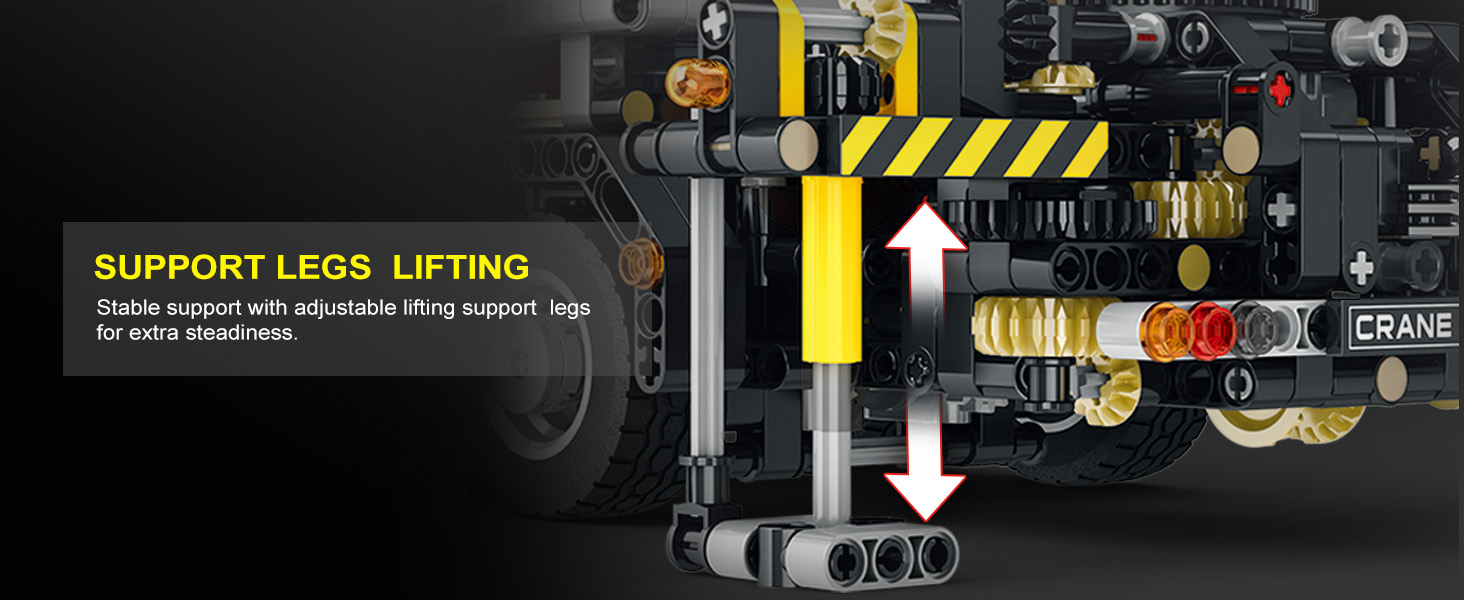
Image 5.1.1: The crane truck can be controlled using both a physical remote and a mobile application.
- Power On: Ensure batteries are installed in the model's power box and the remote control. Turn on the power switch on the model.
- Pairing: Follow the instructions in the separate power functions guide to pair the remote control or connect the mobile app via Bluetooth.
- Driving: Use the joystick/buttons on the remote control or app interface to move the truck forward, backward, and steer the front wheels.
- Crane Arm Control: Utilize the designated controls to rotate the crane arm, extend/retract the telescopic sections, and operate the small crane hoist.
- Support Legs: Activate the controls to extend and retract the hydraulic support legs for stability during crane operation.
- Tilt Platform: Operate the controls to tilt the rear platform and open/close the barrier.
5.2. Key Functional Features
- Crane Arm Rotation: The crane arm can be rotated for maximum reach and flexibility. This allows for precise positioning during lifting operations.

Image 5.2.1: The crane arm features rotational movement for versatile operation.
- Support Legs Lifting and Folding: Adjustable lifting support legs provide stability during crane use and can be folded for compact storage and transport.

Image 5.2.2: The support legs can be extended to stabilize the crane truck during operation.

Image 5.2.3: The support legs can be folded for compact storage and transport.
- Small Crane Hoisting: The small crane hoist rope can be retracted and extended for precise control of lifted objects.
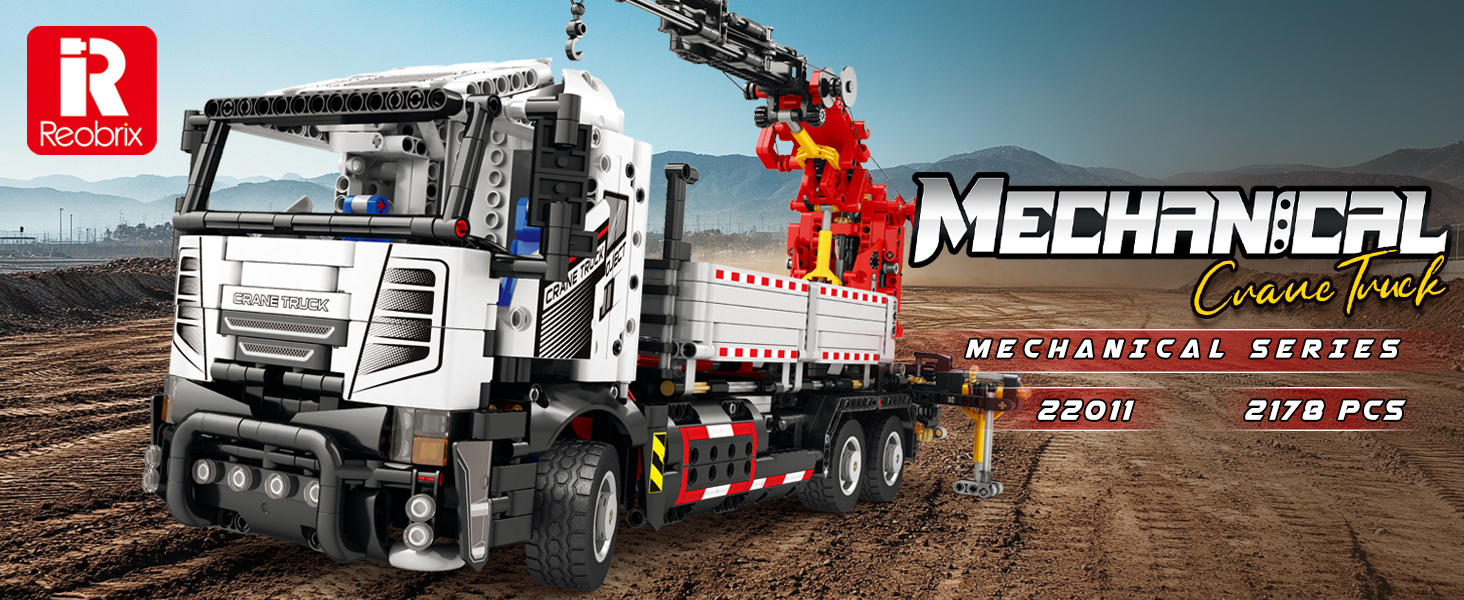
Image 5.2.4: The small crane hoist allows for controlled lifting and lowering.
- Tilt Platform & Opening Barrier: The rear platform can be tilted, and its barrier opened, for flexible cargo handling.
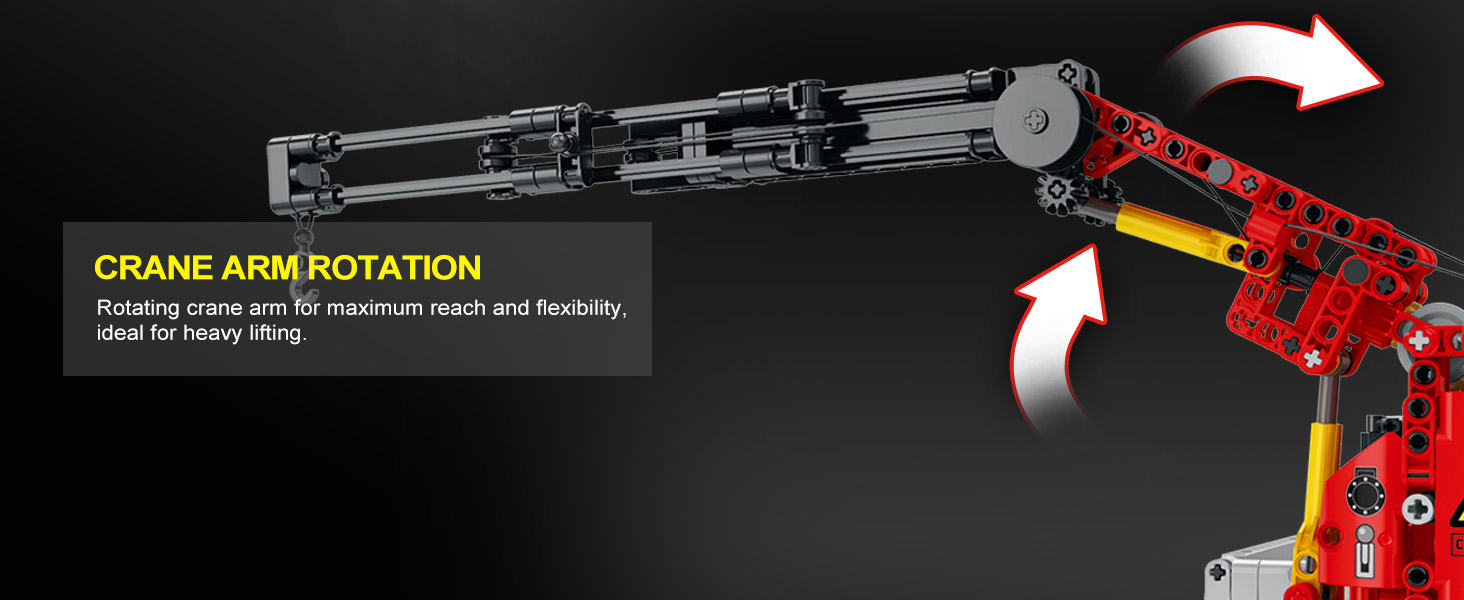
Image 5.2.5: The rear platform can tilt, and its barrier opens for loading and unloading.
- Manual Door Operation: The cab doors can be manually opened and closed.
- Steering Front Wheels: The front wheels are steerable for directional control.
6. Maintenance
Proper maintenance ensures the longevity and optimal performance of your Reobrix 22011 model.
- Cleaning: Use a soft, dry cloth to gently wipe dust and dirt from the model. Avoid using harsh chemicals or abrasive materials.
- Storage: Store the model in a cool, dry place away from direct sunlight and extreme temperatures. Disassemble if necessary for long-term storage to prevent stress on connections.
- Battery Care: Remove batteries from the model and remote control if not in use for extended periods to prevent leakage and corrosion.
- Component Check: Periodically inspect all connections and moving parts to ensure they are secure and functioning smoothly. Tighten any loose connections if observed.
7. Troubleshooting
If you encounter issues with your Reobrix 22011 model, refer to the following common troubleshooting steps:
| Problem | Possible Cause | Solution |
|---|---|---|
| Model does not power on. | Batteries are dead or incorrectly inserted. | Check battery polarity and replace with fresh batteries. Ensure the power switch is ON. |
| Remote control not responding. | Remote control batteries are dead or not paired. | Replace remote control batteries. Re-pair the remote control with the model according to the power functions guide. |
| Moving parts are stiff or not moving. | Incorrect assembly or obstruction. | Review the assembly instructions for the specific section. Check for any misaligned blocks or foreign objects obstructing movement. |
| Missing or damaged parts. | Manufacturing defect or oversight. | Contact Reobrix customer support with details of the missing/damaged part. |
8. Specifications
- Model Number: 22011
- Brand: Reobrix
- Number of Pieces: 2178
- Product Dimensions: 4.51 x 3 x 3 inches (assembled, approximate)
- Item Weight: 6.24 pounds
- Recommended Age: 14 years and up
- Batteries: 1 Nonstandard Battery required (for model power functions), additional batteries for remote control (not specified, typically AA or AAA).
- Control: Remote Control Unit, Mobile APP (Bluetooth)

Image 8.1: Approximate dimensions of the assembled Reobrix 22011 model.
9. Warranty and Support
For warranty information, product support, or to report missing/damaged parts, please contact Reobrix customer service. Refer to the packaging or the official Reobrix website for the most current contact details.
Please retain your proof of purchase for any warranty claims.
