
1. Introduction
1.1 Product Overview
The EVERSOLO DMP-A10 is a high-performance digital music player designed for audiophiles. It functions as a network streamer, MQA full decode DAC, and pre-amplifier, offering exceptional sound quality and versatile connectivity options for your home audio system. Its intuitive touchscreen interface and robust build quality ensure a premium listening experience.
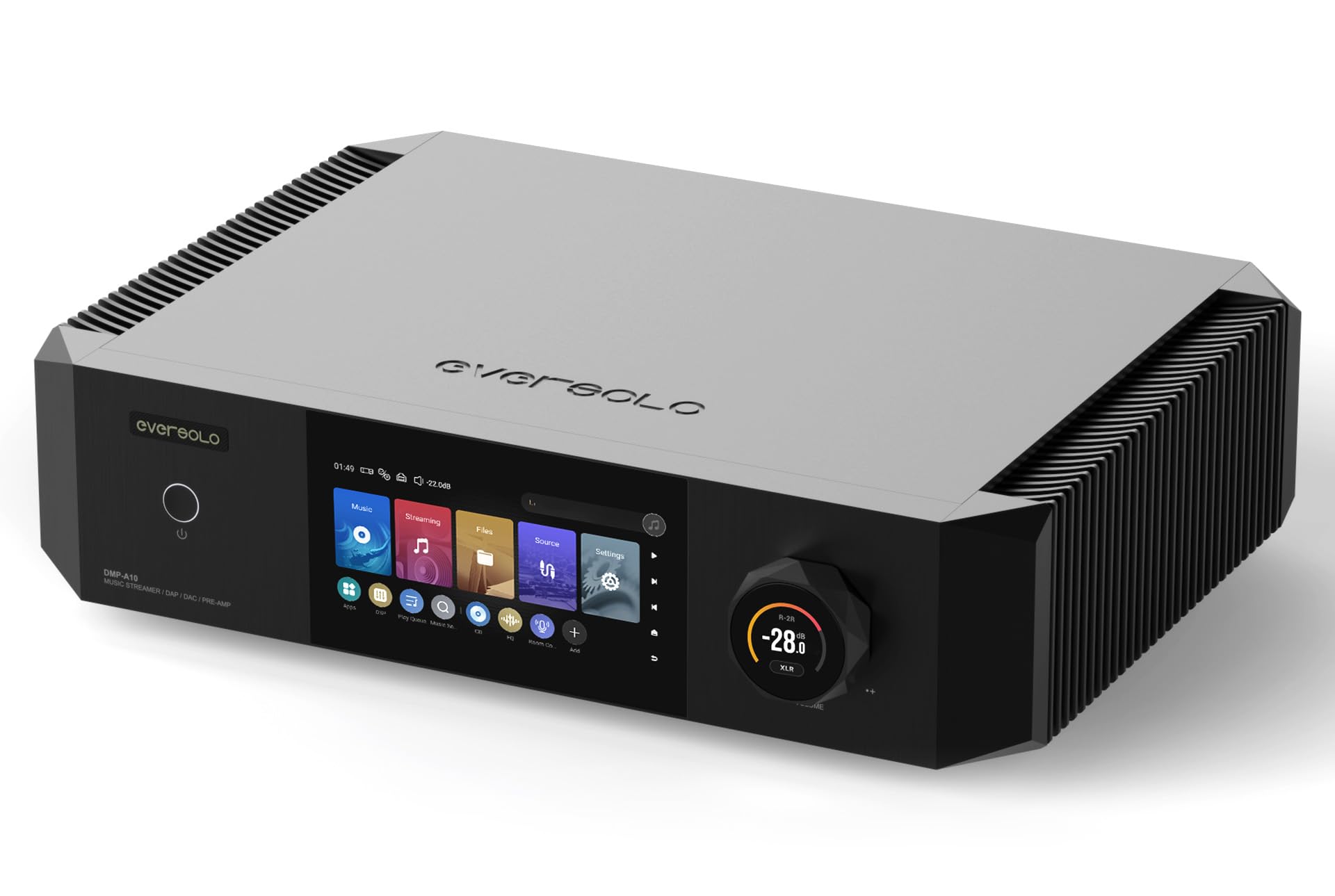
Image 1.1: Front view of the EVERSOLO DMP-A10, showcasing its sleek design and interactive touchscreen display.
1.2 Package Contents
Please check the package for the following items:
- EVERSOLO DMP-A10 Digital Music Player
- Power Cable
- Remote Control
- USB Cable
- User Manual (this document)
2. Safety Information
To ensure safe operation and prevent damage, please observe the following precautions:
- Power Source: Connect the device only to an AC power outlet that matches the voltage specified on the unit.
- Ventilation: Ensure adequate ventilation around the unit. Do not block ventilation openings or place the unit on soft surfaces that may impede airflow.
- Moisture: Do not expose the unit to rain, moisture, or excessive humidity. Keep liquids away from the device.
- Heat: Avoid placing the unit near heat sources such as radiators, heat registers, stoves, or other heat-producing appliances.
- Cleaning: Disconnect the power before cleaning. Use a dry, soft cloth. Do not use liquid cleaners or aerosol cleaners.
- Servicing: Do not attempt to service this product yourself. Refer all servicing to qualified service personnel.
3. Product Features
The EVERSOLO DMP-A10 incorporates advanced technologies for superior audio performance and user convenience:
- High-Performance Audio Architecture: Delivers rich, detailed playback with impressive clarity.
- Precision Engineered DAC: Ensures accurate sound reproduction for various audio formats.
- Vibrant Touchscreen Interface: For effortless browsing, settings adjustment, and service management.
- Extensive Format Support: Compatible with high-resolution audio files.
- Multiple Connectivity Options: Supports both wired (Ethernet, SFP Fiber, USB, Coaxial, Optical, HDMI) and wireless setups.
- OCXO Clock System: Provides high-precision timing for reduced jitter and improved audio fidelity.
- SFP Fiber Port: Offers advanced network connectivity with electrical isolation.
- Digital Room Correction: Allows for acoustic optimization within your listening environment.
- Balanced Preamp: Features balanced XLR outputs for professional audio connections.
- Multi-service Streaming Support: Access popular streaming platforms like TIDAL, Qobuz, Amazon Music, and more.
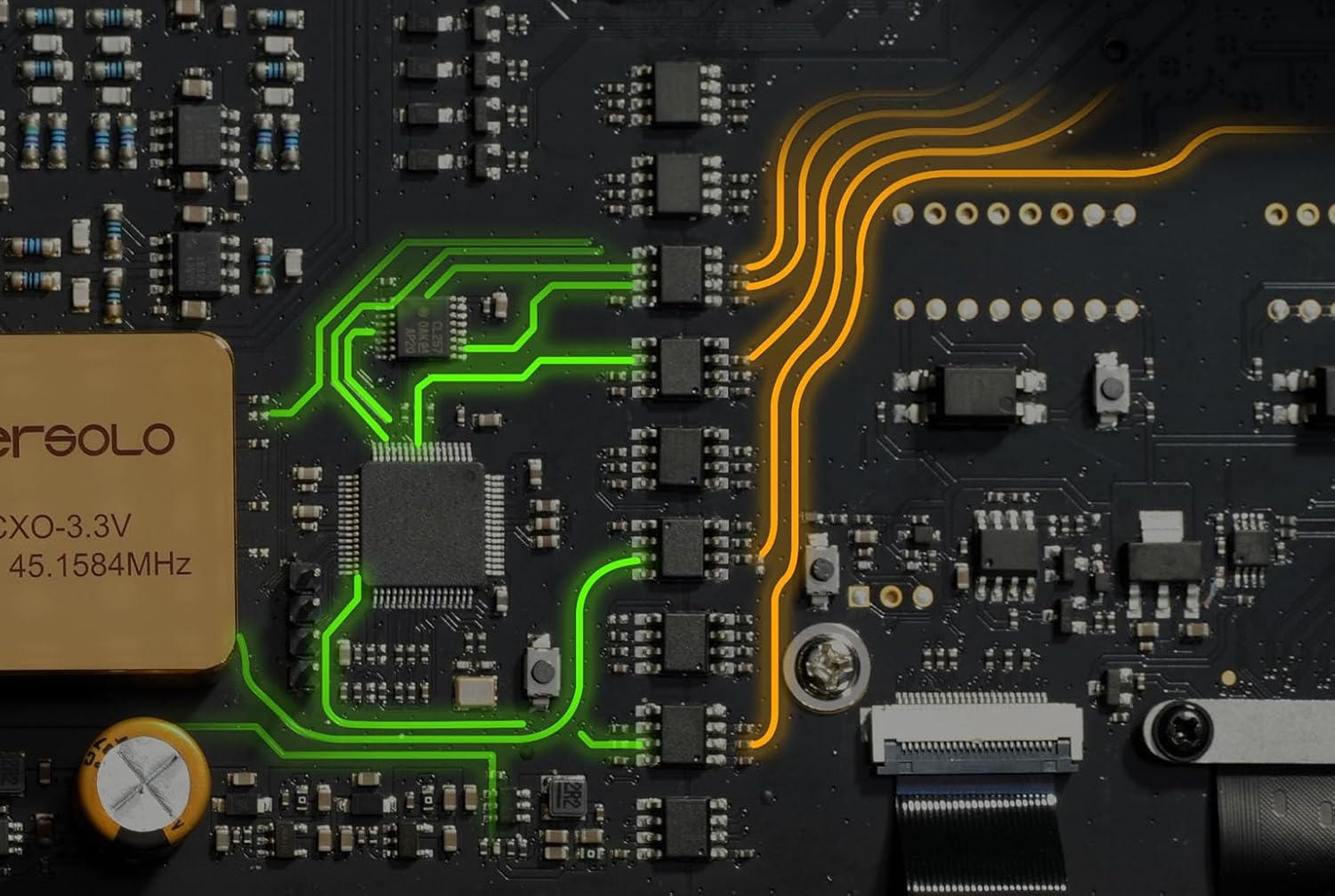
Image 3.1: Internal view of the EVERSOLO DMP-A10 circuit board, highlighting the precision engineering and component layout.
4. Setup
4.1 Unpacking and Placement
Carefully remove the DMP-A10 from its packaging. Place the unit on a stable, level surface with sufficient space for ventilation. Avoid placing it directly on top of other heat-generating components.
4.2 Connecting Your Device
Refer to the rear panel diagram below for connection points:

Image 4.1: Rear panel connections of the EVERSOLO DMP-A10, detailing analog, digital, and network ports.
- Power Connection: Connect the supplied power cable to the AC IN port and then to a wall outlet.
- Network Connection: For optimal streaming, connect an Ethernet cable to the GIGABIT LAN port or an SFP fiber module to the SFP FIBER port.
- Audio Output:
- Analog Out: Use RCA (L/R) or XLR (L/R) cables to connect to your amplifier or active speakers.
- Digital Out: Use Coaxial, Optical, or USB (AUDIO OUT) to connect to an external DAC or digital amplifier.
- Audio Input:
- Analog In: Use RCA (L/R) cables to connect external analog sources.
- Digital In: Use Coaxial 1/2 or Optical 1/2 to connect external digital sources.
- HDMI Output: Connect an HDMI cable to a display for visual interface.
- USB Storage: Connect USB drives to the USB 3.0 ports for local music playback.
- Trigger: Use the 12V Trigger IN/OUT for synchronized power control with other compatible devices.
4.3 Initial Power On
After all connections are made, flip the main power switch on the rear panel to the ON position. Then, press the power button on the front panel or the remote control to turn on the unit. The touchscreen display will illuminate, guiding you through the initial setup process, including network configuration and language selection.
5. Operating Instructions
5.1 Front Panel Controls
- Power Button: Press to turn the unit on or off (standby mode).
- Volume Knob: Rotate to adjust the output volume. Press to mute/unmute.
- Touchscreen Display: Navigate menus, select sources, control playback, and access settings by touching the screen.
5.2 Remote Control Operation
The included remote control provides convenient access to various functions:

Image 5.1: The EVERSOLO remote control, showing its layout and primary function buttons.
- Power: Turns the unit on/off.
- Source: Selects input sources.
- Navigation Buttons: Up, Down, Left, Right, and OK for menu navigation.
- Volume +/-: Adjusts volume level.
- Mute: Mutes/unmutes audio.
- Playback Controls: Play/Pause, Skip Forward, Skip Backward.
- Home/Back: Returns to the main screen or previous menu.
5.3 Basic Navigation and Playback
The DMP-A10 features an intuitive Android-based operating system. Use the touchscreen or remote to:
- Select Source: Choose between streaming services, local files, or external inputs.
- Browse Music: Navigate through your music library, streaming service content, or connected storage.
- Control Playback: Play, pause, skip tracks, and manage playlists.
- Access Settings: Configure network, audio, display, and system preferences.
5.4 Streaming Services
The DMP-A10 supports various integrated streaming services. Access them from the main menu:
- TIDAL
- Qobuz
- Amazon Music
- Tuneln
- IDAGIO
- Radio Paradise
- SoundCloud
- Calm Radio
- KKbox
- Highresaudio
Log in with your account credentials for each service to begin streaming.
5.5 Local File Playback
Play music files from connected USB storage devices or network-attached storage (NAS). Navigate to the 'Files' section on the touchscreen to browse and select your audio content.
6. Maintenance
6.1 Cleaning
To clean the unit, first disconnect it from the power supply. Use a soft, dry, lint-free cloth to wipe the exterior surfaces. Do not use abrasive cleaners, waxes, or solvents as they may damage the finish.
6.2 Firmware Updates
EVERSOLO regularly releases firmware updates to improve performance and add new features. You can check for updates via the 'Settings' menu on the device. Ensure a stable internet connection during the update process and do not power off the unit until the update is complete.
7. Troubleshooting
If you encounter issues with your DMP-A10, refer to the following common problems and solutions:
- No Power:
- Check if the power cable is securely connected to both the unit and the wall outlet.
- Ensure the rear panel power switch is in the ON position.
- Verify the wall outlet is functional.
- No Sound Output:
- Check all audio cable connections (RCA, XLR, Coaxial, Optical, USB Audio Out) to your amplifier or speakers.
- Ensure the correct input source is selected on your amplifier/speakers.
- Verify the volume level on the DMP-A10 and your amplifier is not set to minimum or muted.
- Confirm the correct output is selected in the DMP-A10's audio settings.
- Network Connection Issues:
- Ensure the Ethernet cable is properly connected or the SFP module is correctly inserted.
- Check your router/modem for proper operation.
- Restart the DMP-A10 and your network equipment.
- Verify network settings in the DMP-A10's system menu.
- Remote Control Not Responding:
- Ensure there are no obstructions between the remote and the unit.
- Check and replace the batteries in the remote control if necessary.
8. Specifications
| Brand | EVERSOLO |
| Model Name | DMP-A10 |
| Item Weight | 6.5 Kilograms (14.3 pounds) |
| Color | Black |
| Form Factor | TV Box |
| Connectivity Technology | Ethernet, HDMI, SFP Fiber |
| Resolution | 4k (for HDMI output) |
| Supported Internet Services | TIDAL, Qobuz, Amazon Music, Tuneln, IDAGIO, Radio Paradise, SoundCloud, Calm Radio, KKbox, Highresaudio |
| Compatible Devices | Television, Smartphone, Personal Computer, Laptop, Tablet |
| Special Features | High-speed Electrical Isolation, Advanced USB Isolation, Multi-service Streaming Support, OCXO Clock System, SFP Fiber Port, Digital Room Correction, DDC, Balanced Preamp, Multi-format Connectivity |
9. Warranty and Support
9.1 Warranty Information
The EVERSOLO DMP-A10 comes with a manufacturer's warranty. Please refer to the warranty card included in your product packaging or visit the official EVERSOLO website for detailed terms and conditions regarding warranty coverage and duration.
9.2 Customer Support
For technical assistance, troubleshooting beyond this manual, or service inquiries, please contact EVERSOLO customer support through their official website or the contact information provided with your purchase. Have your model number (DMP-A10) and purchase details ready when contacting support.


