
Introduction
This user manual provides comprehensive instructions for the XinFuture 3-Outlet Sprinkler Timer (Model: XF-HCT-M08G-4T). This programmable water controller is designed for efficient and automated irrigation of yards, lawns, and greenhouses, compatible with various watering systems including drip irrigation. It features automatic, manual, and rain delay modes to suit diverse watering needs. Please read this manual thoroughly before operation to ensure proper setup and optimal performance.
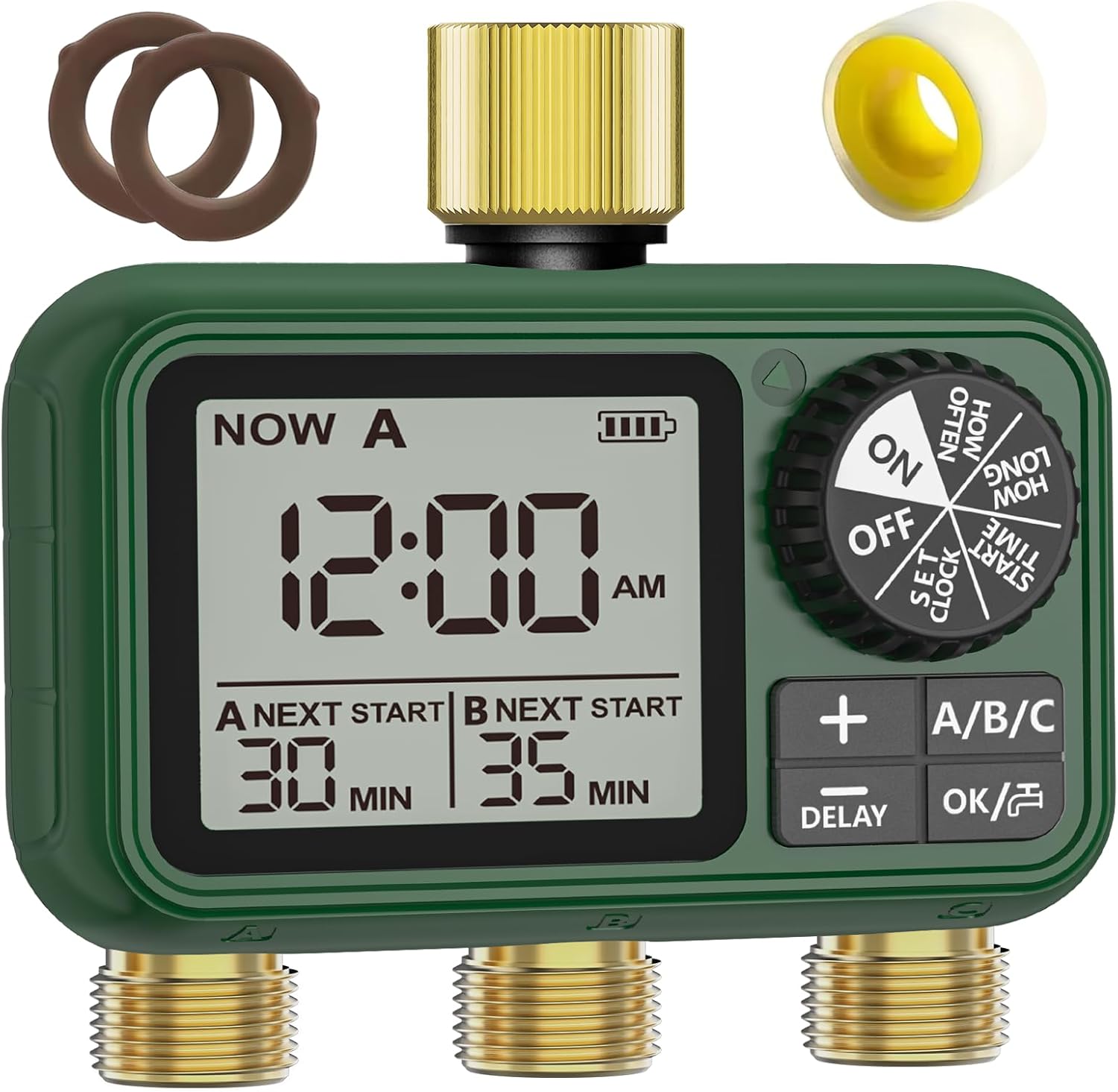
Figure 1: XinFuture 3-Outlet Sprinkler Timer with included O-rings and waterproof tape.
Product Features
- IPX5 Waterproof Design with Brass Inlet & Outlet: Constructed with professional IPX5 waterproof material and reliable sealing to prevent leaks. Features durable brass inlet and outlets that resist deformation and wear.
- Three Watering Modes: Offers Automatic, Manual, and Rain Delay modes for flexible irrigation control.
- Easy Programming: Intuitive dial and button controls for setting clock, start time, duration, and frequency.
- Three Zone Customized Irrigation: Provides three independent outlets (Zone A, Zone B, Zone C) with standard 3/4" threaded connectors for separate scheduling.
- Clear LCD Display: Large digital screen for clear visibility of watering schedules, even in direct sunlight.
- Tool-Free Setup: Includes detailed instructions, reinforced O-rings, waterproof tape, pre-installed stainless steel inlet filter, and universal 3/4'' threaded adapters for easy installation.
- Emergency Stop & Battery Indicator: Allows immediate cancellation of watering cycles and displays real-time battery level with low-power alerts. Programs are retained after battery replacement.
- Water Saving Features: Programmable cycles, leak-proof brass ports, and rain delay function help reduce water waste.

Figure 2: The timer features upgraded brass inlet and outlet for enhanced durability and leak prevention.
Setup and Installation
1. Battery Installation
- Locate the battery compartment on the back of the timer.
- Open the battery cover. Ensure the sealing ring is properly seated to prevent moisture ingress.
- Insert two (2) AA 1.5V alkaline batteries (not included) according to the polarity markings (+/-).
- Close the battery cover securely. The timer's display should activate.
2. Connecting the Timer
- Ensure the faucet is turned off.
- Thread the brass inlet of the timer onto your outdoor faucet. Hand-tighten only. If necessary, use the provided waterproof tape for a secure, leak-free connection. The brass inlet includes a stainless steel filter; ensure it is clean and in place.
- Connect your garden hoses or drip irrigation lines to the three independent outlets (Zone A, Zone B, Zone C) at the bottom of the timer. Ensure connections are tight to prevent leaks.
- Slowly turn on the faucet. Check for any leaks at the connections.

Figure 3: The timer's robust waterproof design and easy-to-access battery compartment.
Operating Instructions
1. Understanding the Display and Controls
The large LCD screen displays current time, next start times for active zones, battery level, and programming settings. The main dial allows you to select different programming modes, while the '+', '-', 'A/B/C', and 'OK/⏸' buttons are used for setting values and navigating.

Figure 4: Overview of the timer's clear LCD display and intuitive controls.
2. Setting the Clock
- Rotate the main dial to SET CLOCK.
- Use the + or - buttons to adjust the hour (AM/PM).
- Press OK/⏸ to switch to minutes, then use + or - to adjust.
- Rotate the dial to any other position to save the changes.

Figure 5: Step-by-step guide for setting the current time.
3. Automatic Watering Mode
This mode allows you to set a recurring watering schedule for each zone.
Setting Start Time:
- Rotate the main dial to START TIME.
- Press A/B/C button to select the desired zone (A, B, or C).
- Use the + or - buttons to set the first start time (AM/PM).
- Press OK/⏸ to switch between hour and minute adjustment.
- Rotate the dial to save changes.

Figure 6: How to set the watering start time for each zone.
Setting How Long (Duration):
- Rotate the main dial to HOW LONG.
- Press A/B/C button to select the desired zone.
- Use the + or - buttons to set the watering duration (1-360 minutes).
- Rotate the dial to save changes.

Figure 7: Setting the length of each watering cycle.
Setting How Often (Frequency):
- Rotate the main dial to HOW OFTEN.
- Press A/B/C button to select the desired zone.
- Use the + or - buttons to select the watering frequency (1-23 hours or 1-15 days).
- Rotate the dial to save changes.

Figure 8: Setting how often the watering cycles will repeat.

Figure 9: Visual representation of hour-based and day-based watering cycles.
4. Manual Watering Mode
The manual mode allows for immediate, on-demand watering without affecting your programmed schedule.
- From any mode, press the OK/⏸ button. The display will show "MANUAL".
- Use the A/B/C button to select the zone(s) you wish to water manually.
- Use the + or - buttons to set the manual watering duration (1-360 minutes).
- Press OK/⏸ again to start manual watering.
- To stop manual watering, press OK/⏸ again or rotate the dial to OFF.

Figure 10: Manual watering mode in action, showing flexible use.
Video 1: Demonstration of manual valve control and how the timer returns to its normal programmed state after manual intervention. This video illustrates the manual operation and system reset functionality.
5. Rain Delay Mode
The rain delay function temporarily pauses your watering schedule to prevent overwatering during rainfall.
- Hold the DELAY button for 3 seconds to activate rain delay mode.
- Use the + or - buttons to select the desired delay duration (e.g., 24 hours, 48 hours, etc., up to 7 days).
- The timer will pause watering for the selected period. After the delay, the programmed schedule will resume automatically.
- To cancel rain delay mode prematurely, hold the DELAY button for 3 seconds again.

Figure 11: Activating and setting the rain delay function.
6. Zone Customization
The XinFuture timer allows for independent programming of each of its three outlets (Zone A, Zone B, Zone C). This means you can set different start times, durations, and frequencies for each zone, catering to the specific needs of different areas of your garden or landscape.

Figure 12: Illustrates the independent control of three watering zones for tailored irrigation.
Maintenance
- Battery Replacement: Replace batteries when the low battery indicator appears on the display. Programs will be retained during battery replacement.
- Cleaning: Periodically clean the stainless steel filter in the inlet to prevent clogs. Use a soft cloth to wipe the exterior of the timer. Do not use abrasive cleaners.
- Winter Storage: Before freezing temperatures, disconnect the timer from the faucet and hoses. Drain any remaining water from the timer and store it indoors in a dry, protected area. Remove batteries if storing for an extended period.
- Leak Prevention: Regularly check O-rings and connections for wear or damage. Replace worn O-rings as needed to maintain a watertight seal.
Troubleshooting
| Problem | Possible Cause | Solution |
|---|---|---|
| Timer not watering / No water flow. |
|
|
| Water leaking from connections. |
|
|
| Display is blank or dim. |
|
|
| Timer not responding to button presses. |
|
|
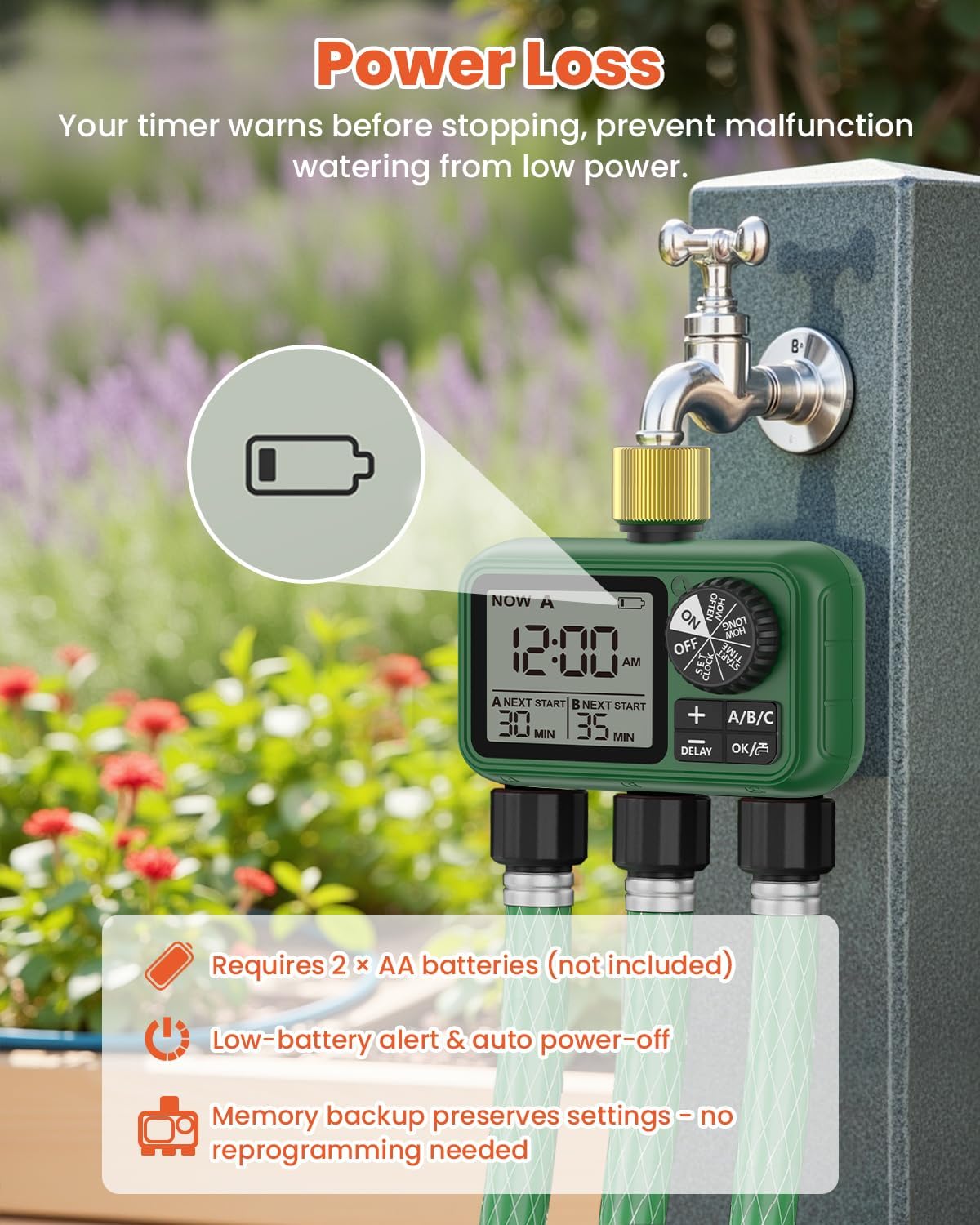
Figure 13: The low battery indicator on the LCD screen.
Specifications
| Attribute | Detail |
|---|---|
| Model Number | XF-HCT-M08G-4T |
| Brand | XinFuture |
| Outlets | 3 Independent Zones (A, B, C) |
| Material | Brass, Plastic |
| Waterproof Rating | IPX5 |
| Product Dimensions | 5.51"D x 2.36"W x 5.7"H |
| Item Weight | 0.92 Pounds (14.7 ounces) |
| Power Source | 2 x AA 1.5V Batteries (not included) |
| Watering Duration | 1 to 360 minutes |
| Watering Frequency | Every 1-23 hours or 1-15 days |
| Connection Thread | Standard 3/4" |
Warranty and Support
For warranty information or technical support, please refer to the contact details provided with your product packaging or visit the official XinFuture website.