1. Introduction
This manual provides essential instructions for the safe and efficient operation, setup, and maintenance of your Sihao B31 L1800 A3 DTF Printer. This Direct-to-Film (DTF) printer is designed for high-quality transfer printing on various materials, including textiles like T-shirts, caps, and shoes, as well as leather, canvas, and metal surfaces.
The Sihao B31 L1800 features an L1800 printing head, a white ink circulation system, and supports both sheet and roll film feeding methods. Please read this manual thoroughly before operating the device.
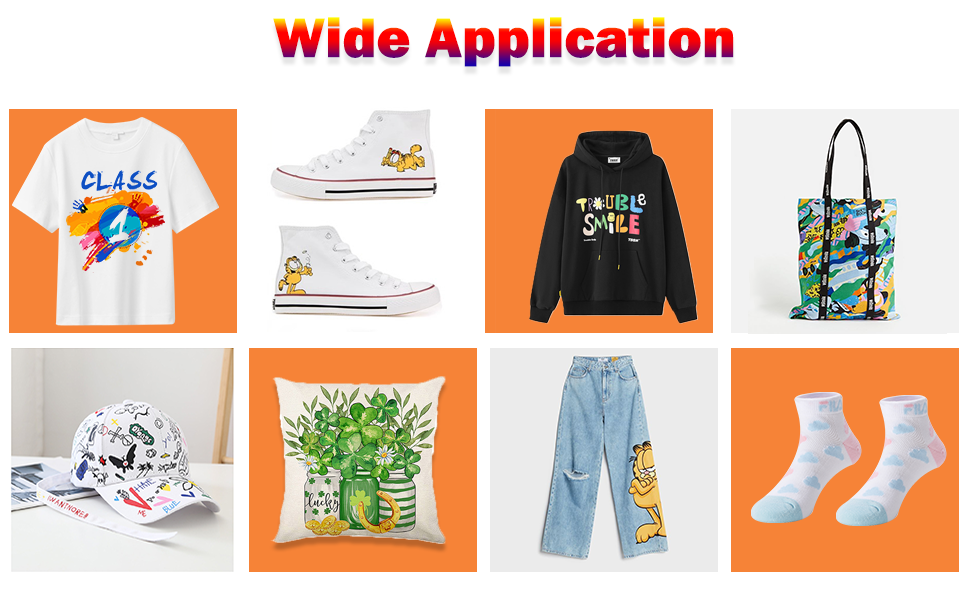
Image 1.1: Examples of products customized using the Sihao B31 L1800 DTF Printer, demonstrating its wide application range.
2. Safety Instructions
Adhering to these safety guidelines is crucial for preventing injury and ensuring the longevity of your printer.
- Always read the entire instruction manual before initial use.
- Ensure the printer is placed on a stable, level surface.
- Operate the printer in a well-ventilated area to avoid inhaling ink fumes.
- Use only genuine Sihao inks and consumables to prevent damage and ensure optimal performance.
- Keep the printer away from direct sunlight, heat sources, and excessive dust.
- Do not touch the print head or internal components while the printer is operating.
- Disconnect the power cord before cleaning or performing any maintenance.
- Keep out of reach of children.
3. Package Contents
Verify that all items listed below are included in your package:
- Sihao B31 L1800 A3 DTF Printer
- Inkjet Cartridges (Initial set of CMYK and White inks)
- Power Cable
- USB Drive (containing software and detailed instructions)
- PET Film Roll Holder
- User Manual (this document)
4. Product Overview
Familiarize yourself with the main components of your Sihao B31 L1800 DTF Printer.

Image 4.1: Front view of the Sihao B31 L1800 DTF Printer, showing the main unit, film roll holder, and ink bottles.

Image 4.2: Detailed view of the printer's advanced ink systems, including white ink mixing and circulation, and the vacuum suction platform.
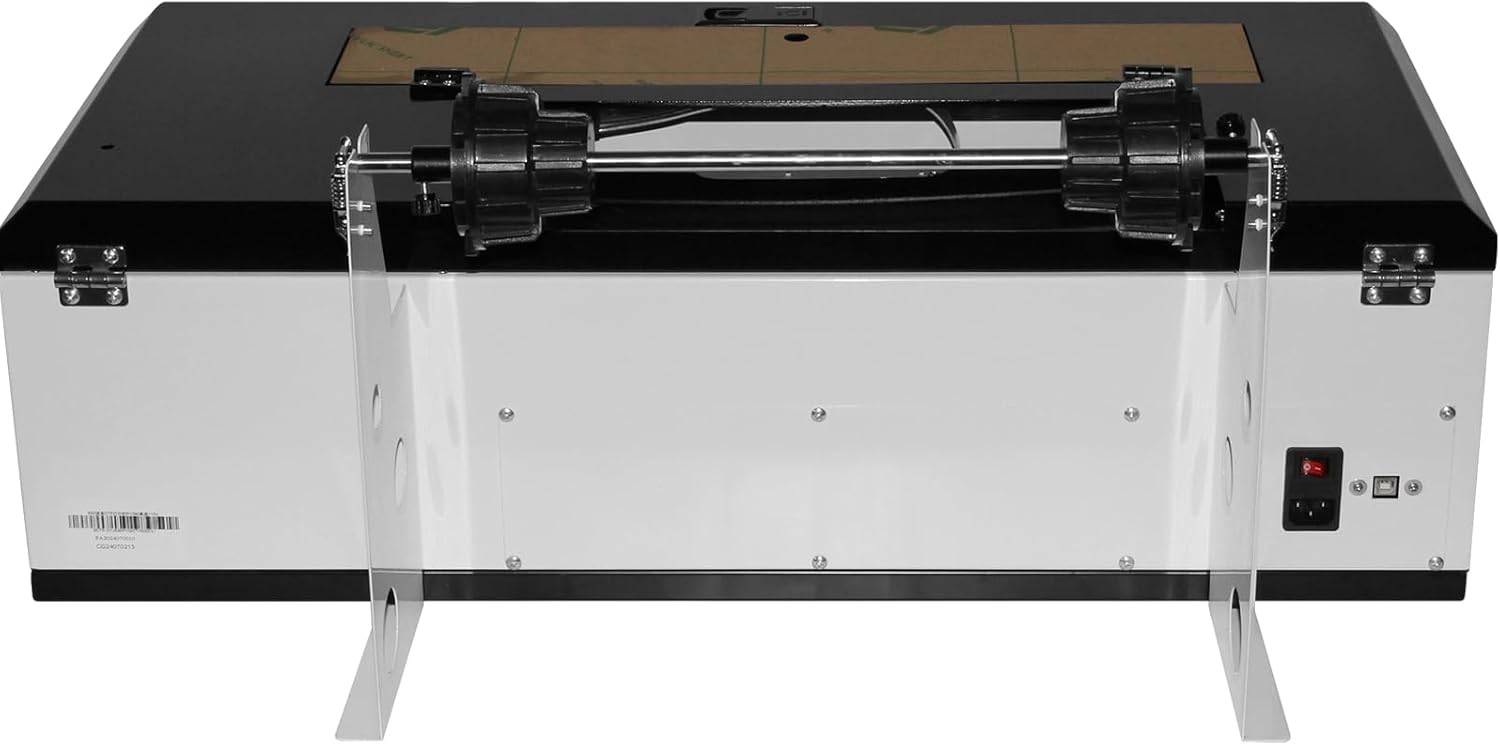
Image 4.3: Rear view of the Sihao B31 L1800 DTF Printer, highlighting connectivity and power components.
5. Setup
Follow these steps for initial setup of your DTF printer:
- Unpacking: Carefully remove the printer from its packaging. Retain all packaging materials for future transport or storage.
- Placement: Place the printer on a sturdy, level surface in a well-ventilated area. Ensure adequate space around the printer for operation and maintenance.
- Power Connection: Connect the power cable to the printer and then to a grounded electrical outlet. Do not power on the printer yet.
- Ink Installation: Install the provided ink cartridges into their respective slots. Ensure the white ink circulation system is properly engaged. Refer to the detailed instructions on the provided USB drive for specific ink loading procedures.
- Film Roll Holder Assembly (if applicable): Attach the film roll holder as shown in the diagram if you plan to use roll film.
- Software Installation: Insert the provided USB drive into your computer. Install the printer drivers and RIP software according to the instructions on the USB drive.
- Initial Power On: Once all physical connections are made and software is installed, power on the printer. Follow any on-screen prompts for initial calibration or print head alignment.

Image 5.1: The Sihao B31 L1800 DTF Printer with ink bottles, illustrating the ink installation step.
6. Operating Instructions
6.1. DTF Printing Process
The Direct-to-Film printing process involves several key steps:
- Computer Setting & Printing: Prepare your design using the RIP software. Configure print settings, including resolution (up to 1440 x 1440 Dpi) and color profiles. Send the design to the printer.
- Print on PET Film: The printer will print your design onto a specialized PET film. The L1800 print head ensures high accuracy and speed.
- Spread Hot Melt Powder: While the ink is still wet on the film, evenly spread hot melt adhesive powder over the printed design. Gently shake off any excess powder.
- Oven Baking: Cure the powder and ink by baking the film in an oven or using a heat press without pressure. This melts the adhesive powder onto the ink.
- Heat Press to Garment: Place the cured film onto your desired garment (T-shirt, cap, etc.) and apply heat and pressure using a heat press machine. After cooling, peel off the film to transfer the design.

Image 6.1: Visual guide to the DTF printing workflow, from design to final garment transfer.
6.2. Feeding Modes
The Sihao B31 L1800 supports two methods for feeding PET film:
- Sheet Feeding: For individual sheets of PET film.
- Roll Feeding: For continuous printing using a roll of PET film, utilizing the integrated roll holder.

Image 6.2: Illustration of the two available film feeding modes: sheet and roll.
6.3. White Ink Circulation System (WIICS)
The integrated White Ink Circulation System (WIICS) is designed to prevent white ink pigment from settling, which can lead to nozzle clogging. This system ensures the white ink is continuously mixed and circulated, maintaining optimal ink consistency and improving print quality and stability. The system operates automatically to monitor and manage ink distribution.

Image 6.3: Detail of the white ink mixing mechanism, a key component of the WIICS.
7. Maintenance
Regular maintenance ensures consistent print quality and extends the life of your printer.
- Automatic Cleaning System: The printer is equipped with an advanced automatic cleaning system. Utilize this feature regularly to prevent print head clogs, especially for white ink.
- Ink Level Monitoring: Periodically check ink levels and refill as needed to avoid air entering the ink lines, which can cause printing issues.
- Exterior Cleaning: Keep the exterior of the printer clean by wiping it with a soft, damp cloth. Avoid using harsh chemicals.
- Print Head Cleaning: If print quality degrades, perform a manual print head cleaning cycle through the printer's software interface.
- Storage: If the printer will be unused for an extended period, follow the shutdown and storage procedures outlined in the detailed USB instructions to prevent ink drying.
8. Troubleshooting
This section addresses common issues you might encounter. For more detailed troubleshooting, refer to the software and instructions provided on the USB drive.
- Nozzle Clogging: If print quality shows lines or missing colors, perform a print head cleaning cycle. Ensure the white ink circulation system is active.
- Poor Print Quality: Check ink levels, ensure correct print settings in the RIP software, and verify that the PET film is loaded correctly.
- Software/Driver Issues: If the printer is not recognized by your computer or software malfunctions, reinstall the drivers and software from the USB drive.
- Printer Not Responding: Check power connections, ensure the printer is turned on, and verify the USB or Bluetooth connection to your computer.
- Ink Not Flowing: Ensure ink bottles are properly installed and not empty. Check for any air bubbles in the ink lines.
If you encounter problems not covered here, or if solutions do not resolve the issue, please contact Sihao customer support.
9. Specifications
Technical specifications for the Sihao B31 L1800 A3 DTF Printer:

Image 9.1: Dimensions and key technical parameters of the Sihao B31 L1800 DTF Printer.
| Feature | Specification |
|---|---|
| Model Name | B31 L1800 |
| Printing Technology | Inkjet (DTF) |
| Print Head | L1800 |
| Maximum Media Size | 11.7 x 6.7 inches (A3/A4/A3+/30CM Width Roll Size) |
| Print Accuracy | 1440 x 1440 Dpi |
| Printing Speed (Color) | 5.0 pages/minute (A4) |
| Ink Channels | CMYK + White |
| Ink Supply Method | Continuous Ink Supply System (CISS) with White Ink Mixing System |
| Connectivity Technology | Bluetooth |
| Product Dimensions | 26 x 26 x 20 inches (66cm D x 66cm W x 51cm H) |
| Weight | 32 kg |
| Power | 110V/110V 50/60Hz |
| Operating Environment | Temperature: 20-35°C, Humidity: 35-65% RH |
10. Warranty and Support
For warranty information, technical support, or service inquiries, please refer to the documentation on the provided USB drive or contact Sihao customer service directly. Ensure you have your product model number (B31 L1800) and purchase details available when contacting support.
The USB drive contains additional resources, including detailed software guides and advanced troubleshooting steps.


