
1. Introduction
This manual provides essential instructions for the safe and efficient operation, maintenance, and troubleshooting of your HIBREW H10A 58mm Espresso Machine. Please read this manual thoroughly before first use and keep it for future reference.
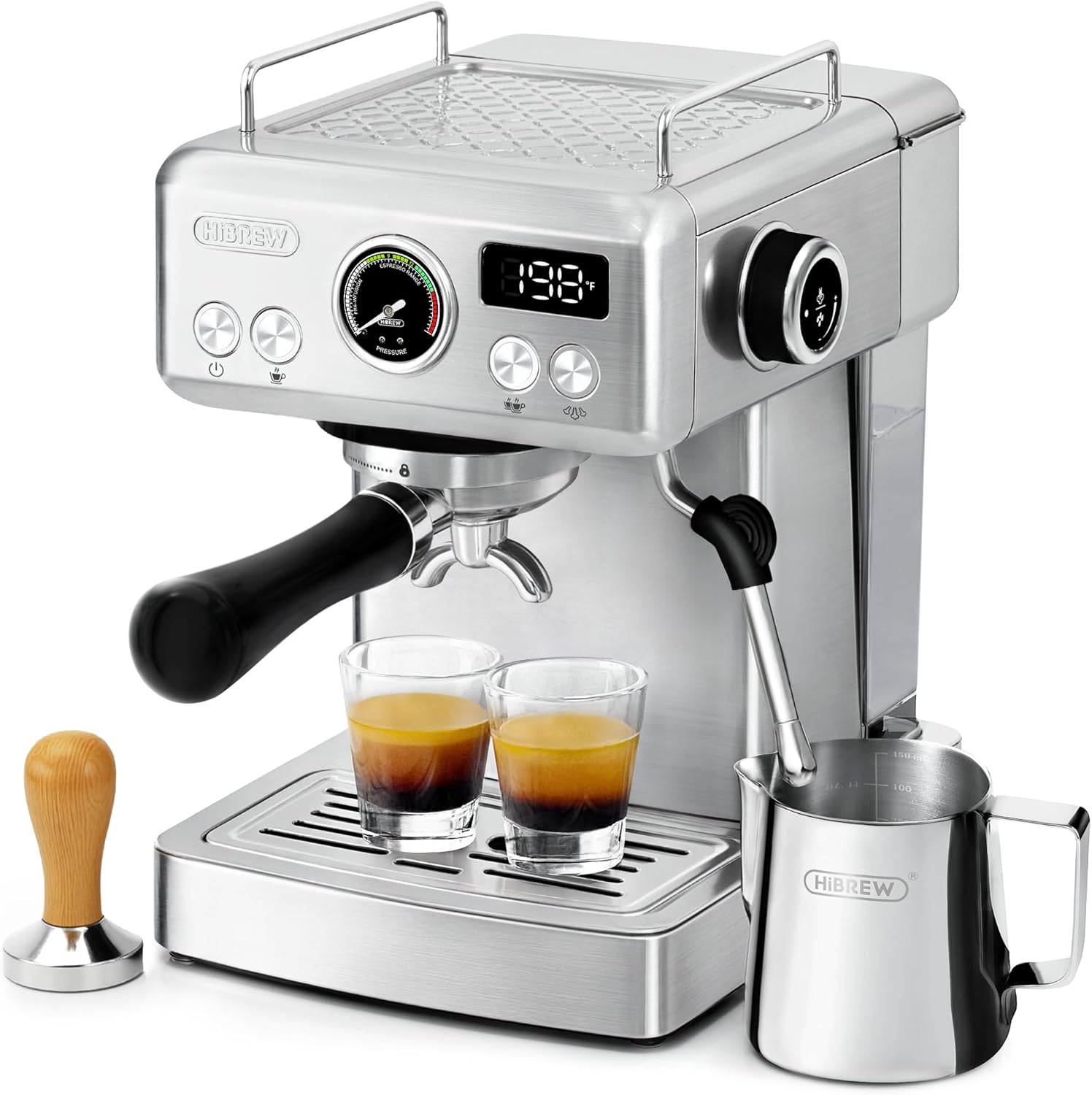
Figure 1: HIBREW H10A 58mm Espresso Machine with accessories.
2. Safety Information
- Always ensure the machine is unplugged before cleaning or maintenance.
- Do not immerse the machine in water or other liquids.
- Keep out of reach of children.
- Use only with a grounded power outlet.
- Avoid touching hot surfaces during operation.
- Do not operate the machine if the power cord or plug is damaged.
3. What's in the Box
Verify that all components are present upon unpacking:

Figure 2: Included accessories with the HIBREW H10A Espresso Machine.
- HIBREW H10A Espresso Machine
- Latte Art Pitcher
- 58mm Portafilter with Double Shot Basket
- Coffee Scoop & Cleaning Brush
- 58mm Coffee Tamper
- Single Shot Filter Basket
- Double Shot Filter Basket (Dual Wall)
- User Manual (this document)
4. Setup
4.1 Initial Preparation
Before first use, ensure the machine is placed on a stable, level surface. Remove all packaging materials.

Figure 3: Remove the red rubber plug from the water tank before first use.
Important: For new machines, locate and remove the red rubber plug from the bottom of the water tank. This plug is for transport protection and must be removed for proper water flow.
4.2 Filling the Water Tank
- Remove the water tank from the back of the machine.
- Fill the tank with fresh, cold water up to the MAX line.
- Place the water tank back securely into the machine.
4.3 Preheating the Machine
Plug the machine into a grounded power outlet. Press the power button. The machine will begin to preheat. Wait until the display shows the set temperature (default 92°C or 198°F) and the indicator lights are steady.
5. Operating Instructions
5.1 Grinding Coffee Beans
For optimal espresso, use freshly ground coffee beans. The grind size is crucial for proper extraction. For espresso, a fine grind is generally recommended.
Video 1: Demonstrates coffee grinding and preparation for espresso. This video also shows the HIBREW G5 grinder, but the grinding process is relevant.
5.2 Preparing the Portafilter
- Select the appropriate filter basket (single or double shot).
- Place the desired amount of freshly ground coffee into the filter basket. For a 58mm portafilter, typically 16-20g for a double shot.
- Distribute the coffee grounds evenly in the basket.
- Use the provided tamper to press the coffee grounds firmly and evenly. Proper tamping is essential for consistent extraction.

Figure 4: Different filter baskets for various coffee preparations.
5.3 Brewing Espresso
- Insert the prepared portafilter into the group head and twist firmly to lock it into place.
- Place your cup(s) on the drip tray beneath the portafilter.
- Press the single or double shot button to start brewing. The machine will automatically stop when the programmed volume is reached.

Figure 5: Basic espresso brewing steps.
5.4 Customizing Settings (Temperature, Volume, Pre-infusion)
The HIBREW H10A allows for customization of brewing parameters:
- Temperature Regulation: Press and hold the single cup and double cup buttons simultaneously for 2 seconds to enter temperature setting mode. Use the +/- buttons to adjust.
- Capacity Adjustment: Press and hold the single cup or double cup button for 2 seconds to customize the volume. The display will show the current volume, which can be adjusted.
- Pre-infusion Time: Pre-infusion wets the coffee grounds before full pressure brewing, enhancing flavor extraction. Press and hold the double shot and power buttons simultaneously for 2 seconds to enter pre-infusion setting mode (1-10 seconds).

Figure 6: Overview of customizable brewing parameters.
Video 2: Demonstrates how to adjust temperature, volume, and pre-infusion settings on the HIBREW H10A display.
5.5 Steaming Milk
- Press the steam button to activate the steam wand. Wait for the machine to reach the desired steam temperature (displayed on the screen).
- Fill the milk pitcher with cold milk (dairy or non-dairy) to just below the spout.
- Submerge the steam wand tip just below the surface of the milk. Turn the steam knob to release steam.
- Angle the pitcher to create a whirlpool effect, incorporating air for frothing. Once the desired texture and temperature are achieved, turn off the steam knob and remove the pitcher.
- Wipe the steam wand immediately with a damp cloth to prevent milk residue buildup.

Figure 7: Using the powerful steam wand for milk frothing.
6. Maintenance
6.1 Daily Cleaning
- Empty and clean the drip tray and water tank daily.
- Rinse the portafilter and filter basket after each use.
- Wipe down the exterior of the machine with a soft, damp cloth.
6.2 Descaling
Regular descaling is essential to prevent mineral buildup and maintain machine performance. The frequency depends on water hardness and usage. Refer to the full user manual for detailed descaling instructions and recommended descaling solutions.
7. Troubleshooting
This section addresses common issues you might encounter with your HIBREW H10A Espresso Machine.
7.1 Error Codes and Solutions
Video 3: This video demonstrates how to resolve common error codes (E-1, E-2, HOT) displayed on the HIBREW H10A machine. It shows how to reset the steam knob, refill the water tank, and dispense hot water to normalize temperature.
- E-1 Error: Indicates the steam knob is not in its original (closed) position. Twist the steam knob back to its original position to reset.
- E-2 Error: Indicates the water tank is low or empty. Refill the water tank and dispense hot water until the machine returns to normal operation.
- "HOT" Display: Indicates the machine's temperature is too high. Dispense hot water through the steam wand or group head until the temperature normalizes.
For other issues, please refer to the comprehensive troubleshooting guide in the full user manual or contact customer support.
8. Specifications
| Feature | Specification |
|---|---|
| Brand | HIBREW |
| Model Number | H10A |
| Color | Silver |
| Product Dimensions | 10.23 x 9 x 12.59 inches |
| Item Weight | 9.6 pounds |
| Power Source | AC adapter |
| Coffee Input Type | Beans (requires external grinder) |
| Is Dishwasher Safe | No |
9. Warranty and Support
For warranty information, product registration, or technical support, please refer to the contact details provided in the original packaging or visit the official HIBREW website. Keep your proof of purchase for warranty claims.


