
Acdctek PF022
User Manual: Acdctek 5V AC/DC Adapter
For PAPIFEED PF022 Automatic Cat Feeders and Compatible Devices
1. Product Overview
This Acdctek 5V AC/DC Adapter is designed to provide reliable power to compatible devices, specifically the PAPIFEED PF022 Automatic Cat Feeder. It converts standard AC wall power to a stable 5V DC output, ensuring consistent operation of your electronic devices. The adapter features built-in safety mechanisms to protect against common electrical issues.
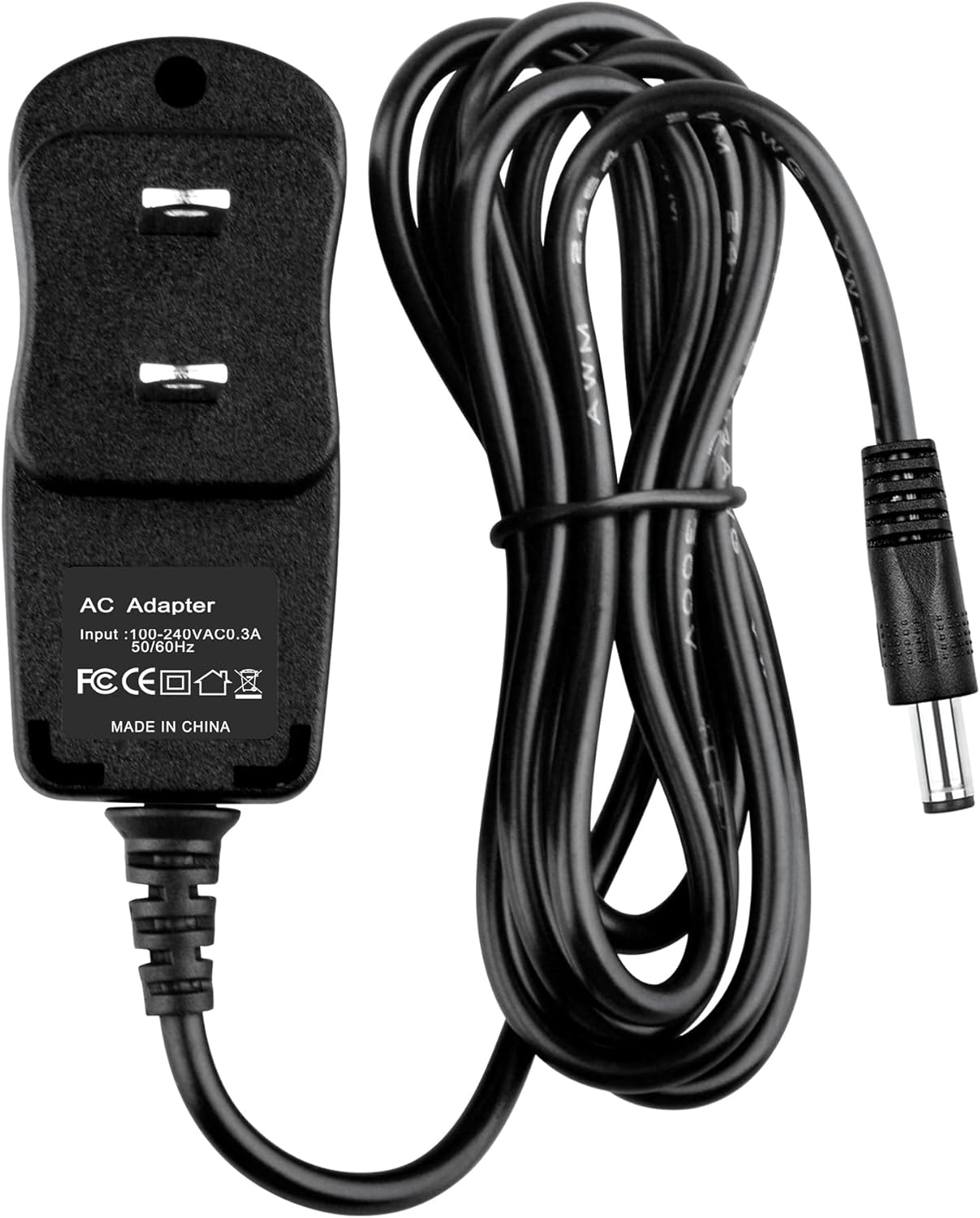
Figure 1: The Acdctek 5V AC/DC Adapter, showing the main unit and the attached power cord with a barrel connector.
2. Safety Information
To ensure safe operation and prevent damage to the adapter or connected devices, please observe the following safety guidelines:
- Over Voltage Protection (OVP): The adapter is designed to shut down if the output voltage exceeds a safe limit, protecting your device from damage due to excessive voltage.
- Over Current Protection (OCP): This feature prevents damage by limiting the output current if it exceeds the maximum safe level.
- Short Circuit Protection (SCP): In the event of a short circuit, the adapter will automatically cut off power to prevent overheating and potential fire hazards.
- Always connect the adapter to a properly grounded electrical outlet.
- Do not expose the adapter to water, moisture, or extreme temperatures.
- Avoid dropping or subjecting the adapter to strong impacts.
- Do not attempt to open or repair the adapter. Refer all servicing to qualified personnel.
- Ensure the adapter's specifications (voltage, current) match the requirements of your device before connecting.
3. Setup and Connection
Follow these steps to properly set up and connect your AC/DC adapter:
- Verify Compatibility: Before connecting, confirm that your device, such as the PAPIFEED PF022 Automatic Cat Feeder, requires a 5V DC input and has a compatible round connector. Refer to your device's manual for its power requirements.
- Connect to Device: Insert the barrel connector of the Acdctek adapter firmly into the power input port of your compatible device.
- Connect to Power Outlet: Plug the AC prongs of the adapter into a standard 100-240V AC wall outlet.
- Power On: Once connected, your device should receive power. Refer to your device's manual for specific power-on procedures or indicators.

Figure 2: The adapter's plug and barrel connector, ready for connection.
4. Operation
The Acdctek 5V AC/DC Adapter operates automatically once connected to a power source and a compatible device. It provides a continuous 5V DC power supply. There are no user-adjustable settings on the adapter itself.
For specific operational instructions regarding your PAPIFEED PF022 Automatic Cat Feeder or other connected devices, please consult their respective user manuals.
5. Maintenance and Care
Proper care will extend the life of your AC/DC adapter:
- Cleaning: Disconnect the adapter from both the wall outlet and your device before cleaning. Use a soft, dry cloth to wipe the surface. Do not use liquid cleaners or abrasive materials.
- Storage: When not in use, store the adapter in a cool, dry place away from direct sunlight and extreme temperatures. Avoid tightly coiling the cable to prevent damage.
- Cable Care: Do not bend, twist, or pull the cable excessively. Avoid placing heavy objects on the cable, which can cause internal damage.

Figure 3: The compact design of the adapter, emphasizing ease of handling and storage.
6. Troubleshooting
If you encounter issues with your adapter, try the following steps:
- No Power to Device:
- Ensure the adapter is securely plugged into a working wall outlet. Test the outlet with another device.
- Verify that the barrel connector is fully inserted into your device's power port.
- Check the adapter's cable for any visible damage (cuts, kinks). If damaged, discontinue use.
- Device Not Functioning Correctly:
- Confirm that your device requires a 5V DC input. Using an adapter with incorrect voltage can cause malfunction or damage.
- If the issue persists, the problem may lie with the device itself. Consult the device's user manual for troubleshooting specific to that product.
7. Specifications
| Attribute | Value |
|---|---|
| Brand | Acdctek |
| Compatible Model | PAPIFEED PF022 Automatic Cat Feeder |
| Input Voltage | 100-240V AC, 50/60Hz |
| Output Voltage | 5V DC |
| Connectivity Technology | AC/DC Adapter |
| Connector Type | Round Barrel Connector |
| Safety Protections | OVP (Over Voltage Protection), OCP (Over Current Protection), SCP (Short Circuit Protection) |
| Manufacturer | Acdctek |
| Country of Origin | China |

Figure 4: The adapter with its cable, illustrating its design.
8. Warranty and Support
For any questions, technical support, or warranty inquiries regarding your Acdctek 5V AC/DC Adapter, please contact the manufacturer or your point of purchase. Please have your product model information (compatible with PAPIFEED PF022) and purchase details ready when contacting support.
Manufacturer: Acdctek