
1. Introduction
Thank you for choosing the FUDONI GC888A Projector. This manual provides essential information for the safe and efficient use of your device. Please read it thoroughly before operation and retain it for future reference.
2. Package Contents
Verify that all items listed below are included in your package:
- FUDONI GC888A Projector
- Remote Control
- HDMI Cable
- Power Cord
- User Manual
- AV Cable
- Projector Lens Cover
3. Product Overview
The FUDONI GC888A Projector combines a retro woodgrain design with advanced features for a versatile home entertainment experience. It supports native 1080P resolution with 4K playback, WiFi 6, Bluetooth 5.4, electric focus, and automatic keystone correction.

Figure 3.1: Front view of the FUDONI GC888A Projector, showcasing its woodgrain finish and lens.
3.1 Ports and Controls
The projector features multiple connectivity options and intuitive controls:
- Input Ports: 2x HDMI, 2x USB, AV, Power Input
- Audio Output: 3.5mm Headphone Jack
- Wireless Connectivity: WiFi 6 (5G + 2.4G Dual-Band), Bluetooth 5.4
- On-Device Controls: Power, Navigation (Up/Down/Left/Right/OK), Menu, Back
- Remote Control: Full functionality including electric focus (F+/F-), keystone correction, volume, navigation, and quick access buttons for streaming services.

Figure 3.2: Rear panel with HDMI, USB, AV, and audio ports.
4. Setup
4.1 Physical Placement
Place the projector on a stable, flat surface or mount it using a compatible tripod. Ensure the lens is facing the projection surface (wall or screen) without obstruction. The projection distance can range from 3.2 to 29.6 feet for a screen size of 30 to 300 inches.

Figure 4.1: Projection distances and corresponding screen sizes.
4.2 Power Connection
Connect the provided power cord to the projector's power input and then to a power outlet.
4.3 Focus and Keystone Adjustment
The projector features automatic vertical keystone correction and remote electric focus for quick and clear image adjustment.
- Auto Keystone: The projector automatically corrects vertical keystone distortion. For four-sided correction, use the remote control.
- Electric Focus: Use the 'F+' and 'F-' buttons on the remote control to adjust the image clarity.

Figure 4.2: Automatic keystone correction ensures a rectangular image.

Figure 4.3: Use the remote's F+ and F- buttons for electric focus adjustment.
4.4 Network Connection (WiFi & Bluetooth)
Connect your projector to a WiFi network for online streaming and screen mirroring. Use Bluetooth to connect external audio devices.
- WiFi: Navigate to the settings menu, select WiFi, and connect to your desired network. The projector supports WiFi 6 (5G + 2.4G dual-band) for stable streaming.
- Bluetooth: In the settings menu, select Bluetooth to pair with compatible speakers or headphones.

Figure 4.4: High-speed WiFi 6 connectivity for seamless streaming.
5. Operating Instructions
5.1 Basic Navigation
Use the remote control or the on-device buttons to navigate the projector's interface. The remote offers a mouse/cursor mode for easier selection.
5.2 Input Sources
Select your desired input source from the main menu:
- HDMI: Connect devices like laptops, gaming consoles, or TV sticks.
- USB: Play media directly from a USB drive.
- AV: Connect older devices using the provided AV cable.
5.3 Screen Mirroring
Mirror your smartphone or tablet screen wirelessly to the projector.
- iOS Mirroring: Select the iOS mirroring option on the projector and follow the on-screen instructions to connect your Apple device.
- Android Mirroring: Select the Android mirroring option and follow the on-screen instructions to connect your Android device.
5.4 Bluetooth Audio
Connect Bluetooth speakers or headphones for an enhanced audio experience.
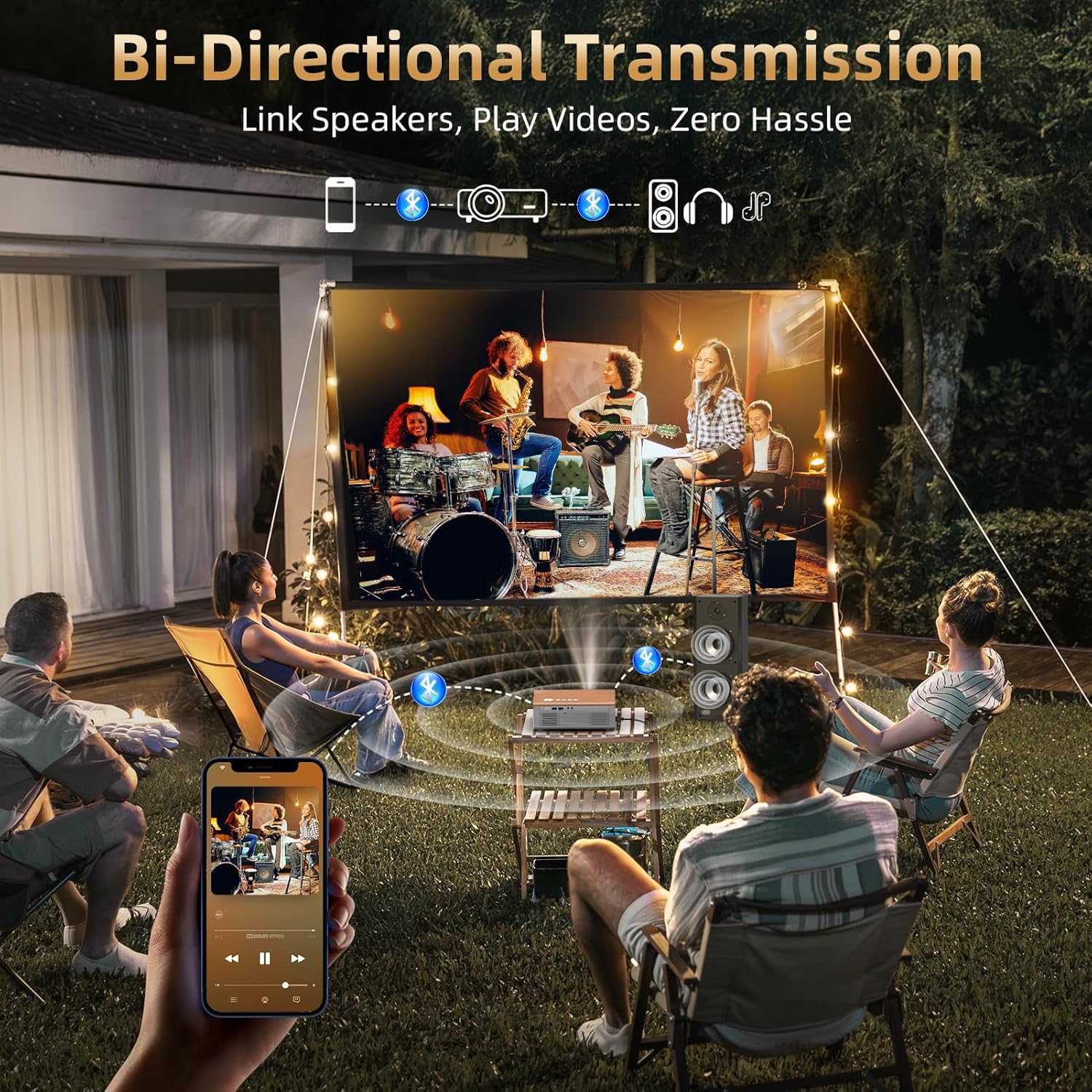
Figure 5.1: Bi-directional Bluetooth allows connecting external speakers or using the projector as a Bluetooth speaker.
5.5 Image and Sound Settings
Access the settings menu to fine-tune image and sound preferences, including image mode, color temperature, sound mode, and shutdown timer.
6. Key Features
- Retro Design with Dual Wireless Modern Tech: A perfect blend of vintage aesthetics and modern functionality, this FUDONI projector with WiFi and Bluetooth features a warm woodgrain finish that complements any home décor while delivering crisp 1080P HD visuals. Stream movies seamlessly via WiFi or connect external Bluetooth speakers for immersive sound.
- Auto Keystone & Electric Focus: Automatic vertical keystone correction with a wide ±35° range and four-sided keystone correction via remote, this wireless projector ensures a perfectly rectangular image in just 2 seconds. With motorized focus technology, simply press the "F+" and "F-" buttons for instant clarity, no need to manually rotate a focus ring.
- Full HD Native 1080P Projector & HDR10+: This movie projector supports native 1080P resolution and 4K playback, providing exceptional clarity with high brightness and a 20,000:1 contrast ratio for brighter, sharper images. HDR10+ technology dynamically adjusts contrast and color accuracy for vivid detail. Note: 4K content (via HDMI devices like streaming sticks) is downscaled to 1080P for playback, ensuring broad compatibility while maintaining high-quality "4K support" labeling.
- 300” Giant Display & 50%-100% Zoom: Flexibly adjust screen size from 30" to a cinematic 300" within 3.2-29.6 feet, offering a theater-like experience in any space. Zoom from 50% to 100% without needing to move the home theater projector.
- Ultra-fast WiFi 6 (5G + 2.4G Dual-Band): The dual-band connectivity allows the video projector to receive WiFi signals from two frequencies simultaneously, ensuring a smoother, more stable streaming experience. Whether you're mirroring your phone screen or watching movies online, expect faster response times and minimal lag. Plus, HDMI ARC syncs audio and visuals perfectly for an enhanced experience.
7. Specifications
| Feature | Detail |
|---|---|
| Brand | FUDONI |
| Model Number | GC888A |
| Item Weight | 3.98 pounds |
| Product Dimensions | 9.3 x 7 x 3.5 inches |
| Color | Brown |
| Display Resolution | 1920 x 1080 (Native 1080P, 4K Supported) |
| Connectivity Technology | WiFi 6 (5G + 2.4G Dual-Band), Bluetooth 5.4, HDMI, USB, AV |
| Special Features | Built-in Speaker, Electric Focus, Auto-keystone, 100%-50% Zoom function, Auto sleep timer, Dustproof design |
8. Maintenance
To ensure optimal performance and longevity of your projector, regular maintenance is recommended.
- Lens Cleaning: Use a soft, lint-free cloth or the provided cleaning swabs to gently clean the projector lens. Avoid abrasive materials.
- Dust Filter: Periodically check and clean the dust filters to prevent overheating and maintain image quality. The filters are designed for easy removal and cleaning.
- Storage: When not in use, cover the lens with the provided lens cap and store the projector in a cool, dry place.
9. Troubleshooting
If you encounter any issues, please refer to the following common solutions:
- No Image/Blurry Image: Ensure the power cord is securely connected. Adjust focus using the 'F+'/'F-' buttons on the remote. Check keystone correction settings.
- No Sound: Verify volume levels on both the projector and the connected source. Check audio output settings and ensure external speakers are properly connected via Bluetooth or audio jack.
- Screen Mirroring Issues: Ensure both the projector and your device are connected to the same WiFi network. Some streaming apps may restrict screen mirroring due to copyright protection; consider connecting via HDMI.
- Remote Control Not Working: Check and replace batteries in the remote control. Ensure there are no obstructions between the remote and the projector's IR sensors.
For further assistance, please contact FUDONI customer support.
10. Warranty and Support
FUDONI is committed to providing high-quality products and excellent customer service.
- Customer Support: Enjoy lifetime support and satisfied solutions. Quick service is available via phone or email.
- Return Policy: Benefit from a 30-day no-reason return policy.
- Replacement: The product includes a 36-month free replacement warranty.
10.1 Official Product Videos
Watch official videos from FUDONI for setup guides and feature demonstrations.
Video 10.1: An honest review of the FUDONI Projector by an official seller.
Video 10.2: Demonstration of the GC888A projector's clear projection quality by an official seller.