
1. Introduction
Thank you for choosing the OIZNIAT 10,000mAh Qi2 Wireless Magnetic Power Bank, Model YZ-005. This device is designed to provide versatile and efficient charging solutions for your electronic devices, featuring Qi2 wireless charging, multiple built-in cables, a foldable wall plug, and international travel adapters. This manual provides essential information for safe and effective use of your power bank.
2. Product Overview
The OIZNIAT Power Bank combines several charging functionalities into a compact design, making it ideal for daily use and international travel.
Key Features:
- Qi2 Wireless Charging: Provides 15W wireless charging with an 11N magnetic attachment for secure device connection.
- Integrated Cables: Includes a built-in USB-C cable that also functions as a carrying handle, and an additional USB-C to Lightning cable.
- Built-in Wall Plug: Features a foldable US wall plug for direct charging from an AC outlet.
- International Adapters: Comes with Australian, European, UK, and India specification plugs for global compatibility.
- LED Digital Display: Shows real-time battery percentage and charging status.
- Fast Charging: Supports up to 30W two-way fast charging via USB-C PD port and 20W via wall plug.
- Multi-Device Charging: Capable of charging up to four devices simultaneously.

Image 2.1: OIZNIAT Power Bank with included accessories, including various international plug adapters and a USB-C to Lightning cable.
3. Package Contents
Please verify that all items are present in your package:
- 10000mAh Power Bank x1
- Australian Specification Plug x1
- European Specification Plug x1
- UK Specification Plug x1
- India Specification Plug x1
- USB-C to Lightning Cable x1
- Power Bank Organizer x1
4. Component Identification

Image 4.1: Labeled diagram of the OIZNIAT Power Bank's features and ports.
- Built-in USB-C Cable: For charging devices or carrying the power bank.
- Dual-way USB-C Port (Input/Output): Supports up to 30W fast charging.
- USB-C Output Port: Additional port for charging devices.
- Built-in US Wall Plug: Foldable plug for direct AC charging.
- Qi2 Wireless Charging Area: Magnetic pad for wireless charging.
- LED Digital Display: Shows battery percentage and charging status.
5. Setup
5.1 Initial Charging of the Power Bank
Before first use, fully charge your OIZNIAT Power Bank. There are two primary methods to charge the power bank itself:
- Using the Built-in Wall Plug: Extend the foldable US wall plug and insert it directly into an AC power outlet. The LED display will show the charging progress.
- Using the USB-C Input Port: Connect a USB-C cable to the dual-way USB-C port on the power bank and plug the other end into a compatible USB wall adapter (not included).

Image 5.1: Illustration of charging the power bank via wall plug or USB-C input.
6. Operating Instructions
6.1 Charging Devices Wirelessly (Qi2 Magnetic)
The power bank features Qi2 certified magnetic wireless charging for compatible devices.
- Ensure your device is Qi2 compatible and has magnetic capabilities (e.g., iPhone 12-16 series running iOS 17.4 or later for optimal 15W charging).
- Align your device with the magnetic charging area on the power bank. The magnets will securely attach the device.
- Wireless charging will begin automatically. The LED display may indicate wireless charging activity.
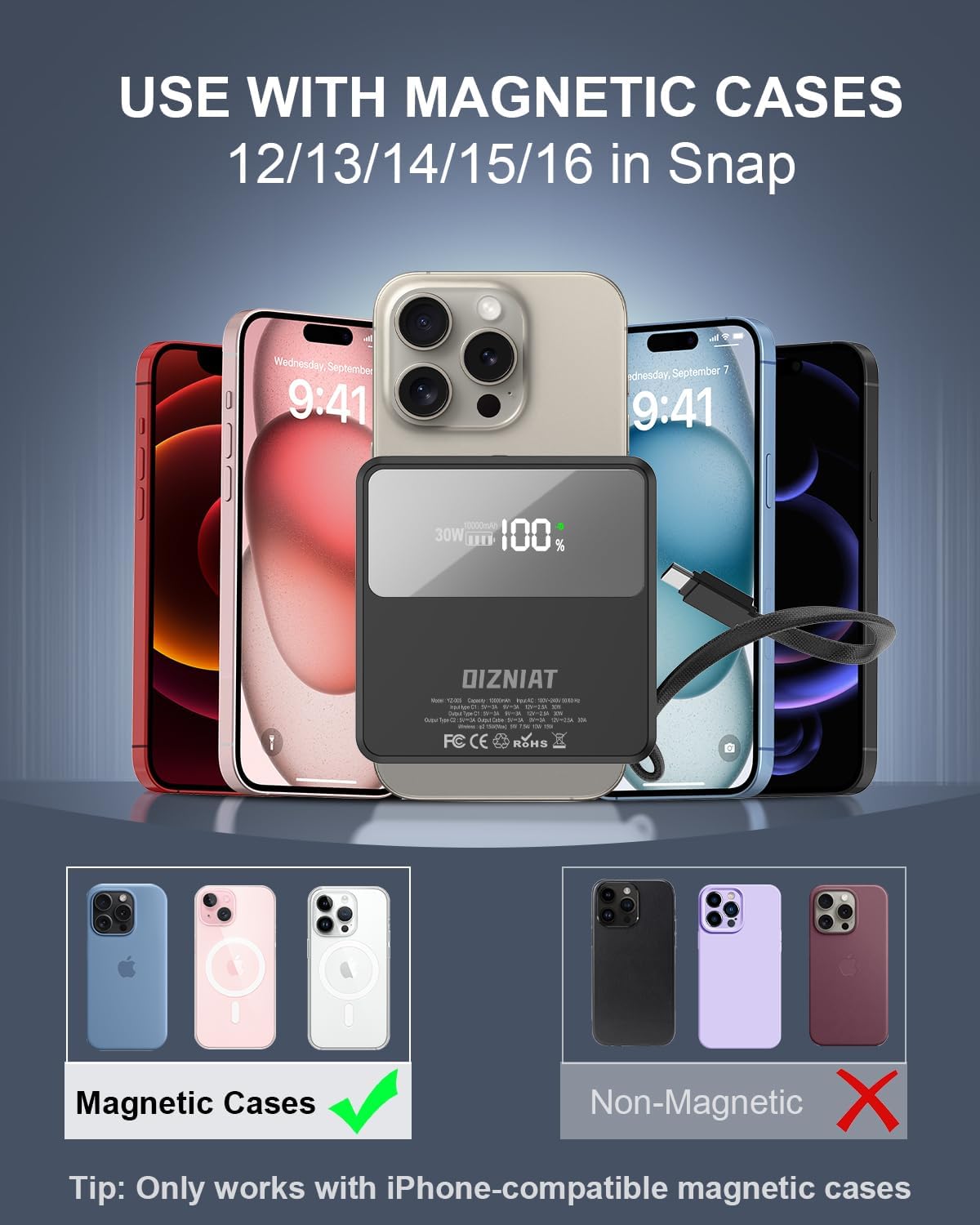
Image 6.1: Using the magnetic wireless charging feature with a compatible phone case.

Image 6.2: The power bank providing 15W Qi2 magnetic wireless charging to a smartphone.
6.2 Charging Devices via Built-in Cables
The power bank includes a built-in USB-C cable and an additional USB-C to Lightning cable for wired charging.
- Built-in USB-C Cable: Pull out the integrated USB-C cable and connect it to your USB-C compatible device.
- USB-C to Lightning Cable: Use the provided USB-C to Lightning cable by connecting the USB-C end to one of the power bank's USB-C ports and the Lightning end to your Apple device.
6.3 Charging Devices via USB-C Ports
The power bank has two USB-C ports for wired charging.
- Connect a compatible charging cable (e.g., USB-C to USB-C, USB-C to Lightning) to one of the power bank's USB-C ports.
- Connect the other end of the cable to your device. Charging will commence automatically.
6.4 Charging Multiple Devices Simultaneously
You can charge up to four devices concurrently using a combination of wireless charging, built-in cables, and USB-C ports.

Image 6.3: Example of charging four devices simultaneously.
6.5 Using the Built-in Wall Plug with International Adapters
The integrated US wall plug can be used directly or with the included international adapters.
- For US Outlets: Simply extend the foldable US wall plug and insert it into the wall socket.
- For International Outlets: Select the appropriate international adapter (Australian, European, UK, or India). Attach the adapter to the US wall plug of the power bank, then insert into the corresponding wall socket.

Image 6.4: The power bank supporting charging in over 175 countries with its interchangeable plug adapters.
7. Maintenance
- Cleaning: Use a soft, dry cloth to clean the power bank. Avoid using harsh chemicals or abrasive materials.
- Storage: Store the power bank in a cool, dry place away from direct sunlight and extreme temperatures.
- Battery Care: To prolong battery life, fully charge the power bank at least once every three months if not in regular use. Avoid fully discharging the battery frequently.
- Handling: Do not drop, disassemble, or attempt to repair the power bank yourself. This may void the warranty and cause damage.
8. Troubleshooting
8.1 Device Not Charging
- Ensure the power bank is sufficiently charged. Check the LED display for battery percentage.
- Verify that cables are securely connected to both the power bank and your device.
- For wireless charging, ensure your device is properly aligned with the magnetic charging area and is Qi2 compatible.
- Try a different cable or charging method to isolate the issue.
8.2 Power Bank Not Charging
- Ensure the wall plug or USB-C input cable is securely connected to a working power source.
- Try a different wall outlet or USB adapter.
- Check if the built-in wall plug is fully extended and making proper contact.
8.3 Charging Stops at 80% (for iPhones)
Your iPhone may stop charging at 80% to protect the battery if it gets too warm during charging, as part of iOS 17's thermal control strategy. Charging will resume once the device cools down. Moving your iPhone to a cooler area may help.

Image 8.1: iPhone display showing 'Charging On Hold' due to thermal protection.
9. Specifications
| Feature | Specification |
|---|---|
| Model Number | YZ-005 |
| Battery Capacity | 10,000 mAh (Lithium Polymer) |
| Product Dimensions | 3.35 x 3.35 x 0.98 inches |
| Item Weight | 1.15 pounds |
| Wireless Charging Output | Qi2 15W (Max) |
| Wired Charging Output (USB-C PD) | 30W (Max) |
| Wall Plug Output | 20W |
| Special Features | Built-in Cable, Built-in Wall Plug, Digital Display, Fast Charging, Wireless Charging |
| Manufacturer | Dongguan Youzhichong Electronics Co., Ltd |
10. Warranty and Support
For warranty information and customer support, please refer to the documentation included with your purchase or contact OIZNIAT customer service directly. Keep your proof of purchase for any warranty claims.