
Synido TempoPAD C16
Synido TempoPAD C16 Wireless MIDI Pad Controller User Manual
Model: TempoPAD C16
Introduction
The Synido TempoPAD C16 is a versatile wireless MIDI pad controller designed for music production professionals and enthusiasts. It offers dual connectivity via USB and Bluetooth MIDI, allowing for flexible use with various devices. Featuring 16 RGB backlit velocity-sensitive pads, 8 endless rotary knobs, and 12 assignable buttons, the TempoPAD C16 provides comprehensive control for beat-making, sampling, and live performance. Its compact and portable design, coupled with a built-in rechargeable battery, makes it suitable for both studio and on-the-go creative sessions.

Figure 1: Synido TempoPAD C16 Wireless MIDI Pad Controller with included USB cable and adapters.
Setup
1. Charging the Device
The TempoPAD C16 comes with a built-in rechargeable Lithium Polymer battery. Before initial use, fully charge the device using the provided USB-C cable. Connect the USB-C end to the controller and the other end to a compatible USB power adapter (not included) or a computer's USB port.

Figure 2: The TempoPAD C16 features a 3000mAh high-quality battery for extended use.
2. Connecting to a Device
The TempoPAD C16 supports both wired and wireless connections.
- USB Connection: Connect the TempoPAD C16 to your computer (Mac/PC) or smart device using the USB-C cable. No additional drivers are typically required for most operating systems.
- Bluetooth MIDI Connection:
- Ensure the TempoPAD C16 is powered on.
- On your Mac, PC, iOS, or Android device, enable Bluetooth.
- Navigate to your device's Bluetooth settings or MIDI settings within your music software.
- Select "TempoPAD C16" from the list of available devices to pair.

Figure 3: The TempoPAD C16 offers broad compatibility with various devices and DAW software.
Video 1: An overview of the BLE 5.0 MIDI TempoPAD C16 MIDI Controller, showcasing its features and connectivity options.
Operating the TempoPAD C16
1. Overview of Controls
The TempoPAD C16 features a comprehensive set of controls for intuitive music creation:
- 16 RGB Backlit Pads: Velocity-sensitive pads for expressive drumming, sampling, and triggering. These pads also support aftertouch.
- 8 Endless Rotary Knobs: For tweaking effects, instruments, and other parameters.
- 12 Assignable Buttons: With LED indicators for various functions.
- OLED HD Display: Provides real-time feedback and allows for direct parameter adjustments without a computer.

Figure 4: The High-Definition OLED Screen Display enables fingertip control and intuitive feedback.

Figure 5: Detailed view of the smooth faders and 360-degree infinite rotary knobs.
2. Operating Modes
The TempoPAD C16 offers three distinct modes to suit different production needs:
- Keyboard Mode: For playing melodic lines and chords.
- Custom Mode: Allows for user-defined assignments of pads, knobs, and buttons.
- Dark Mode: A specialized mode for specific performance or production scenarios.
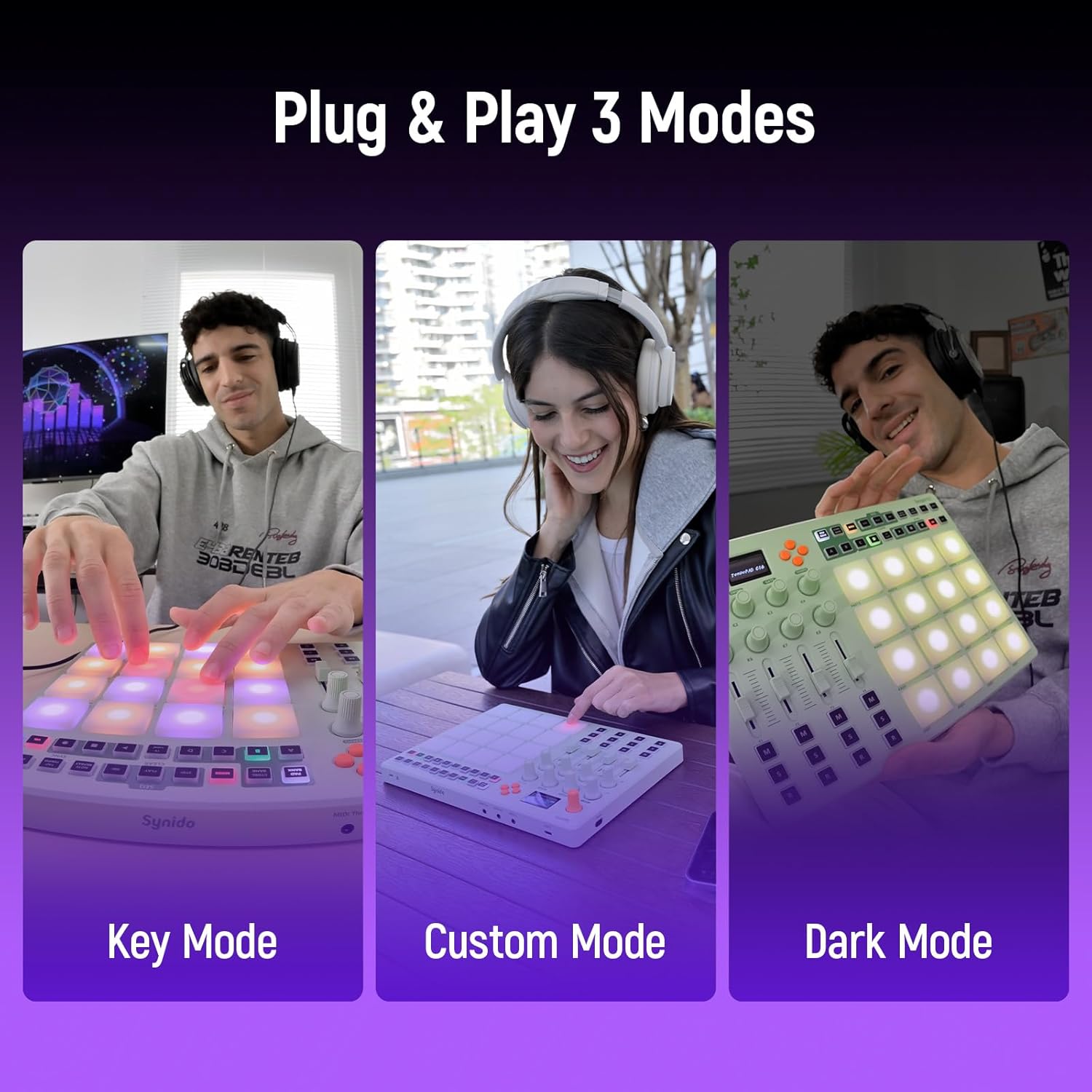
Figure 6: The TempoPAD C16 supports Plug & Play with three distinct modes.
3. Pad Sensitivity and Lighting
The 16 RGB pads are velocity-sensitive, allowing for dynamic expression. They also feature customizable lighting effects with 16 vibrant colors.
- Velocity Sensitivity: The pads respond to the force of your touch, enabling varied dynamics from soft rhythms to bold beats. Four velocity curves (Normal, Hard, Light, Fixed) are available for customization.
- Aftertouch Support: Provides additional expressive control by sensing continuous pressure after the initial strike.
- RGB Backlighting: The pads illuminate with customizable colors, enhancing visual feedback and performance.

Figure 7: Dynamic pads with velocity sensitivity make playing more expressive.

Figure 8: Customize your playing dynamics with four velocity options.

Figure 9: Captivating RGB lighting effects with 16 vibrant colors.
4. Sequencer and Performance Features
The TempoPAD C16 includes advanced features for comprehensive music production:
- 16-Track, 16-Step Sequencer: Record, loop, and perform musical phrases effortlessly.
- Note Repeat: Automatically repeats notes for rhythmic effects.
- Tempo Pad: Dedicated control for tempo adjustments.

Figure 10: MIDI In/Out/Thru and USB-C ports for versatile connectivity.
Maintenance
- Cleaning: Use a soft, dry cloth to clean the surface of the device. Avoid abrasive cleaners or solvents.
- Storage: Store the TempoPAD C16 in a cool, dry place away from direct sunlight and extreme temperatures.
- Battery Care: To prolong battery life, avoid fully discharging the battery frequently. Charge the device regularly, even if not in use for extended periods.
Troubleshooting
Common Issues and Solutions:
- Device not powering on:
Ensure the battery is charged. Connect the USB-C cable to a power source and allow it to charge for at least 30 minutes before attempting to power on again.
- No sound or MIDI signal:
- Verify that the TempoPAD C16 is correctly connected via USB or Bluetooth to your computer/device.
- Check your DAW or music software's MIDI input settings to ensure the TempoPAD C16 is selected as an active MIDI input device.
- Ensure the correct instrument or track is armed for recording/playback in your software.
- Confirm that the volume levels are appropriately set on both the TempoPAD C16 (if applicable) and your software/audio interface.
- Pads not responding or inconsistent velocity:
- Check the selected velocity curve setting on the TempoPAD C16. Adjust it to "Normal" or "Fixed" to test responsiveness.
- Ensure the pads are clean and free from debris.
- If the issue persists, try resetting the device to factory settings (refer to the full manual for specific instructions on factory reset).
- Bluetooth connection issues:
- Ensure the TempoPAD C16 is within the effective Bluetooth range (typically up to 15 meters).
- Turn off and on the Bluetooth on both the TempoPAD C16 and your receiving device.
- Remove the TempoPAD C16 from your device's paired Bluetooth list and attempt to re-pair.
- Ensure no other devices are causing Bluetooth interference.
Specifications
| Feature | Detail |
|---|---|
| Model Name | TempoPAD C16 |
| Dimensions | 12.95 x 10.43 x 2.83 inches |
| Item Weight | 3.8 pounds |
| Connectivity Technology | USB, Bluetooth, Auxiliary |
| Pads | 16 RGB Backlit, Velocity-Sensitive with Aftertouch |
| Knobs | 8 Endless Rotary Knobs |
| Buttons | 12 Assignable Buttons with LED Indicators |
| Sequencer | 16-Track, 16-Step Sequencer |
| Display | OLED HD Screen |
| Battery | 1 Lithium Polymer battery (included) |
| Compatible Devices | Windows, iOS, Mac, Android |
| Supported Software | Ableton Live, FL Studio, Logic Pro X, Pro Tools, Cubase, Studio One, Reason, GarageBand, Reaper, Cakewalk by BandLab |
Warranty and Support
For detailed warranty information, technical support, and additional resources, please refer to the official Synido website or contact their customer service directly. Keep your proof of purchase for warranty claims.
Online Resources:
Related documentsTempoPAD C16


Ask a question about this manual
Ask about setup, troubleshooting, compatibility, parts, safety, or missing instructions. Manuals+ will review the question and use this page’s manual context to help answer it.