
Liians Twin Bed Frame
Liians Twin Size Platform Bed Frame User Manual
Model: Twin Bed Frame
Brand: Liians
Introduction
Thank you for choosing the Liians Twin Size Platform Bed Frame. This bed frame is designed to provide both comfort and functionality, featuring integrated LED lighting, a convenient 2-tier storage headboard, and a built-in charging station. This manual will guide you through the assembly, operation, maintenance, and troubleshooting of your new bed frame to ensure a seamless experience.
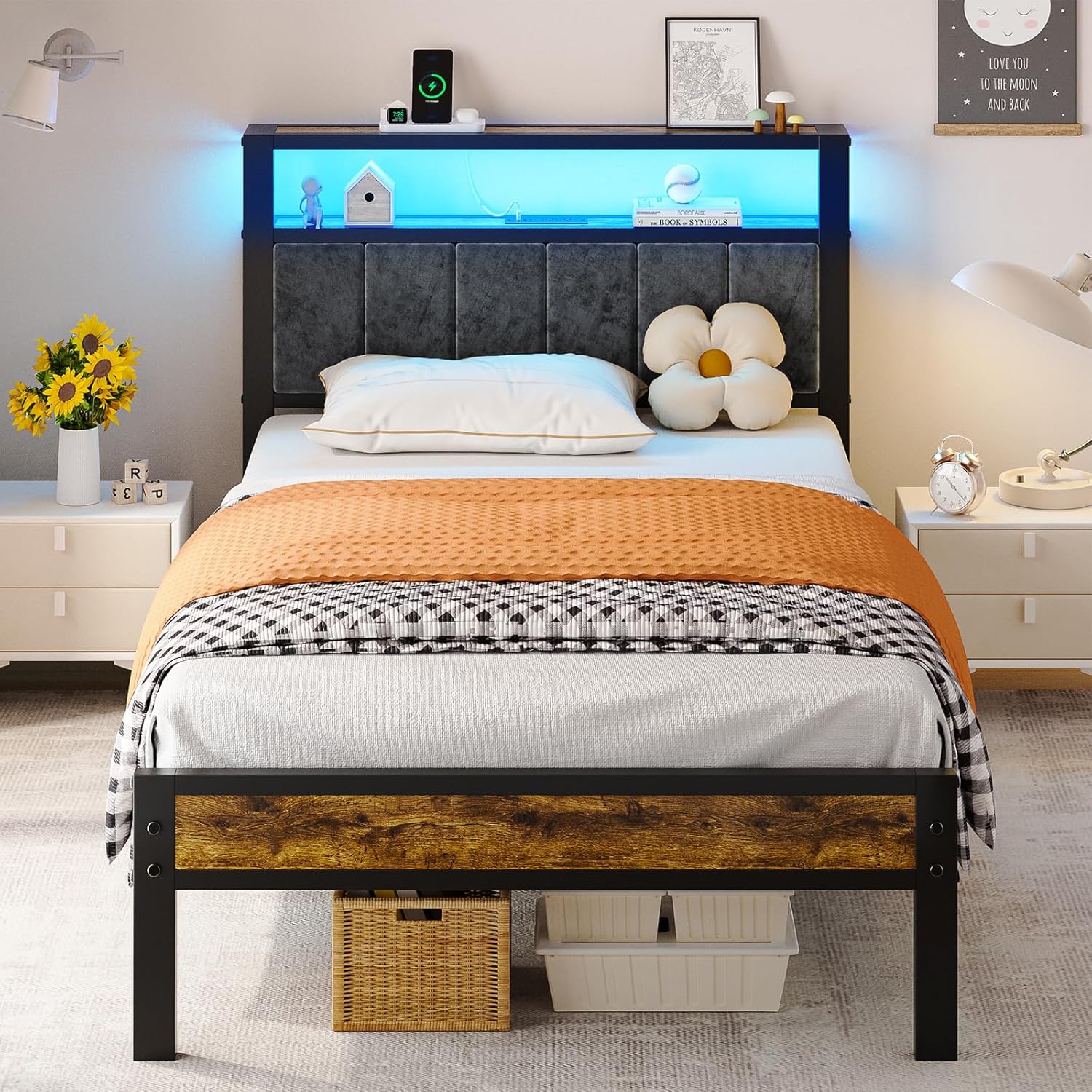
The Liians Twin Size Platform Bed Frame, showcasing its upholstered headboard with integrated LED lighting and storage, designed for modern bedrooms.
Setup and Assembly
The Liians Twin Size Platform Bed Frame is designed for quick and easy assembly. All necessary tools and instructions are included in the package. Please follow these steps carefully to ensure proper setup.
Before You Begin
- Unpack all components and verify that all parts are present and undamaged. Refer to the included parts list.
- Ensure you have enough clear space for assembly.
- Keep children and pets away from the assembly area.
Assembly Steps
Follow the step-by-step instructions provided in the separate installation manual included with your bed frame. It is crucial to not fully tighten all bolts until the entire frame is assembled to allow for proper alignment.

Illustration demonstrating the straightforward assembly process with clearly labeled parts.
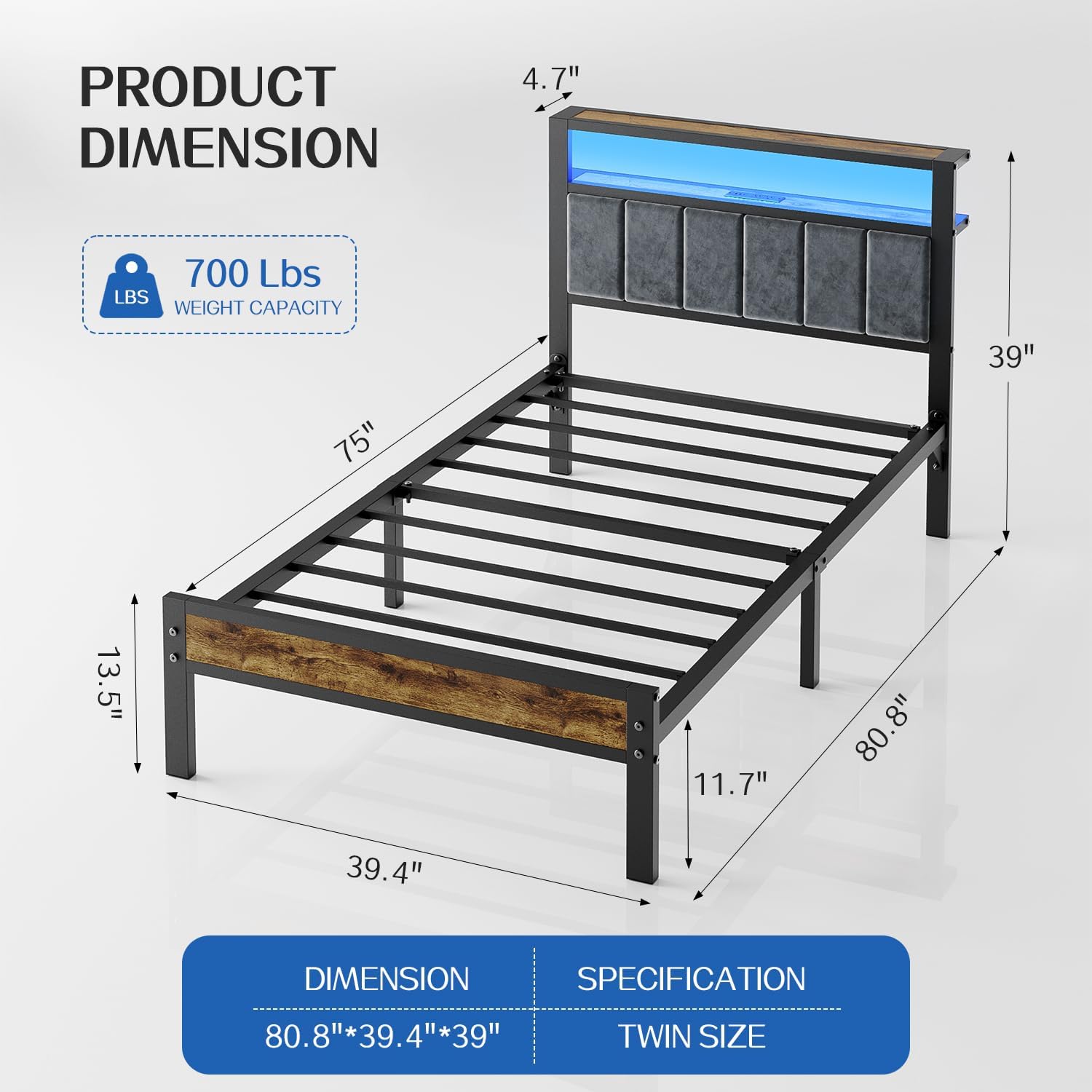
Detailed product dimensions for the Twin size bed frame, indicating overall length, width, height, and weight capacity.
Operating Instructions
LED Lighting System
The integrated RGB LED lights provide ambient lighting for your room. Control the lights using the included remote control or a compatible mobile application.
- Color Selection: Choose from over 60,000 colors to match your mood or decor.
- Adjustable Brightness: Dim or brighten the lights to your preferred level.
- Modes: Explore various modes including music sync, mic mode, and dynamic lighting effects.
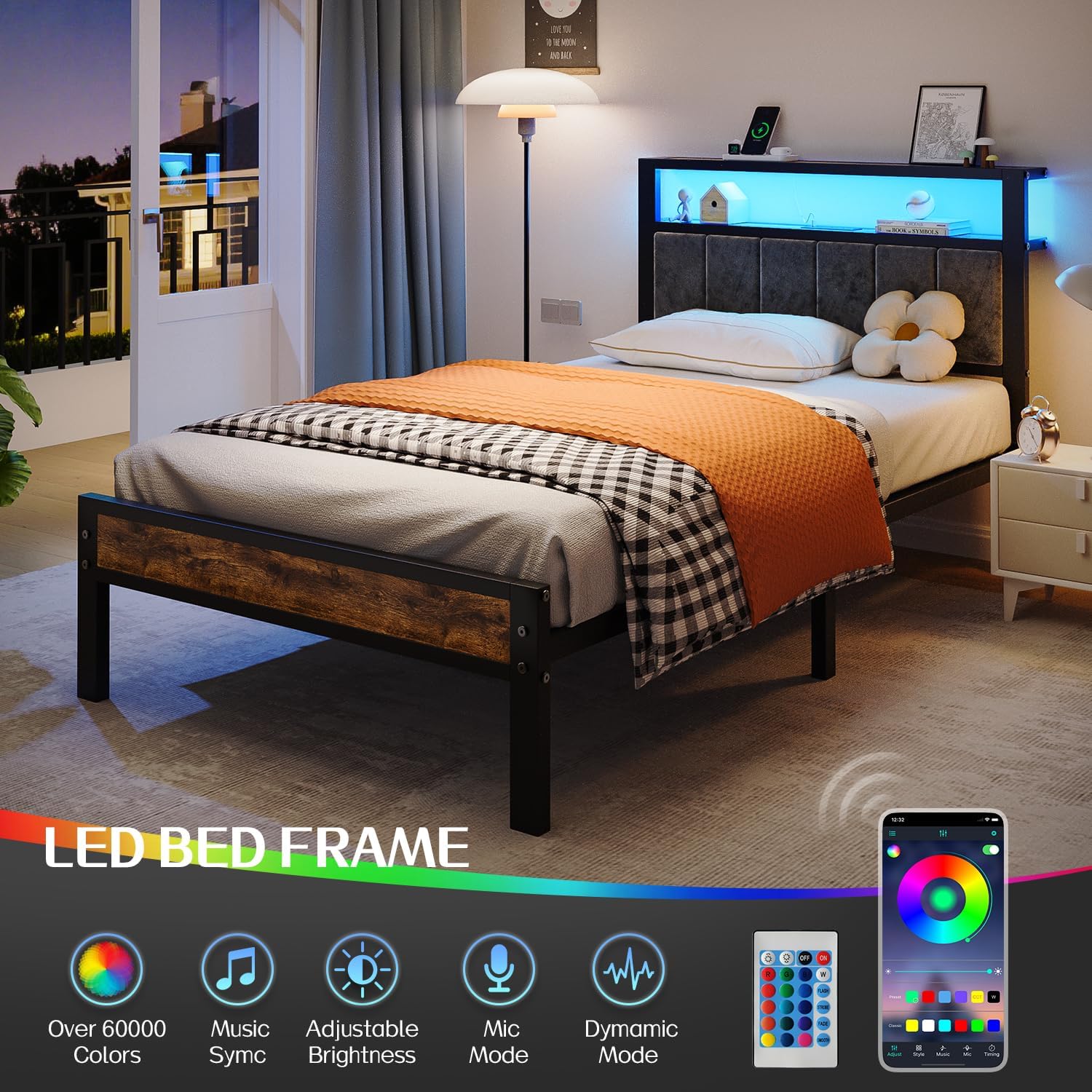
Visual representation of the LED bed frame's features, including remote control and mobile app connectivity for color and mode adjustments.
Built-in Charging Station
The headboard features a convenient charging station to power your electronic devices.
- Power Outlets: Equipped with 2 standard AC power outlets.
- USB Ports: Includes 2 USB-A ports and 1 USB-C port for versatile charging.
- Power Cord: Features a 4.9ft power cord for easy connection to a wall outlet.

Close-up of the integrated charging station, showing the various power and USB ports available for device charging.
2-Tier Storage Headboard
The headboard is designed with two tiers of storage, functioning as a convenient nightstand to keep essentials within reach.
- Ideal for storing phones, books, glasses, and decorative items.
- Helps save space and maintain an organized bedroom environment.

The 2-tier storage headboard providing convenient space for bedside items, illuminated by the LED lights.
Care and Maintenance
To ensure the longevity and optimal performance of your Liians bed frame, follow these maintenance guidelines:
- Cleaning: Wipe down the metal and wooden surfaces with a soft, damp cloth. Avoid harsh chemicals or abrasive cleaners. For the upholstered headboard, use a fabric cleaner suitable for the material, testing on an inconspicuous area first.
- Hardware Check: Periodically check all bolts and screws to ensure they are tight. Re-tighten if necessary to maintain stability and prevent noise.
- LED Lights: Keep the LED strip and remote clean and free of dust.
- Charging Station: Ensure the charging ports are free of debris. Do not overload the charging station.
Troubleshooting
If you encounter any issues with your bed frame, please refer to the following common problems and solutions:
| Problem | Possible Cause | Solution |
|---|---|---|
| Bed frame is wobbly or noisy. | Loose bolts or improper assembly. | Check and tighten all bolts and connections. Ensure all parts are correctly aligned as per the assembly manual. |
| LED lights are not working. | Power connection issue, remote battery, or LED strip damage. | Ensure the power adapter is securely plugged into the wall and the LED strip. Check the remote control battery. If issues persist, contact customer support. |
| Charging station is not providing power. | Power connection issue, overloaded circuit, or faulty device. | Verify the bed frame's main power cord is securely plugged into a working wall outlet. Ensure the charging station is not overloaded. Test with different devices. |
| Missing parts or damaged components upon arrival. | Manufacturing or shipping error. | Do not attempt to assemble. Immediately contact Liians after-sales service with your purchase details. |
For any issues not listed above, or if the suggested solutions do not resolve the problem, please contact our customer support team for further assistance.
Product Specifications
| Feature | Detail |
|---|---|
| Size | Twin |
| Product Dimensions | 80"L x 40"W x 40"H |
| Special Feature | Charging Station, LED Lights, Storage Headboard |
| Color | Black |
| Finish Type | Painted |
| Included Components | Bed Frame, Upholstered Headboard, LED Light Kit, Charging Station, Installation Manual, Assembly Tools |
| Brand | Liians |
| Maximum Weight Recommendation | 750 Pounds |
| Assembly Required | Yes |
| Ground To Item Distance | 13.7 Inches |
| Item Weight | 35.1 pounds |
| Model Number | Twin Bed Frame |

Visualizing the under-bed storage space and the embedded mattress design for stability.
Warranty and Customer Support
Liians is committed to providing high-quality products and excellent customer service. If you have any questions, concerns, or require assistance with your bed frame, please do not hesitate to contact our after-sales service team.
For issues such as damage, scratches, or missing parts, please reach out to us immediately with your order information. We recommend retaining your proof of purchase for warranty claims.
Additionally, extended protection plans may be available for your product. Please refer to your purchase documentation or retailer for details on available protection options.
Related Documents - Twin Bed Frame
 |
Bed Frame-T Assembly Instructions - Latitude Run Comprehensive assembly instructions for the Latitude Run Bed Frame-T. This guide provides step-by-step instructions, component lists, and hardware details for easily assembling your floating bed frame with LED lighting and charging station, featuring an upholstered headboard with folding shelves and metal slats. No box spring required. Designed for noise-free, easy assembly. |
 |
Ivy Bronx Twin Size Bed Frame Assembly Instructions with LED Lights Comprehensive assembly guide for the Ivy Bronx Twin Size Bed Frame. This manual provides step-by-step instructions, a detailed parts list, and hardware specifications for assembling the platform bed with integrated LED lighting, charging station, and drawers. No box spring required. |
 |
ZINUS Dark Grey Upholstered Essential Platform Bed Frame - Assembly Instructions & Warranty Detailed assembly instructions and 5-year limited warranty information for the ZINUS Dark Grey Upholstered Essential Platform Bed Frame. Easy setup guide for Full, Queen, and King sizes. |
 |
YITAHOME Queen Size Bed Frame Assembly Instructions Comprehensive assembly guide for the YITAHOME Queen Size Bed Frame with storage drawers and RGB LED lights. Includes detailed steps, parts list, safety warnings, and disclaimer. |
 |
VECELO Bed Frame Installation Manual and Product Information Comprehensive guide for assembling the VECELO Bed Frame, including troubleshooting tips, return policy, and component details. Covers various sizes and provides step-by-step instructions. |
 |
LIKIMIO Twin Bed Frame Assembly Instructions | Storage Bed Guide Comprehensive assembly guide for the LIKIMIO Twin Bed Frame with under-bed storage. Learn how to easily assemble your velvet upholstered platform bed with headboard and drawer. Includes parts list and step-by-step instructions. |
Ask a question about this manual
Ask about setup, troubleshooting, compatibility, parts, safety, or missing instructions. Manuals+ will review the question and use this page’s manual context to help answer it.