
1. Introduction
This manual provides instructions for the safe and efficient use of your Pearlstar Rechargeable Camping Lanterns (Model 1710). These lanterns are designed for both indoor and outdoor use, featuring a dimmable Edison bulb, USB-C charging, and a 6-hour timer function. Please read this manual thoroughly before operating the product and retain it for future reference.
2. Safety Information
- Do not expose the lanterns to extreme temperatures or open flames.
- Ensure the USB-C charging port is dry before connecting the charging cable.
- Keep out of reach of children.
- Do not attempt to disassemble or modify the lantern. This may void the warranty and pose a safety risk.
- Dispose of batteries according to local regulations.
3. Package Contents
The Pearlstar Rechargeable Camping Lanterns package includes:
- 2 x Pearlstar Rechargeable Camping Lanterns (Model 1710)
- 2 x USB-C Charging Cables
- 1 x User Manual
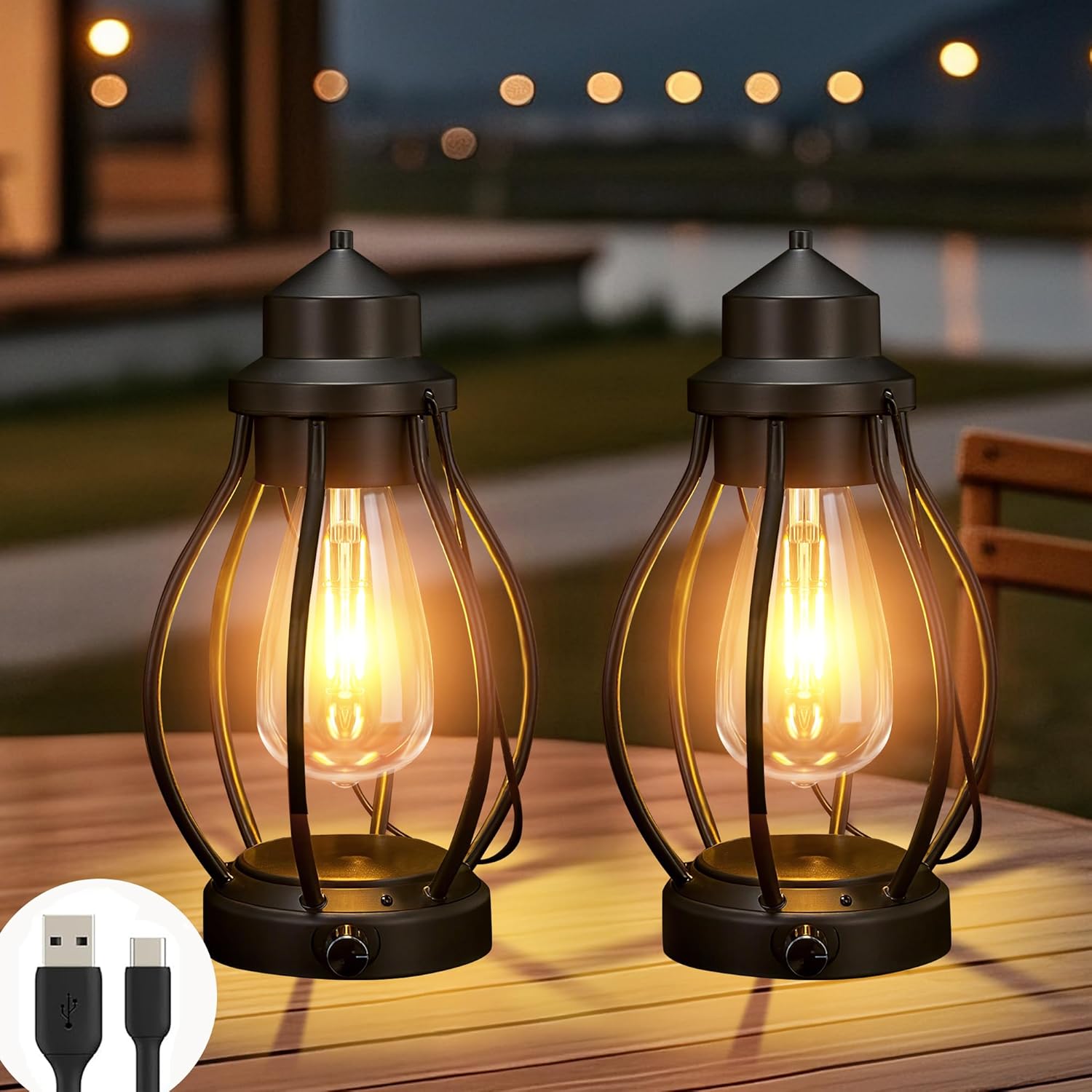
Image: Package contents showing two lanterns and the product box.
4. Setup
4.1 Initial Charging
- Locate the USB-C charging port on the base of the lantern.
- Connect one end of the provided USB-C charging cable to the lantern and the other end to a compatible USB power source (e.g., wall adapter, power bank, computer USB port).
- The charging indicator light will illuminate during charging and turn off when fully charged.
- A full charge provides approximately 8 hours of light at maximum brightness, or up to 20-60 hours at lower brightness settings.

Image: Lantern connected to a USB-C charger.
5. Operating Instructions
5.1 Power On/Off and Brightness Adjustment
- Locate the rotary knob on the side of the lantern's base.
- Turn the knob clockwise to turn the lantern on and increase brightness (0% to 100%).
- Turn the knob counter-clockwise to decrease brightness and turn the lantern off.

Image: Visual representation of the dimming function from 0% to 100% brightness.
5.2 Timer Function
- On the bottom of the lantern, locate the ON/OFF/TIMER switch.
- Slide the switch to the "Timer" position to activate the 6-hour timer.
- The lantern will automatically turn off after 6 hours.
- To deactivate the timer, slide the switch to the "ON" or "OFF" position.

Image: Lantern demonstrating the 6-hour timer mode for automatic shut-off.
5.3 Placement and Usage
The lanterns are versatile and can be used in various settings:
- Tabletop: Place on any flat surface for ambient lighting.
- Hanging: Use the integrated handle to hang the lantern from hooks, branches, or other suitable supports.

Image: Examples of outdoor and indoor placement, including tabletop and hanging use.
6. Maintenance
- Cleaning: Wipe the lantern with a soft, damp cloth. Do not use abrasive cleaners or solvents.
- Storage: Store the lanterns in a cool, dry place when not in use for extended periods. Ensure they are fully charged before storage to prolong battery life.
- Water Resistance: The lanterns are IP44 water-resistant, meaning they are protected against splashing water from any direction. They are not designed for submersion.

Image: Lantern demonstrating weather resistance in rainy conditions.
7. Troubleshooting
| Problem | Possible Cause | Solution |
|---|---|---|
| Lantern does not turn on. | Battery is depleted. | Charge the lantern using the provided USB-C cable. |
| Light is dim or flickers. | Low battery or brightness setting is too low. | Charge the lantern. Adjust the rotary knob to increase brightness. |
| Timer function not working. | Switch not in "Timer" position. | Ensure the ON/OFF/TIMER switch on the bottom is set to "Timer". |
8. Specifications
| Feature | Detail |
|---|---|
| Model Number | 1710 |
| Light Source Type | Light Emitting Diode (LED) |
| Color | Black |
| Power Source | Battery Powered (Rechargeable via USB-C) |
| Material | Metal + Acrylonitrile Butadiene Styrene (ABS) |
| Battery Capacity | 2000mAh (Built-in) |
| Battery Life | Up to 20-60 hours (depending on brightness) |
| Light Output Maximum | 100 Lumens (0-100LM dimmable) |
| Color Temperature | 3000 Kelvin |
| Mounting Type | Tabletop / Hanging Mount |
| Water Resistance Level | IP44 Water Resistant |
| Item Dimensions (L x W x H) | 5.2"L x 5.2"W x 9.72"H |
| Item Weight | 0.74 Kilograms |

Image: Detailed view of lantern components and dimensions.
9. Warranty & Support
9.1 Manufacturer Warranty
This product comes with a 180-day manufacturer's warranty. Please retain your proof of purchase for warranty claims.
9.2 Customer Support
For any questions, concerns, or support needs, please contact Pearlstar customer service through the retailer's platform or visit the official Pearlstar store for contact information.
10. Product Videos
Rechargeable Lanterns Decorative Outdoor & Indoor
Video: An official seller video showcasing the Pearlstar rechargeable lanterns for decorative outdoor and indoor use, highlighting their aesthetic appeal and versatility.