
Introduction
The Anker Zolo Power Bank A110M is a portable charging solution designed for efficiency and versatility. With a 20,000mAh capacity and 45W max fast charging, it provides reliable power for various devices, including smartphones, tablets, and laptops. Its compact design and multiple charging options make it suitable for travel and daily use.
Product Features
- Dual Built-In USB-C Cables: Equipped with two integrated USB-C cables, tested for over 10,000 bends, offering convenient and durable charging.
- 45W High-Speed Charging: Delivers up to 45W power output for rapid charging. Supports up to 40W fast charging for iPhone 17/16 series via built-in cable or USB-C port. 45W Samsung Fast Charging is available via the USB-C port.
- 20,000mAh Portable Power: Provides approximately 4 full charges for an iPhone 16, ensuring extended device usage.
- Charge 4 Devices Simultaneously: Features two built-in USB-C cables, one USB-C port, and one USB-A port for multi-device charging.
- Interactive Digital Display: Shows the remaining battery percentage for clear power monitoring.
- ActiveShield™ 2.0 Safety: Monitors temperature over 3,000,000 times per day for enhanced safety.
- Eco-Friendly Materials: Casing made from 75% post-consumer recycled materials.
- Two-Way USB-C Charging: Allows charging of devices while the power bank itself is being recharged.
- Flight-Approved: Designed to meet flight regulations for portable electronic devices.
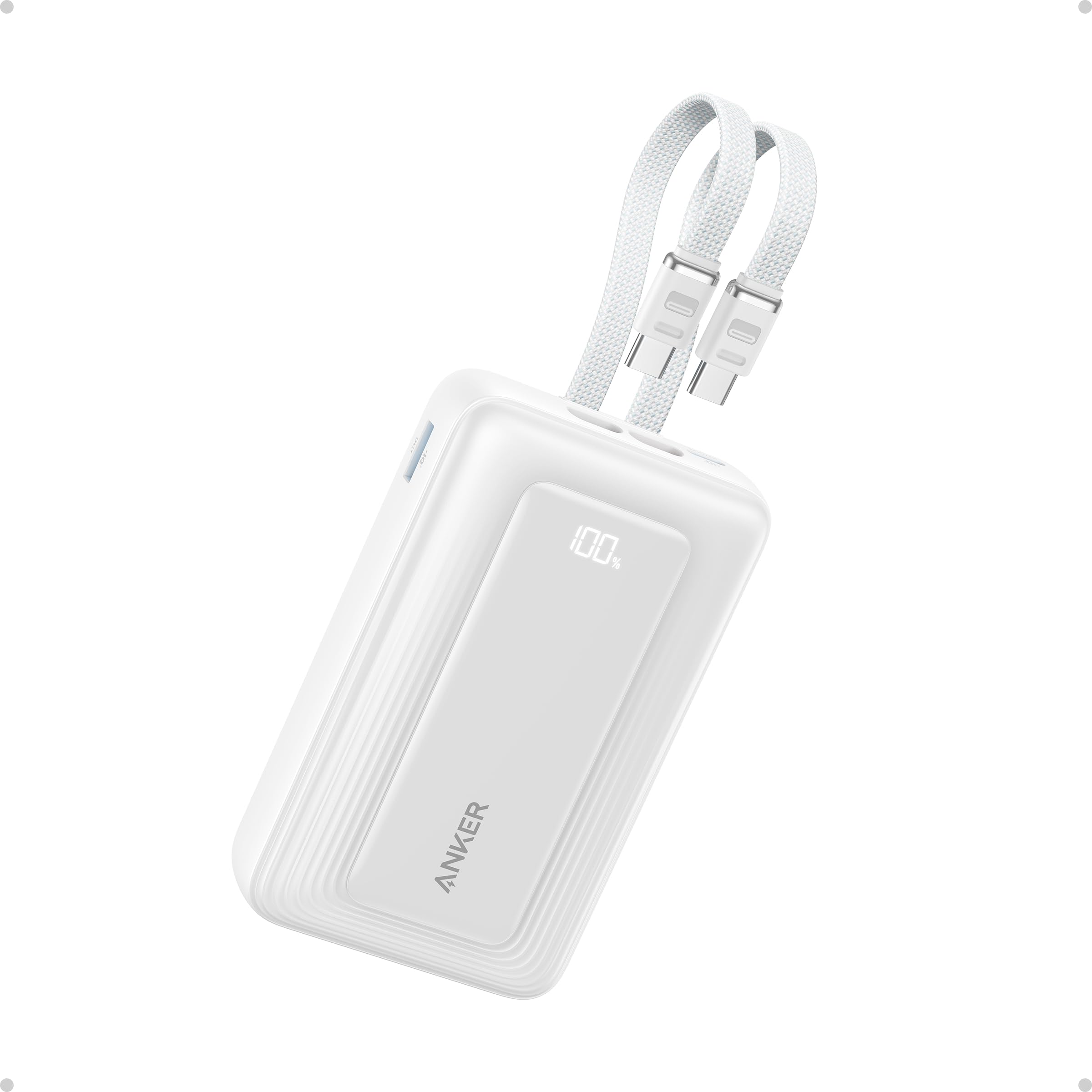
Image: Anker Zolo Power Bank A110M in white, highlighting its compact form factor and integrated cables.

Image: Diagram illustrating the convenience of dual built-in USB-C cables.

Image: Infographic highlighting key upgrades including upgraded cells for safety, dual USB-C cables, higher output power, and faster recharging.
Setup
- Unboxing: Carefully remove the Anker Zolo Power Bank and any included accessories from its packaging.
- Initial Charge: Before first use, fully charge the power bank. Connect the power bank to a compatible wall charger (not included) using one of the built-in USB-C cables or a separate USB-C cable via the USB-C port. The digital display will show charging progress.
- Activating the Power Bank: Press the side button once to activate the power bank and view the current battery level on the digital display.
Operating Instructions
Charging Your Devices
- Using Built-In USB-C Cables: Extend one of the built-in USB-C cables and connect it directly to your compatible device's USB-C charging port.
- Using USB-C Port: Connect a USB-C to USB-C cable (not included) from the power bank's USB-C port to your device.
- Using USB-A Port: Connect a USB-A to compatible cable (not included) from the power bank's USB-A port to your device.
- Simultaneous Charging: The power bank can charge up to four devices concurrently. Note that when using multiple ports simultaneously, the total output is 15W. A single port can deliver up to 45W.
- Trickle Charging Mode: For charging low-power devices like earbuds or smartwatches, double-press the power button to activate trickle charging mode. A green indicator will appear on the display. Double-press again to exit this mode.
Recharging the Power Bank
Connect the power bank to a wall charger using one of the built-in USB-C cables or a separate USB-C cable via the USB-C port. The digital display will indicate the charging status.

Image: The power bank simultaneously charging a smartphone, earbuds, and another device.

Image: Illustration of the power bank charging a phone while simultaneously being recharged from a wall outlet.
Maintenance
- Cleaning: Use a soft, dry cloth to clean the surface of the power bank. Avoid liquid cleaners or abrasive materials.
- Storage: Store the power bank in a cool, dry place away from direct sunlight and extreme temperatures.
- Battery Care: To prolong battery life, fully charge the power bank at least once every three months if not in regular use.
- Unplugging: Unplug the USB-C to USB-C cable from the power bank when it is not in use to conserve energy.
Troubleshooting
- Device Not Charging:
- Ensure the power bank is sufficiently charged.
- Verify that the cables are securely connected to both the power bank and your device.
- Check if the power bank is activated by pressing the side button.
- Slow Charging:
- Ensure you are using a compatible cable and that your device supports fast charging.
- When charging multiple devices, the total output is limited to 15W, which may result in slower charging for individual devices.
- Power Bank Not Recharging:
- Confirm that the charging cable is properly connected to a functional wall charger and the power bank's input port.
- Try using a different charging cable or wall adapter.
Specifications
| Model Number | A110M |
| Brand | Anker |
| Battery Capacity | 20,000 Milliamp Hours |
| Output Wattage | 45 Watts |
| Connector Type | USB Type C, USB Type A |
| Number of Ports | 3 (2 Built-in USB-C, 1 USB-C, 1 USB-A) |
| Item Dimensions (L x W x Thickness) | 4.72" x 1.24" x 2.89" |
| Item Weight | 365 Grams (12.85 oz) |
| Battery Cell Type | Lithium Polymer |
| Battery Charge Time | 5 Hours |
| Special Feature | Built-In Cables, Digital Display, ActiveShield™ 2.0 |
Warranty and Support
The Anker Zolo Power Bank A110M comes with an 18-month warranty. For any product inquiries, technical support, or warranty claims, please contact Anker customer service. Refer to the welcome guide included in the packaging for contact details and further information.


