
1. Introduction
Thank you for choosing the VINGVO Desktop Range Hood. This portable kitchen exhaust fan is designed to effectively remove cooking fumes, grease, and odors in various settings such as apartments, dormitories, RVs, and during indoor barbecues or hot pot meals. Featuring a 2-speed fan and negative ion function, it aims to provide a cleaner cooking environment. Please read this manual thoroughly before use to ensure proper operation and maintenance.
2. Safety Information
- Always ensure the power supply matches the product's specifications (5V, 8W USB powered).
- Do not immerse the unit in water or other liquids.
- Keep the appliance away from heat sources and open flames.
- Do not block the air inlet or outlet during operation.
- Unplug the device before cleaning or performing any maintenance.
- This appliance is not intended for use by persons (including children) with reduced physical, sensory, or mental capabilities, or lack of experience and knowledge, unless they have been given supervision or instruction concerning use of the appliance by a person responsible for their safety.
- Dispose of packaging materials responsibly.
3. Package Contents
Please check the package for the following items:
- 1 x Desktop Range Hood Unit
- 1 x Oil Filter
- 1 x Smoke Filter
- 1 x Drip Cup
- 1 x USB Cable
- 1 x Base
- 1 x User Manual
4. Product Overview
Familiarize yourself with the components of your VINGVO Desktop Range Hood.

Figure 4.1: Exploded view showing the main range hood unit, detachable base, oil filter, smoke filter, and drip cup.

Figure 4.2: Detail of the control panel with power/speed buttons and USB power input.
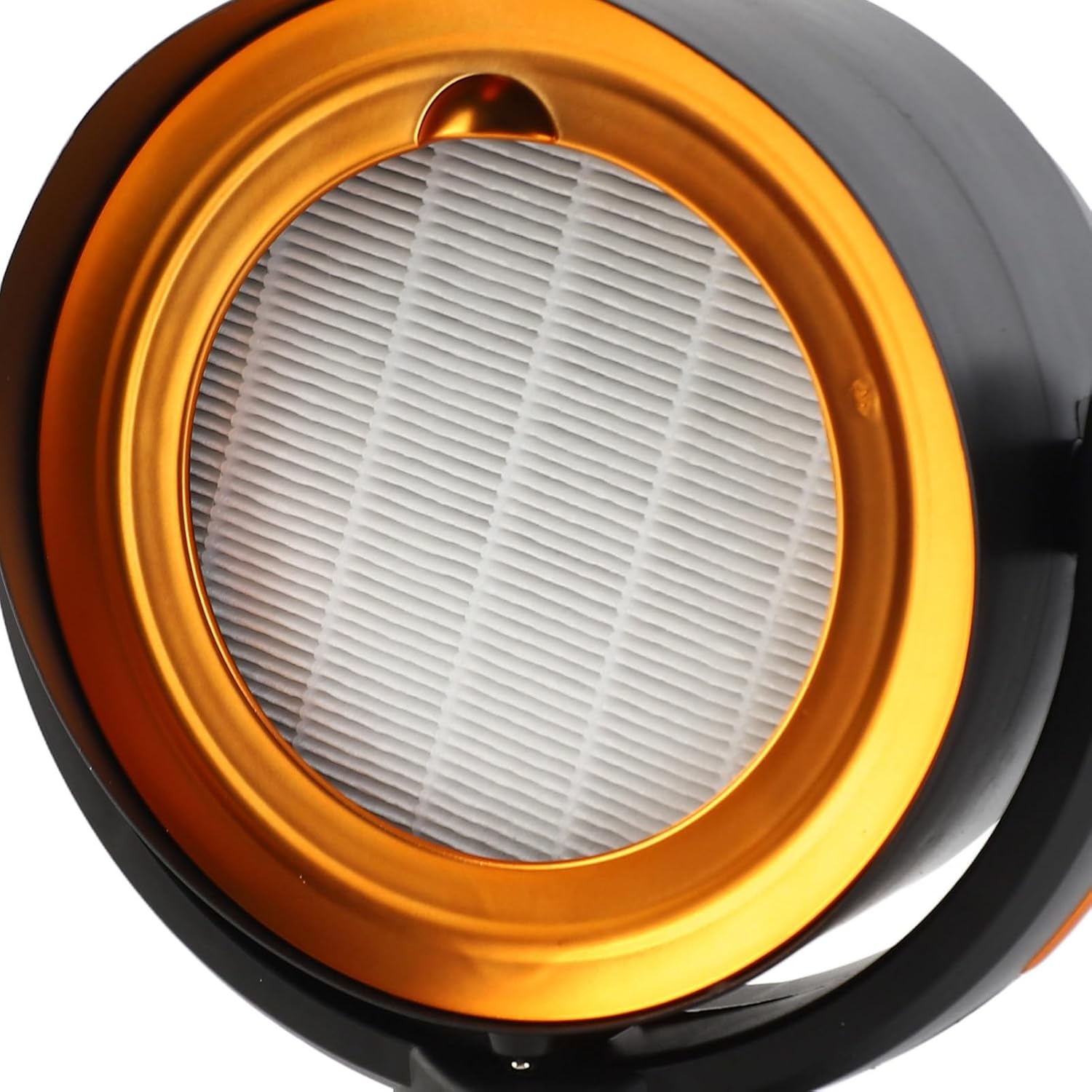
Figure 4.3: View of the removable filter, designed for grease and smoke absorption.
Key Components:
- Main Unit: Houses the fan, motor, and control electronics.
- Removable Filter: Captures grease and smoke particles.
- Control Panel: Features power/speed buttons and a negative ion switch.
- USB Port: For power connection.
- Drip Cup (Oil Storage Cup): Collects condensed grease and oil.
- Base: Provides stability and allows for height adjustment.
5. Setup
- Assemble the Base: Attach the main range hood unit securely onto the provided base. Ensure it clicks into place or is firmly seated.
- Insert Filters: Place the smoke filter and oil filter into their designated slots within the main unit. Refer to Figure 4.3 for filter placement.
- Install Drip Cup: Slide the drip cup into its position at the bottom of the main unit to collect oil.
- Connect Power: Connect the USB cable to the USB port on the control panel (Figure 4.2) and plug the other end into a compatible 5V USB power source (e.g., wall adapter, power bank, computer USB port).
- Adjust Height: The base allows for height adjustment. Depending on your cooking setup and stove height, you can adjust the main unit's position to optimize smoke capture.
6. Operating Instructions
The VINGVO Desktop Range Hood features a simple one-button operation for speed control and a dedicated negative ion switch.
- Power On/Off and Speed Control:
- Press the top circular button on the control panel (Figure 4.2) once to turn on the range hood at Speed 1 (low).
- Press the same button a second time to switch to Speed 2 (high).
- Press the button a third time to turn off the range hood.
- Negative Ion Function:
- Press the bottom circular button on the control panel (Figure 4.2) to activate the negative ion function. This helps to purify the air.
- Press the button again to deactivate the negative ion function.
For optimal performance, position the range hood close to the cooking area to effectively capture fumes.
7. Maintenance
Regular cleaning and maintenance will ensure the longevity and efficiency of your range hood.
7.1 Cleaning the Filter
- Ensure the range hood is turned off and unplugged from the power source.
- Carefully remove the front cover and then the oil and smoke filters.
- Wash the filters with warm, soapy water. For stubborn grease, a degreasing agent can be used.
- Rinse thoroughly and allow the filters to air dry completely before reinserting them.
7.2 Emptying the Drip Cup
- Ensure the range hood is turned off and unplugged.
- Carefully slide out the drip cup from its slot.
- Dispose of the collected oil and wash the drip cup with warm, soapy water.
- Rinse and dry the drip cup before placing it back into the unit.
7.3 Cleaning the Exterior
- Wipe the exterior surfaces of the range hood with a soft, damp cloth.
- Do not use abrasive cleaners or solvents, as they may damage the finish.
8. Troubleshooting
If you encounter any issues with your VINGVO Desktop Range Hood, please refer to the following common problems and solutions:
| Problem | Possible Cause | Solution |
|---|---|---|
| Unit does not turn on. | No power supply or loose connection. | Ensure the USB cable is securely connected to both the unit and a working power source. Try a different USB port or adapter. |
| Low suction power. | Clogged filters or improper positioning. | Clean or replace the filters. Adjust the range hood's height and position closer to the cooking area. Ensure no obstructions. |
| Unusual noise during operation. | Loose components or foreign objects. | Turn off and unplug the unit. Check for any loose parts or foreign objects inside the fan area. Ensure filters are correctly installed. |
| Negative ion function not working. | Function not activated. | Press the dedicated negative ion button on the control panel to activate it. |
If the problem persists after trying these solutions, please contact customer support.
9. Specifications
| Feature | Specification |
|---|---|
| Brand | VINGVO |
| Model | VINGVOfer19vyxtk-11 |
| Power | 8W |
| Voltage | 5V |
| Speed Gears | 2 Gears |
| Power Supply | USB Powered |
| Item Weight | Approx. 992g (2.29 pounds) |
| Product Dimensions (L x W x H) | 11.81 x 9.45 x 6.69 inches (30 x 24 x 17 cm) |
| Noise Level | 30 Decibels |
| Material | ABS |
| Special Features | Adjustable, Negative Ion Function |
10. Warranty and Support
This VINGVO Desktop Range Hood is covered by a standard manufacturer's warranty. For specific warranty terms and conditions, please refer to the documentation provided at the time of purchase or contact your retailer.
If you require technical assistance, have questions about product operation, or need to report a defect, please contact VINGVO customer support through your purchase platform or the official VINGVO website. Please have your model number (VINGVOfer19vyxtk-11) and purchase details ready when contacting support.