
Important Safety Instructions
Please read these instructions carefully before using the appliance and keep them for future reference. Failure to follow these instructions may result in electric shock, fire, or serious injury.
- Ensure the voltage indicated on the appliance corresponds to your mains voltage.
- Do not operate the fan with a damaged cord or plug. If the supply cord is damaged, it must be replaced by the manufacturer, its service agent, or similarly qualified persons to avoid a hazard.
- Always unplug the appliance before cleaning, maintenance, or moving.
- Do not insert fingers or other objects through the fan guard when the fan is operating.
- Keep the fan away from water and moisture. Do not use it in bathrooms or other damp environments.
- Place the fan on a stable, flat surface to prevent it from tipping over.
- This appliance is not intended for use by persons (including children) with reduced physical, sensory or mental capabilities, or lack of experience and knowledge, unless they have been given supervision or instruction concerning use of the appliance by a person responsible for their safety.
- Children should be supervised to ensure that they do not play with the appliance.
Product Overview
The Rowenta Turbo Swift Silence Pedestal Fan QV5041F0 is designed to provide intense and quiet cooling for optimal comfort throughout the year. Its compact, height-adjustable design and multidirectional oscillation ensure efficient air distribution in any room.
Key Features
- Intense Cooling: Delivers powerful airflow for rapid room cooling.
- Multidirectional Oscillation: Features 90° vertical and 120° horizontal oscillation for wide air distribution.
- Ultra-Silent Operation: Night mode operates at a low 22 dB(A) for undisturbed rest.
- Energy Efficient: Designed for up to 50% energy savings compared to previous models.
- Versatile Design: 2-in-1 height-adjustable (72-93 cm) for floor or pedestal use.
- Customizable Airflow: 18 speed settings and 3 automatic modes (Natural Breeze, Silent, Night).
- Convenient Control: Features an LED digital display, 12-hour timer, and remote control with integrated storage.
Package Contents
- Rowenta Turbo Swift Silence Pedestal Fan (main unit)
- Remote Control (includes CR2032 battery)
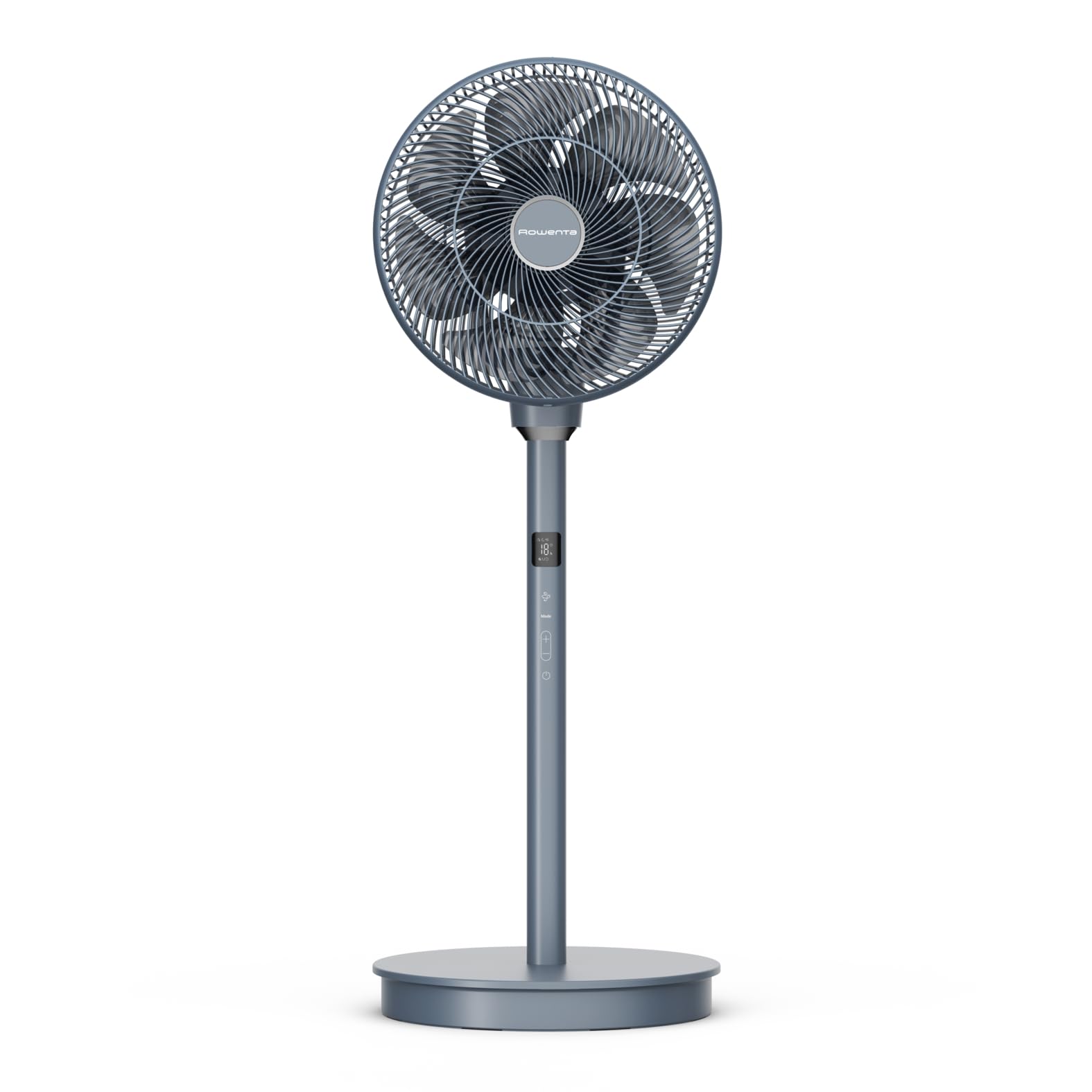
Front view of the Rowenta Turbo Swift Silence Pedestal Fan QV5041F0.
Assembly and Setup
Unpacking
Carefully remove all components from the packaging. Retain packaging materials for future storage or transport.
Assembly
- Attach the fan head to the adjustable stand. Ensure it clicks securely into place.
- Connect the stand to the base unit. The base is weighted for stability.
- Ensure all connections are firm before plugging in the fan.

Side view of the fan, showing the connection points for assembly.
Placement
Place the fan on a firm, level surface. For optimal air circulation, position it in an open area, away from walls or furniture that might obstruct airflow. The fan's height can be adjusted between 72 cm and 93 cm to suit your preference.
Operating Instructions
Control Panel and Remote Control
The fan can be operated using the control panel located on the unit or via the included remote control. The remote control allows for convenient adjustment of all functions from a distance.

Rear view of the fan, highlighting the integrated control panel.
Power On/Off
Press the power button on the control panel or remote control to turn the fan on or off.
Adjusting Fan Speed
The fan offers 18 speed levels. Use the '+' and '-' buttons on the control panel or remote to increase or decrease the airflow intensity.
Selecting Operating Modes
Choose from three automatic modes:
- Natural Breeze: Simulates natural wind patterns.
- Silent: Provides quiet operation for minimal disturbance.
- Night: Operates at an ultra-low noise level (22 dB(A)) for comfortable sleep.

The fan operating in silent mode, ideal for bedrooms.
Oscillation Function
Activate the oscillation function for wider air distribution. The fan supports multidirectional oscillation, covering 90° vertically and 120° horizontally, ensuring optimal air circulation throughout the room.

Illustration of the fan's multidirectional air diffusion pattern.
Timer Function
Set the fan to operate for a specific duration using the timer function, adjustable up to 12 hours. This feature allows for automatic shut-off, conserving energy.

The fan can be used year-round to enhance air circulation with other climate control devices.
Care and Maintenance
Regular cleaning and proper maintenance will ensure the longevity and optimal performance of your fan.
Cleaning the Fan
- Always unplug the fan from the power outlet before cleaning.
- Wipe the exterior surfaces of the fan with a soft, damp cloth. Do not use abrasive cleaners or solvents.
- To clean the fan blades, carefully remove the front grille according to the instructions in the assembly section (if applicable for your model). Wipe the blades with a soft, damp cloth. Ensure all parts are dry before reassembling and operating the fan.
- Do not immerse the fan in water or any other liquid.
Storage
When not in use for extended periods, unplug the fan and store it in a cool, dry place, preferably in its original packaging, to protect it from dust and damage.
Troubleshooting Guide
If you encounter any issues with your fan, please refer to the following common problems and solutions:
| Problem | Possible Cause | Solution |
|---|---|---|
| Fan does not turn on. | No power supply. | Check if the power cord is securely plugged into a working electrical outlet. |
| Weak or no airflow. | Fan speed is too low; obstructions. | Increase the fan speed. Ensure there are no objects blocking the air intake or output grilles. |
| Unusual noise during operation. | Loose parts or dirt on blades. | Unplug the fan and check for any loose components. Clean the fan blades and grilles as per maintenance instructions. |
| Remote control is not working. | Dead battery; no line of sight. | Replace the CR2032 battery in the remote control. Ensure there is a clear line of sight between the remote and the fan's receiver. |
If the problem persists after trying these solutions, please contact customer support.
Technical Specifications
| Feature | Specification |
|---|---|
| Model Number | QV5041F0 |
| Dimensions (L x W x H) | 95.5 x 35 x 36 cm |
| Weight | 4.6 Kilograms |
| Power | 36 Watts |
| Voltage | 220V |
| Noise Level (Night Mode) | 22 dB(A) |
| Airflow | 180 m³/min |
| Number of Speeds | 18 |
| Oscillation | 90° Vertical, 120° Horizontal |
| Timer | Up to 12 hours |
| Material | Plastic |
| Control Type | Button, Remote Control |
| Height Adjustment | 72-93 cm |

Dimensions of the fan, including adjustable height.

Information on the fan's energy efficiency.
Warranty and Customer Support
Reparability Commitment
Rowenta is committed to making spare parts available for most of its products for 15 years after purchase, at a fair price. This commitment supports environmental protection and waste reduction.
Contact Information
For any questions, technical assistance, or warranty claims, please refer to the warranty card included with your product or visit the official Rowenta website for local service center information. You can also contact your retailer for support.


