
1. Introduction
This manual provides comprehensive instructions for the setup, operation, and maintenance of your Beetel F1 4G Fixed Cordless Landline Phone, Model F1K 4G. Please read this manual carefully before using the device to ensure proper functionality and to maximize its features.
2. Package Contents
Verify that all items are present in the package:
- Beetel F1K 4G Landline Phone Unit
- Handset
- Coiled Handset Cord
- Power Adapter
- User Manual
- Antenna
3. Setup Guide
3.1. Device Overview

Image: Beetel F1K 4G Fixed Cordless Landline Phone showing the main unit, handset, and antenna.
3.2. SIM Card Installation
- Ensure the phone is powered off and disconnected from the power adapter.
- Locate the SIM card slot, typically found on the back or bottom of the main unit.
- Carefully insert your 4G VoLTE enabled SIM card into the designated slot. Ensure the SIM card is inserted in the correct orientation as indicated by the diagram near the slot.
- Close the SIM card slot cover securely.
3.3. Battery Installation
- Open the battery compartment cover on the back of the phone.
- Insert the provided AAA batteries, ensuring correct polarity (+ and -) as marked.
- Close the battery compartment cover.
3.4. Antenna Attachment
- Locate the antenna port on the main unit.
- Screw the external antenna clockwise into the port until it is firmly attached.
3.5. Power Connection
- Connect the power adapter to the DC input port on the phone.
- Plug the power adapter into a standard electrical outlet.
3.6. Initial Power On
- Press and hold the Power button (usually located on the keypad) until the LCD screen illuminates.
- The phone will perform a self-check and attempt to register with the network. Wait for the network signal indicator to appear on the LCD screen.
4. Operating the Phone
4.1. Making and Receiving Calls
To make a call, dial the number using the keypad and press the Call/Send button. To receive a call, lift the handset or press the Speakerphone button.
4.2. 4G VoLTE Support

Image: Graphic illustrating the phone's support for 4G VoLTE, LTE, 3G, and 2G networks for voice calls.
The Beetel F1K 4G supports 4G VoLTE technology, ensuring high-quality voice calls over LTE networks. This provides clearer audio and faster call connection times compared to traditional 2G/3G networks. Ensure your SIM card is VoLTE enabled for optimal performance.
4.3. LCD Display with Backlight
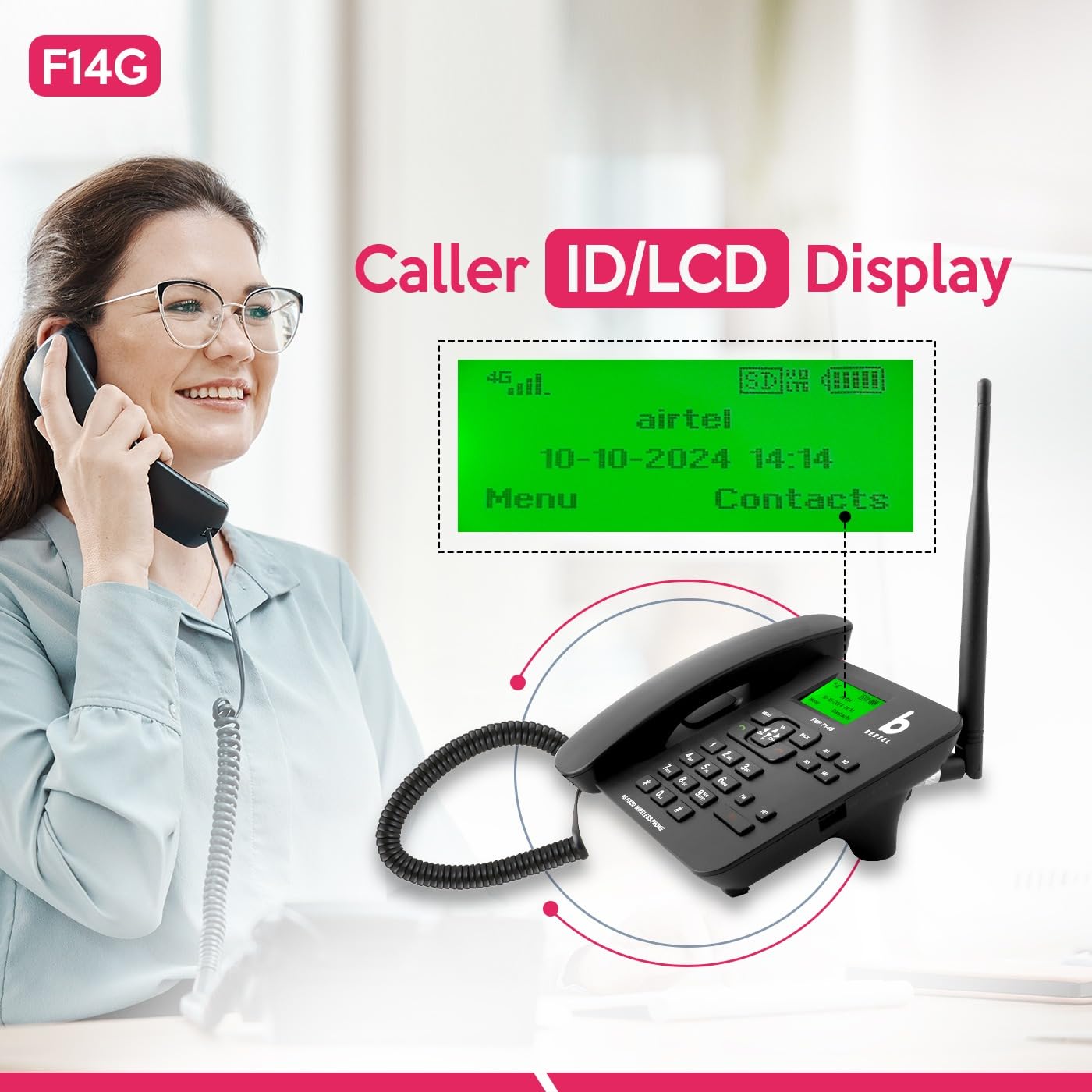
Image: Close-up of the phone's LCD display showing network status, date, time, and menu options.
The backlit LCD screen displays essential information such as network signal strength, battery level, date, time, caller ID, and menu options. The backlight ensures readability in various lighting conditions.
4.4. Two-Way Speakerphone & Adjustable Volume
Activate the speakerphone function by pressing the dedicated Speakerphone button during a call. You can adjust the call volume using the navigation keys (up/down) on the keypad. This feature is ideal for hands-free conversations or group calls.
4.5. Speed Dial
To set up speed dial, navigate to the phonebook or settings menu. Assign frequently called numbers to specific keys (e.g., 2-9). To use, press and hold the assigned key for a few seconds.
4.6. Direct Memory Keys (M1-M4)

Image: The phone's keypad with the four direct memory keys (M1, M2, M3, M4) clearly indicated.
The phone features four dedicated direct memory keys (M1, M2, M3, M4) for quick access to important contacts. To program these keys, refer to the phone's menu for 'Memory Key Settings' or 'Direct Dial'.
4.7. 3-Way Call Conferencing
To initiate a 3-way call, make the first call, then press the 'Options' or 'Menu' button, select 'Add Call' or 'Conference', dial the second number, and once connected, select 'Merge Calls' or 'Conference'.
4.8. Hotline Function

Image: A person using the Beetel F1K 4G phone, with a graphic highlighting the 'Hotline Function'.
The Hotline function allows you to automatically dial a pre-set number when the handset is lifted or a specific key is pressed. This is useful for emergency contacts or frequently called numbers. Configure this feature in the phone's settings menu.
4.9. MP3 Player and FM Radio
The integrated MP3 player allows you to play audio files stored on a compatible memory card (if supported). The FM radio function enables listening to local radio stations. Access these features through the 'Multimedia' or 'Entertainment' menu.
4.10. SOS Function
The SOS function allows you to quickly dial pre-programmed emergency numbers by pressing a dedicated SOS button (if available) or a specific key combination. Ensure emergency contacts are correctly set up in the phone's settings.
4.11. Sound & Call Recording Function
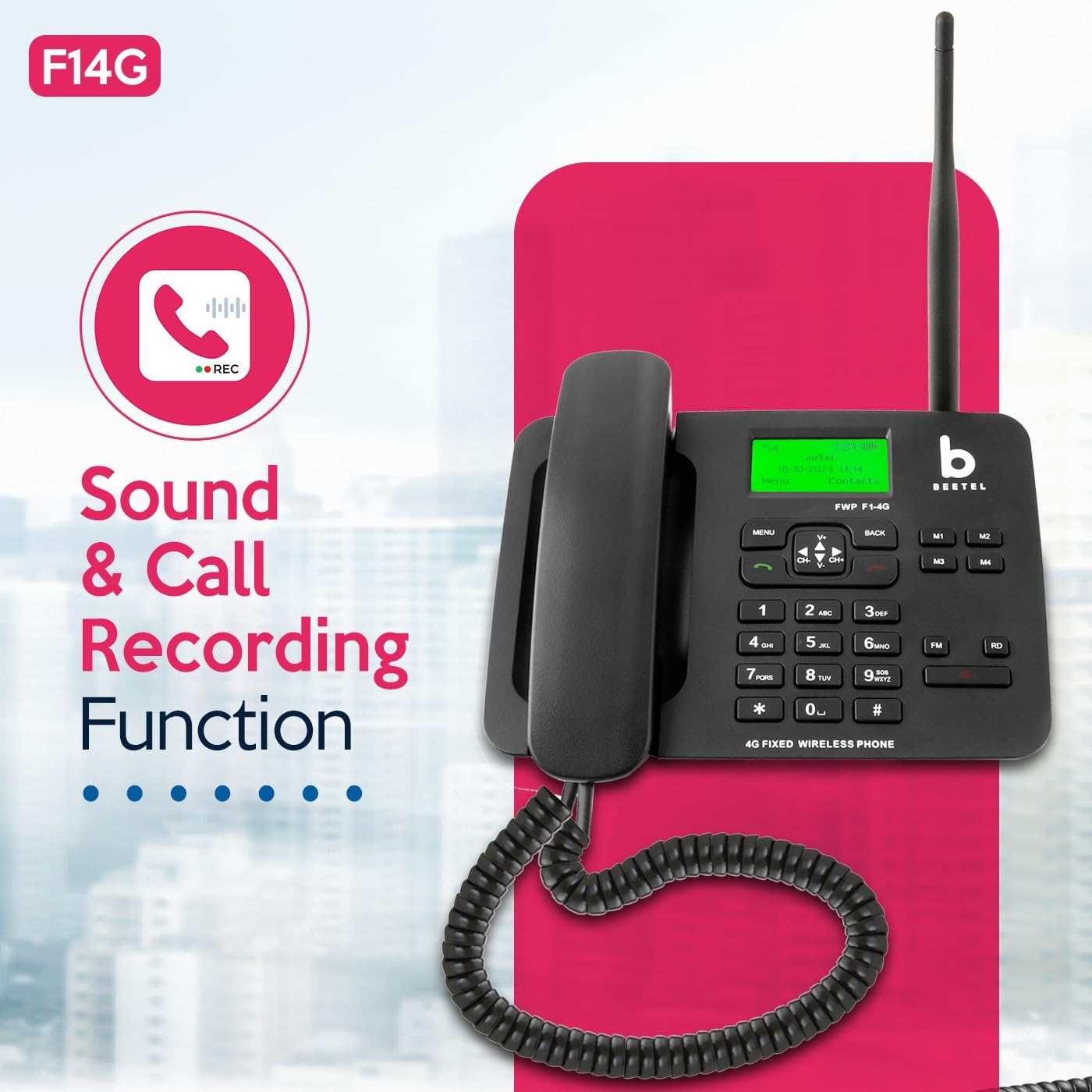
Image: The Beetel F1K 4G phone with a graphic indicating 'Sound & Call Recording Function'.
The phone supports sound and call recording. During an active call, you may have an option to start recording via the menu. Recorded files are typically saved to internal memory or an inserted memory card.
5. Maintenance
5.1. Cleaning
Use a soft, dry cloth to clean the phone's surface. Avoid using liquid cleaners or abrasive materials, which can damage the device.
5.2. Battery Care
To prolong battery life, avoid exposing the phone to extreme temperatures. If the phone will not be used for an extended period, fully charge the battery before storage and recharge periodically.
5.3. Storage
Store the phone in a cool, dry place away from direct sunlight and moisture when not in use.
6. Troubleshooting
If you encounter issues with your Beetel F1K 4G phone, refer to the following common problems and solutions:
- No Signal/Poor Signal:
Ensure the external antenna is securely attached. Check if the SIM card is properly inserted. Move the phone to an area with better network coverage. - Cannot Make/Receive Calls:
Verify that the SIM card is active and has sufficient balance/plan. Check network signal strength. Restart the phone. - Low Ringtone Volume:
Adjust the ringtone volume through the phone's settings menu. Ensure the phone is not in silent or vibrate-only mode. - Battery Not Holding Charge:
Ensure the power adapter is correctly connected and the outlet is functional. If the issue persists, the battery may need replacement. - Low Earpiece Sound:
Adjust the in-call volume using the navigation keys. Ensure the earpiece is clean and free from obstructions. - Phone Not Powering On:
Ensure the battery is charged or the phone is connected to the power adapter. Press and hold the power button for several seconds.
7. Specifications
| Feature | Specification |
|---|---|
| Product Dimensions | 21 x 19 x 6 cm |
| Item Weight | 700 g |
| Batteries | 1 AAA batteries required |
| Colour | Black |
| Phone Talk Time | 3 Hours |
| Phone Standby Time | 50 Hours |
| Telephone Type | Cordless (Fixed Wireless) |
| Material | Plastic |
| Display Features | Wireless, LCD Display with Backlight |
| Network Support | 4G VoLTE |
8. Warranty and Support
8.1. Warranty Information
Your Beetel F1K 4G Fixed Cordless Landline Phone comes with a standard manufacturer's warranty. Please refer to the warranty card included in your package for specific terms, conditions, and duration. Keep your purchase receipt as proof of purchase for warranty claims.
8.2. Customer Support
For technical assistance, service, or warranty inquiries, please contact Beetel customer support. Contact details can typically be found on the manufacturer's official website or on the warranty card.