
Speedlink SL-860017-BK
CONUX RGB Gaming Headset User Manual
Model: SL-860017-BK | Brand: Speedlink
Introduction
This manual provides detailed instructions for the setup, operation, and maintenance of your Speedlink CONUX RGB Gaming Headset. Please read this manual carefully before using the product to ensure proper functionality and longevity.
The CONUX RGB stereo gaming headset features powerful 50mm driver units for precise audio reproduction, from deep bass to high treble. It includes multi-coloured RGB illumination for an enhanced gaming atmosphere. Designed for comfort, it features ultra-soft padding and a robust metal frame. The headset offers variable size adjustment and a detachable, sensitive microphone with a flexible arm. An integrated cable remote control allows for quick volume adjustment and microphone muting. Universal compatibility is provided via a 3.5mm jack plug and a supplied Y-adapter, supporting PC, PS5, PS4, Xbox, and Switch platforms.
Package Contents
Ensure all items are present in the package:
- CONUX RGB Gaming Headset
- 3.5mm Y-Adapter (2 x 3.5mm TRS 3-pin)
- USB-A Cable (for RGB lighting power)
- User Manual (this document)
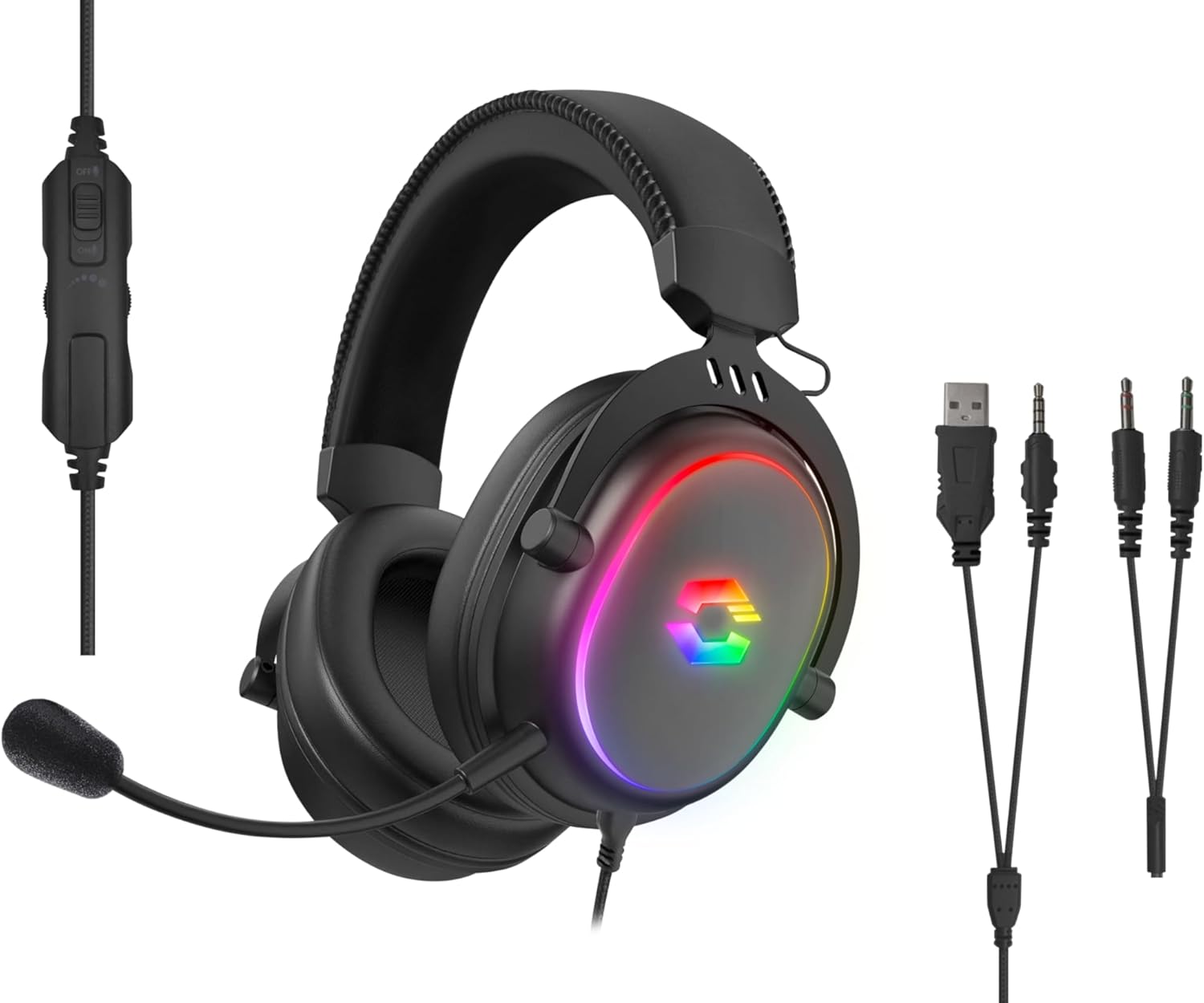
Image: The CONUX RGB Gaming Headset shown with its integrated cable remote, detachable microphone, 3.5mm jack, USB-A cable for RGB, and the included Y-adapter.
Setup
Connecting the Headset
- For PC/Laptop (with separate audio/mic ports):
- Connect the headset's 3.5mm jack to the supplied 2 x 3.5mm Y-adapter.
- Plug the green connector of the Y-adapter into your computer's audio output (headphone) jack.
- Plug the pink connector of the Y-adapter into your computer's microphone input jack.
- For PC/Laptop/Gaming Console (with combined 3.5mm TRRS jack):
- Directly plug the headset's 3.5mm 4-pin (TRRS) jack into the combined audio/microphone port of your device (e.g., PS5, PS4, Xbox Series X/S, Switch, mobile phone, laptop with single jack).
- Powering RGB Lighting:
- Connect the USB-A cable from the headset to any available USB-A port on your PC, console, or a USB power adapter. This cable is solely for powering the RGB LED lighting.

Image: Compatibility overview showing support for PC, PS5, PS4, Xbox One, Xbox Series X/S, Nintendo Switch/OLED/Lite.
Operating Instructions
Wearing the Headset
- Adjust the headband to ensure a comfortable and secure fit. The headband is designed for variable size adjustment.
- Position the earcups over your ears so they fully enclose them, utilizing the ultra-soft padding for maximum comfort during extended use.
Microphone Usage
- The microphone is detachable. To attach, align the microphone jack with the port on the left earcup and insert firmly.
- Adjust the flexible arm of the microphone to position it optimally near your mouth for clear voice capture.
- Use the integrated cable remote control to mute/unmute the microphone. A switch or button on the remote will control this function.
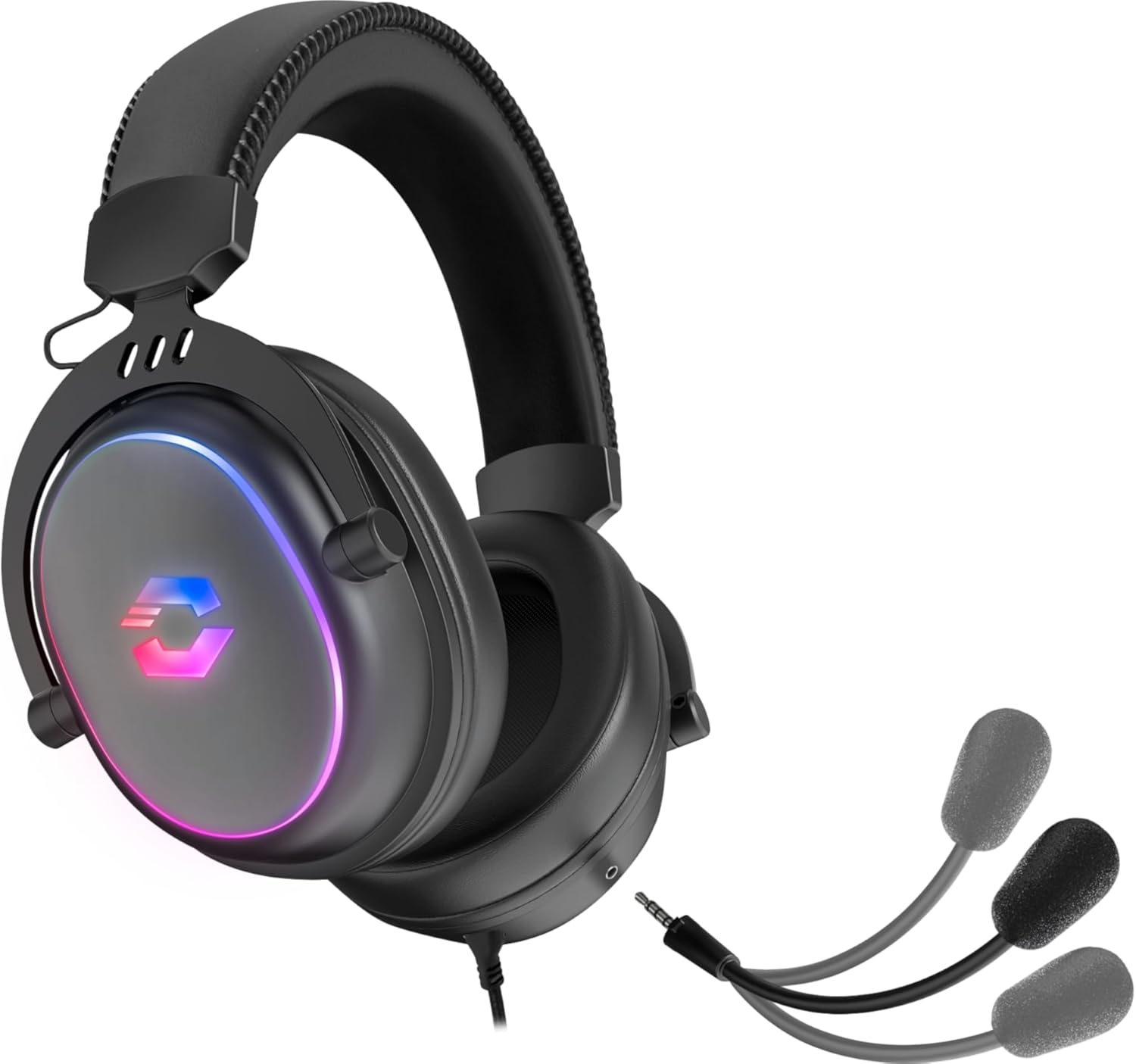
Image: The CONUX headset demonstrating its detachable microphone feature.
Volume Control
- The integrated cable remote control features a volume wheel or slider. Rotate or slide it to increase or decrease the audio volume.
RGB Lighting
- The multi-coloured RGB lighting on the earcups will illuminate automatically when the USB-A cable is connected to a powered USB port.
- The lighting provides an aesthetic enhancement and does not affect audio performance.

Image: The CONUX headset illuminated with its multi-colored RGB lighting effect.
Maintenance
- Cleaning: Use a soft, dry cloth to clean the headset. Do not use abrasive cleaners or solvents.
- Storage: Store the headset in a cool, dry place away from direct sunlight and extreme temperatures.
- Handling: Avoid dropping the headset or subjecting it to strong impacts. Do not expose to liquids, heat, or cold.
- Cables: Do not pull on the cables when disconnecting. Always grasp the plug firmly.
Troubleshooting
| Problem | Possible Cause | Solution |
|---|---|---|
| No sound from headset |
|
|
| Microphone not working |
|
|
| RGB lighting not working |
|
|
Specifications
| Feature | Detail |
|---|---|
| Model Name | Speedlink Conux (SL-860017-BK) |
| Connectivity Technology | Wired (3.5mm Jack, USB-A for RGB) |
| Headphones Jack | 3.5 mm Jack (TRRS 4-pin) |
| Included Components | Headset Cable, 3.5mm Y-Adapter |
| Material | Plastic, Metal |
| Ear Placement | Over Ear |
| Form Factor | Over Ear |
| Color | Black |
| Item Weight | 265 Grams (approx. 9.3 ounces) |
| Product Dimensions | 162 x 208 x 87 mm (W×H×D) / 6.38 x 8.19 x 3.43 inches |
| Audio Driver Type | Dynamic Driver |
| Audio Driver Size | 50 Millimeters |
| Frequency Response (Headphones) | 20Hz-20kHz |
| Impedance (Headphones) | 32Ω |
| Sound Pressure Level | 106dB ± 3dB |
| Microphone Sensitivity | -42dB ± 3dB |
| Noise Control | Sound Isolation |
| Cable Length | 1.8 metres |
| Compatible Devices | Gaming Consoles, Tablets, Mobile phones, Laptops, Desktops (PC, PS5, PS4, Xbox Series X/S, Switch) |
Safety Instructions and Conformity
Please observe the following important safety instructions to prevent damage, explosion, fire, or electric shock:
- Only use the devices as indicated in the user guide.
- Do not open or repair the device.
- Do not expose the device to liquids, heat, or cold.
- Do not use the device in a damp environment.
- Clean the device with a dry cloth.
- Keep the device and all loose parts away from children, pets, and unauthorized persons.
- Only use the device with the appropriate provided accessories.
- Disconnect cables from the devices if they will not be used for a long time. When disconnecting the cables, do not pull on the cord but on the plug.
- Don't use the cables in any way other than mentioned in the user guide; don't bend, cut, extend, knot or step on them.
- Do not insert any foreign objects into the openings of the device.
- If the devices are damaged in any way or get too hot, stop using them immediately.
- Take caution when using devices that emit radio signals if you have a pacemaker or are dependent on other sensitive electronic life aids.

Image: Detailed safety instructions, warning symbols, and conformity notices, including CE, UKCA, and WEEE markings.
Warning Symbols and Markings
The product bears the following symbols:
- ⚠: Warning symbol, indicating important safety information.
- ♻: WEEE (Waste Electrical and Electronic Equipment) symbol, indicating separate collection for electrical and electronic equipment. Do not dispose of with household waste.
- CE: CE marking, indicating conformity with European Union directives.
- UKCA: UK Conformity Assessed marking, indicating conformity with applicable UK legislation.
Conformity Notice
Operation of the device (the devices) may be affected by strong static, electrical or high-frequency fields (radio installations, mobile telephones, microwaves, electrostatic discharges). If this occurs, try increasing the distance from the devices causing the interference. Conformity notice in further languages: www.speedlink.com
The product complies with the following directives: EMC 2014/30/EU, RoHS 2011/65/EU.
Warranty and Support
For warranty information and technical support, please visit the official Speedlink website or contact their customer service. Details can typically be found at www.speedlink.com.
Manufacturer: Speedlink (Zeitfracht Medien GmbH, Im Dorf 5, 27404 Heeslingen, GERMANY)
Related documentsSL-860017-BK


Ask a question about this manual
Ask about setup, troubleshooting, compatibility, parts, safety, or missing instructions. Manuals+ will review the question and use this page’s manual context to help answer it.