
1. Introduction
Thank you for choosing the SBS 2-in-1 Wireless Charging Station. This device is designed to provide convenient and efficient wireless charging for your compatible smartphone and wireless earbuds simultaneously. It features 15W fast charging, MagSafe compatibility for iPhone 12 series and newer, and an Automatic Detection System (ADS) for optimized power delivery.
2. Package Contents
- 1 x SBS 2-in-1 Wireless Charging Station
- 1 x USB-A to USB-C Cable
- 1 x Instruction Manual (this document)
3. Product Features
- Dual Charging Capability: Charge two devices simultaneously – one via the magnetic vertical stand and another on the flat base.
- Fast Wireless Charging: Delivers up to 15W power output for compatible devices.
- MagSafe Compatibility: Magnetic attachment for iPhone 12 series and newer, ensuring precise alignment and efficient charging.
- Automatic Detection System (ADS): Intelligently recognizes device power requirements and adjusts output for safe and optimized charging, preventing overheating and short circuits.
- Minimalist Design: Compact vertical design with a metal rod, suitable for office or home environments.
- Secure Placement: Features a non-slip rubber pad on the base for stable positioning on flat surfaces.
- LED Indicators: Status LEDs indicate correct functioning and charging status.
4. Setup Guide
- Connect Power: Insert the USB-C end of the provided USB-A to USB-C cable into the input port on the back of the charging station. Connect the USB-A end to a compatible power adapter (not included) with a minimum output of 5V/3A, 9V/2A, or 12V/2A. For optimal fast charging, a Quick Charge (QC) 3.0 or Power Delivery (PD) adapter is recommended.
- Placement: Place the charging station on a stable, flat surface. The non-slip rubber pad on the bottom helps secure the device.
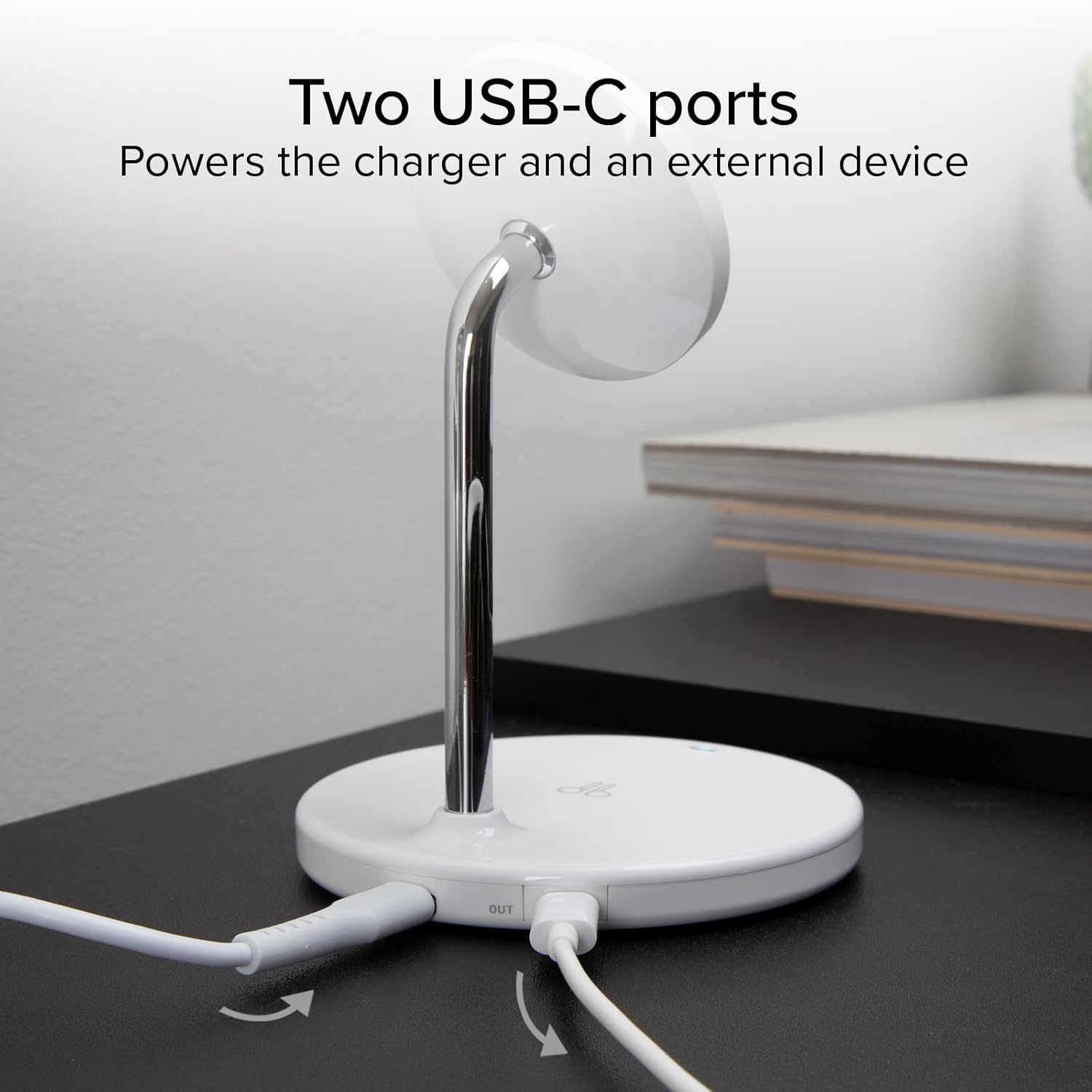
Image: Rear view of the charging station, highlighting the USB-C input port for power and an additional USB-C output port for charging another device via cable.
5. Operating Instructions
5.1 Charging a Smartphone (Magnetic Stand)
- Ensure your smartphone is compatible with MagSafe or magnetic wireless charging.
- Place your smartphone onto the magnetic charging pad on the vertical stand. The magnets will align your device for optimal charging.
- The LED indicator on the base will illuminate to confirm charging has begun.

Image: A smartphone is shown charging wirelessly on the magnetic vertical stand, while a pair of wireless earbuds charge on the flat base, demonstrating simultaneous charging.
5.2 Charging Wireless Earbuds or Other Devices (Flat Base)
- Place your wireless earbuds case or any other Qi-compatible device onto the flat charging base.
- Ensure the device is centered on the charging area for proper contact.
- The LED indicator on the base will illuminate to confirm charging has begun.
5.3 Automatic Detection System (ADS)
The charging station is equipped with ADS, which automatically detects the power requirements of your connected devices. This system adjusts the power output to ensure safe and efficient charging, protecting your devices from overcharging, overheating, and short circuits.
5.4 Tilting Feature
The magnetic charging pad on the vertical stand can be tilted to adjust the viewing angle of your smartphone. This allows for comfortable viewing of content, video calls, or notifications while your device charges.

Image: A visual representation of the magnetic charging pad's ability to tilt, allowing users to adjust the viewing angle of their smartphone.

Image: A smartphone is positioned horizontally on the magnetic charger, ideal for watching videos or making calls, while wireless earbuds charge on the base.
6. Maintenance
- Cleaning: Disconnect the power before cleaning. Use a soft, dry cloth to wipe the surface of the charging station. Do not use abrasive cleaners or solvents.
- Storage: Store the device in a cool, dry place away from direct sunlight and extreme temperatures when not in use.
- Handling: Avoid dropping or subjecting the device to strong impacts.
7. Troubleshooting
- Device not charging:
- Ensure the charging station is properly connected to a power source.
- Verify that your device is wirelessly charging compatible and correctly positioned on the charging area (magnetic alignment for phones, centered for earbuds).
- Remove any thick phone cases or metallic objects that may interfere with wireless charging.
- Try using a different power adapter and cable to rule out issues with the power supply.
- Slow charging:
- Ensure you are using a power adapter that supports Quick Charge (QC 3.0) or Power Delivery (PD) with sufficient output (e.g., 9V/2A or 12V/2A) for fast charging.
- Check for proper alignment of your device on the charging pad.
- LED indicator not illuminating:
- Confirm the charging station is powered on.
- If a device is placed on the charger, ensure it is compatible and correctly positioned.

Image: The charging station's base emits a soft blue light, signifying that a device is actively charging.
8. Specifications
| Feature | Specification |
|---|---|
| Model | TEWIRMAG2IN1 |
| Input | DC 5V/3A, 9V/2A, 12V/2A |
| Wireless Output (Magnetic) | 15W / 10W / 7.5W / 5W |
| Wireless Output (Base) | 5W |
| Compatible Devices | Cellular Phones (MagSafe compatible for iPhone 12+), AirPods, Qi-compatible smartphones |
| Special Features | Magnetic, MagSafe Compatible, Multi Device Charging, Short Circuit Protection, Wireless Charging, Automatic Detection System (ADS) |
| Material | Plastic, Metal |
| Dimensions | 70 x 140 x 70 mm |
| Weight | 230 g |
| Color | White |
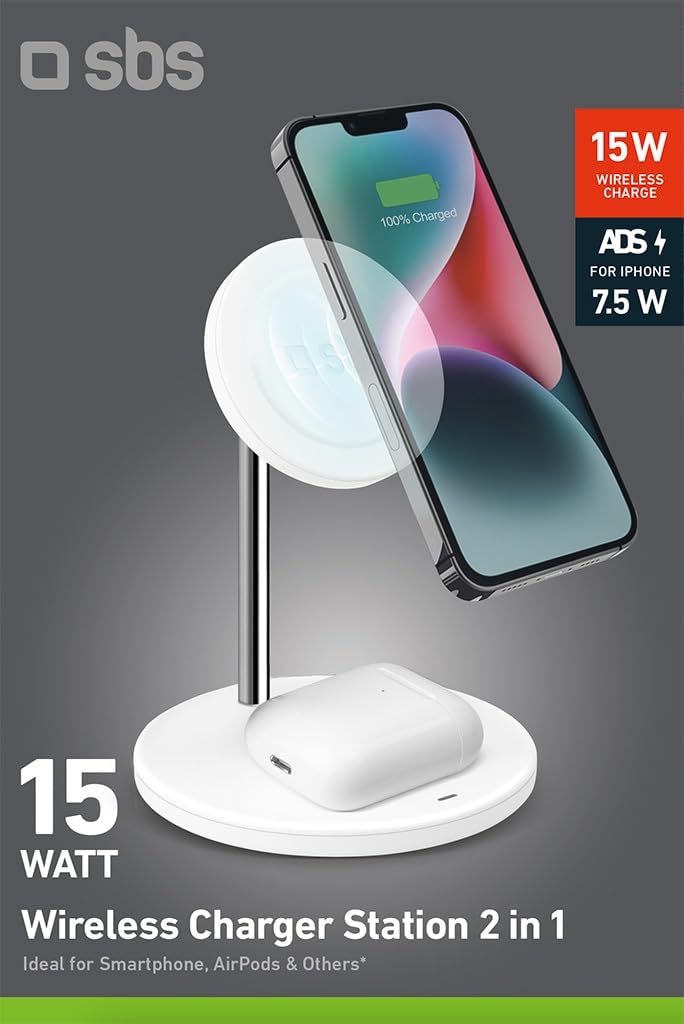
Image: The underside of the charging station, featuring a non-slip rubber pad for stability and labels with product specifications and certifications.
9. Safety Information
- Do not disassemble or modify the device.
- Keep the device away from water, moisture, and high temperatures.
- Avoid placing metallic objects, credit cards, or other sensitive items between the charging pad and your device, as this may interfere with charging or damage the items.
- Use only certified power adapters and cables.
- Keep out of reach of children.
10. Warranty and Support
This product is covered by a standard manufacturer's warranty. For detailed warranty terms, please refer to the documentation provided at the time of purchase or contact SBS customer support. For technical assistance or inquiries, please visit the official SBS website or contact their customer service department.